To Link your account EA at Twitch, everything has been happening since the connection parameters from your account EA.
Visit the official website of’EA, log in, then authorize the connection to your account Twitch.
The main benefit: unlocking drops Twitch and prizes up for grabs free when you watch certain broadcasts.
This guide shows you how to set up the connection in just a few minutes, by 5 steps illustrated.
Step 1: Log in to your EA account
Go to the official website of’EA (Electronic Arts) at ea.com and Log in with your email address and password.
If you've enabled the’two-factor authentication, enter the verification code sent by email to confirm the login.
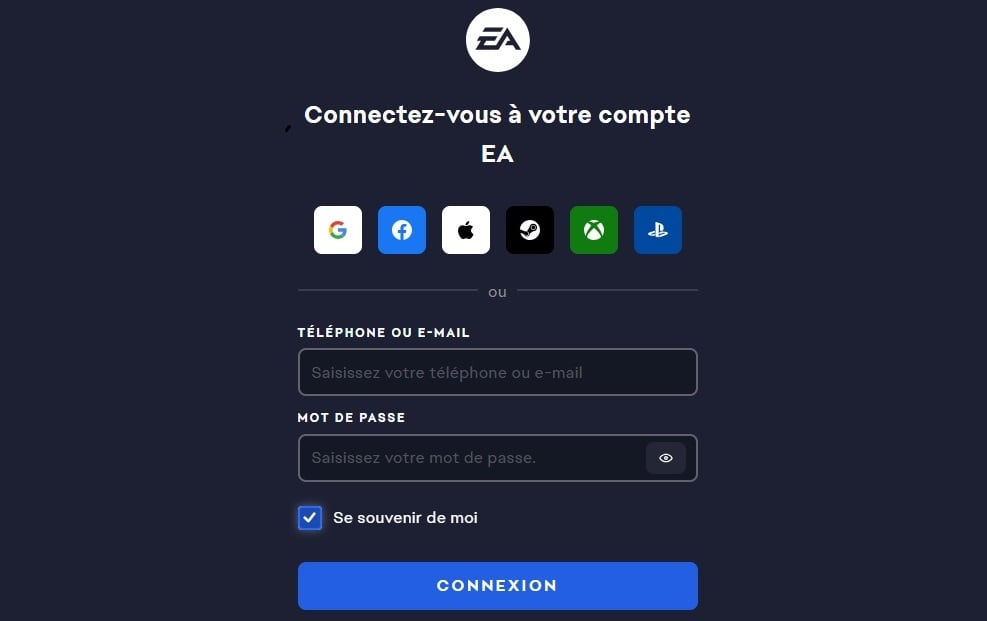
Once you're logged in, open the Your account settings EA and look for the section «Connections».
This is where you can link your account EA at Twitch, as well as other platforms such as Xbox, Discord Where Facebook.
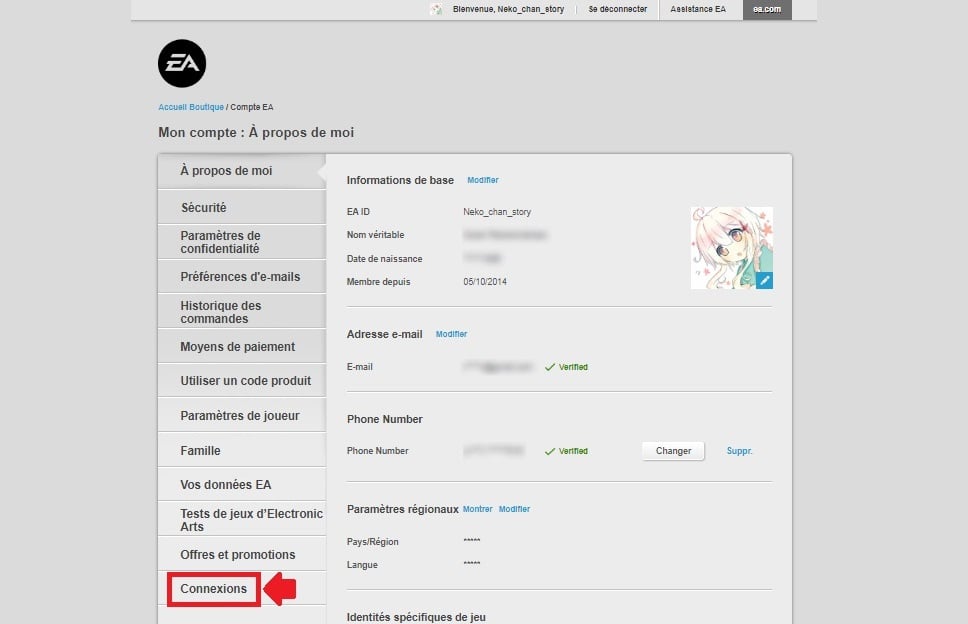
Step 2: Access connection settings
In the Connections, you'll find a list of all the platforms already connected to your account.
Scroll down the page down until you find Twitch in the list.
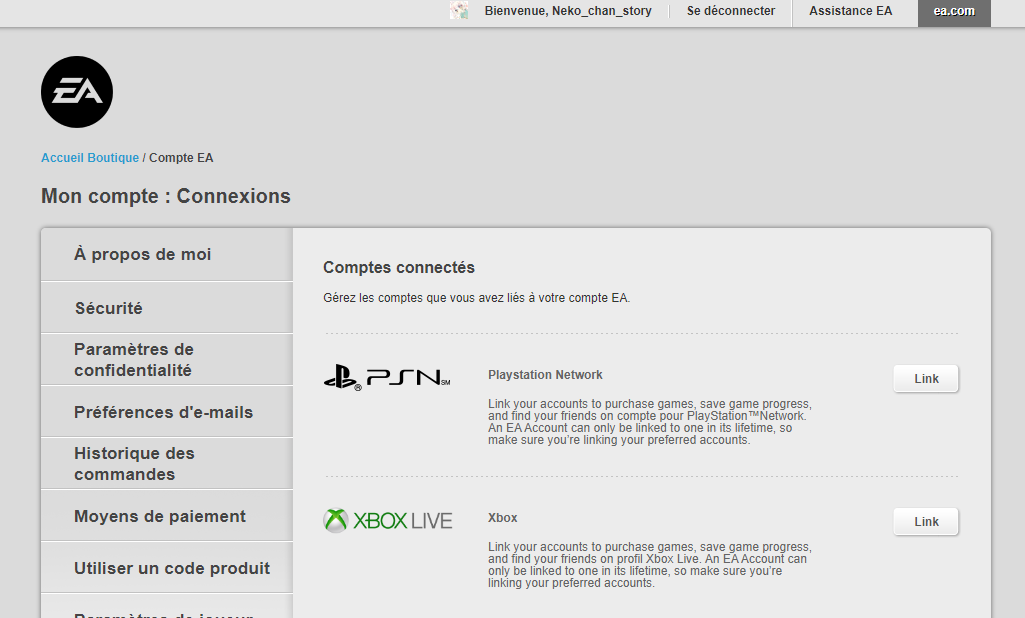
Step 3: Choose Twitch
Find the line Twitch and click the button " Link ».
You will then be redirected to a login page Twitch. If you aren't logged in yet, enter your email address and your password Twitch to continue.

Step 4: Authorize the link between your EA account and your Twitch account
On the next page, click the button "Authorize to confirm the connection.
This action then unlocks the drops Twitch and the game's prizes up for grabs when you watch the relevant broadcasts.

Step 5: Confirm the link between your two accounts
You'll see the screen for confirmation. Click on «Link Accounts» to complete the connection.

Your two accounts are now related. Check to make sure everything is correct in your account's connection settings EA : Twitch must appear there as logged in.
To Claim your in-game rewards, all you have to do is watch a stream that qualifies for the drops Twitch.
Be sure to enable drops from your inventory page Twitch : The loot will then automatically unlock in your game EA while you're watching the broadcast.
Please note : If you decide to Delete your account Twitch, the The connection will be terminated and you'll lose access to future rewards.
FAQs
What should I do if I'm having trouble linking the two accounts?
If the connection is down, here are the first things to check:
- Go to the Your account settings EA, in the "Connected Accounts" section, and check if an account Twitch is already linked.
- Make sure your account hasn't been deactivated, locked, banned Where suspended.
- Check to make sure your account hasn't been hacked : If so, retrieve it and enable the’two-factor authentication (2FA).
- If you have changed your username Twitch After establishing a connection, you'll need to Restart the connection from the beginning.
If the problem persists, contact official support EA or assistance Twitch.
Can I link several EA accounts to my Twitch account?
No. If you have several accounts EA, you can't bind only one both on your own Twitch.
Why link your EA and Twitch accounts?
By linking your accounts, you'll unlock several concrete benefits :
| Advantages | Details |
|---|---|
| Free loot | You're recovering from free loot just by watching your favorite streamers. The more you watch live broadcasts, the more you increase your chances of winning. |
| Exclusive Content | You can access exclusive content : Try out the latest betas, participate in demos and discover the new games EA a sneak peek. |
| Integrating the two platforms | This experience enriches your gameplay and allows you to discover new gaming communities. |
| Twitch Drops | These prizes up for grabs are earned by watching streams. That's it. logged in to both of your accounts and follow the official game streams EA. |
| Special Events | EA and Twitch often organize tournaments, giveaways, and exclusive livestreams. Follow them on social media so you don't miss a thing. |
Which games are covered by the link?
Among the most popular titleswe find :
| Games | Details |
|---|---|
| EA Sports FC | The former FIFA lets you show your best goals to your followers and participate in special events. |
| Apex Legends | Unlocks exclusive skins and special challenges while playing and streaming. |
| Les Sims | Share your creations with the community and take part in building challenges. |
| Need for Speed | Show off your driving skills to your followers and earn exclusive rewards. |
EA adds new games on a regular basis to this list.
For the latest information, visit the official website of’EA or check out their posts on social media. If you want to learn more about Twitch, check out our other articles.
What about you—have you linked your accounts yet? Share your experience in the comments and feel free to ask any questions.








 FR
FR  RU
RU  EN
EN  ES
ES  IT
IT  DE
DE  ZH
ZH  PT
PT  ID
ID  JA
JA  DA
DA