Profile logo Youtube appears at several locations on the platform! How can you ensure that it makes a good impression?
Indeed, one of the most important things is to respect the sizes recommended by YouTube for this one!
To help you, discover in this article what the recommended sizes for a YouTube profile icon!
Need help designing your YouTube profile logo?
Find out how to design my YouTube logo 🖼️
What will be the size of a YouTube logo in 2026?
Here's everything you need to know about YouTube logo dimensions :
- The recommended size for a YouTube logo is 800 x 800 pixels with a ratio 1:1.
- Displaying your YouTube logo is 98 x 98 pixels.
- Its size must not exceed 15 MB.

By respecting the dimensions and sizes imposed by YouTube for your profile photo, you ensure that it remains visible on all screens (TV, smartphone, computer).
But before going any further, please note thatin technical terms, a youtube-logo can refer to the following things:
- the official logo from the YouTube streaming platform,
- the YouTube video logo (also called miniature or thumbnail or thumbnail in English),
- the channel logo or its profile icon or avatar, which is the subject of our article.
Which format is best for your profile logo?
YouTube supports the following formats for your profile logo: JPG, PNG, BMP, and GIF (not animated).
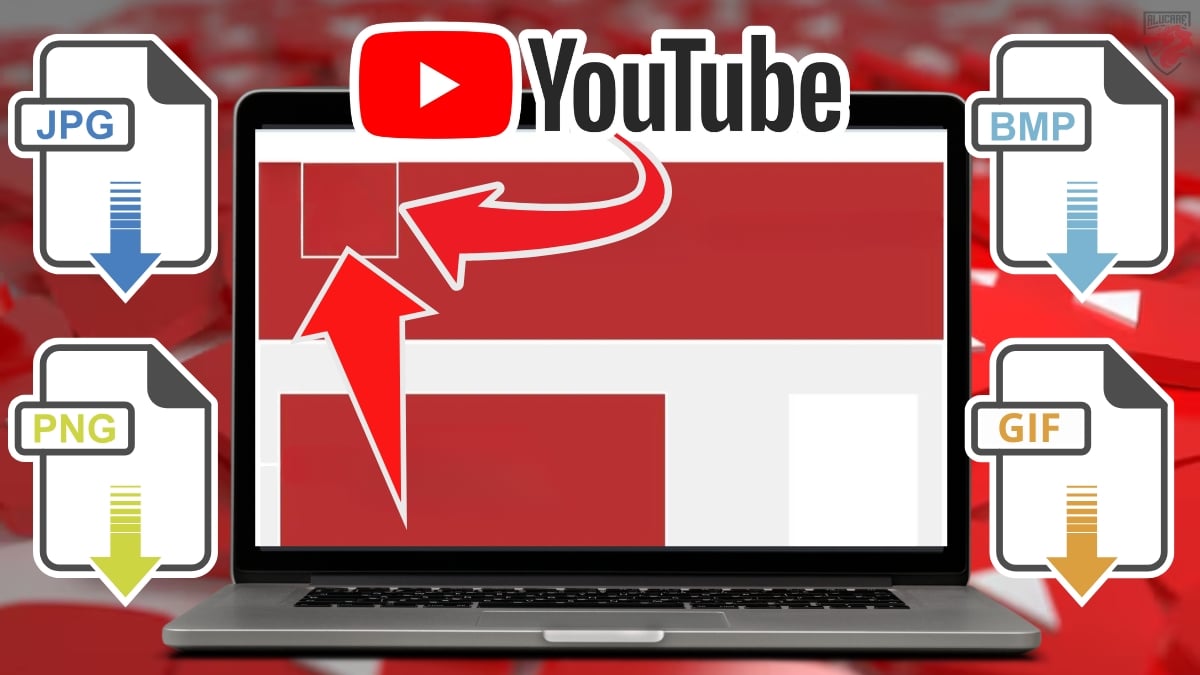
Wondering which one to choose? The most popular YouTube profile image is the PNG format.
In fact, it allows you to keep quality of your image for clear rendering, without loss of detail. It also enables your image to display correctly on all platforms without clashing with your YouTube channel background or other elements on YouTube.
How to optimize a profile logo?
YouTube will display the YouTube logo in various sizes, depending on the device used by Internet users.
To optimize it, here are a few details that should not be overlooked:
- Respecting the standards imposed by the platform (size, format, file) is very important, like any other branding element for your channel, for a net display and professional.
- It is advisable toimport a square image for this one,
- A signature logo will appear everywhere on YouTube (when you leave a comment, on your channel page, etc.). Therefore, make sure that it represents your brand Where your channel.
How do I design my YouTube profile logo?
Now that you know the right dimensions, it's time to take action and create a high-quality YouTube logo! Among the options available to you, you can:
- the do it yourself by using online tools (free or paid) and therefore retain all the details concerning recommended sizes for better rendering.
- Calling in graphic designers for greater customization, better image quality, and time savings.
If you opt for the second option, Fiverr could be an excellent choice for you!
- Visit the official Fiverr website by clicking here:
Discover Fiverr and its services ▶️
- Once on the site, simply enter YouTube logo in the search bar at the top of the screen, where it says "What service are you looking for today?" then confirm,
- Finally, you'll have access to criteria to customize your YouTube profile photo design request, such as your budget, desired delivery time, desired profile logo, etc.
And that's not all! You also get a review of each service offered, as well as an overview of its cost.
How do I change my channel's profile picture?
Now that you have a good image to represent your brand and your activities on YouTube, here's how to modify your avatar step by step :
- Check your YouTube Studio,
- On the left side of the screen, click on Personalization from the drop-down list,
- Then click on Modify photo to edit your profile picture. You can also choose to resize it before saving.
Important details about the YouTube profile icon
A YouTube profile image is shown in the form of a circle on the website or app.
- However, you must still import your channel's profile image to the square format.
- Make sure that essential information (text, etc.) is included. are not trimmed when you choose to resize your profile picture.
- Remember that if the chain is connected to your Google accountChanging your channel image will automatically change your Google account profile picture.
- Photos subject to copyright are not accepted, nor are images containing nudity.
FAQs
What makes a good profile icon?
A successful YouTube profile icon is one that reflects your brand and your channel. It must also comply with right dimensions for optimized image quality.
Where is the YouTube profile logo placed?
When users visit your channel, they will see its icon located below from your YouTube channel and in their news feed.
Internet users will also see it when you post comments on YouTube.
Who can help me create my YouTube profile logo?
If you would like help designing your profile icon, please note that you can visit Fiverr. Why choose Fiverr's graphic designers :
- A complete customization according to your budget and preferences.
- Images tailored to your channel that integrate with other visual elements (banners or video thumbnails).
- A considerable time saving to focus on other equally important things to strengthen your online presence.
Ready to save time for an incredible profile photo?
Design my YouTube profile logo efficiently ▶️
Why respect YouTube's recommended logo size?
Why respect this size imposed by YouTube to design a video? good profile image ?
There are many reasons, but we will mention just a few:
1. Cross-platform compatibility
YouTube uses different formats for profile images, depending on the screens (phone, TV or computer) used. So, if you respect the recommended sizes, your profile icon will be displayed correctly on all supports.
2. Make a good impression
A good-sized profile icon shows that you are looking for the best for your followers. The higher the quality of your avatar, the more thevisual identity of your chain and brand is reinforced.
3. Fast loading
Respecting the right dimensions for your avatar also makes it easier to faster loading of it.
4. Preserved image quality
When your profile icon is the right size, it will be displayed correctly. all over YouTube, because if it is too small, it may become pixelated when enlarged, while if it is too large, it may be cropped.
What is the recommended size for a YouTube thumbnail?
Thumbnails are one of the first things users will see when searching for your videos. Therefore, it is also crucial to use the correct sizes for them:
- The ideal size for a miniature is 1280 x 720 pixels with a 16:9 ratio.
- Supported thumbnail files are JPG, PNG and GIF. must not exceed 2 MB.

Have you ever noticed that Google search results often include web pages and texts, but also videos? As a result, your videos and thumbnails may appear in the search results. at the top of the Google pageso you might as well treat her right!
Where is the YouTube thumbnail placed?
The miniature is thestill image which represents the content of a video and is displayed just before you click on it.
In general, content creators choose or create an attractive thumbnail to entice web users to click on their video. This can include images, text and graphics.
To create a captivating thumbnail on YouTube :
Create a video thumbnail with professionals 🎞️
How big is a YouTube banner?
For YouTube banners:
- The recommended size is 2560 x 1440 pixels while the minimum size is 2048 x 1152 pixels.
YouTube banners will appear differently depending on the device used by the user. That's why it's essential to follow YouTube's recommended dimensions for a optimal viewing on any medium.

For more details on YouTube banner sizes, feel free to check out our article!
How big is a YouTube video?
For all your videos :
- The minimum recommended size is 1280 × 720 pixels
- The maximum size is : 7680 × 4320 pixels.
And that's all there is to know about YouTube profile logos! To stand out on major platforms like YouTube, it's not enough to just create high-quality videos—you also need to pay attention to your appearance!
Any questions? Feel free to ask us in the comments section!
See also..:








 English