Yes, mSpy can be detected on android just like on an iPhone, as long as you know where to look. On Android, a quick look at Play Protect and the application manager often reveals hidden monitoring, with no 100% guarantee %.
On an iPhone without jailbreak, it's different: mSpy doesn't install any apps; it uses your backups iCloud. Check the devices In most cases, simply being logged into your account is enough. The specific steps for each system are listed below.
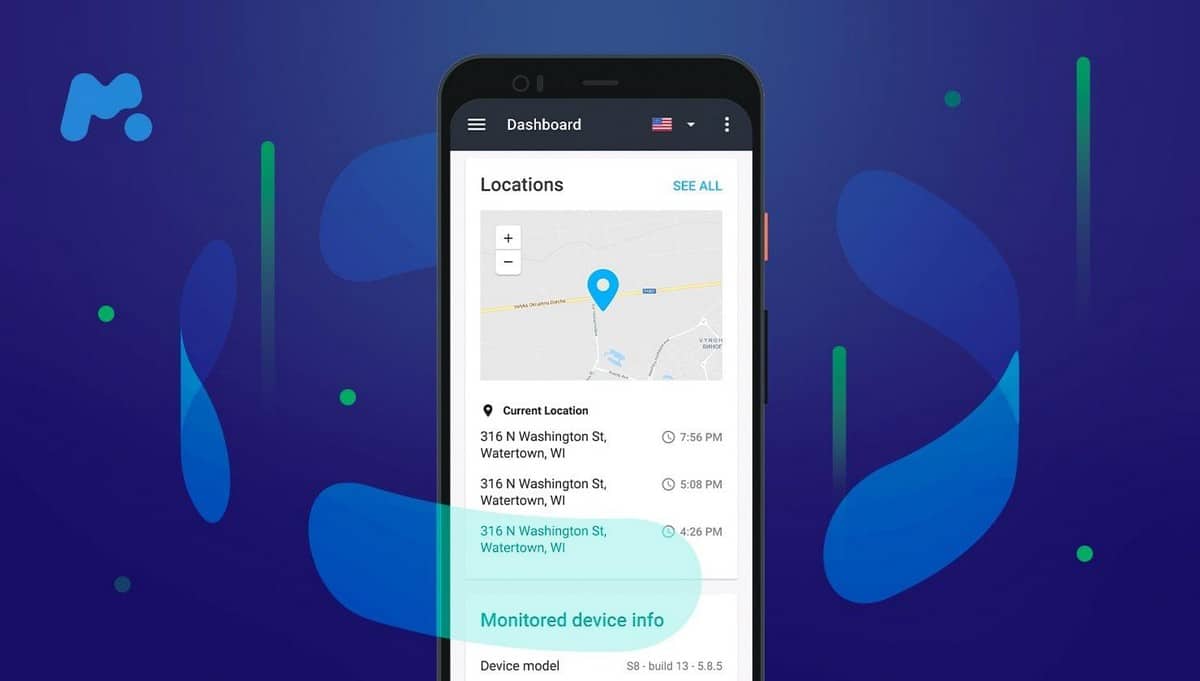
mSpy is an application of surveillance used for the parental control or to monitor a target phone remotely. Understanding how it works helps you identify it on a phone android or one iPhone.
How do I know if mSpy is installed on my Android phone?
On android, there are several quick ways to check for a surveillance app on your phone. Here are the most reliable methods, from the simplest to the most technical.
1. Checking Play Protect
Start by launching a scan with Play Protect, the security tool built into Google Play.
- Open the Play Store, tap your profile icon, then Play Protect.
- Perform a scan on your phone and check out the featured apps.
- Whether Play Protect is disabled If you didn't do it yourself, that's a strong indication: some monitoring software may have disabled this protection.
Attention : Play Protect may display a warning such as «This app may be spying on you,» but it does not detect not mSpy reliably. The software is designed to run stealthily in the background. For reliable detection on your phone, a dedicated anti-spyware app is more effective than just a Google search.
2. Check if your phone is rooted
mSpy may need a root access for certain advanced features. It’s therefore a good idea to check whether your Android device has been rooted without your consent. The app Root Checker does this job in just a few seconds.
- Install Root Checker since Play Store.
- Launch the app and Accept the warning on the risks associated with root access.
- Tap the button " Verify Root » to start the verification.
- The tool tells you if your phone is rooted or not, and if root access is enabled.
A phone that has been rooted without your knowledge does not prove mSpy on its own, but it's a strong indicator an existing monitoring system.
3. Checking Your App Managers
Open the complete list of installed apps (Settings, then Apps). mSpy It may appear there, but rarely under its real name. To remain inconspicuous, it often disguises itself under a fake system service name.
- Go through each little-known app and check the permissions it requests.
- An unknown app that requests access to SMS, to callsto the location and on screen is very suspicious.
- Some monitoring apps install without leaving any trace in the visible list of apps.
4. Checking Your Download List
During installation, the installation file of mSpy go through the file "Downloads. Check it, even if mSpy recommends that the installer delete this file right after to cover their tracks. It's a quick route, but it's often already been cleared.
How do I know if mSpy is installed on my iPhone?
Do you think someone installed mSpy on your iPhone without your knowledge? Detection depends on one key factor: Is your iPhone jailbroken Or not?
1. Check if the iPhone is jailbroken
On iOS, mSpy can only install a real spy app if the jailbreak has been performed. An iPhone that’s up to date—with the latest version of the operating system—can handle this type of installation much better. The first thing to do is check to make sure your phone hasn’t been jailbroken without your knowledge.
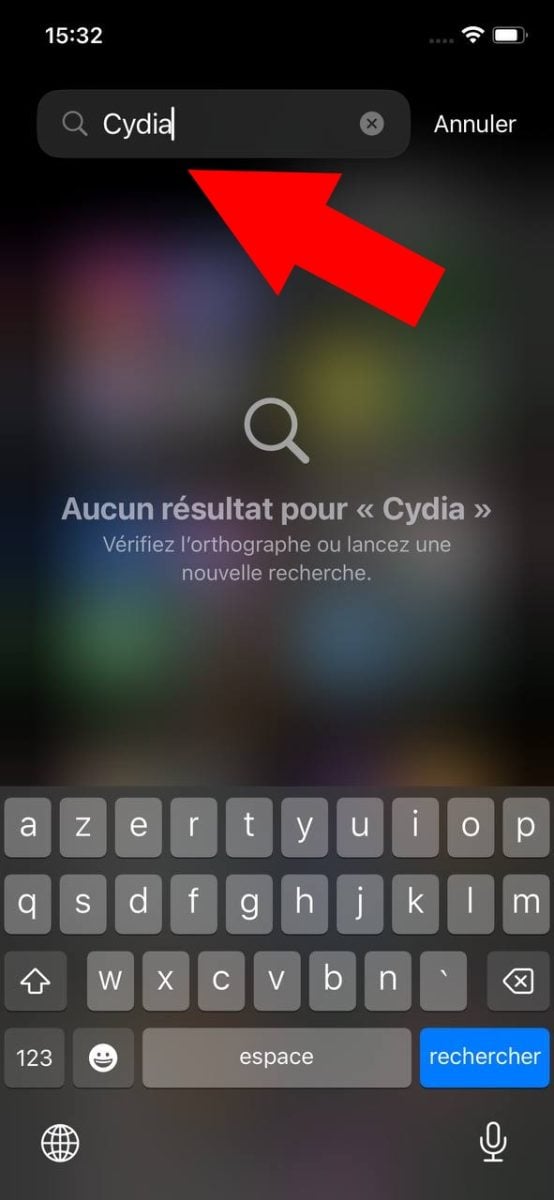
Check if Cydia is installed
The app's availability Cydia often indicates a jailbreak, and therefore a possible security breach. This tool is used to install apps not approved by Apple, which is only possible after a jailbreak. Search Cydia in your list of apps.
Note: This applies mainly to older iPhones. On newer models (iOS 15 and beyond), jailbreak tools such as Dopamine Where Palera1n no longer install Cydia by default.
Instead, look for a package manager like Sileo Where Zebra. An unknown icon of this type is a strong signal jailbreaking, and therefore potential spyware.
2. Monitor access to your iCloud account
On an iPhone that hasn't been jailbroken, mSpy It doesn't install any apps on your phone. It connects to your backup iCloud with your Apple ID and your password, and monitoring is done entirely remotely.
The information (posts, Pictures, location) are updated only during each iCloud sync, that is, about every 24 hours. So this is not real-time tracking.
To check which devices are connected to your account:
- Go to Settings, then press your name at the top of the screen.

- Do scroll Scroll down to see the list of devices connected to the same iCloud.

- If a unknown device When it appears, tap its name and select "Delete from account.

Important note: Removing this device isn't enough to stop the surveillance. As long as that person knows your password, she can log back in and regain access. To truly regain control, Change your Apple ID password and Enable two-factor authentication. It is this step that actually blocks access to the backups.
3. Scan the phone with security software
Antivirus or anti-spyware software can help detect mSpy, even when the app hides its own icon. To be fair, though, commercial surveillance apps are designed to remain stealthy. They don’t behave like traditional malware and aren’t always flagged as viruses.
If in doubt:
- Install a tool designed to detect spyware, and then runs a full scan of the device.
- Specialized applications such as Certo, Malwarebytes Where Anti Spy are more reliable than general-purpose antivirus software at detecting this type of tracking software.
Another way to detect mSpy on your smartphone
System settings don't tell the whole story. Two other approaches usefully complement the research before drawing conclusions.
First step: behavioral cues. A monitoring app runs continuously in the background, leaving visible traces:
- a battery which empties twice as fast as usual; ;
- of the mobile data used at night, when you're not using the phone; ;
- a device warm at rest, with no open applications; ;
- traffic delays and a screen that turns on by itself.
These symptoms alone do not prove the presence of mSpy. However, they are reason enough to investigate further.
Second step: an anti-spy app. On android, these tools scan the system and detect tracking software, even if it is hidden under a fake name:
- Anti Spy, which specializes in detecting hidden surveillance applications; ;
- Malwarebytes, effective against most consumer-grade spyware.
Why is no method 100% guaranteed? For the iPhone, the iCloud method described above remains the only option. Always cross-check multiple sources before drawing a conclusion.
On the contrary, do you want to to monitor legally a device that belongs to you, like your minor child ? In this particular case, mSpy remains the tool for parental control the most comprehensive on the market. It provides access to SMS, to callsto the GPS localization in real time, to the posts social media and Pictures of the monitored phone. This monitoring is legal as long as you are the legal owner of the device and are monitoring a minor who is under your care. This is recognized as legal use in most countries.
You can enjoy a 40% off % by using the promo code mSpy when you subscribe.
FAQs
Does mSpy leave any traces on the phone?
mSpy is designed to operate in stealth mode. It hides its icon and does not always appear under its real name in the app manager. This is precisely why the methods described above (antivirus scan, root check, permission analysis) are necessary to detect it.
Is it legal to install mSpy on a phone?
Install mSpy Surveillance without the knowledge of the person being monitored is illegal in most countries. Legal use involves the parental control : Keep an eye on your phone's minor child, for whom you are the legal guardian. In any other situation, the person's consent is required.
Does mSpy really work without the person knowing?
Yes, mSpy is designed to run in the background, without drawing attention to itself. On android, it hides under a fake service name. On iPhone without jailbreak, it doesn't leave any visible applications. The followed of the SMS, of the calls and location is done entirely remotely, using backups iCloud.
For more information, here is How Does Phone Hacking Work?, with real-life examples to help you better understand the risks you face and how to protect yourself from them.
Here are some other articles about mSpy that might help you:









 English