While prices for video games, consoles and their online services continue to rise year on year, the PS5 account sharing is a great way to get together with friends and experience a game for free.
In this article, we invite you to discover All you need to know about PS5 account sharing to make the most of it.
How do I share my PS5 account?
Would you like to know how to simply share your PS5 account with other users? Without further ado, here is a detailed explanation of how to do so:
- First, go to the settings at the top right of your screen.

- Select "Users and Accounts".
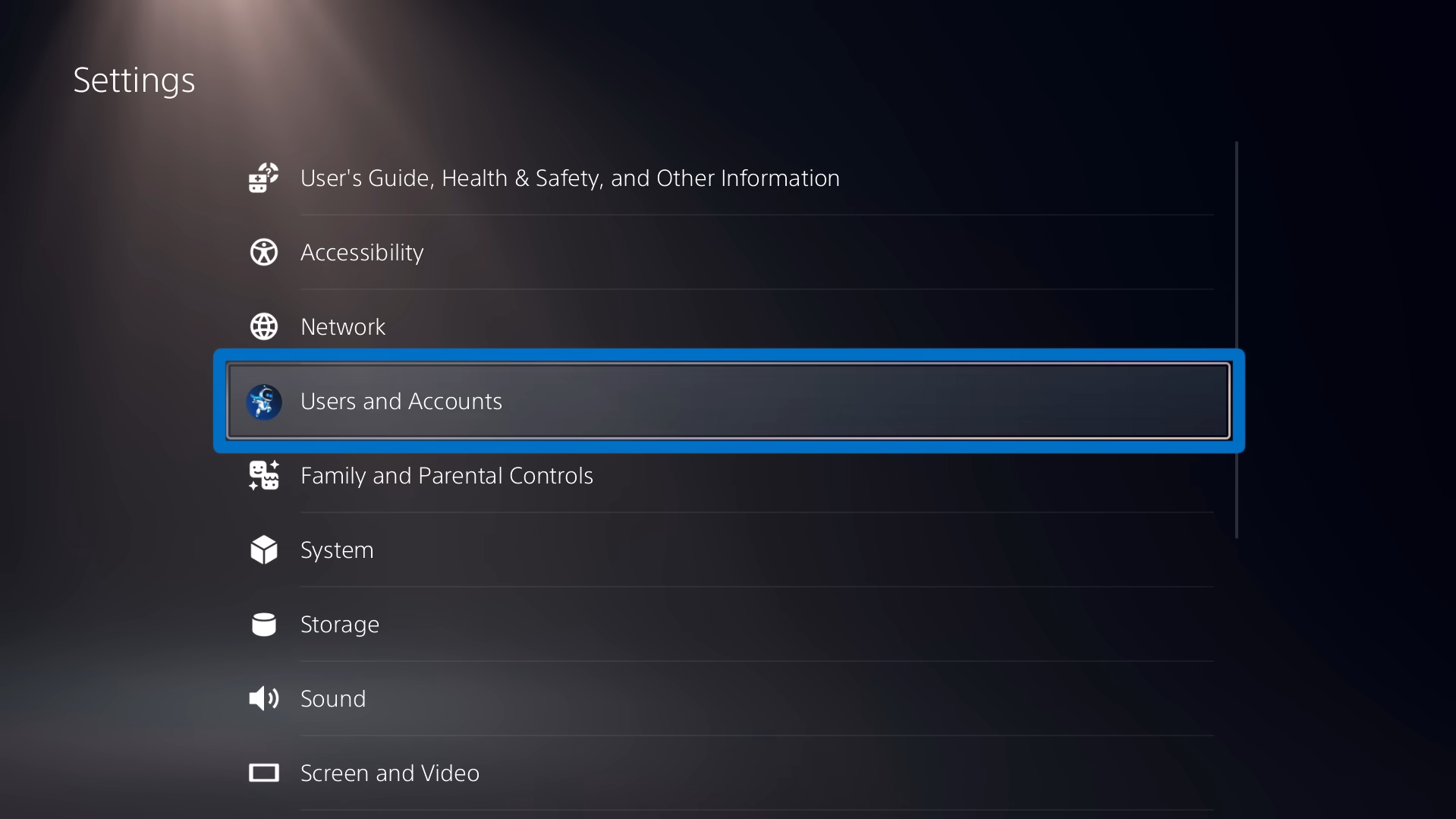
- Scroll down to the "Other" section.
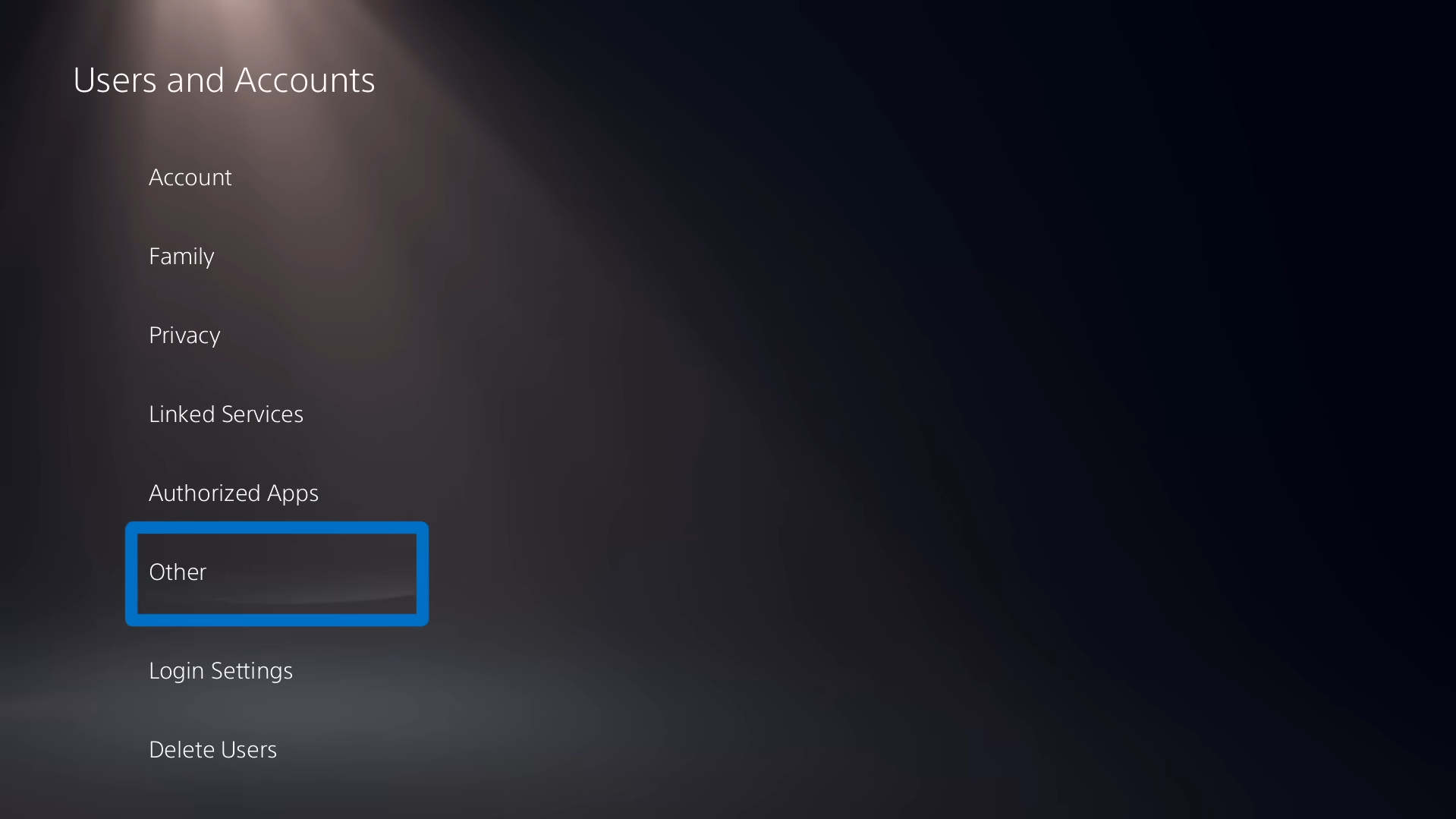
- Then select "Console sharing and offline gaming".

- All that's left is to activate the feature.

How do I set up a master account on PS5?
It's easy to set up a master account on PS5! For the owner of this account, simply follow the tutorial above to activate the sharing of your PS5 account with friends and family.
Next, it will be up to the latter to follow the same steps and click on "do not deactivate." This way, they will be considered secondary accounts and will benefit from the features provided by the main account.
Can I play at the same time when sharing a PS5 account?
You'll be happy to know that it is possible to play at the same time when sharing a PS5 account. To do this, the main account must be connected to the internet on its own console.
Thus, your loved one's console with a secondary account, provided that the option "Shared console and offline gaming is activated on it, will have access to your games and be able to play them without interfering with your gaming session.
How do I share my PlayStation account with Sharesub?
By using a subscription-sharing site such as Sharesub, you can benefit from reduced prices on your online subscriptions. Here, it's the one with PlayStation Plus Essential of interest to us.
The service offers many advantages including online access, free games every month, exclusive discounts...
You can enjoy these benefits for free with PS5 account sharing or at a lower price with Sharesub as your main account. Here's how :
- Go to the Sharesub website.
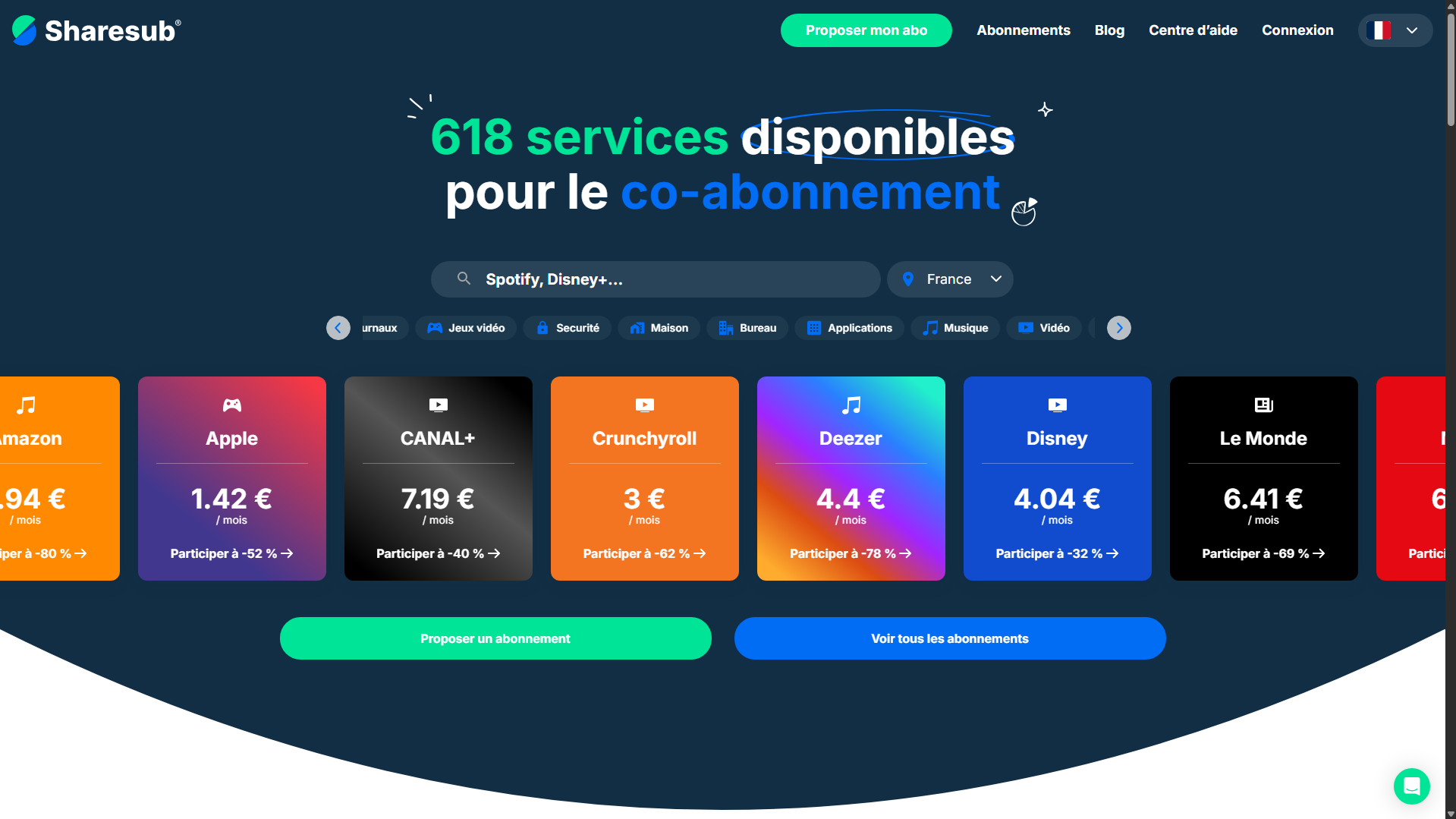
- Select PlayStation.
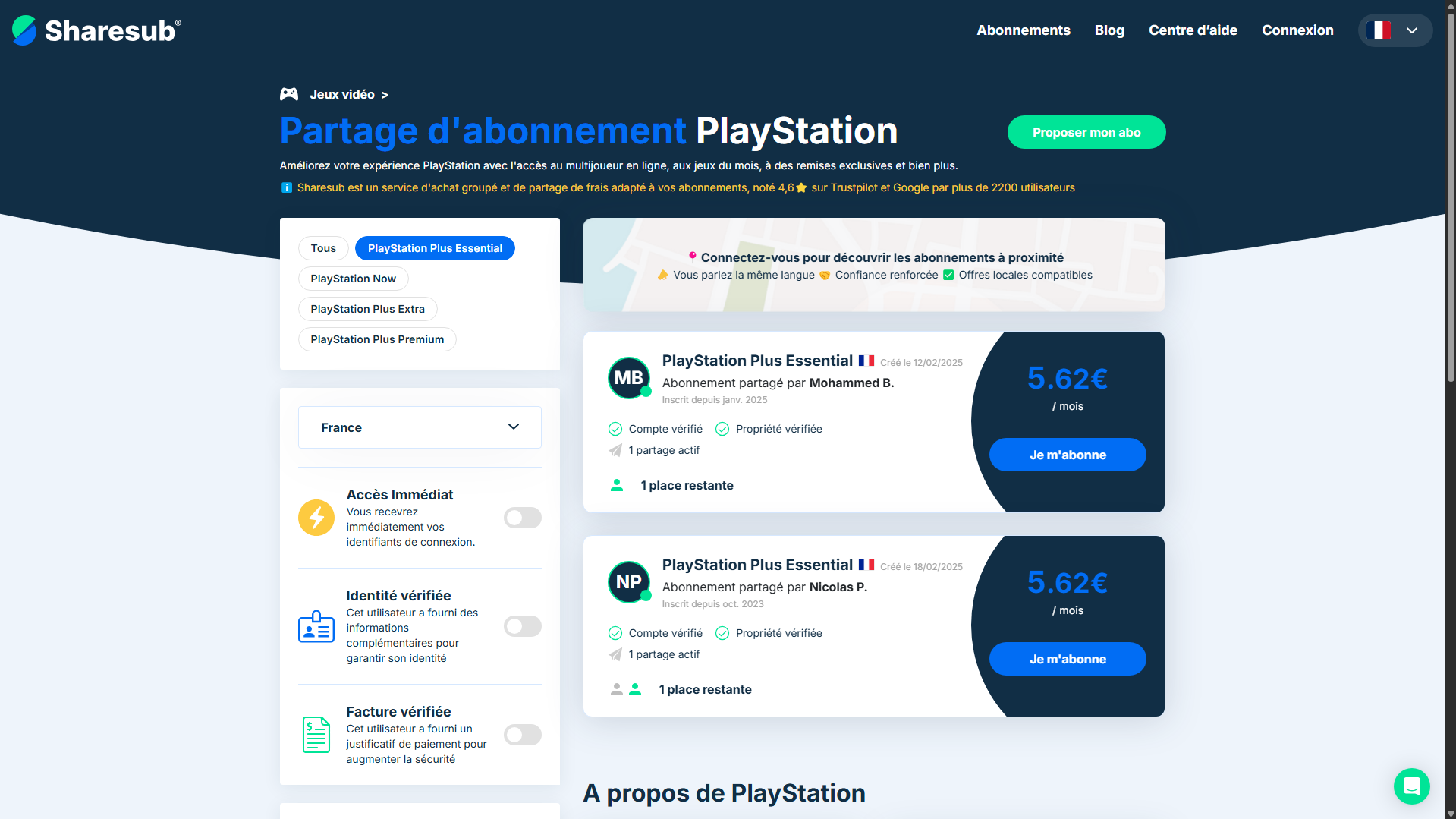
- Choose a payment group.
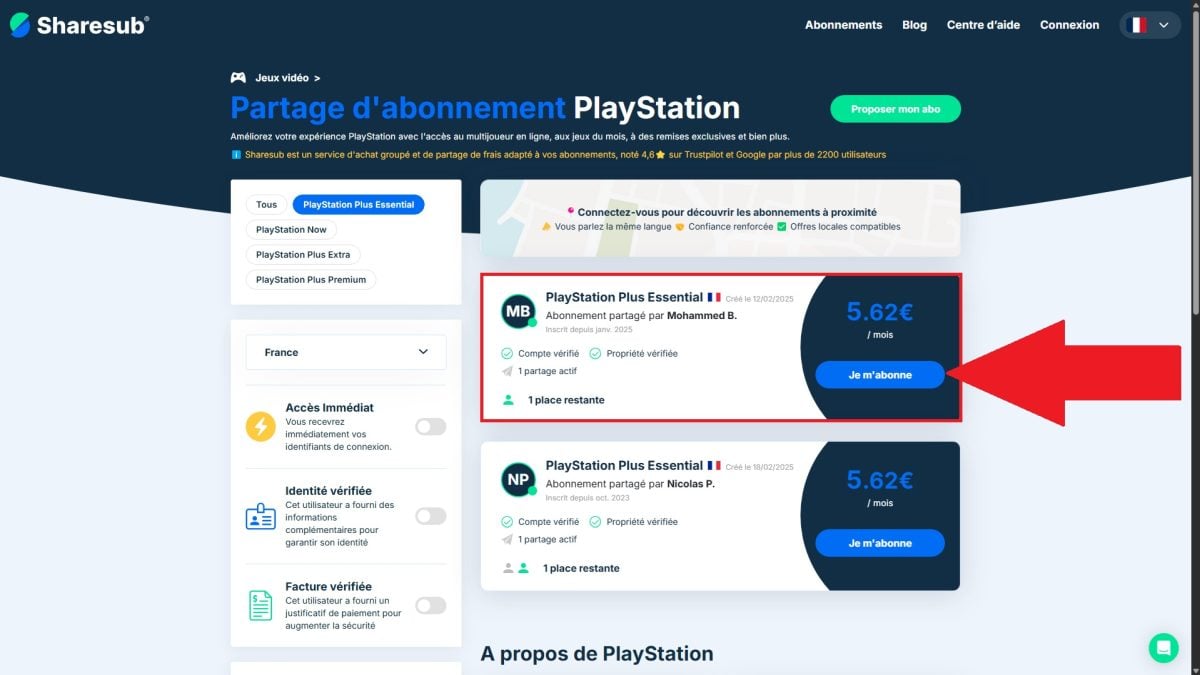
- Proceed to payment.
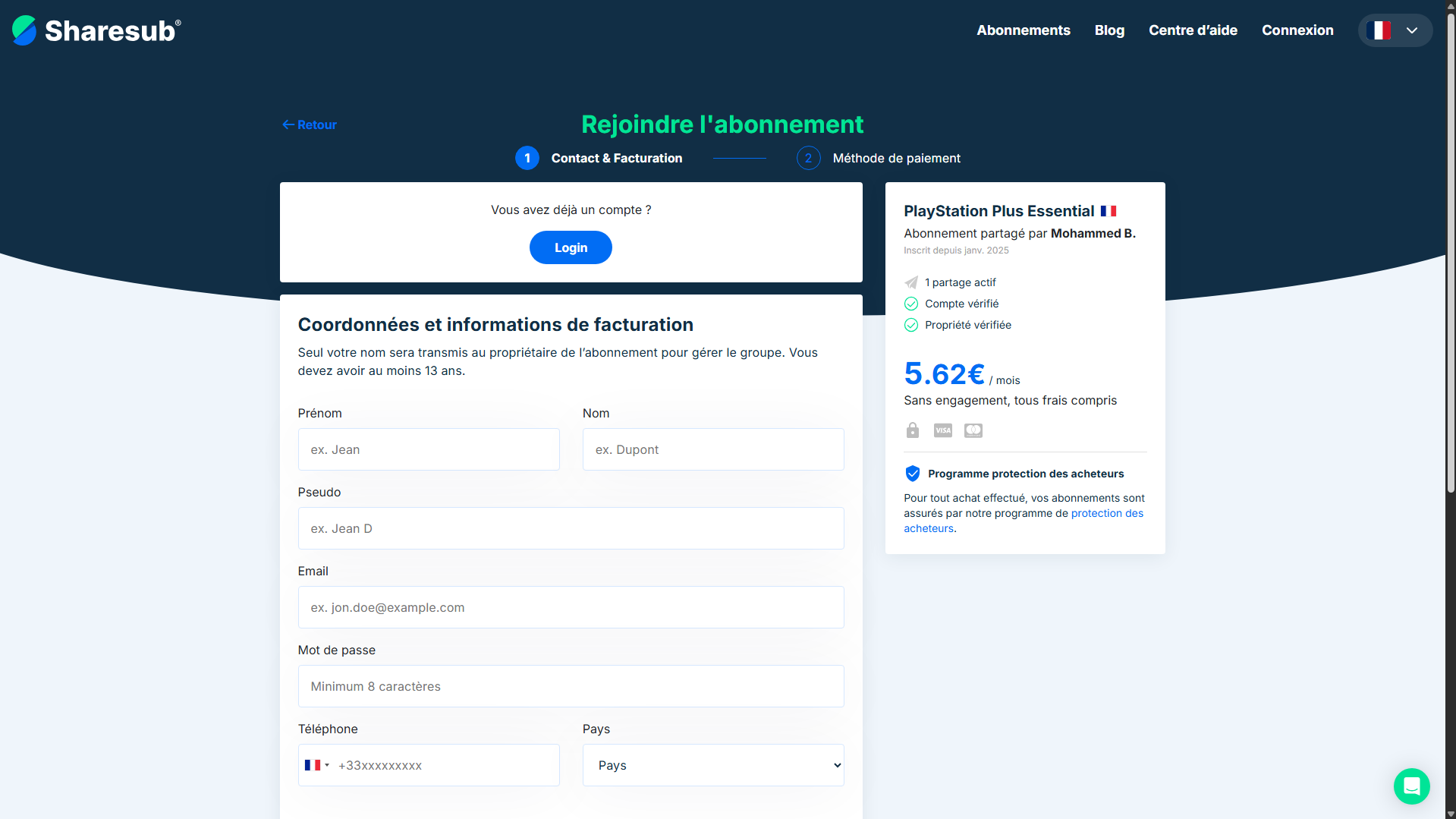
- Enjoy PS Plus Essential for less!
What is PS5 account sharing?
PS5 account sharing is a process that enables two users to share their game library to broaden their videogame experience.
This way, your friends and family can enjoy your games. and your PlayStation Plus benefits without having to spend any money.
It exists other types of sharing game sharing and console sharing. There's a difference between the two, we explain:
- the game sharing is to authorize a friend or family member to play your dematerialized games on their own console using your account.
- the console sharing defines an account as "main", allowing secondary accounts to benefit from its games and advantages.
Finally, there's two types of PlayStation Network account (NHPs) involved in the account sharing process:
- The so-called "main"which host secondary accounts in order to share their content with them.
- The so-called "secondarywho benefit from the content of a master account that shares it with them.
What are the advantages and disadvantages of account sharing on PS5?
Account sharing offers many advantages with its share of disadvantages. We invite you to consider them before making your final choice.
The advantages are :
- Of great savings with free games,
- A access to a library of titles more varied depending on who's sharing with you,
- The possibility of play with friends and family.
On the downside, it looks like this:
- Risks of connection problems or performances,
- Regarding the restrictions on access to games,
- Regarding the safety risks related to account sharing.
What are the solutions to common problems with PS5 account sharing?
Regarding PS5 account sharing, we can identify problems frequently encountered by users. We'll give you some tips on how to solve them.
- Connection errors?
First, check the status of your Internet connection. If all is well, try disconnecting from your PSN account, then reconnecting to see if the problem is solved. Finally, a conventional reboot of your console may be the solution to your problem.
- Problems activating and deactivating account sharing?
In this case, check whether another console is activated. Account sharing only works on one PS5 at a time. So be sure to deactivate the console in question before activating your own. If you don't have access to this console, you can do so in your account management.
- Problems downloading or launching games?
Here, the first thing to do is check that console sharing is enabled on the main PS5. If this is the case, check that you're connected to the right account and that your console is up to date. As a last resort, PlayStation support is available to help you.
Some tips and recommendations for account sharing on PS5
Finally, we recommend that you choose with whom you wish to share your accountto the extent that an ill-intentioned person could harm the latter.
So activate two-factor authentication, provide yourself with a strong password, check connections regularly and, above all never share your login details.
Ultimately, you have all the information you need about PS5 account sharing. Its function, which promotes mutual assistance between players, stems from key features that save you money.
As you can see, this is a major selling point for Sony's PlayStation 5 for gamers. And with the use of a platform such as Sharesubyour wallet will thank you enormously!









 English