The PS5 has been the subject of much discussion, not least because of its design. A simple but frequently asked question among users: how does the insert a CD in the console? In this tutorial, we'll show you how.
Which side to insert a disc into a PS5?
The consoles PS5 are available:
- with disk drive
- without reader (digital model)
If you have the version with CD player, it is important to’insert disc in the right direction so as not to damage your game or, worse still, your console.
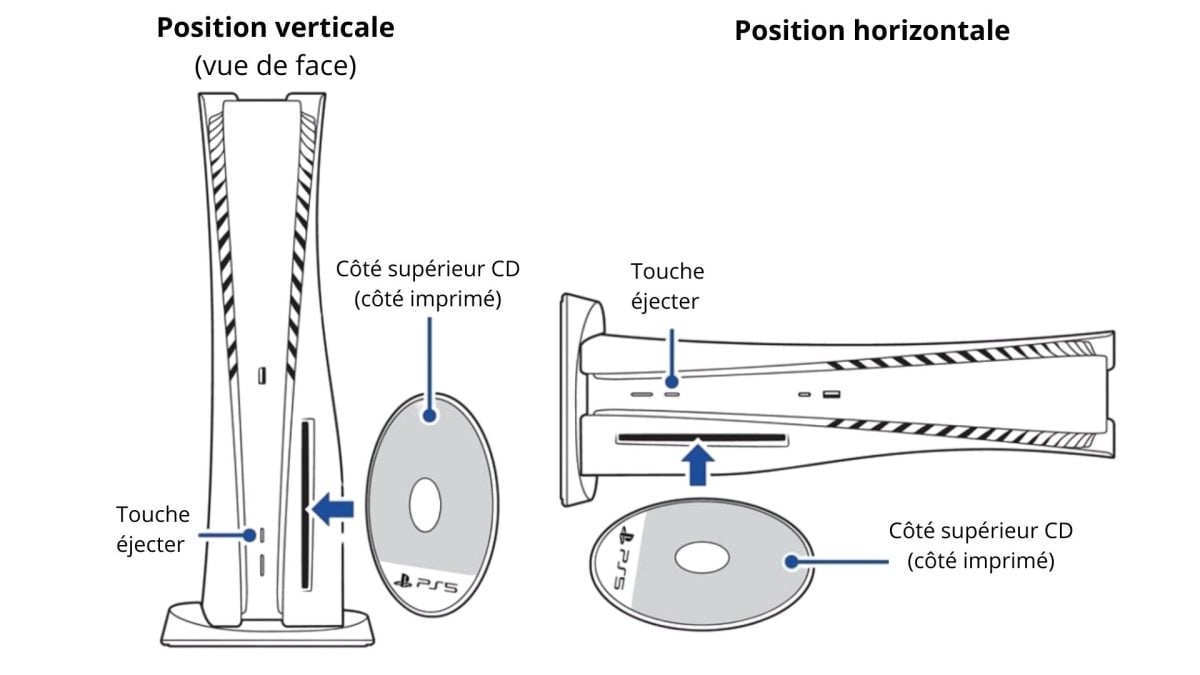
How do I insert a disc into a PS5 in the vertical position?
The console is said to be in vertical position when it is placed “upright.” This means that it is placed on one of its thinner sides and gains height.
When you look at the console from the front, the disc drive is on the right. Now take your CD. To insert it:
- The readable side (silver, without print) must be on the right.
- The printed side (with the game design) must be on the left.

How do I insert a disc into a PS5 in the horizontal position?
The console is in horizontal position when it is “lying down.” This means that it is placed flat on its largest surface with the PlayStation logo visible on top.
When you look at the console from the front, the disc player is bottom left. Now take your CD. To insert it:
- The readable side (silver, without print) must face downwards.
- The printed side (with the game design) must face upwards.
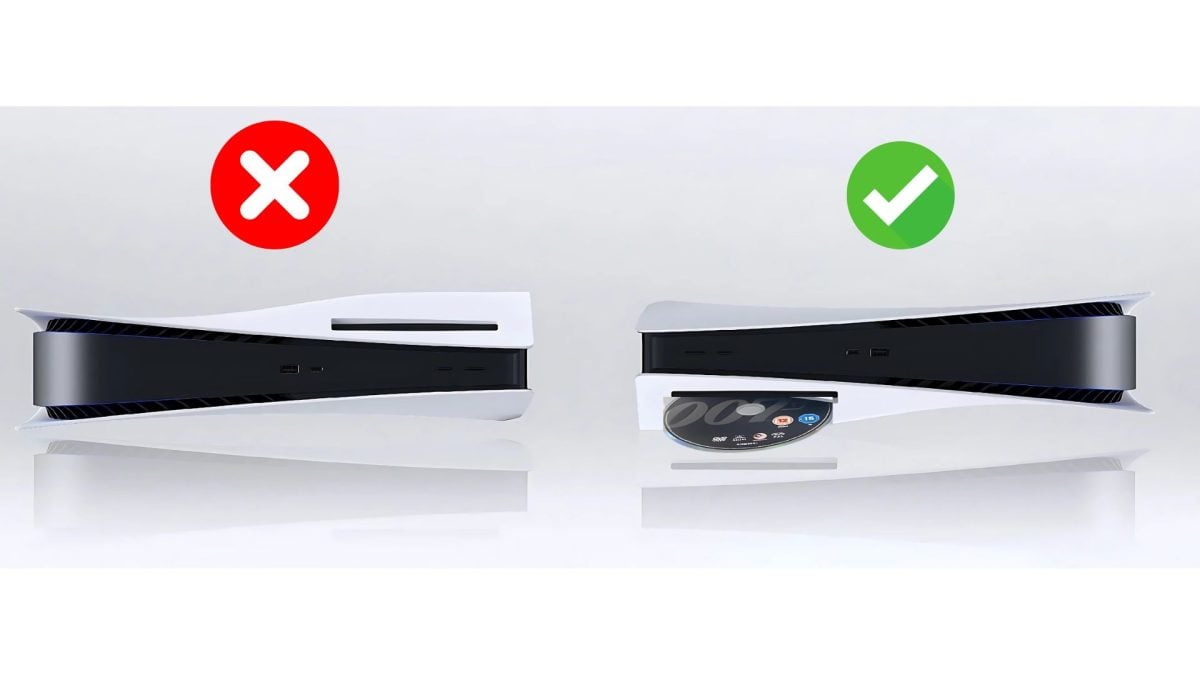
⚠️ In both cases, if you insert the disc in the wrong direction :
- The game will not be detected
- You risk damaging or blocking the reader.
Also check that the base is securely fastened. Savoir how to use the PS5 base to stand or lay down the console Properly, this means ensuring that the PS5 remains stable and operates under optimal conditions.
FAQs
What should I do if I have a problem with my PS5 CD drive?
If your PS5 does not read or recognize discs, here's what you can do:
- Cleaning the disc
- Check that it is not scratched or damaged.
- Try inserting other discs: Blu-ray, DVDor others.
- Try the safe mode rebuilding the database or, if necessary, resetting the console.
If none of these attempts work, the drive may be damaged. You'll need to consider having it repaired or replaced.
How do I eject a PS5 disc using the controller?
No need to touch the console. You can remove a disc directly from your DualSense controller.
1. Press and hold the PS button to access the home screen.

2. Since the’home screenFind the game disc currently in the drive.
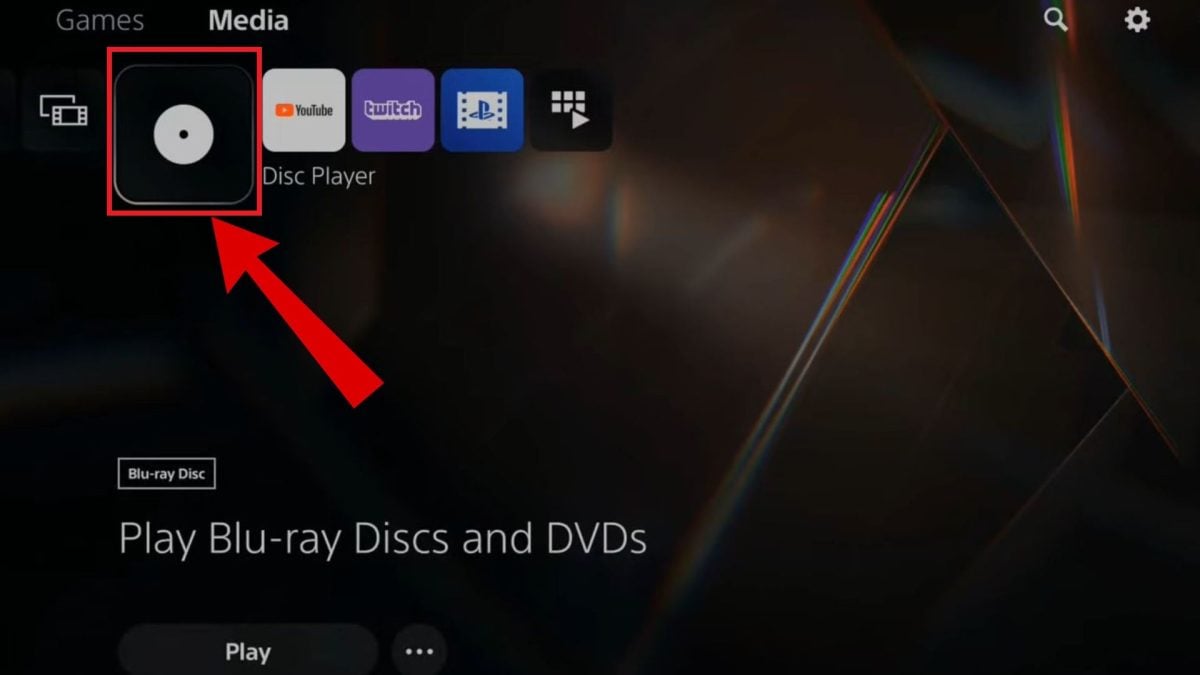
3. Once on the icon, press the button. “Options” on your controller. It's the one with three lines stacked on top of each other next to the pad.

4. In the menu that appears, select “Eject the disc”.

Let your PS5 or in vertical position Where horizontal, The key is to position the disc correctly. Once you have identified the correct orientation, insertion is quick and easy.
And while you're playing, remember to keep your accessories ready! If your controller turns off, don't forget to check how to charge a PS5 controller quickly to get back into the game.
To find out more about your PlayStation 5, read also :









 English