Metricool at the best price
- Free 0 €
- Starter 14 €
- Advanced 39 €
- Custom (to be discussed according to your needs) €
In brief
Positives
- Free package available for life
- Diversified functionalities
- Responsive and always available customer support
Negative points
- Possible problem in reimbursement with paid offers
To ensure an effective presence on Instagram, you need to mastering statistics and use them wisely.
In this article, we'll look at how to access the performance and engagement data on your Instagram account to optimize your content strategy.
Here is the tool we recommend in this context:
1. Use Metricool to track Instagram statistics
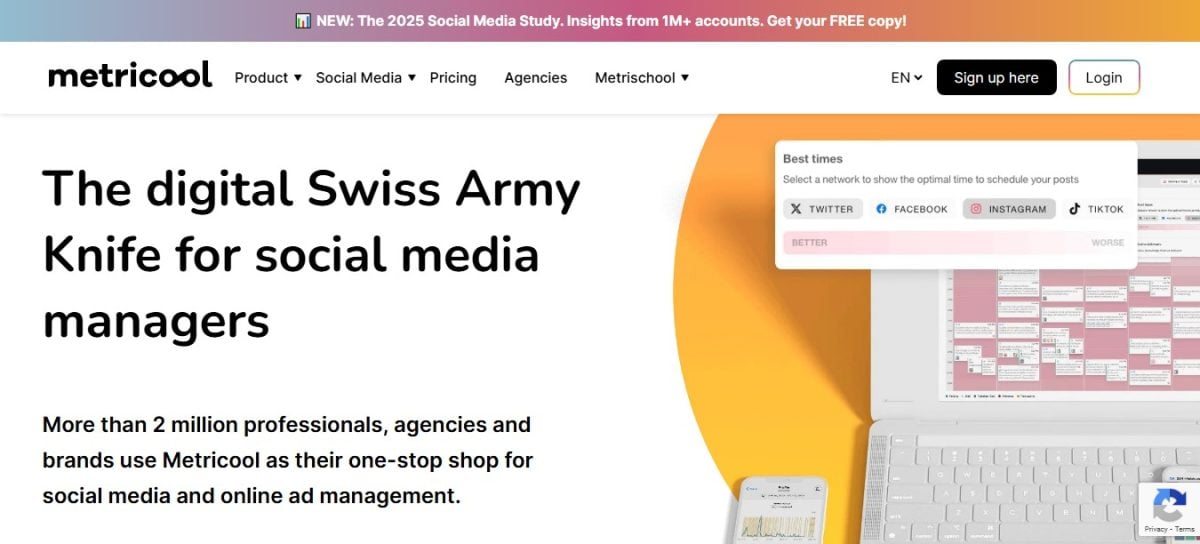
Metricool is one of the most effective tools for track statistics of your Instagram account.
Why choose Metricool?
In addition to Instagram's built-in tools, Metricool offers a solution for analyze in depth your account through a single dashboard.
This tool allows you to track the growth of your community and monitor your hashtags. and ofimprove your presence with detailed analyses. What's more, you can sign up for free on the platform to test the full potential of your Instagram account.
What does Metricool offer you?
Here are the benefits with this tool:
- A overview of the activity on your account or that of your customers and competitors.
- The possibility of compare performance of your publications and stories.
- A interaction monitoring and commitment rate to understand what works.
- Regarding the detailed information on the organic growth of your Réels.
- Regarding the comparative statistics with those of your competitors.
Read on to find out more about details.
Grow your community on Instagram
Thanks to the growth chart on Métricool, you can analyze the evolution of the following data:
- Number ofsubscribers andsubscriptions.
- Subscribers obtained in general.
- Average number of subscribers obtained in one day.
- Average number of subscribers obtained per publication.
- Publications data per day, per week.
Evolution of your followers
You can also see theevolution of your number of followers in detail. The analysis shows which subscribers you have gained and which you have lost.
- You will see green bars indicating the days on which you have gained subscribers.
- You will also see pink bars indicating the days on which you have lost followers.
- You can observe the statistics on publications.
- You'll also find your posts visually presented as a carousel, with likes and comments on each publication.
Interactions
Likes and comments Publication statistics are key data for analyzing an Instagram account. Knowing the statistics based on these elements allows you to evaluate your account's performance and make decisions accordingly.
On Metricool, you will have access to a list of all your publications over a specified period. It is possible to organize the display according to the indicators on the chart:
- Date ;
- Impressions ;
- Scope;
- Backups ;
- Clicks ;
- Interactions ;
- Commitment.
To use Metricool :
Real
Metricool also allows you toanalyze your Real. In particular, you can follow their organic evolution by looking at :
- Commitment ;
- Interactions ;
- Number of views ;
- Number of shares ;
- Video backups.
Stories
A section on Metricool also allows you to view statistics on the stories published on your Instagram account. The tool gives you access to a chart with impressions, the number of stories and the reach of each piece of content.
A table is also available to give you information on the stories posted :
- Date;
- Impressions;
- The scope ;
- The answers;
- Clicks.
Competitors
It is also possible to analyze your competitors' Instagram accounts on Metricool. Add the data in the analysis table on the platform to get an overview of their statistics.
To learn more about thecompetitive analysisdiscover our article: How do you analyze a competitor's Instagram account?.
Analyze your Instagram hashtags with Metricool
On Metricool, you also have access to all analyses about the hashtags you've used on Instagram. In particular, you can see:
- The hashtags used and the photos and videos on which they can be found.
- The prints on your publications containing specific hashtags.
- the number of posts in which you used each hashtag.
- the total number of likes on publications with a specific hashtag.
- the total number of comments on photos and videos with a specific hashtag.
You can also sort data in the table according to the data you wish to highlight.
How do I use Metricool?
Register at on the platform to access all its features. To do so, simply :
- Go to Metricool.
To access Metricool :
- Press the sign-up button.
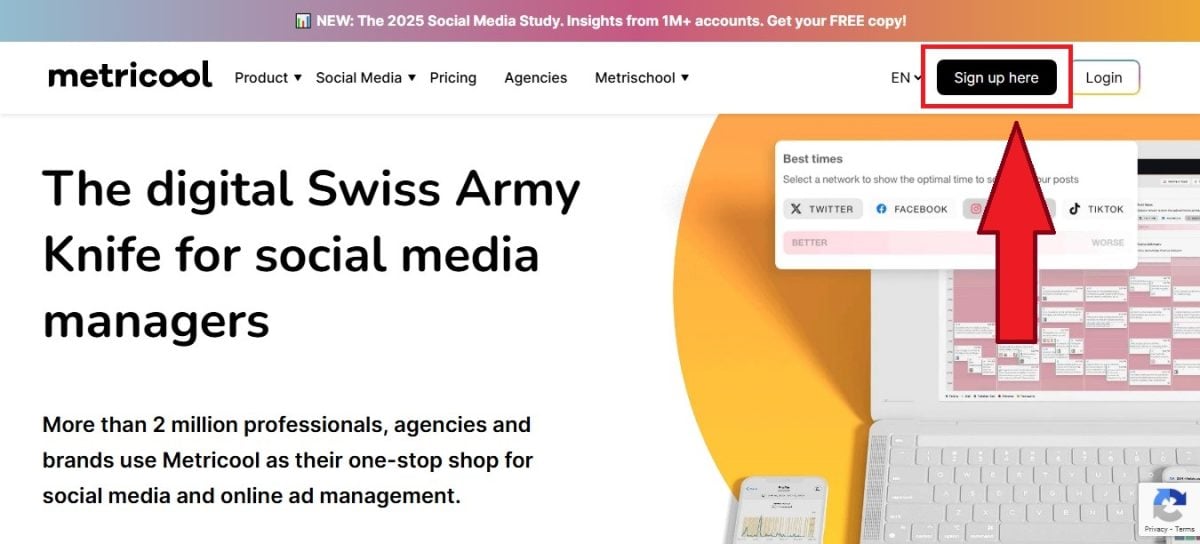
Metricool sign-up button. ©Mia for Alucare.fr - Use your e-mail address to register. You can also use your Facebook account.
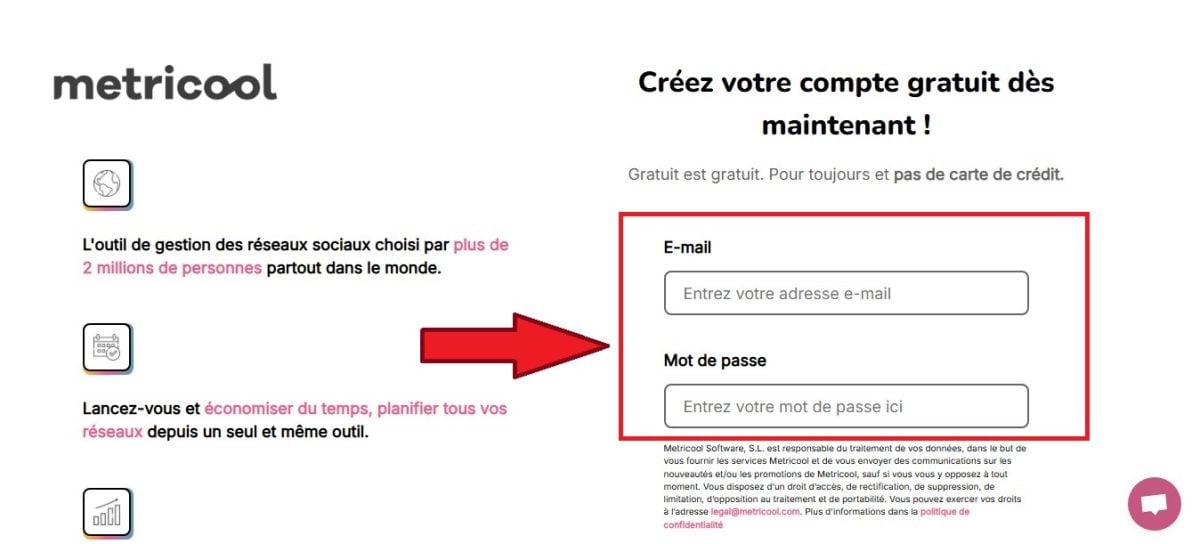
Register with an e-mail address on Metricool. Mia for Alucare.fr
You can then use the platform and analyze statistics from your Instagram account.
2. View your Instagram stats from your professional profile
You also have access to free tools from your instagram account professional for analysis. Here's what you need to know.
A professional Instagram profile: an essential prerequisite
In order to benefit from Instagram's built-in statistical tools, it is necessary tohave a business account. This type of profile allows companies to promote themselves more easily on the social network by offering various features such as :
- Regarding the real-time data on the performance of your stories and publications.
- Regarding the call-to-action buttons to facilitate contact.
- The possibility of advertise to reach more people.
- Access to Instagram Shopping to tag products in your publications and stories.
To convert your personal Instagram profile into a professional account, follow these steps steps :
- See you in the settings your account.
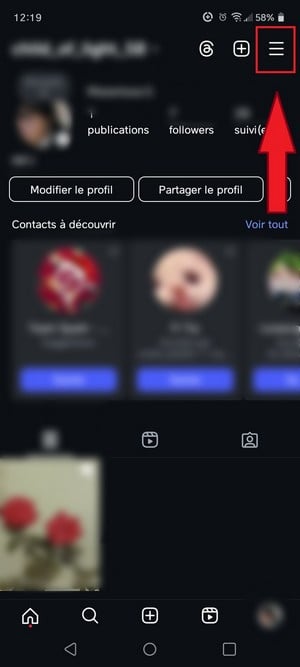
Button for accessing settings on Instagram. ©Mia for Alucare.fr - Select "Account type and tools.

Account type and tools option on Insta. ©Mia pour Alucare.fr - Then click on "Switch to a business account.
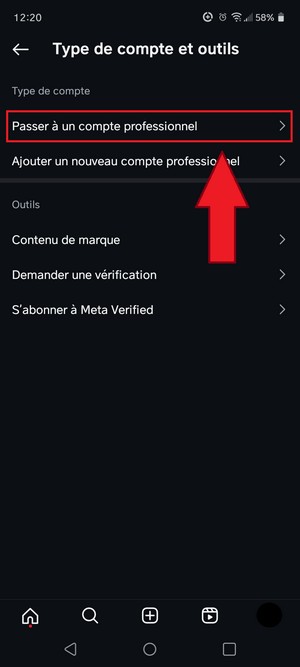
Option to switch to a Professional account on Insta. ©Mia pour Alucare.fr - Click on “Next”.
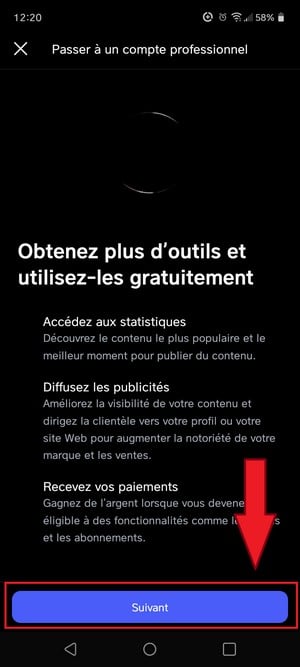
Button to confirm switch to a professional account. Mia for Alucare.fr - Choose a category among those proposed.

Choose the type of Insta business account ©Mia pour Alucare.fr
Account data analysis: beyond likes, comments, and followers
Instagram statistics offer valuable information to improve your account's performance, boost engagement, and refine your content strategy. There are three types of statistics:
- Statistics stories.
- General statistics profile.
- Statistics publications.
To consult them, go to the "Statistics located in your profile settings.
Understanding the statistics of posts and stories on Instagram
Data relating to posts includes the number of likes, comments, saves, and other interactions. interactions with each post. Story statistics provide a focus on the reach, engagement, and clicks on each story.
First method
To view detailed statistics for a post, open the post. from your profile and press the "View statistics.
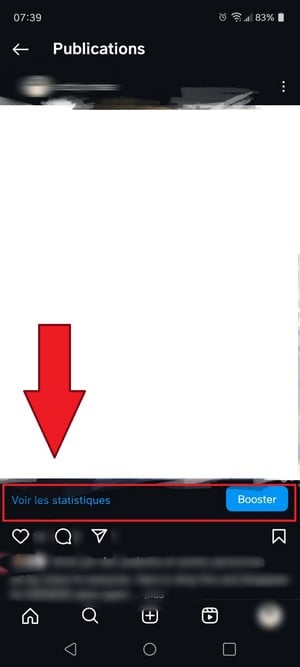
Second method
Access general statistics via the three lines in the upper corner right on your Instagram profile.
- Enter “Statistics”.
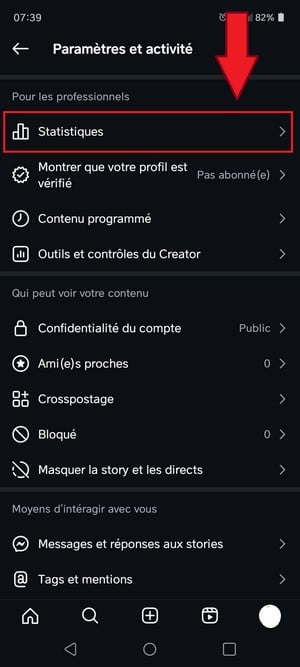
Button showing statistics in Insta settings. ©Mia for Alucare.fr - Then analyze the data displayed.
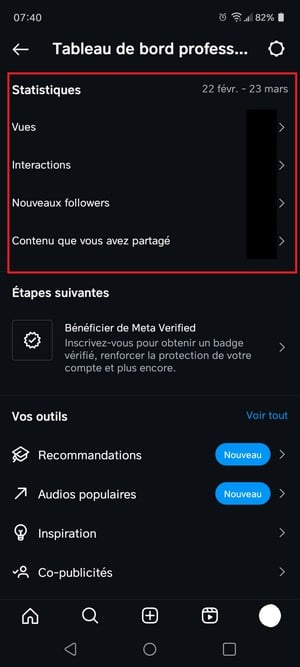
Data from Instagram account statistics. ©Mia for Alucare.fr
Whichever method you choose, you need to better understand these concepts to analyze your Instagram statistics:
- Scope This data gives you the total number of accounts affected by your profile.
- Interactions : this is the number of reactions (likes, saves, comments) that a post has generated.
- Clicks to the website : this is the total number of clicks to your website from your profile.
- Impressions : this is the total number of views your account has generated.
- E-mails/calls : this is the total number of clicks on the buttons indicating your email address and phone number on your Instagram profile.
- Profile visits : this is the number of times your profile has been viewed.
If you want to make your analysis easier with Metricool :
Analyze Instagram statistics with Metricool 🎯
FAQs
Why don't I have statistics on Instagram?
If you don't have statistics for your Instagram account, remember to check whether your account is already in professional mode. Personal accounts cannot display profile data.
You can refer to the section intended for this purpose earlier in the article if you don't know how to switch from a personal account to a creator or professional account.
How can I view statistics for another Instagram account?
Instagram does not allow you to view the statistics of another account. However, you can use a third-party tool such as Metricool or Fanpage Karma to analyze the person's account.
Where can I find the dashboard on Instagram?
On your professional Instagram account (Creator or Business), you can access the professional dashboard by clicking on the statistics section in your account settings. Often, the professional dashboard is also displayed on your profile. bottom of bio.
What statistics should I track on my Instagram account?
There are several points to consider in statistics your Instagram account :
- Statistics from growth of the audience on Instagram.
- Statistics on hashtags Instagram.
- The demographics.
- the commitment rate.
- The conversions thanks to Instagram.
- The prints on Instagram.
- The Instagram statistics of stories.
- the traffic generated thanks to Instagram.
Other articles are available on our instagram. You can consult them now to make the most of this platform.
In conclusion :
- The Instagram statistics are a powerful lever for optimizing your content strategy and increasing the visibility of your professional account.
- You will have access to Instagram statistics in your profile settings.
- By taking the time to learn how they work and by regularly analyzing, you will be able to make informed decisions and constantly improve your performance on the platform.
So, are you ready to create compelling content on your professional Instagram profile? Feel free to ask any questions you may have in the comments section.







 English