Want to make your videos more impactful and, above all, viral? Discover Opus Clip, the ultimate tool that reinvents video editing.
What is Opus Clip?
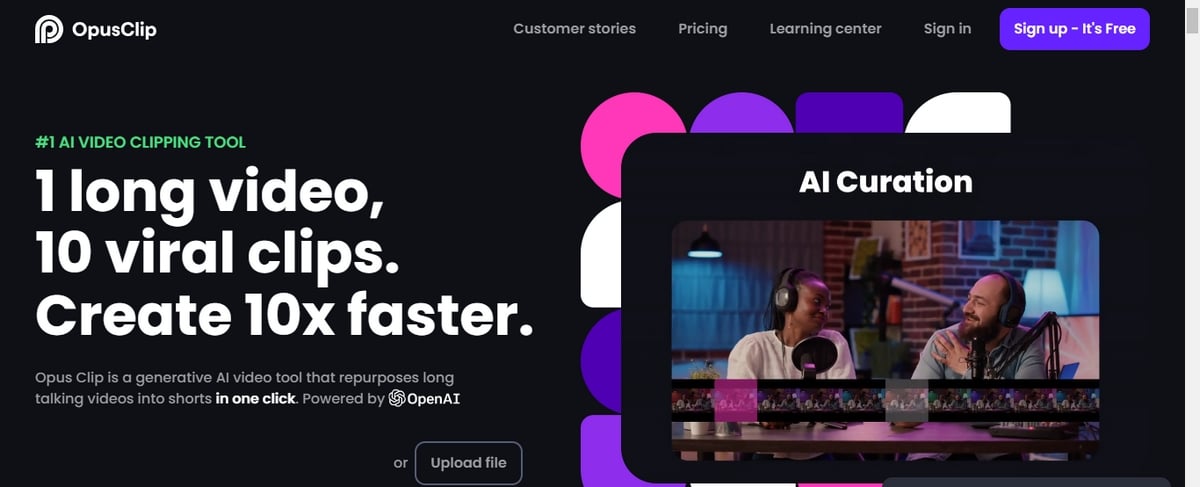
Opus Clip is a generative video editing tool powered by an AI model that gives new life to your long videos by transforming them into 10 short, viral extracts.
Essentially, it analyzes your video to identify the most captivating moments, then extracts relevant highlights from different parts and reorganizes them seamlessly to create short, coherent extracts ready to go viral.
Benefits of using Opus Clip
Wondering what Opus Clip can do for you? This tool allows you to :
Creating high-potential extracts
Opus Clip features advanced analysis and selection technology that allows it to identify key moments in your video. It then seamlessly rearranges these moments to create short clips with remarkable audience and viral potential.
Staying up to date
It's not just a video cutter. Opus Clip analyzes your videos in the light of current social and marketing trends, then generates reuse suggestions based on this data. As a result, your clips are perfectly aligned with what's working on social networks.
Customize your videos
In addition to other features, it's also a tool that enriches captions with animated emojis, catchy keywords and tailored subtitles. What's more, your excerpts are seamlessly cropped and combined for maximum impact.
How does Opus Clip work?
Opus Clip works in 3 simple steps:
- Dividing your video into chapters ;
- Selection of key moments ;
- Get the clips ready to share on various platforms: TikTok, YouTube Shorts and Instagram Real.
It is designed to simplify the creation of engaging content by leveraging AI. Several paid plans are available, offering different options depending on your video editing needs.
3 alternatives to Opus Clip
Interested in Opus Clip? The following 3 tools are similar, and can enhance your video editing experience:
Quickvid
Quickvid is a powerful tool that makes it easy to create short YouTube videos using AI. It selects random, royalty-free videos based on your keywords and topic. In addition, it can generate a complete script for your video, but you can also write the script manually. You can also use text-to-speech to bring your script to life. On top of that, Quickvid offers features such as creating videos from blog posts and reaction videos.
NOVA AI
As a comprehensive online video editor, NOVA AI offers a variety of practical options, including automatically adding subtitles and translations to your videos. It also allows you to cut, merge, resize, and translate your videos into 75 different languages, all without the need to install any software. It's the perfect tool for adapting your videos to all social media platforms, as well as allowing you to download your subtitles in various file formats such as SRT, VTT, and TXT.
Topaz Video AI
Topaz Video AI software, formerly known as Topaz Video Enhance, is primarily designed to improve the quality of your videos. It offers a range of features such as upscaling, deinterlacing, motion interpolation, and shake stabilization. It is optimized for modern PCs and can be easily installed via an installation file. If you are looking to improve video resolution, eliminate motion artifacts, or achieve smoother videos, Topaz Video AI is an option worth considering.
The quality and relevance of your videos are important if you want to break through on TikTokon Instagram, and even on YouTube. Yes, familiarizing yourself with tools like Opus Clip is to your advantage.









 English