To create a Real on Instagram, press the button “+” In the bar at the bottom of the app, select “Real”, record or import your clips, then add music, texte et effets avant de publier.
Tout se fait directement depuis l’appli, en quelques minutes, sans outil externe. On t’explique tout !
Explanatory video in French by Alucare, ideal complement to the page. View video (you can use YouTube's automatic translation)

How do you create a Reel on Instagram?
Here are the detailed steps for creating a Reel and posting it on Instagram.
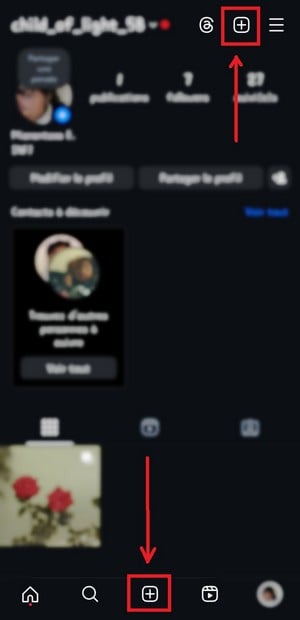
1. Select the «Real» option»
There are two ways you can start creating:
- Use the “+” button at the bottom of the home page, or in the top right corner of your profile.
- When You're watching *Les Réels*, press the’camera icon in the upper-right corner of the screen to create one right away.

2. Record Your Reality
Each video clip lasts 30 seconds maximum. You can chain several of them together to reach 3 minutes total, or import a video from your gallery. To record a video, you have several options:
- Keep the record button Hold it down, then let go when you're done.
- Or click once to start recording the clip, and click again to stop it.
- Repeat the process to add another clip to your video.
- You can also enable the option that starts and ends the video with a hand sign.

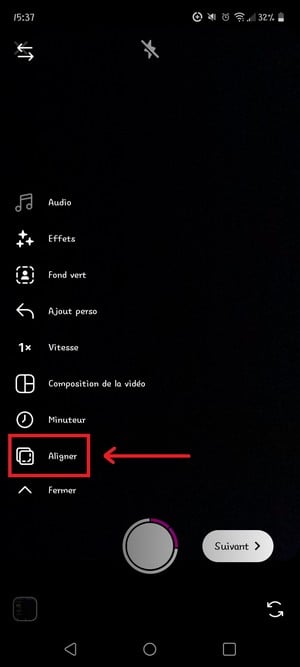
3. Add a transition
On the creation screen, start by adding a transition between your clips. The option “Align” is very useful: it lets you resume the video exactly where you left off, for a smooth, seamless transition.
4. Add a video or an image
You can form a real number using Pictures or some videos already saved on your phone, without recording anything. Press the button at the bottom on the left side of the screen to open your device's content library.

5. Edit and refine the video
Once your clips are ready, you can move on to the video editing and add effects to polish the final product. This step lets you cut, trim, or rearrange each video as needed. Remember to record your video Regularly during editing: the app sometimes tends to crash.
6. Record a voice-over
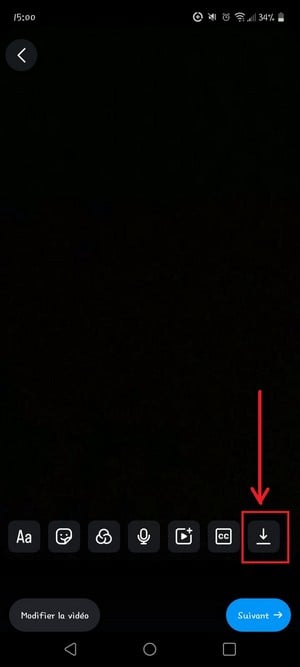
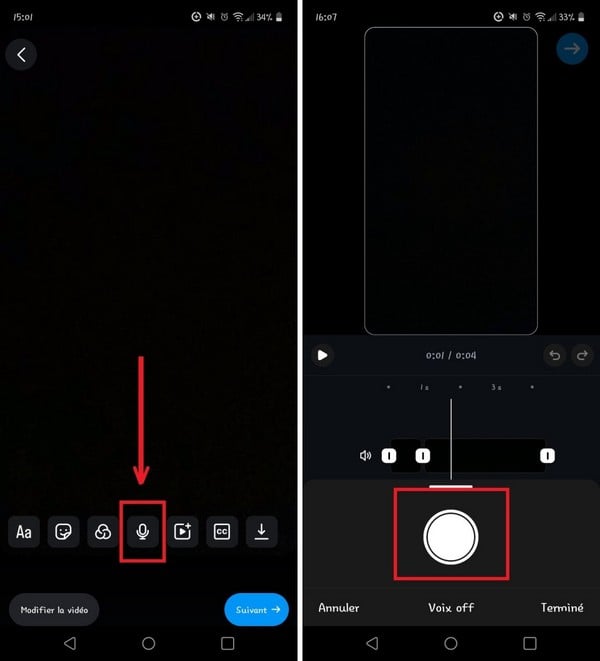
A voice-over makes your audio content clearer and more vivid. Click on the microphone-shaped button, then press the record button to add your voice directly to the video.
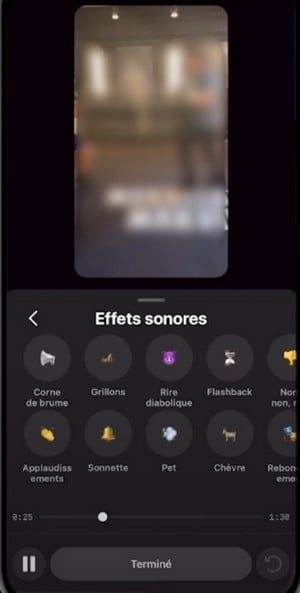
7. Add sound effects to the Real
To add some rhythm to your video, you can include sound effects directly into your Reality. The applause and the game's laughter are among the options available on Instagram.
8. Add music
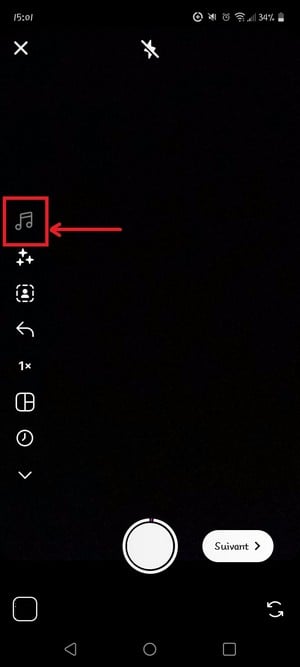
Tap the icon shaped like a musical note, then go to the settings to choose the song you want to add, directly from the music library ofInstagram.
9. Add visual effects to your Reel
L'star-shaped icon gives you access to various filters and visual effects. It's a great way to add style to your video and let your creativity shine.

10. Enter text in the Real
Press the’text icon to add text to your Reel. It's a handy way to get a message across or insert subtitles in your video.

Then change the timing of when the text appears using the option “Edit video”. This gives you precise control over when each element appears on the screen.

11. Customize the Real World with stickers
Click the button shaped like sticker, right next to the text field, to add stickers to your video and make it more lively.

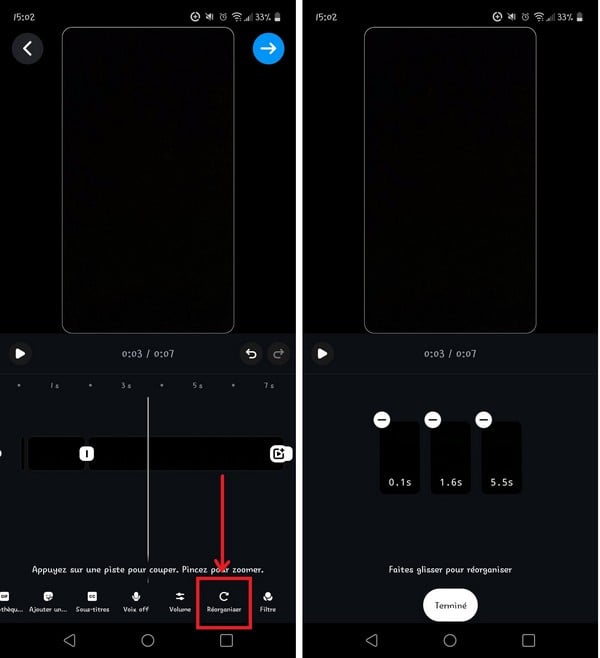
12. Reorder the clips
You can place a clip before or after another one, depending on your preference. You can also use the icon shaped like a’clock to adjust the speed of your video and speed it up or slow it down for a more dynamic effect.
13. Change the cover of your Réel
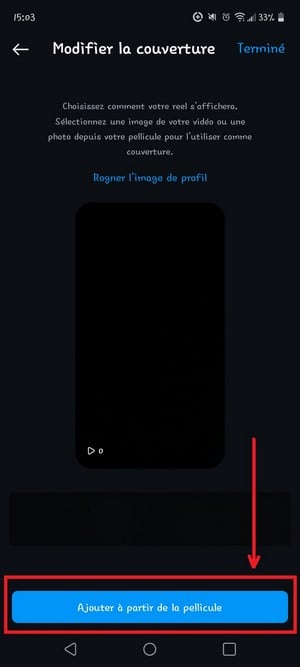
A good blanket provides a more appealing preview of the video and makes people want to click. Select the option “Change the cover” to change it. You have two options:
- Use a image taken directly from of your Reality.
- Choose a image already present on your phone, which often yields a neater and more effective result.

14. Add a caption and share the Real
Once editing is complete, add a caption if you'd like, and throw in a few hashtags that are relevant to improving your visibility among a wider audience. For Take care of your feed, Be sure to choose a cover photo that matches the rest of your profile.
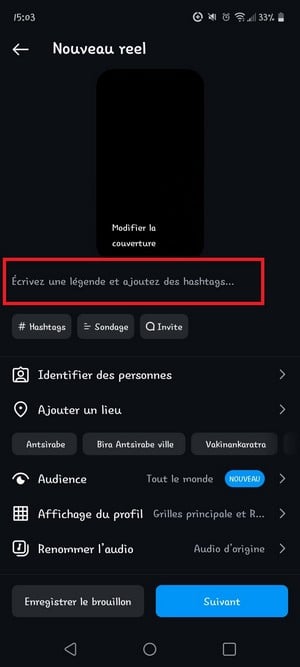
Then choose to share the Real on your profile, in your Stories, or with only certain friends if your account is private. Finally, tap the button "Share to post your Reel on Instagram.

What is an Instagram Reel?
A Real Instagram is a short vertical video a phrase designed to grab attention in a matter of seconds, in the same vein as TikTok. This format is now essential for reaching a wide audience, whether you're a content creator, business Where Mark. Here's what you need to know about this format:
- Duration : up to 3 minutes in total, with clips from 30 seconds as many as possible, one after another.
- Personalization : a wide selection of editing tools, including music, effects, filters, hashtags and text.
- Lifetime : Unlike Stories, Reels do not disappear after 24 hours. They remain visible on your profile until you decide to delete them.
- Visibility : This format helps reach a wide audience, To gain subscribers and to boost the’commitment with your community.
- Marketing strategy : Real numbers are also a powerful tool for companies and the game's brands who want to promote their products and increase their commitment on social networks.
- Creativity : one of the network's most popular formats, perfect for expressing yourself freely and riding the wave of trends. If you also like to highlight your favorite content, check out the Featured Story.
When it comes to sharing, a video posted as a Reel appears in several places:
- in your Stories ;
- on your news feed ;
- in the dedicated tab «Real», where users discover videos from other creators.
Do you also want to know what someone follows on Instagram ? Check out our guide to View someone's most recent follows on Instagram.
Who created Instagram Real?
Functionality Real was launched by Instagram in August 2020, directly inspired by the success of TikTok. Faced with the rise of the social media platform specializing in short videos, Instagram wanted to offer a similar feature built into its app. The launch took place in more than 50 countries at the same time.
Since then, Les Réels has become a format unavoidable For content creators, the companies and the game's brands. This format encourages users to discover new accounts and plays a key role in the marketing strategy on social media: a well-produced video can reach an an audience far beyond of your existing subscribers.
And now, all you have to do is create some awesome Reels for your Instagram!








 English