vidIQ at the best price
- VidIQ 16,58 $
In brief
Positives
- Powerful keyword analysis
- Suggested content ideas
- Competitive data and SEO
- Video optimization score
Negative points
- Uncomplicated interface
- Pay-per-use versions can be costly
Would you get your YouTube channel off the ground and increase your views? Find out in this article what VidIQ.
We also present a very clear review of this platform.
What do VidIQ users think?
Our review of VidIQ, the tool to boost your YouTube videos
To begin with, VidIQ is not just a simple Chrome extension.
👉 It is a certified partner by YouTube, whose main objective is to’helping content creators break through on this major global video hosting and sharing platform.
VidIQ is involved in every stage of your video's creation, from the initial idea to the analysis of post-publication results.
Here are some of the strengths and weaknesses of this tool:
| ✅ Highlights | ❌ Weak points |
|---|---|
| Powerful keyword analysis | Very rich interface that may take some getting used to. |
| Suggested content ideas | Some features are limited in the free version |
| Competitive data and SEO | |
| Video optimization score |
Explanatory video in French by Alucare, ideal complement to the page. View video (you can use YouTube's automatic translation)

VidIQ's main features
VidIQ offers a number of features. Here are some of the most frequently used:
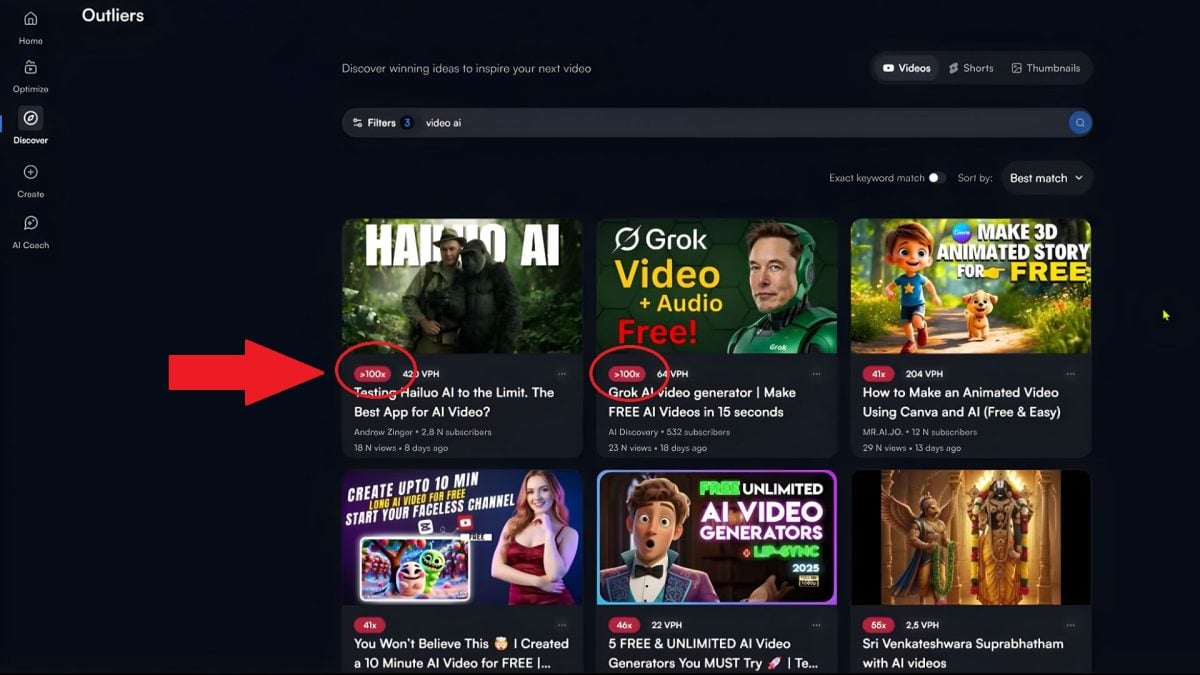
Outliers: see the performance of a video
Thanks to data analytics VidIQ :
- ✔ You spot videos that perform above average.
- ✔ You understand which topics generate the most views and subscribers.
You can refine the results by simply typing in a keyword to see which ones are trending.
For example, in the following image, if you search for “Video AI”, you'll see the best performers. Some perform 100 times better than the average.
Keyword Research
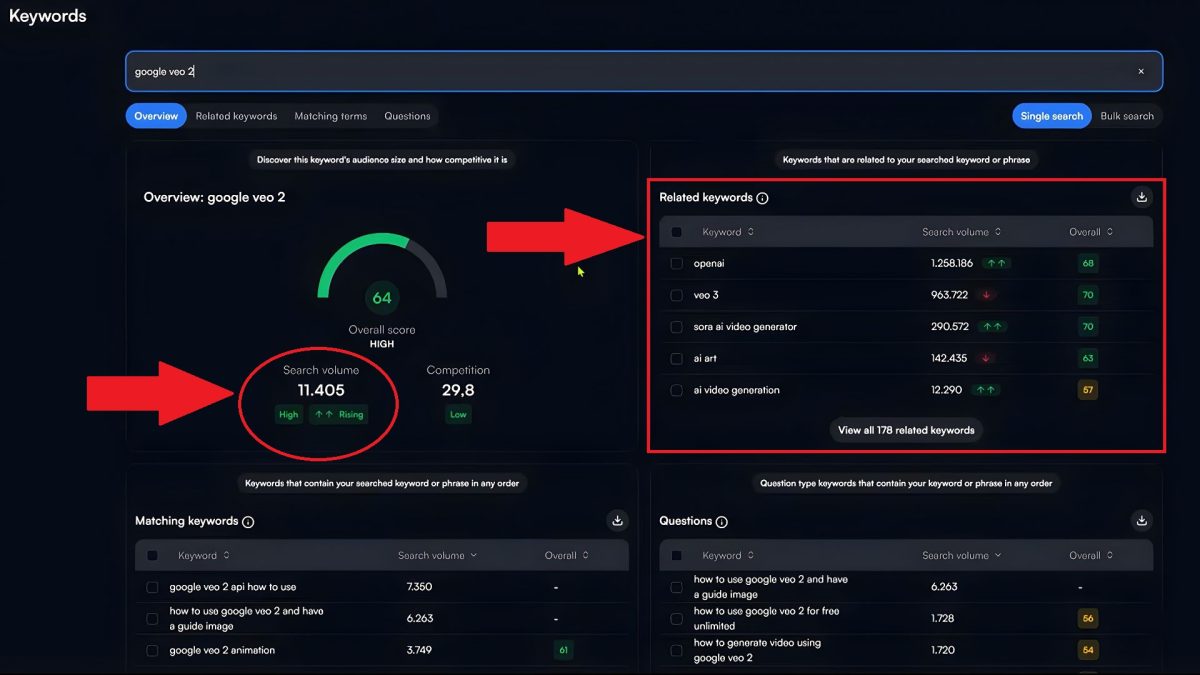
One of VidIQ's most powerful functions is the keyword search. To do this, he :
- 👉 identifies keywords searched on YouTube,
- 👉 evaluate the competition and potential of each keyword,
- 👉 find tags, suggestions and trends to strengthen your SEO content.
In the following example, you'll see the search volume for the keyword “Google veo 2”, as well as the associated keywords.
You'll even see questions people ask that are considered very useful.
Daily Ideas: search for daily ideas
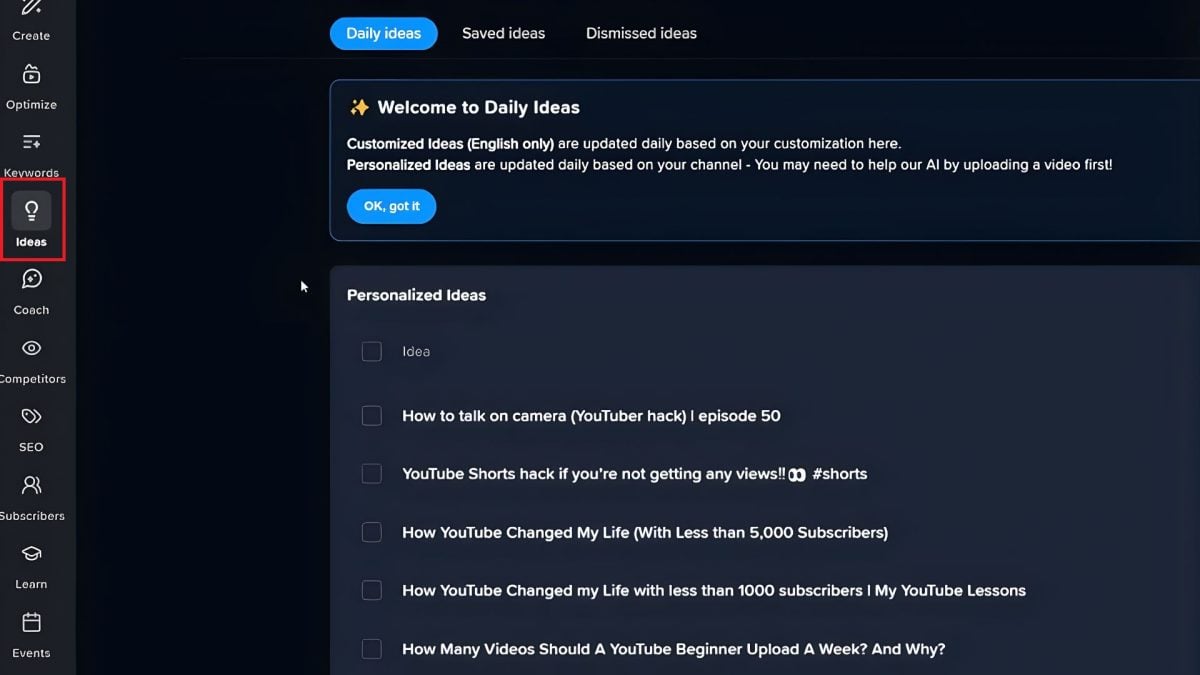
Thanks to this feature, VidIQ offers you :
- 👉 Personalized suggestions based on your channel and web trends.
- 👉 Ideas for new content every day.
Just click on “Idées du jour” or “Daily Ideas” or “Ideas”.
Competitors: competitor analysis
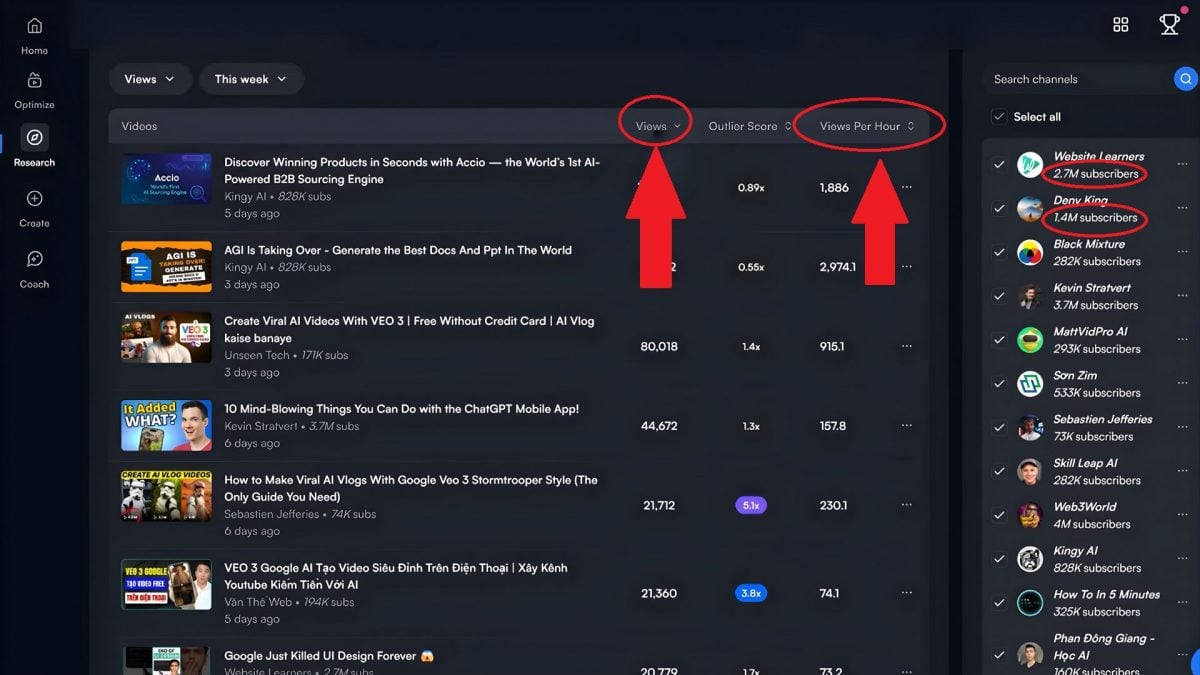
One of the biggest benefits of VidIQ is the’access to advanced data directly in YouTube. Select all your competitors and view their statistics without opening their pages. You can :
- See the number of subscribers,
- See their number of views,
- The best videos in the business,
- Etc.
In the following image, for example, you can see the various competitors on the right, with their total number of subscribers, as well as the most viewed videos.
In the next image, you'll see several pieces of information about competitors: average daily views, average number of subscribers per day, etc.
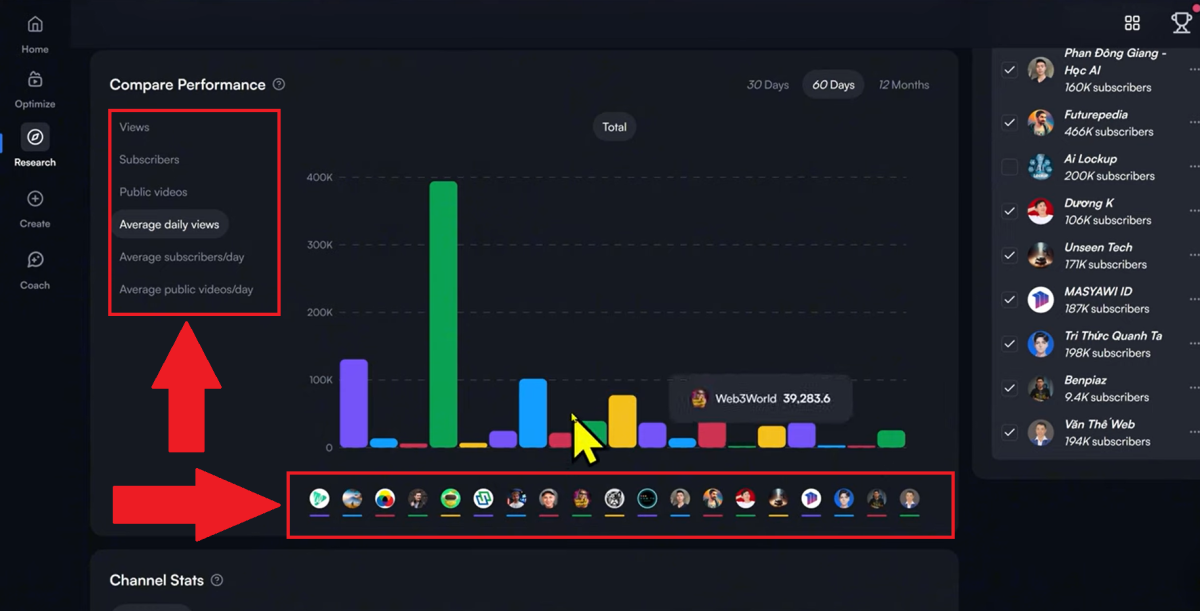
⏱ In short, the aim of this feature is to make you save a lot of time by analyzing your competitors' performance.
AI Coach
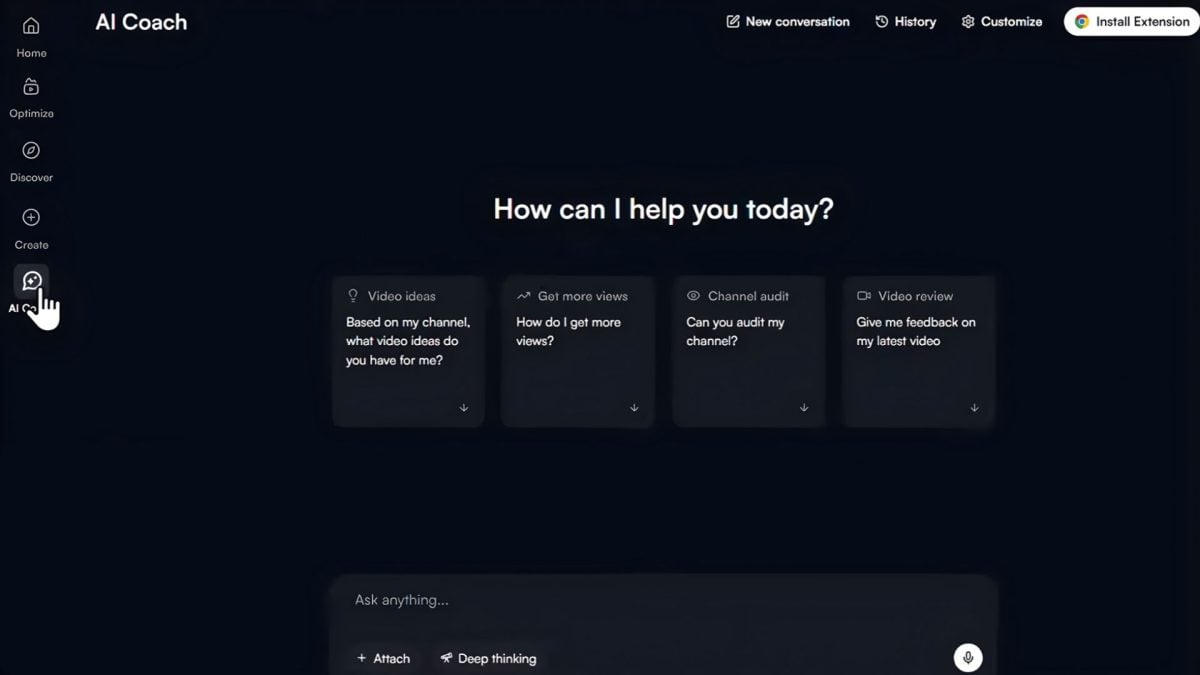
L'AI from VidIQ analyzes your channel and gives you :
- 👉 Personalized advice based on your content.
- 👉 Strategic recommendations (type of videos, regularity, SEO optimization).
It's like having a YouTube AI coach dedicated to your channel. Just type in the bar and ask him for anything you want.
Other VidIQ features
VidIQ doesn't stop at SEO analysis. It also offers :
- 🎯 Title Generator CTR-optimized titles.
- 🔥 Optimize : Provides a clear optimization score for each video.
- 🖼 AI Thumbnail Maker More attractive miniatures.
- 📜 Script Writer Quickly structured scripts.
- 📹 AI Shorts Clipping : Turn long videos into Shorts.
- 🔍 Channel Audit Overview of your chain's strengths and weaknesses.
These tools are especially useful as a complement, depending on your level of creativity.
How much does VidIQ cost?
Here's a simplified overview of VidIQ rates subscription to help you choose :
| Formula | Price | Target profile |
|---|---|---|
| Free | 0 $ / month | Beginners to test basic tools |
| Boost | 16.58 $ / month | Creators looking for accelerated growth |
| Max | 39 $ / month | Pro creators looking for unlimited AI support |
FAQs
Is VidIQ authorized by YouTube?
✅ Yes, VidIQ is totally authorized by YouTube and respected by the platform. It's a legal extension and service to improve your SEO.
Is the VidIQ extension available in French?
The tool offers a French version of most menus, but some functions may remain in English. English.
Does VidIQ really help you get more views?
✅ Yes, perfectly!
Thanks to thekeyword analysis, competitive data and optimization recommendations, you can improve your SEO.
How do I install the VidIQ extension on Chrome?
Nothing could be simpler:
- ✔ Pass through the official VidIQ website.
- ✔ Click on «Add to Chrome».
- ✔ Click on «Add extension» in the pop-up window.
- ✔ The extension will be added to your browser and redirect you to YouTube.
In conclusion, VidIQ is a comprehensive, high-performance tool to support your growth on YouTube. Try it and see!
Don't forget to leave a comment with your before/after results!
And if you want more YouTube tips, check out :









 English