To analyze a YouTube channel, two cases exist:
- You want analyze your own chain → YouTube Studio (free, integrated) is sufficient in most cases. It's the official YouTube tool and you have direct access to it.
- You want analyze a competing channel or an influencer → YouTube Studio doesn't give any data on other channels. You have to go through a third-party tool like Fanpage Karma or Social Blade (free, more limited).
In this article, we details the two methods.
| 👉 Your needs | 🔎 Tool | 💰 Prizes |
|---|---|---|
| Analyze my channel | YouTube Studio | Free |
| Basic statistics a third-party chain | Social Blade | Free |
| Advanced analysis and comparison of several chains | Karma fan page | 1-month free trial |
1. YouTube Studio: the free method
We'll start with YouTube Studio, because that's enough if you're analyzing your own channel. But you'll soon see a limit This is where an analysis tool like Fanpage Karma comes in. That's where an analysis tool like Fanpage Karma comes in.
YouTube Analytics is free and allows you to measure the performance of your channel or videos. It's the basis for understanding your audience, This tool will help you determine what works and improve your content strategy. Here are the main features offered by this tool:
If you're working with a consultant to analyze your data, you'll need to give him or her access to your data. YouTube Studio without giving it your personal login details. Here's how to do it in less than 2 minutes:
Explanatory video in French by Alucare, ideal complement to the page. View video (you can use YouTube's automatic translation)

How do I view YouTube Analytics for a channel?
To consult the reports at YouTube channel in YouTube Studio :
- Login to YouTube Studio.
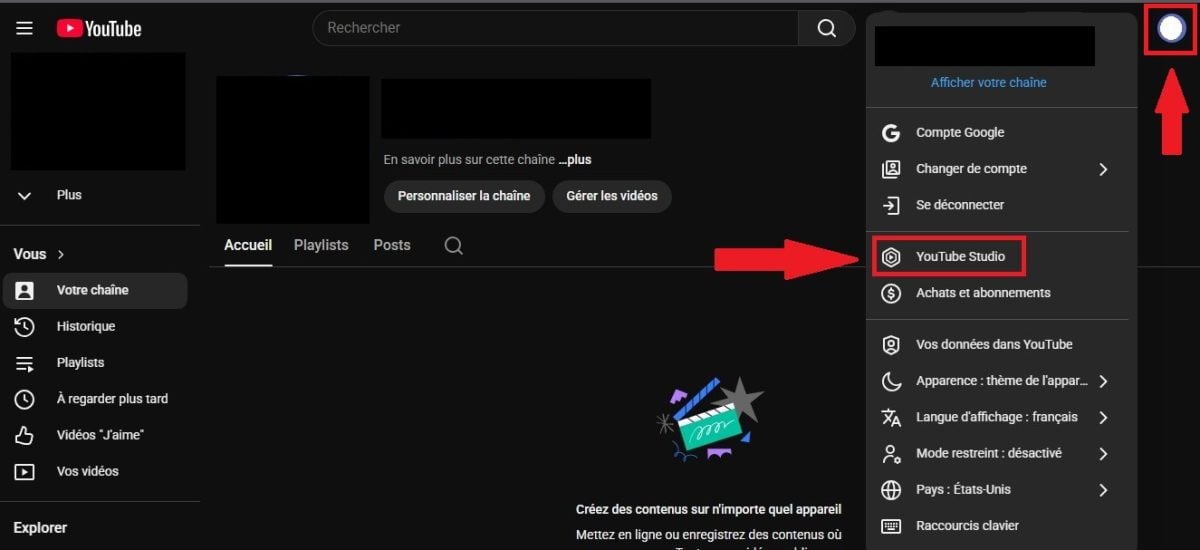
- Dans le menu à gauche, cliquez sur Analytical data.
- Vous pourrez choisir parmi les types de données analytiques que vous souhaitez consulter (Aperçu / Contenu / Audience / Tendances) :

However, in order to view YouTube Analytics for one of your videos :
- Connectez vous à YouTube Studio,
- Dans le menu à gauche, sélectionnez Contents,

- Sélectionnez la vidéo pour laquelle vous voulez obtenir une donnée précise.
What are the advantages and disadvantages of YouTube Analytics?
| ✅ ADVANTAGES | ❌ DISADVANTAGES |
|---|---|
|
|
2. Use a third-party analysis tool: Fanpage Karma
You want measure the performance of a chain or some videos that stand out on YouTube? Fanpage Karma can help.
This tool mainly covers the analysis of Instagram and Facebook data, but the options on offer also make it possible to analyze a chain. Youtube.
Analyze a YouTube channel with Fanpage Karma
Before going into detail, please note that:
| ▶️ Fanpage Karma | ✨ Details |
|---|---|
| Standard free trial | 14 days via the official website |
| Free trial Alucare | 1 month via the button at the top of the table, with access to Gold features |
| Coupon code Alucare | 20% de réduction for 6 months with X5P9MN3NO |
| Multi-channel analysis | Unlimited, at no extra charge |
| Données | Complete, no limitation |
What are Fanpage Karma's features?
Fanpage Karma has been designed to étudier and surveiller des profils sur les réseaux sociaux, dont YouTube. Voici les fonctionnalités de Fanpage Karma :
| 🔎 Fanpage Karma | ✨ Données disponibles |
|---|---|
| Analyse de votre chain et de plusieurs chaînes. | You can analyze one channel and other YouTube channels without limits and at no additional cost. |
| Access to réactions sur votre contenu et à celles de vos competitors. |
|
| The nombres de vues. |
|
| Données sur votre public et ceux des profils ajoutés à Fanpage Karma. |
|
De plus, vous pouvez également consulter les hashtags les plus performants utilisés par vos concurrents grâce à cet outil !
If you simply wish to view dislikes directly on YouTube for your analysis, here's a quick tutorial to reactivate them with a :
Explanatory video in French by Alucare, ideal complement to the page. View video (you can use YouTube's automatic translation)
![How to RE-ACTIVATE Dislikes on YouTube [TUTORIAL] [French only](https://www.alucare.fr/wp-content/cache/flying-press/a45b2aad97d09d5d9a9f8926568aaa19.jpg)
Fanpage Karma vs Social Blade
Both are popular solutions in this field. But what makes them differentiates ?
- Social Blade is free but gives limited estimates (views, subscribers, projections).
- Karma fan page gives access to likes, dislikes, comments, hashtags, actual engagement rates, and allows you to compare several channels in parallel.
| 🌐 Social Blade | 🔎 Fanpage Karma | |
|---|---|---|
| Price | Free | Paid (1-month free trial with Alucare link) |
| Accessible data | Estimates (views, subscribers, revenue projections) | Likes, dislikes, comments, hashtags, real engagement |
| Chain comparison | ❌ Nope | ✅ Yes, unlimited |
| Exportable reports | ❌ Nope | ✅ Yes, customizable |
| For whom? | Curiosity, quick check of a chain | Use pro, agencies, serious creators, influencer marketing |
Comment analyser une chaîne YouTube avec Fanpage Karma ?
To follow this tutorial, create your Fanpage Karma account by following the steps below. With the link below, you have 1-month free trial (instead of 14 days) and access to Gold features.
Add promo code X5P9MN3NO to payment if you decide to continue (-20% over 6 months).
Test Fanpage Karma free of charge
- Once on their homepage, you can click on Start Free Trial at the top right of the screen,
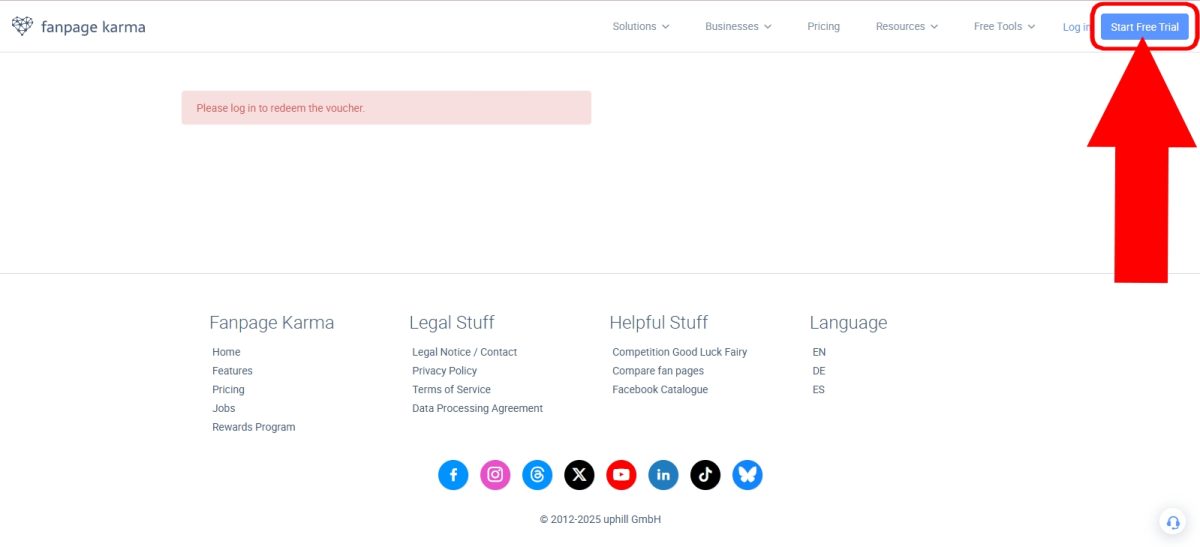
- Sign up for Fanpage Karma using your account. Google, ou votre e-mail or Facebook(if you do not yet have an account).

- Une fois le choix fait, créez votre compte Fanpage Karma avec des informations vous concernant,
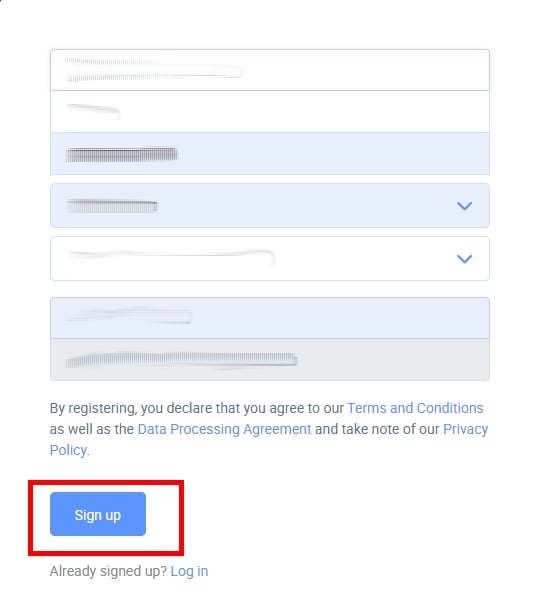
- Afterwards, ajoutez un profil à analyser avec Fanpage Karma,

- Vous avez le choix entre plusieurs réseaux sociaux, mais ici nous avons sélectionné Youtube uniquement,

- Then select the compte Google à analyser avec Fanpage Karma,

- Puis, choisissez le type de services auxquels Fanpage Karma aura accès. Vous pouvez cliquer sur Tout sélectionner and/or view YouTube Analytics reports related to your content,Choose the Fanpage Karma services you want. ©Princia for Alucare,Allow Fanpage Karma access to your YouTube channel, then,YouTube profile and click on,followed by,Confirm Fanpage Karma YouTube access. ©Princia for Alucare,Click on Continue in Fanpage Karma. ©Princia for Alucare,Check,the,boxes,all,the,boxes,where,Fanpage Karma,will,come,in,to,analyze,a,YouTube,channel,efficiently,,Check,the,options,where,we,need,Fanpage Karma. ©Princia for Alucare,Once on the main interface, click on,Then give a name,to your Dashboard,If you have a team with whom you want to share the analysis, check,Share with team,Click on Dashboard. ©Princia for Alucare,Finally, you'll have access to a,which illustrates the various analyses on a YouTube channel. However, you can also add other YouTube channels,Create a dashboard. ©Princia for Alucare,Other advanced features of Fanpage Karma,a) Customized, detailed report creation,based on up-to-date data,,It provides a,that you can share with your customers/colleagues afterwards.,Customize individual reports,according to your needs, including the ability to comment and describe graphs or even undo changes..,b) Effective community management,It promotes,teamwork,through,clear,structures,,and,individual,approval,,Workflows are,better,engaged,with,your,community:,In a,single,inbox,(where you can add all your social network profiles), you can,create or refine responses,to your community through AI,,automated actions, and,streamline,your workflow,As a result, track,average response,times,and find out when you receive the most messages to further improve response rates.,c) Invaluable help in designing quality content:,Optimize your content :
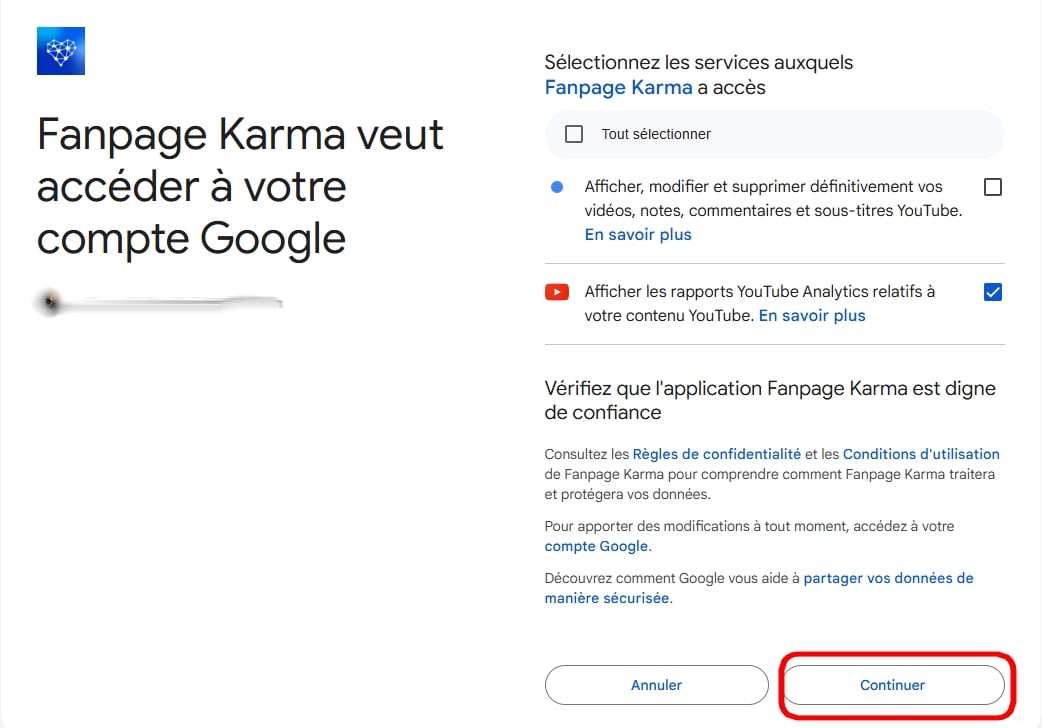
- Autorisez Fanpage Karma à accéder à votre chaîne YouTube, puis select le profil YouTube et cliquez sur Add suivi de Continue.

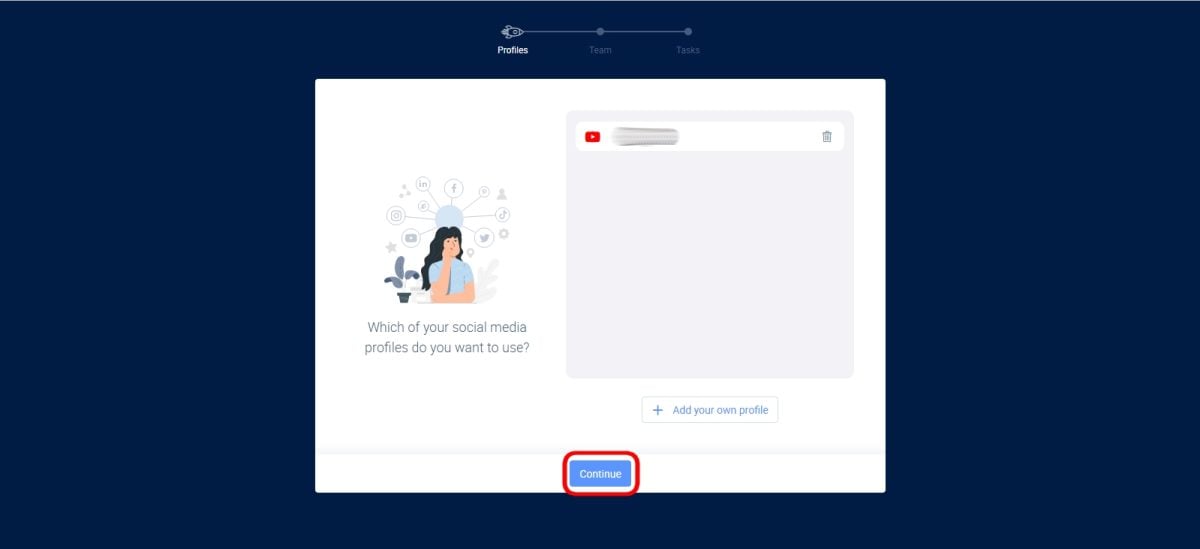
- Tick the boxes corresponding to the data you wish to analyze (or check all for a complete analysis).

- Once on the main interface, click on Dashboard Where Dashboard.
- Puis donnez un nom à votre Tableau de bord and click on Create.
- If you have a team with whom you want to share the analysis, check the box. Share with the team.

- Finalement, vous aurez accès à un dashboard which illustrates the various analyses on a YouTube channel. However, you can also addautres chaînes YouTube !

What other advanced features does Fanpage Karma offer?
In addition to channel analysis, Fanpage Karma also allows you to generate customized reports :
- Design of individual reports ;
- Customized metric based on updated data ;
- Shareable dashboard with customers/colleagues ;
- Personalization reports (comments, graph descriptions, etc.).
Fanpage Karma also offers community management, content planning and creative assistance.
Why analyze a YouTube channel?
Whether you're a designer or a brand, study statistics of a YouTube channel is essential to developing your presence on the platform. A good analysis helps you to :
- Understanding your audience (age, demographic data, place of residence) ;
- Identify popular videos and those that generate the most engagement; ;
- Determine the best strategy by observing what works in your field; ;
- Measuring performance of the chain over time and track its growth; ;
- Finding ideas content by analyzing popular videos from other creators or influencers in your industry.
For designers, these indicators allow you to’improve publishing strategy. For brands involved in influencer marketing, they are used to choose the right influencers and measure the success of campaigns.
In summary If you're analyzing your own channel, YouTube Studio is all you need. If you want to benchmark competitors or influencers, use Fanpage Karma.
the link Alucare gives you 1 month free instead of 14 days, more than enough time to see if the tool is right for you.
Pour analyser plusieurs chaînes YouTube (la vôtre et celle de vos concurrents) :








 English