The vault code for Feather Family on Roblox is not fixed: it changes with each server.
So you'll have to find it yourself in the game.
How do I find the code for the Roblox Feather Family vault?
Once you're in the game, click on Teleport, then select Fossil Lab.

Once you've been teleported, go straight ahead. You'll soon reach the door.
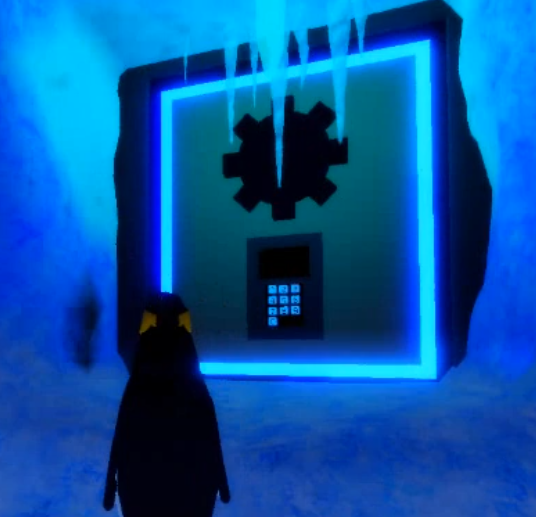
To find the code, follow this exact route from the door:
- Go first on the right.
- Then join in the middle.
- Turn left, then still to the left.
- Look around you: the code is displayed in this area.

You spot the code displayed on a tablet. Be sure to write this down before you leave. This code is specific to your server, so your friend's won't work at your place.
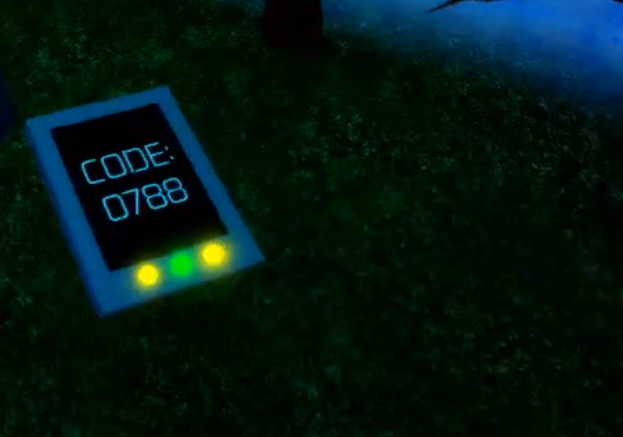
Go back to the locked door and enter the code using the keyboard.
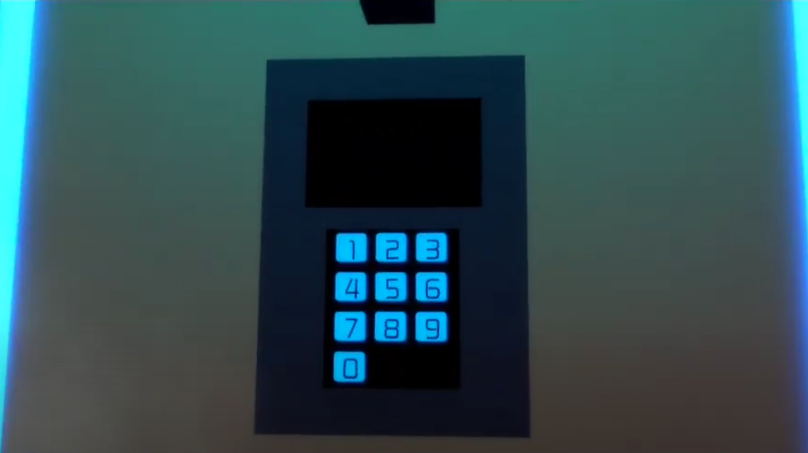
The door opens, and you enter the vault.
If the code doesn't work, there are two possible reasons: you used a code from a other server, or did you do a data entry error. Go back and read the tablet from the Fossil Lab from your current server.
Roblox Feather Family game overview
Feather Family is a role-playing game immersive on Roblox where you play as a bird and make up your own stories. The first time you launch the game, you go through a customization menu to choose the’species, your bird's age and colors.
The game then places you in one of its 14 biomes, each with its own distinct atmosphere. You'll find, among other things, the beach, the desert, the forest, the sanctuary, the jungle, and even the ice mountain.
With your friends, you can play as a herd that settles in a new biome and tries to adapt to it. That's the whole point of this type of RPG : There's no limit to the stories you can make up.
Each herd has a chef, identifiable by its "leader" label. Its powers are:
- Add or Remove Members
- Teleport to any member of the group
- To create a nest herd size and limit its growth
- Teleport members to the nest
- Disperse the herd
As a regular member, your options are more limited:
- Teleport yourself to the nest of the herd
- Teleport to a group member
- Leaving the herd
Members communicate through a dedicated section of the cat, visible only to other members of the herd. Feather Family is betting everything on the creativity and the community : a good choice if you're looking for a role-playing experience in a natural, lively setting.








 English