To analyze a Facebook group you administer, the simplest option is still free: the Consolidated Group Statistics Facebook provides you with clear data on member growth, engagement, and your top posts.
This information is enough to understand what works in your community.
BUT if you want to analyze a group you don't manage (market intelligence, competition), Facebook does not provide any data, so a third-party analytics tool is needed—with its own limitations.
We'll explain the two methods for analyzing a group on this social network, from free to paying.
Analyze your own group for free (Group statistics)
If you are administrator Where moderator, It's all already there, for free, in the Group statistics (Group Insights).
Here's how to access it and what you'll find there. How to access it:
- Open your group Facebook.
- Click on Tools Board of Directors (left-hand menu).

- Select Statistics.
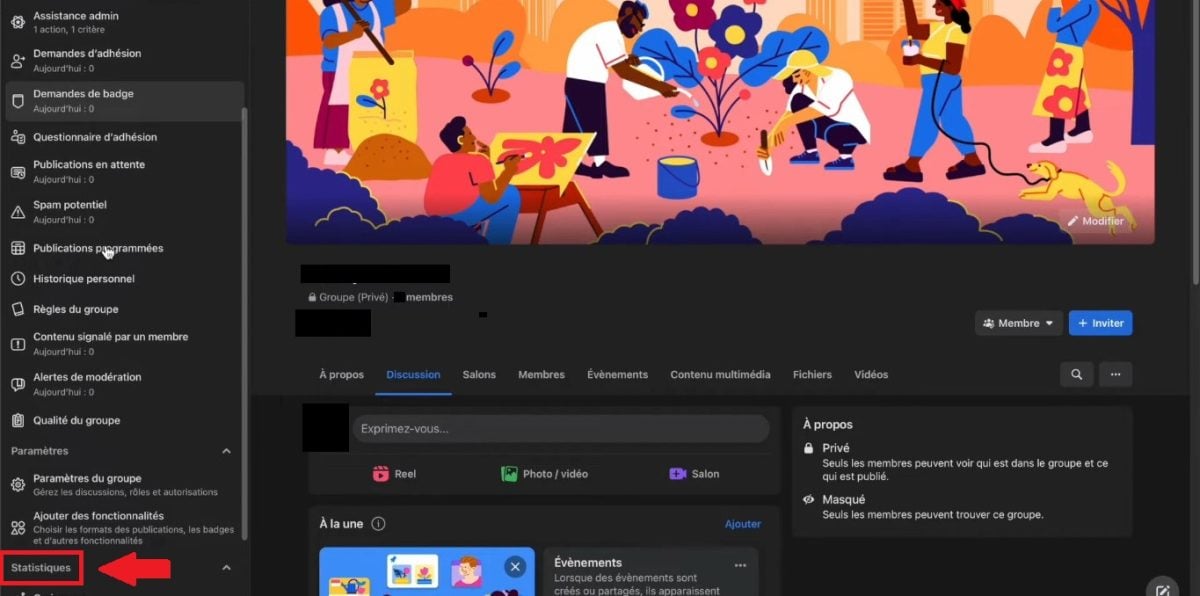
⚠ This tab is reserved for administrators and moderators. If you don't see it, it means you don't have the necessary permissions.
What you'll find there:
Statistics are divided into three sections:
- 📈 Growth : number of new members, membership applications, trend line over various time periods (28 days by default).
- 💬 Commitment : top-performing posts, reactions, comments, time slots where your group is most active.
- 👥 Members Top contributors, breakdown by time slot, active vs. inactive members.
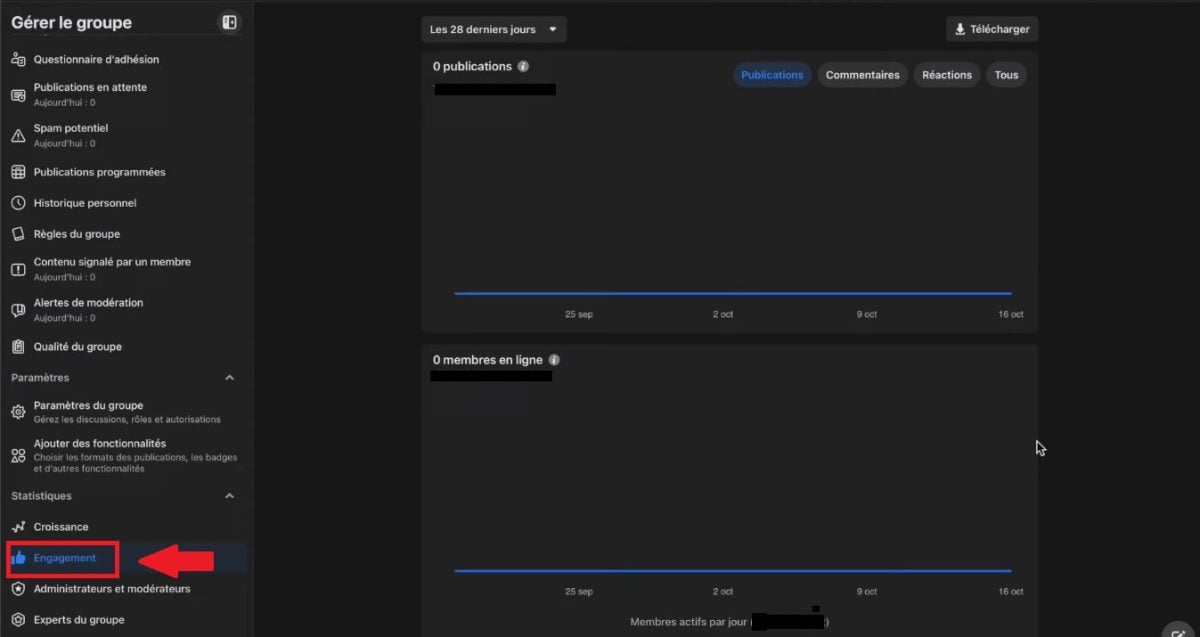
These three components form a veritable dashboard :
- There, you can track the engagement rate,
- The content that generates the most reactions and comments,
- And the metrics that matter for managing your community. You don't need a paid tool for that.
Data can be read quickly : A quick look at the most-shared posts shows What kind of content appeals to to your members, and the time slots show the off-peak hours to avoid.
This is what turns raw data into concrete decisions: what content publish, at what at the moment, and what publications resume.
✅ That's it for the free method if you're an admin. But that's where it ends: you can't view a group you don't manage, and you can't compare multiple groups with each other, impossible to monitor competitors.
That's what the third-party tools allow to some extent.
Analyze a group you don't manage (third-party tools and their limitations)
For a group that you don't have—let's be honest: Facebook doesn't give no internal statistics, and there is no official API that allows access to it.
Third-party tools do not bypass this limitation. Here's what they actually do—and what they don't do.
What Fanpage Karma Really Does (and What It Doesn't Do)
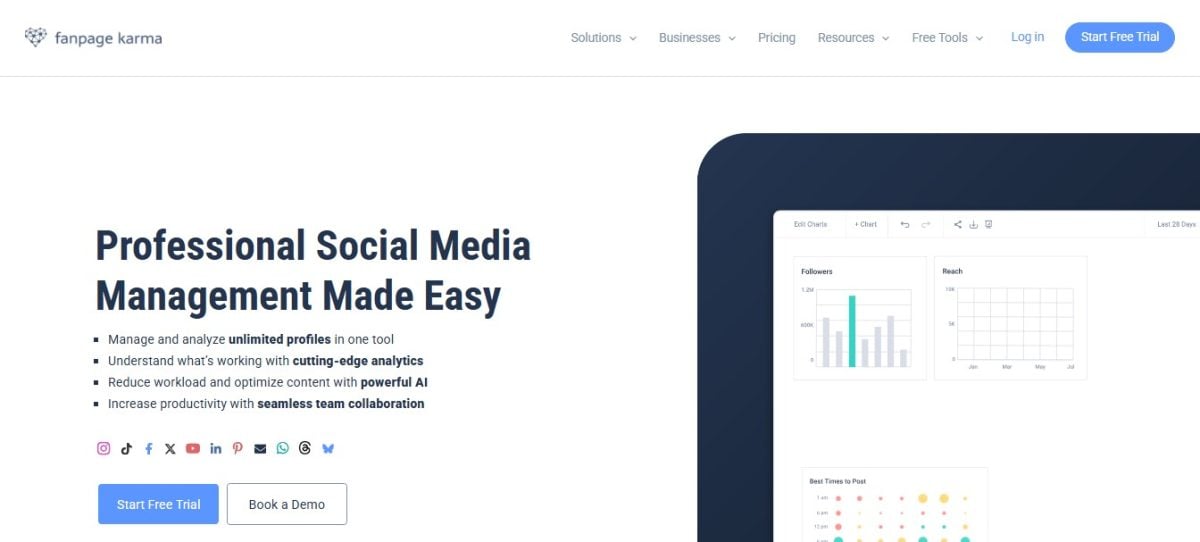
Karma fan page is a tool for analyzing Facebook pages, Instagram profiles, YouTube channels, and competitors on social media—not a tool designed for use within groups.
✅ Specifically, it allows you to:
- 🔍 To watch competing Facebook pages and compare their performance
- 📊 Follow Engagement, Influencers, and Performance Metrics
- 📅 To plan and publish posts in advance
- 📑 Generate exportable analysis reports and dashboards
❌ What it doesn't do :
- Enter a Facebook group that you don't have access to in order to generate internal statistics. No tool can do this; it's a limitation of Facebook itself.
How do I use Fanpage Karma?
Here are the steps to follow use Fanpage Karma in order to analyze a Facebook page, because, as we know, this tool cannot provide data on a third-party Facebook group. No tool can do that.
- Log in to the platform, then go to the dashboard creation area
Fanpage Karma's Official Website
- Enter the type of sector to be analyzed.
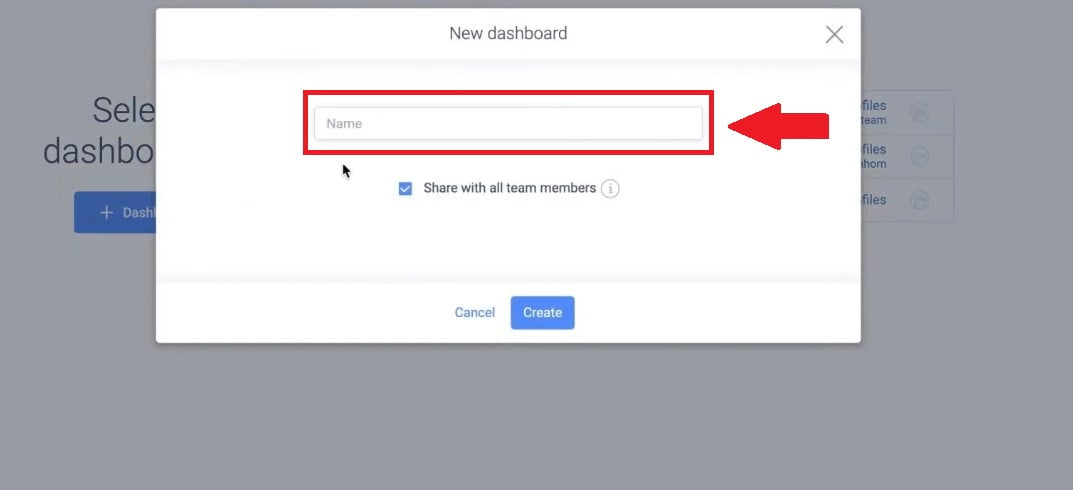
- Select the social media platform where the page you want to analyze is located. In our case, it is Facebook.
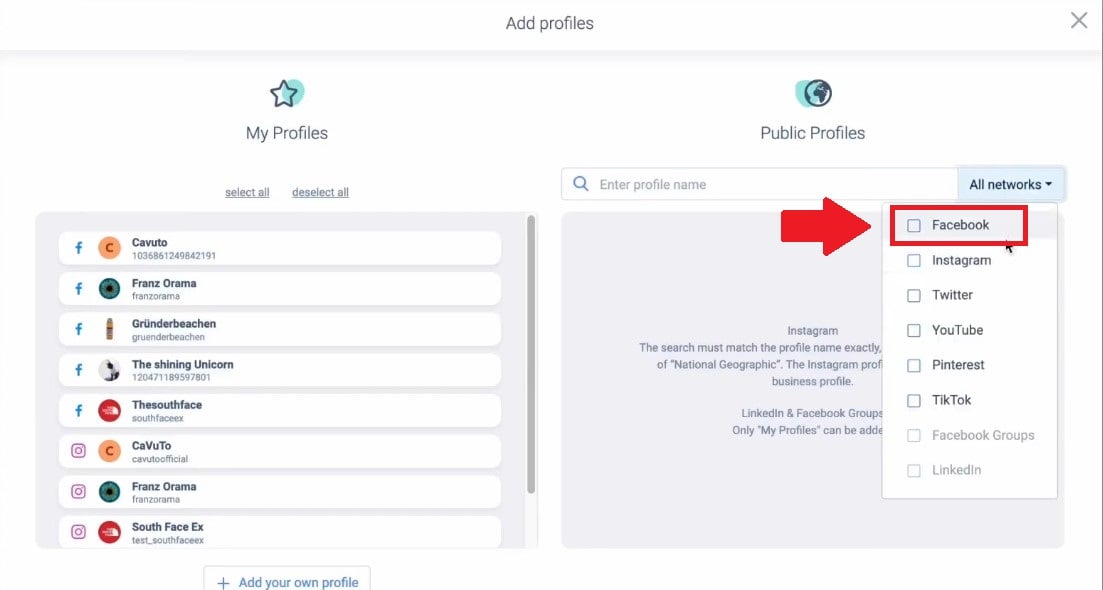
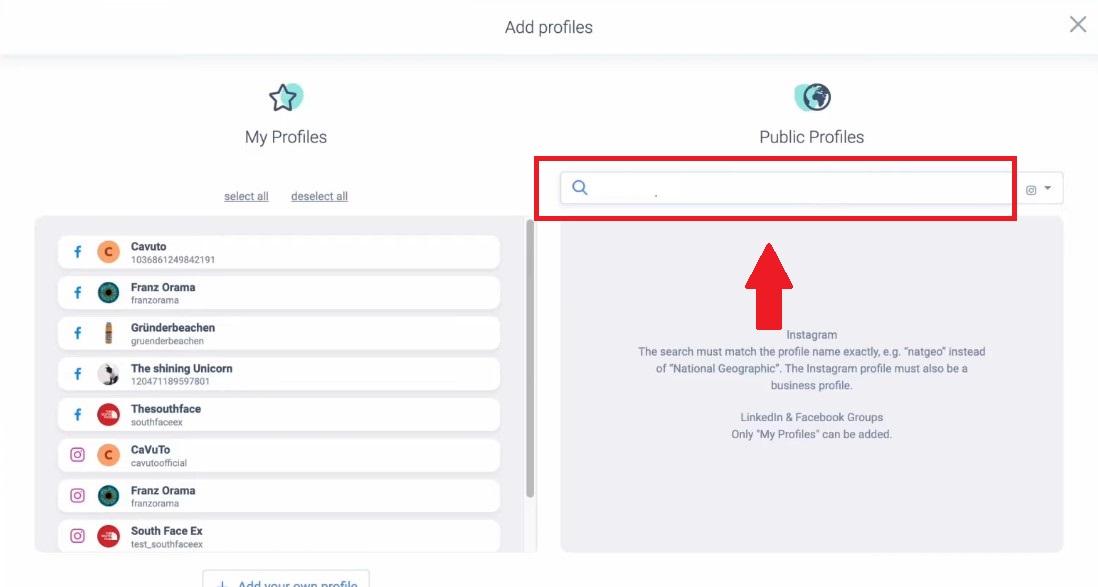
- Enter the page name to be analyzed.
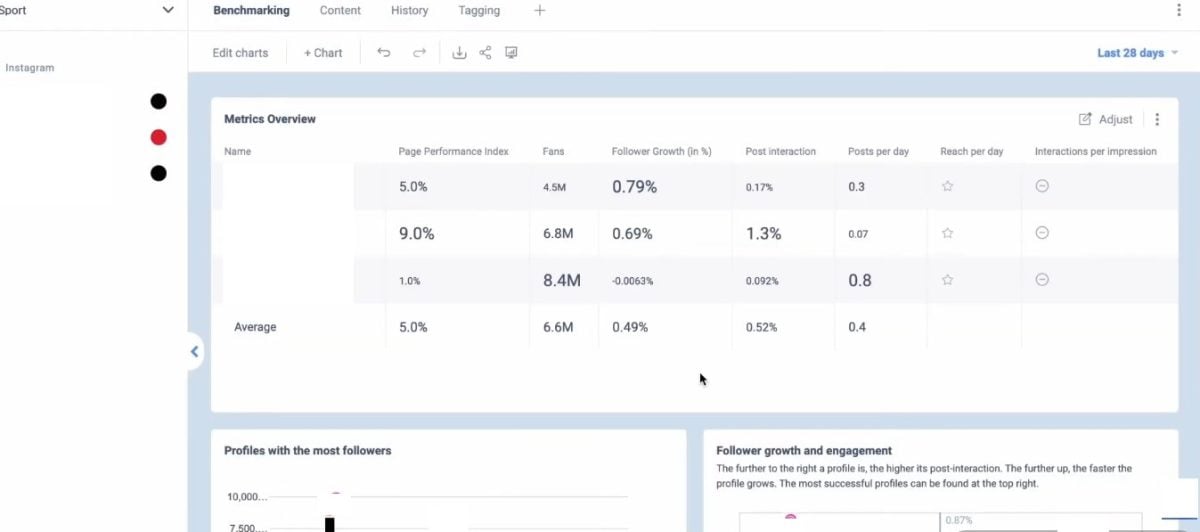
- Next, you'll see a dashboard which displays data on the analyzed pages.
How much does it cost?
Fanpage Karma offers a limited free version with 1 profile and several monthly plans. Prices change regularly, see our dedicated article for the latest details: Fanpage Karma prices: how much does it cost?
💡 With our code coupon, you get a discount on your chosen plan.
- Here is the code: X5P9MN3NO
FAQs
Can you analyze a Facebook group that you don't manage?
Nope. Facebook does not no internal statistics on a group that you are not an administrator of, and there is no official API that allows you to access it.
Tools like Fanpage Karma analyze Facebook pages, Instagram profiles, and YouTube channels, but not the content within a closed group.
Are Facebook group statistics free?
Yes, if you're an administrator or moderator, Group Insights are available. free from the Administration Tools.
There, you'll find data on growth, engagement, and members—all without any paid tools.
What's the difference between analyzing a Facebook page and a Facebook group?
A Facebook page and a group cannot be analyzed not in the same way. For a group, you use Facebook's built-in statistics.
For a Facebook page, tools such as Karma fan page provide detailed data on performance, publications, and engagement rates.
Which indicators should be monitored first?
The three components of Statistics cover the essentials : membership growth, engagement (reactions, comments, top-performing posts), and the profile of active members.
These are the indicators that help understand your community and publish the right content at the right time.
Can Fanpage Karma analyze a Facebook group?
Nope. Fanpage Karma remains a tool for analyzing Facebook pages and networks social. It allows you to monitor competitors, track engagement, and generate reports, but it does not have access to the internal data of a Facebook group.
Why analyze a Facebook group?
Facebook has more than 3 billion monthly active users, and more than 1.8 billion people participate in a group each month. It is one of the most widely used social networks for building a community.
Analyze your Facebook group helps you understand what works, when to publish content and who's driving the community.
This data allows you to’improve your strategy posts and optimize your engagement. Without reading this, you’re posting blindly.









 FR
 RU
 EN
 ES
 IT
 DE
 ZH
 PT
 ID
 JA
 DA