Keypoints
- You can change your PSN online login as often as you like, but only the first change is free.
- The steps to change your PSN ID differ slightly depending on whether you are using a PS4 or PS5, involving changes to your profile settings.
- Changing your PSN ID may cause malfunctions in certain games, including the continued appearance of old nicknames or the reset of certain game settings.
A Playstation Online ID (also known as a nickname or name) is a user's unique display name that can be set by their friends in their online gamers group on PlayStation Network or PSN. The other users of the group can use this identifier to know the online activities of its holder, according to its defined privacy settings. A PSN ID is unique for each account and cannot be linked to multiple accounts and an account is only entitled to one PSN ID. The question then arises whether this identifier can be modified over time. We will detail everything you need to know about changing your username/nickname online on PSN.
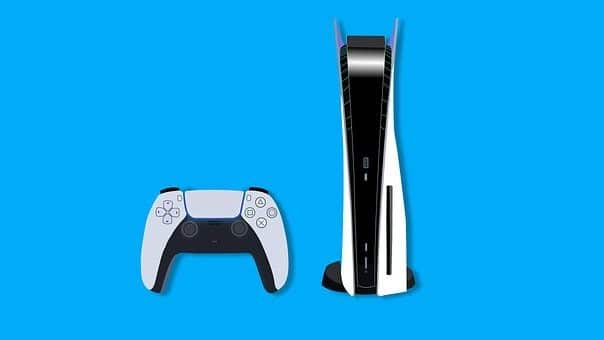
Can I change my PSN ID online for free?
The answer is yes, it is possible to change your PSN login online, and the number of times is unlimited. However, only the first modification is free of charge, them following will be paying (with 50% discount for PlayStation®Plus subscribers).
How to change your PSN ID/Pseudo online?
- Go to Account Management Account Management and choose PSN Profile from the drop-down menu.
- Then click on Change which is next to your Online ID to change.
- Enter the new ID, follow the instructions displayed to finalize.
- Once the procedure is completed, you will be disconnected from all devices.
Change the username on a PS5™ console
- Enter Settings, then Users and Accounts.
- Go to Account, then Profile.
- Choose to ID online.
- Type in your new online ID.
- Follow the instructions displayed to finish. (All your devices will be automatically disconnected.).
Change the username on a PS4™ console

- Go to Settings, then Account Management.
- Go to Account Information, then to Profile.
- Select Online ID and enter your new Online ID.
- Follow the instructions displayed to confirm.
Be sure to check the list of known issues on the Sony website before contacting PlayStation Support if you encounter any issues with your console or account. Use your PlayStation ID to identify your gameplay video if you wish to submit a malfunction report.
What are the disadvantages of an online ID change?
Changing your PlayStation nickname is a simple a feature eagerly awaited by gamers. Every player wants a nickname that reflects their personality and playing style. PlayStation has recently made the process of changing nicknames easier, allowing every player to reinvent themselves and stand out even more in the online community.
You can find a video or guide online that highlights the best nicknames and names in the PlayStation community, emphasizing the importance of making a good first impression in the gaming world. However, there are some drawbacks that you should consider before getting started.
In addition to the fact that PSN nickname changes are chargeable from the second onwards, there are other risks you could be exposed to after making the change. As the change does not take effect on all games, some games are likely to have malfunctions. On the games tested, here are the general findings on anomalies :
- The old online handle(s) may continue to appear to you and other users, but the handle may just as well no longer be displayed in certain places within a title (for example, in-game leaderboards).
- The ID is immediately updated if you log out and back in for certain games, or perform different in-game activities after logging in.
- PlayStation user accounts are sometimes unlinked from in-game accounts. Bringing them back together may restore the original link.
- Some game settings can be restored to their default values (audio settings, control settings, etc.).
- It is possible for some games to recover your configurations by logging out and then logging back into the game.
Sometimes it is possible to regain normal operation by restoring your old ID. Moreover, it is preferable to keep it if it is possible not to modify it.
When playing PlayStation games online, it is essential to choose an appropriate username. Names in PSN videos can sometimes cause problems, especially when a list or profile change is necessary. Sony has recently selected a feature that makes it easier for friends and players to communicate. However, if a conflict arises, it is important to know how to report the problem in order to resolve it effectively. After changing your ID, choose the best console choose to play with your family.









 English