Is someone annoying you on Instagram, or do you have followers who bring no interest to your posts? If this is the case, you're probably considering remove from your Instagram followers list ! But how do you get there?
In this article, discover all the steps to delete Where to block a nobody on Instagram!
From now on, you can choose who has access to your content on the platform!
How to remove a follower on Instagram easily?
You're wondering how delete a subscriber on Instagram without blocking it?
Indeed, if you just want to remove someone from your list of followers because they are a fake Instagram account here's how to get there:
1. Delete a subscriber
- Go to your Instagram profile,

- Click on subscribers at the top of the page, next to suivis.
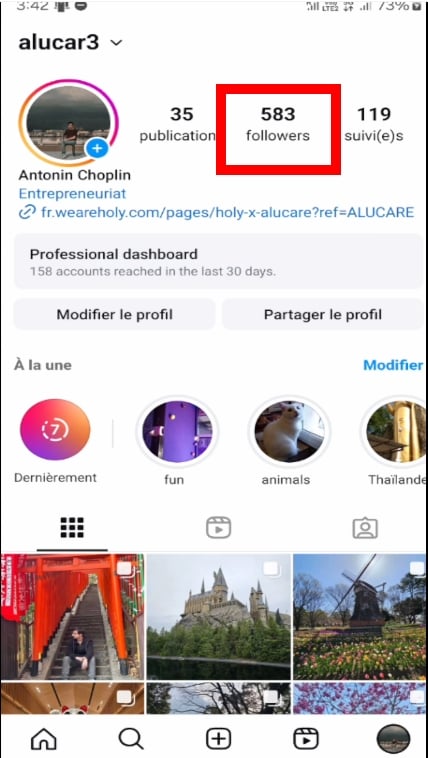
- Find the person you wish to delete, then press its profile,

- Once there, click on the three small dots at top right. And then press Remove follower,
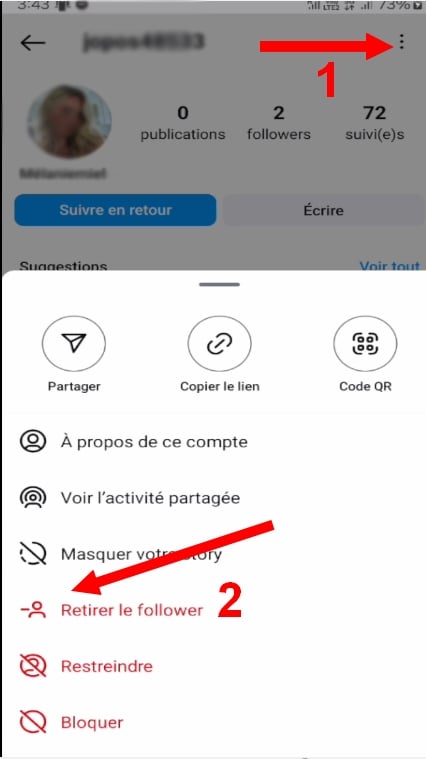
- Then confirm the deletion by clicking on To delete,

And there you have it remove the person from your followers !
2. Block a subscriber
A simpler way to delete a user of your Instagram account is also to block her from seeing your content and following you.
To do this, the steps are more or less the same as those mentioned above:
- Go to your Instagram profile,
- Press on Subscribers,
- Search the person you no longer wish to see on this social network,
- Once on your account, click on the three small points at top right,
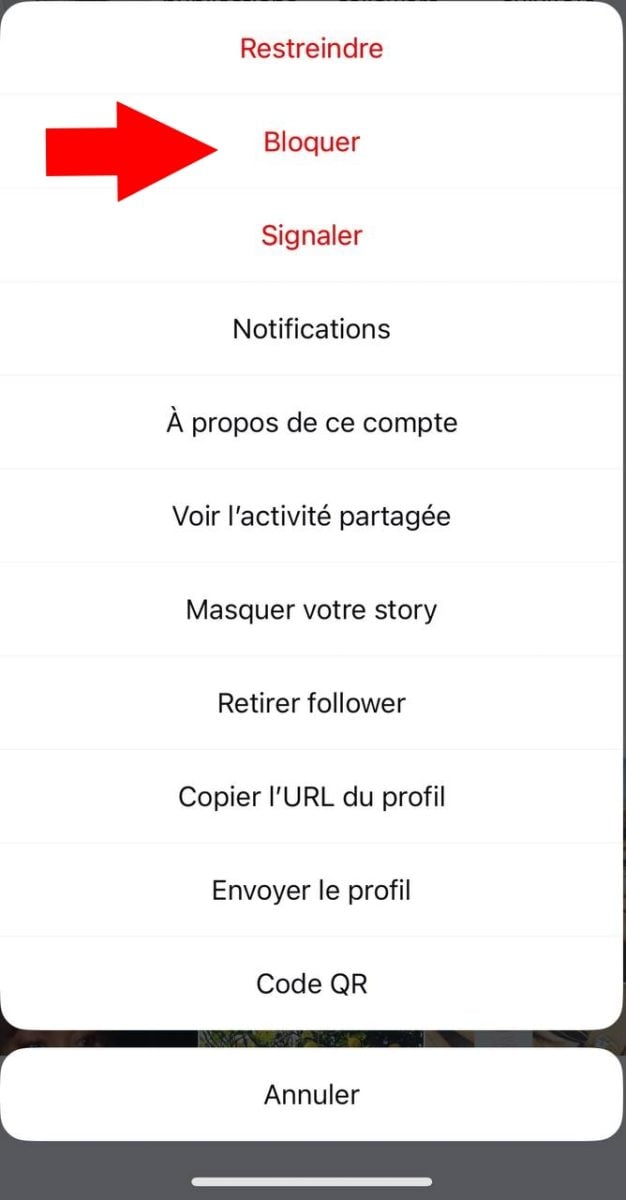
- Select option To block,
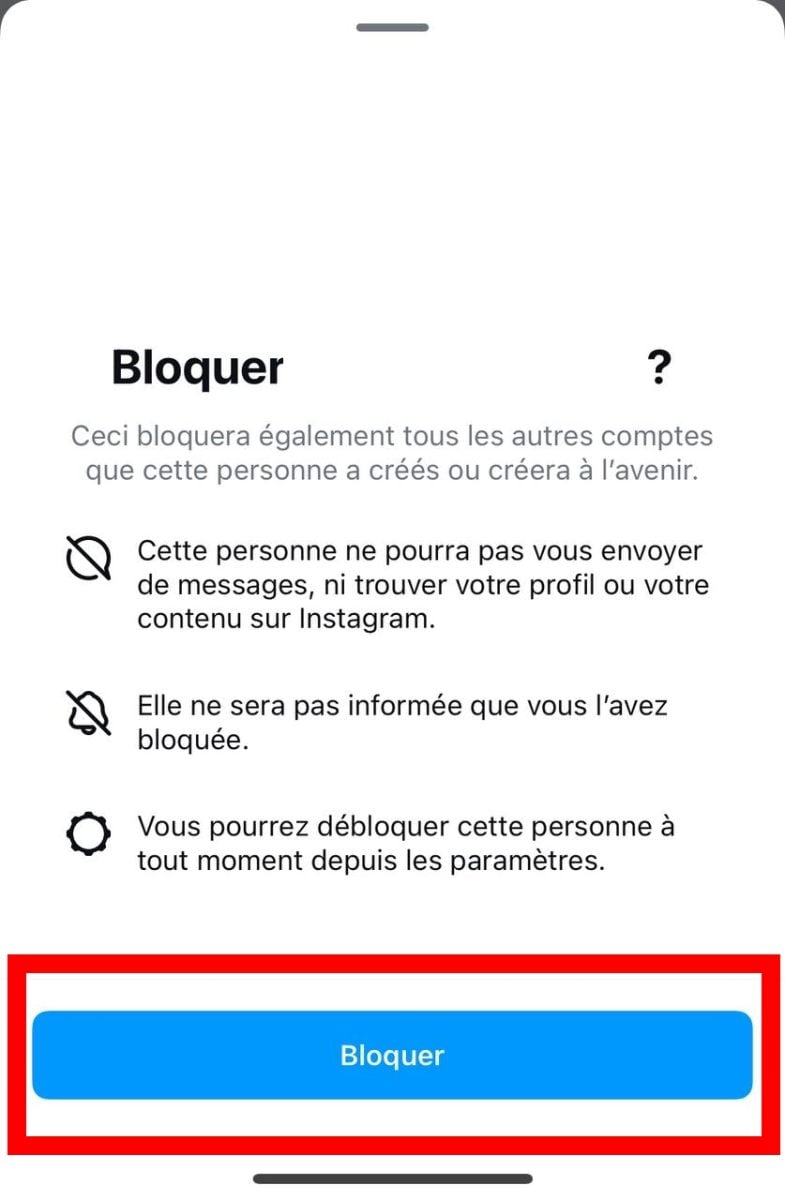
- Finally, confirm the action by clicking on To block.
If the account is not on your list of followers, you can:
- Do a manual search in the search bar at the top,
- Go to his profile,
- Click on the small dotted lines at top right, then select to block.
How do I mass delete on Instagram?
Please note that you can only delete 200 accounts per hour on Instagram, or you could be banned Where suspended of the platform.
To do this, you have two choices:
- Using third-party applications,
- To delete manually these accounts.
You'll find plenty of apps on the web that can delete accounts en masse for you on Instagram.
However, this approach comes with risks, as these apps can delete Instagram accounts you don't necessarily want to remove, since they are generally based on algorithms rather than human judgment.
The second approach, on the other hand, is quite lengthy, but it is the one we recommend most for account security !
From now on, the deleted or blocked Instagram account will no longer be able to serve you. or send you message on Instagram! However, if he uses a tool to track an Instagram accounthe'll be able to see your stories anonymously...







 English