By linking your EA and Twitch accounts, you create a bridge between them, and everything you do on one will be reflected in the other. A host of benefits await you too.
In this article, we'll take you step by step through how to link your account EA to your Twitch account:
- To log in to EA account
- Access to connection parameters
- Picking out Twitch
- To allow linking your EA account to your Twitch account
- To confirm linking your two accounts
Step 1: Log in to your EA account
- The first thing to do is to visit the EA website. Then log in to your account.
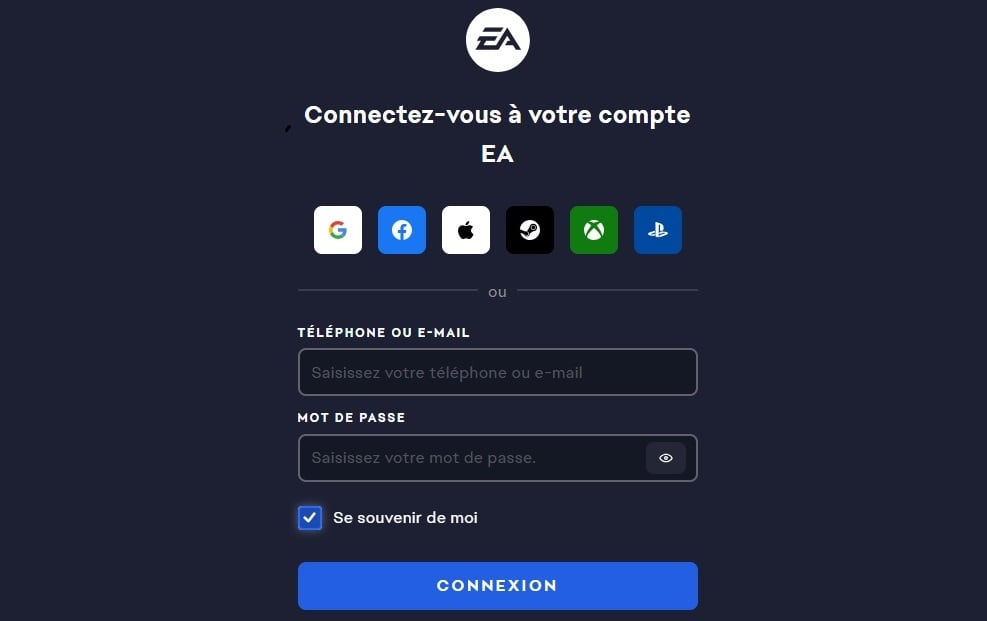
- Once connected, look for the “Connections” section”.
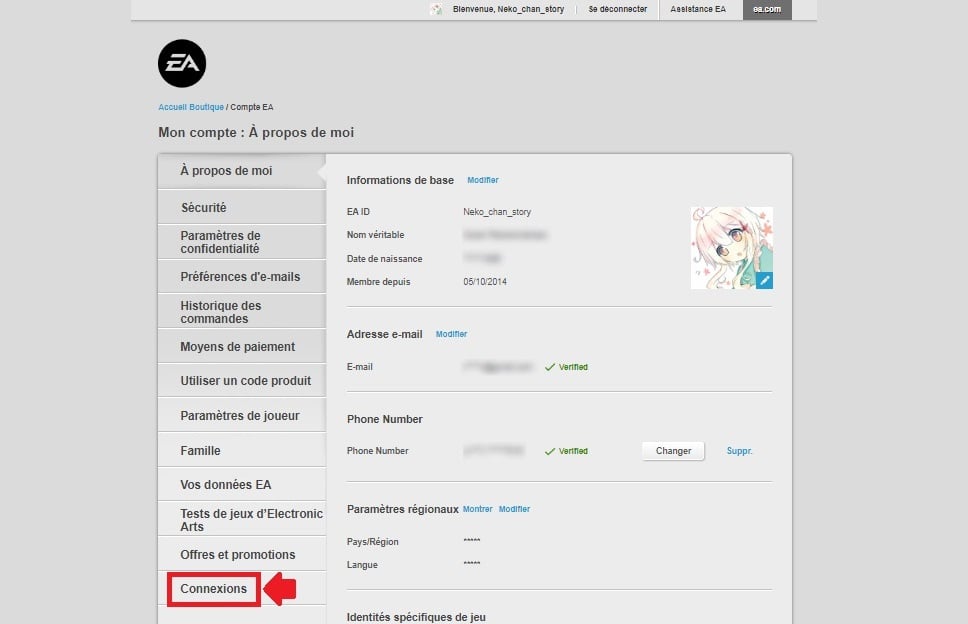
Step 2: Access connection settings
You can manage the accounts you have linked to your EA account through the available options. Scroll down the page Scroll down until you see the platform you are interested in, namely Twitch.
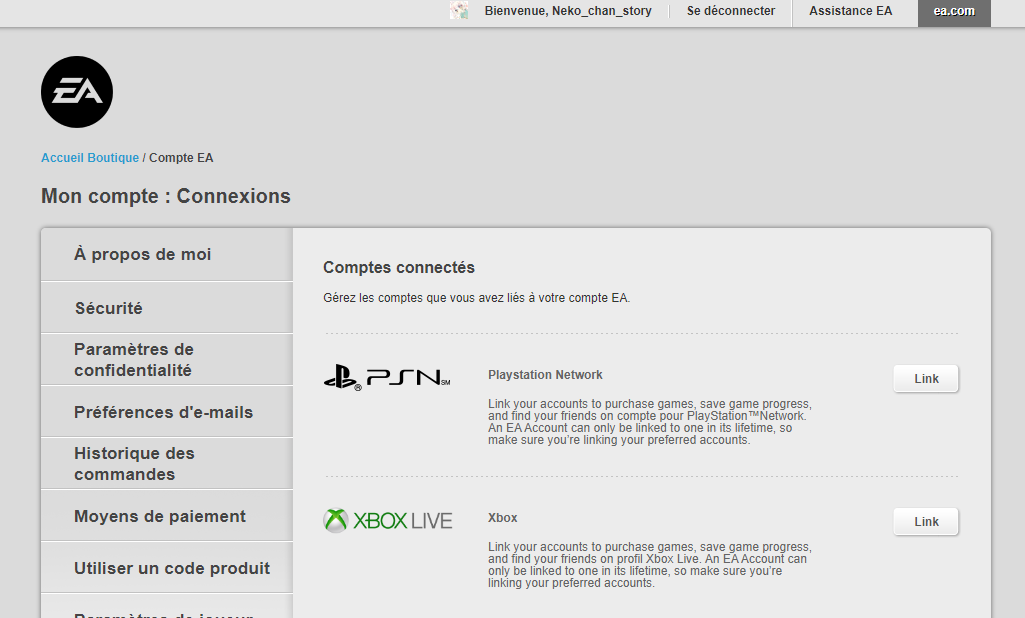
Step 3: Choose Twitch
Select Twitch by by clicking on “Link”, then you will be redirected to a page asking you to log in to your Twitch account.

Step 4: Allow your EA account to be linked to your Twitch account
To link your EA account to Twitch, you need to click on “Allow”.

Step 5: Confirm the link between your two accounts
After the authorization process, you will be able to confirm the connection from your EA account to your Twitch account.
- All you have to do is click on “Link accounts”.

If you decide to delete your Twitch account, remember that the connection will be broken.
FAQs
What should I do if I have trouble linking the two accounts?
If you have difficulties in linking your accounts EA and Twitch, you can apply the following tips:
- Go to your EA account settings and the Connected accounts section. if a Twitch account is already linked.
- Check that your account has not been disabled, locked, banned Where suspended.
- See if your account has been hacked and if so, take the necessary steps to recover and protect it. In particular, use two-factor authentication. A2F.
- If the connection has already been made but you have change your Twitch usernameyou'll need to link your two accounts again.
Can I link several EA accounts to my Twitch account?
If you have more than one EA account, you cannot to bind only one to your Twitch account. The link does not work for multiple accounts.
Why link your EA and Twitch accounts?
By linking your EA and Twitch accounts, you can unlock many new features in just a few clicks. benefits :
| ✅ Benefits | 📑 Details |
|---|---|
| Free loot | Do you like to receive gifts? Thanks to this link, you can get free loot by simply watching your favorite streamers on Twitch.
The rewards are many and varied. The more live broadcaststhe better your chances of winning. |
| Access to exclusive content | By linking your EA and Twitch accounts, you'll have access to exclusive content.
For example, you can test the latest betas or participate in demos exclusive. This is an opportunity to discover the new EA games and have your say. |
| Integrating the two platforms | Thanks to this link, you can switch from one platform to anothershare your exploits with friends and discover new communities.
A gaming experience even richer and more immersive! |
| Twitch drops | These random rewards can be earned by watching streams.
To maximize your chances of getting drops, make sure you are connected to both your accounts and watch official live broadcasts of EA games. |
| Special events | EA and Twitch often organize special events such as tournaments, giveaways and exclusive livestreams.
By following the social networks of these two platforms, you'll always be up to date with the latest news and you'll be able to take part in these events to earn even more rewards. |
Which games are covered by the link?
Among the most popular titleswe find :
| 🎮 Games | 📑 Details |
|---|---|
| FIFA | By linking your accounts, you can show off your best goals to your followers and take part in special events. |
| Apex Legends | Discover exclusive skins and special challenges by playing Apex Legends while streaming. |
| The Sims | Share your creations with the community and take part in construction challenges. |
| Need for Speed | Show off your piloting skills to your subscribers and earn exclusive rewards. |
And this is just the beginning! EA regularly adds new games to this list. For a complete and up-to-date list of compatible games, visit the official EA website or check out the official announcements on social media. And if you want to learn more about Twitch, feel free to check out our various articles.
Have you already linked your accounts? Share your experience in comments and don't hesitate to ask any questions! We will be happy to help you.








 English