To analyze an Instagram account for free, there are two scenarios: analyzing your own account and analyzing someone else's account.
If this is your own account, Instagram Insights (built into the app) gives you engagement rates, reach, and demographic data without costing you a single euro. All you have to do is upgrade to a Pro account (it’s free and takes just 30 seconds).
Find out more about this free method. Then, to analyze a third-party account, we follow up with Upfluence (also free, but for one-off analyses). Then explore Karma fan page if you want a regular, professional follow-up.
Instagram Insights: the best solution for analyzing your own account for free
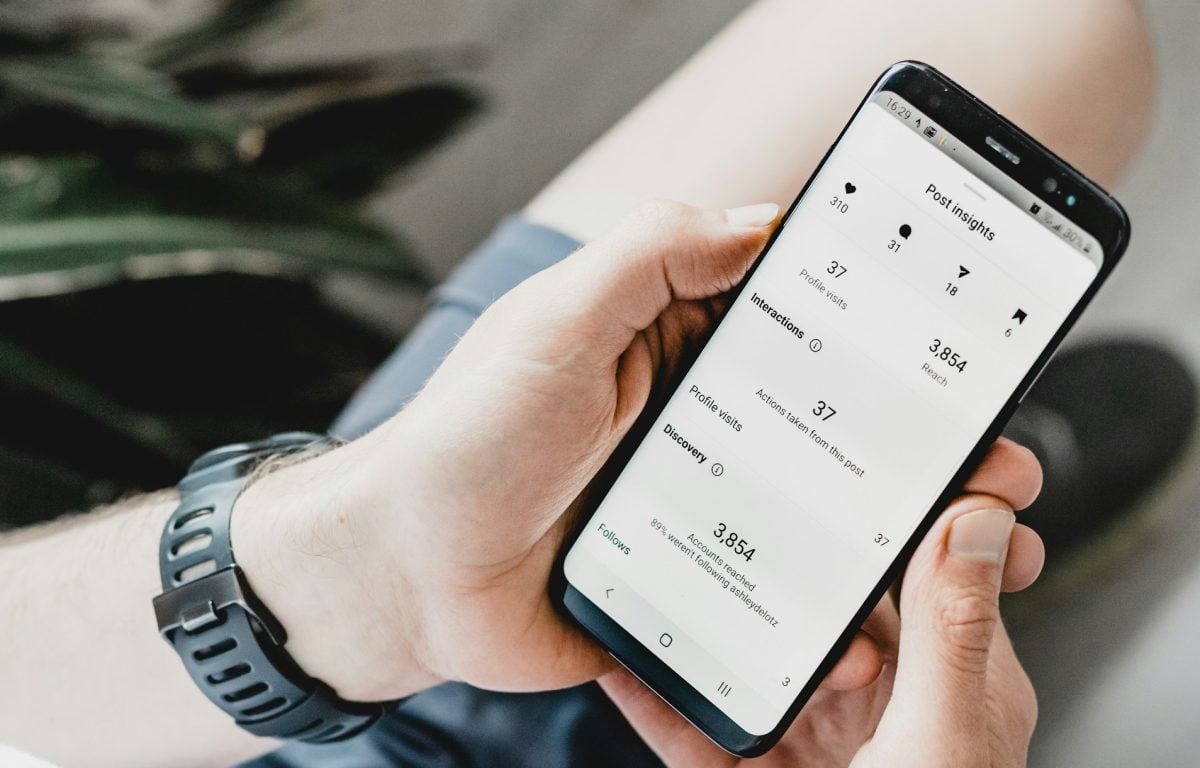
The simplest and free option is the tool that Insta already has built into your account: Insights. There is no external registration required, and no trial period to activate for this tool. All you need is a Pro or Creator account. The conversion is free and takes only 30 seconds.
If you'd like to learn more about Instagram statistics, check out our article: Instagram statistics: how to consult and make the most of them?
Both key topics in this feature are :
- Accounts reached that allow you to consult content performance.
- Audience Statistics that help you view data such as subscribers' active times.
Here's how to convert your account into a account professional :
- On your Insta profile, click on the hamburger menu represented by the three lines at the top right of the screen.
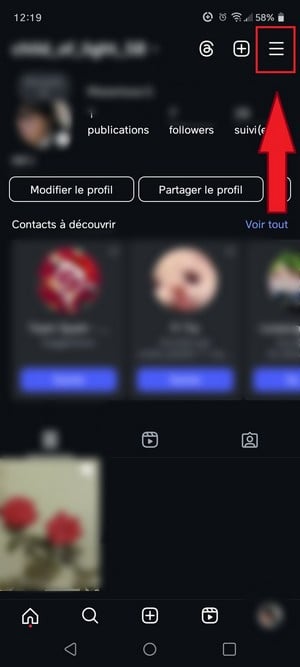
- Then enter the "Account type and tools.

- On the page that opens, select "Switch to a professional account".

- Then choose the type of business account you wish to create.

- Confirm switching your profile to a professional account.
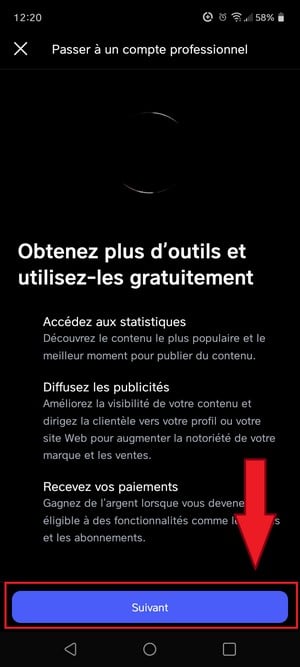
Here's how to use your professional profile to access Instagram insights and analyze an Instagram account for free :
- On your profile, come back and click on the hamburger menu represented by the three horizontal lines on the right side of the screen.
- Scroll, then click on "Statistics to start using Instagram Insights.

- You will then see data on your followers, subscriptions, posts and stories via Insta itself.

To refine the data displayed, you can use filters that will help you view specific items such as the age group or the location of certain subscribers.
❌ Limit : This method is limited to analyzing the performance of your own account. Keep reading to learn about another method that lets you analyze a third-party Instagram account for free.
Upfluence: free but limited third-party account analysis
After this free method, we'll take a look at the for the pros.
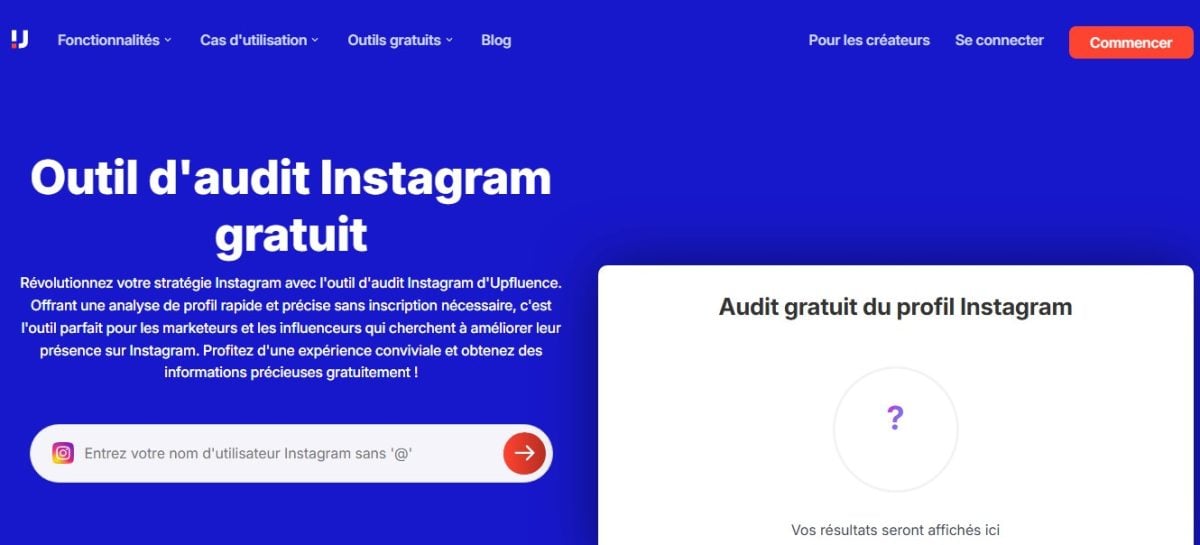
Upfluence is a tool that allows you to’analyze an Instagram account for free. It is known for its speed and ease of use.
It is designed for marketers, influencers and brands who wish to analyze third-party accounts to optimize their presence on Instagram.
The tool is free and requires no registration or subscription. All you have to do is Enter the person's username whose account is to be analyzed to display all data.
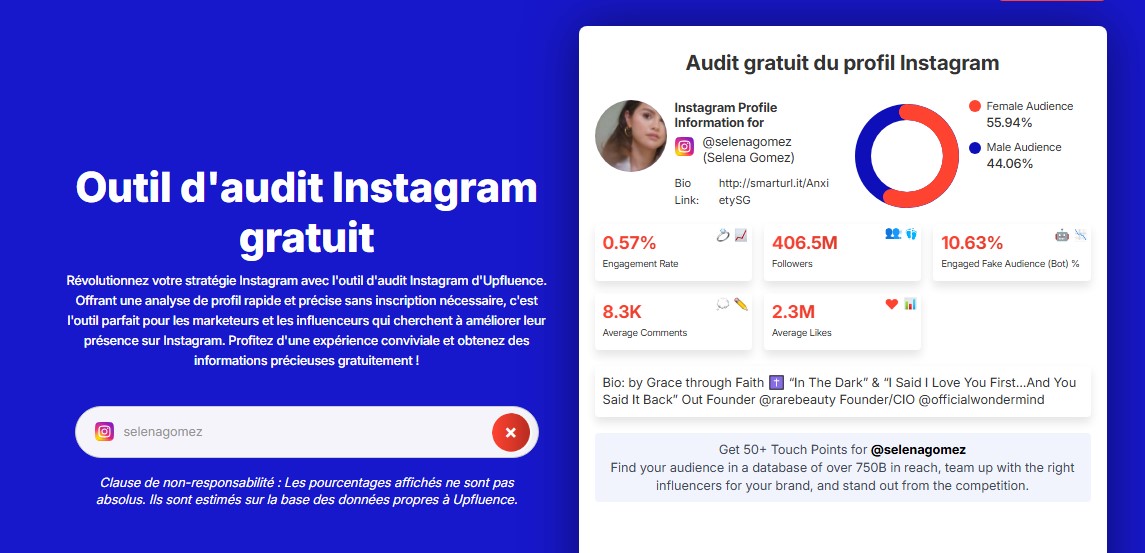
❌ Limits : This tool works for one-time analysis needs, but it's long and limited to publicly available data. The platform also does not offer a dashboard for tracking metrics for the accounts being analyzed.
For more detailed information (history, side-by-side comparison and data export), a dedicated tool like Karma fan page saves hours.
Free Analytics Tools: Other Alternatives
- Social Blade : Known for analyzing an Instagram account simply by entering the username. Handy for tracking an account's historical growth (follower growth over several months). No registration required.
- HypeAuditor : Specializes in detecting fake followers and calculating audience quality scores. Ideal before bosser with an influencer.
- Iconosquare Freemium plan for a complete profile audit. More pro/agency oriented.
- Modash : A reference for checking for fake followers. Use this in conjunction with another tool.
- Metricool : widely used in France, free plan for Instagram stats + content programming.
- Inflact Profile Analyzer Unlimited, free analysis of public accounts, perfect for fast, assembly-line audits.
❌ Limit: Most include a free plan just for testing purposes.
Fanpage Karma: analyze an account if the previous solutions are not sufficient
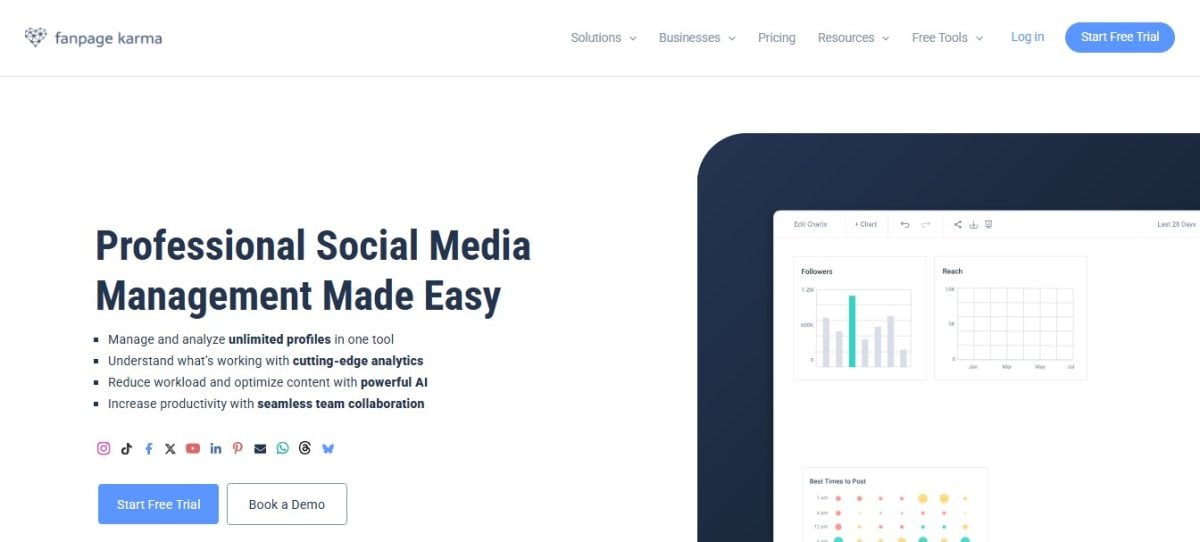
Using social networks professionally isn't easy. It takes time and distinct strategies to manage pages efficiently.
That's why Fanpage Karma was created. It is an analysis tool designed to reduce your workload. Fanpage Karma lets you analyze the statistics of an Instagram page in a single click. It can edit :
- The number of subscribers and their annual change.
- Number of publications.
- the number of interactions on content.
The platform works equally well on your own account than that of your competitors.
What are Fanpage Karma's features?
Fanpage Karma's main functionality is to follow profile on Instagram. This may involve:
- Reputation management.
- The discovery of new influencers.
- Essay ideas.
Fanpage Karma lets you create personalized reports, schedule posts in advance and reply to all posts on Instagram. In addition AI assistants will help you create content and manage your community.
Reporting
Thanks to this feature :
- You can export all the information obtained on Fanpage Karma to Microsoft Office. The design can be customized in Excel.
- You will also receive automatic e-mails on the evolution of account statistics analyzed with this function.
- You'll have access to individual graphics on the accounts analyzed.
The analysis function
This function allows you to :
- Analyze several profiles at a time.
- Analyze your own profile and those of your targets or competitors.
- Analyze an account on a specified period.
The alerts function
Fanpage Karma offers you :
- Regarding the morning reports to let you know about the day's important events.
- A Shitstorm alert in the event of strong activity.
- Immediate alert if a competitor publishes something.
- Regarding the regular reports to your e-mail inbox.
How do I use Fanpage Karma?
Registration takes 2 minutes. Here are the steps, from clicking on the free trial to your first account analysis on the dashboard:
- Go to Fanpage Karma website.
- Click the "Free Trial" button. Log on to using one of the available options.

- Provide your personal information to register on the site. Confirm your e-mail address using the code sent to your inbox.
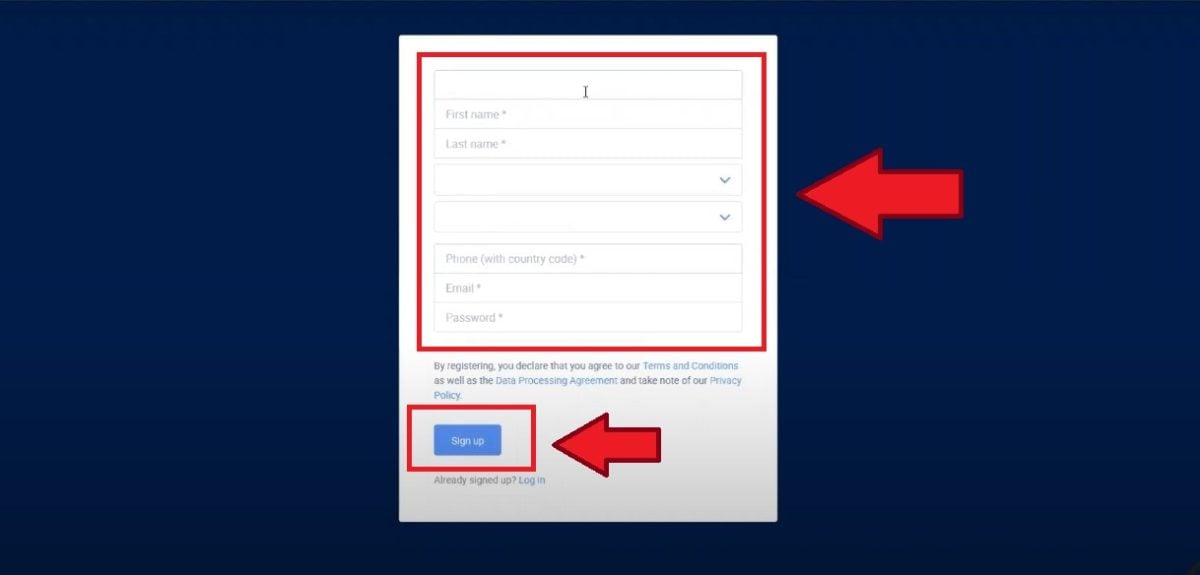
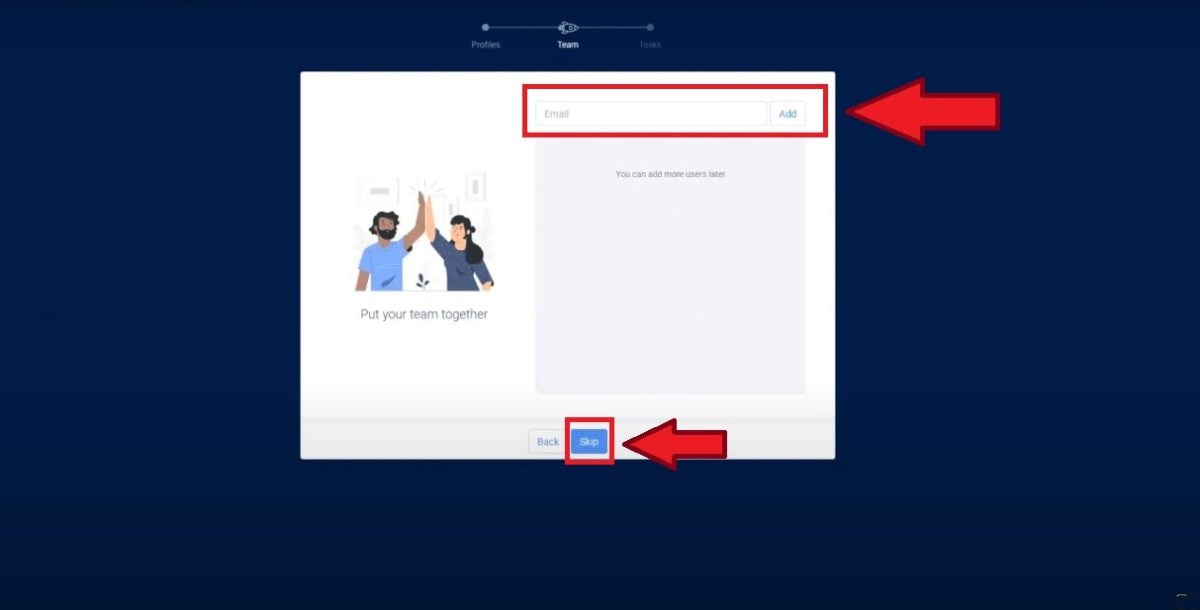
- Add the your team members if you work with others in analyzing Instagram accounts. (You can also click on "Skip" in this section).
- You will then reach the dashboard on Fanpage Karma, which lets you analyze a third-party Instagram account. Click "Dashboard" to create an analysis.
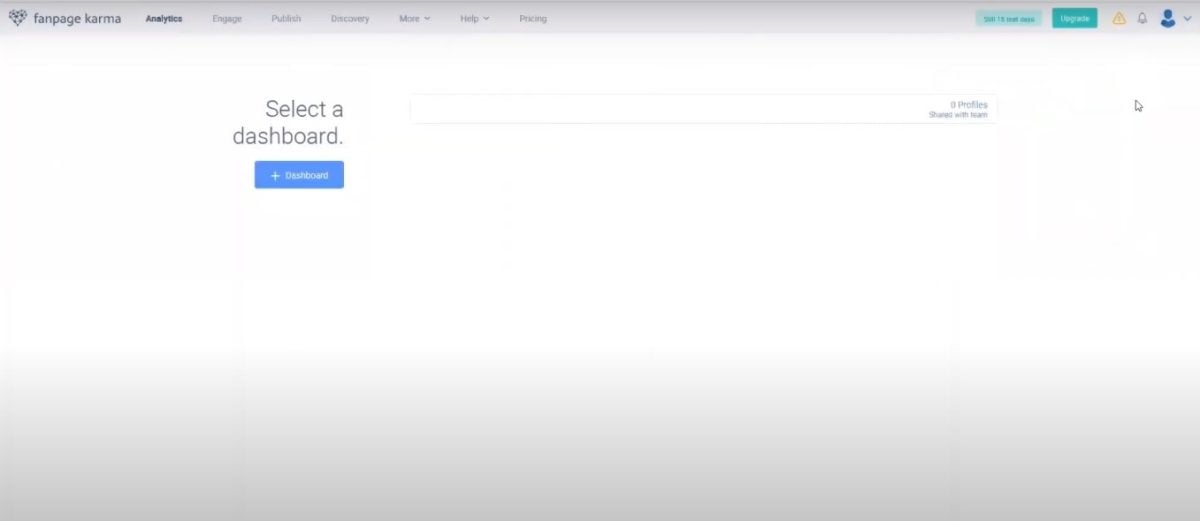
- Here's what the’Fanpage Karma interface with several accounts analyzed. You'll see: the performance of each page, new subscribers, posts per day, reach, etc.

Tool price
Fanpage Karma can be used free of charge for 14 days. However, you can take advantage of a one-month free trial here :
Use Fanpage Karma free for 1 month
This trial allows you to benefit from most of the advantages of the Gold Plan on the site. After this period, you will have to pay to access the platform's features.
However, with our promo code, you can enjoy a reduction of 20% on all your Fanpage Karma subscriptions for six months.
- This is the promotional code: X5P9MN3NO
Discover the six price plans on this platform:
- the free plan which cost 0 € for 14 days.
- The plan Bronze at €49 per month.
- The plan Silver at €149 per month.
- The plan Gold at €249 per month.
- The plan Platinium at €649 per month.
Find out more about Fanpage Karma prices in our article on the subject.
Which method should I choose to analyze my Instagram account for free?
To help you choose between 3 methods Here is a summary table:
| 🛠️ Method | 👤 For whom? | 💰 Really free? | ⚠️ Main boundary |
|---|---|---|---|
| Instagram Insights | Analyze your own account | ✅ Yes, native and unlimited | Only your account, data limited to the last 90 days |
| Upfluence | One-time analysis of a third-party account (influencer, competitor) | ✅ Yes, without subscription | No history, no side-by-side comparison, no export |
| Social Blade | Quickly view Instagram account statistics | ✅ Yes, without registration | Data sometimes approximate, limited interface |
| HypeAuditor | Checking an influencer's credibility | ✅ Yes, limited free features | Full analysis reserved for paying offers |
| Iconosquare | Auditing and managing an Instagram account | ✅ Yes, freemium version | Limited free period and restricted functions |
| Modash | Detect fake account subscribers | ✅ Yes, targeted free tool | Mainly fake followers |
| Metricool | Track statistics and program content | ✅ Yes, free map available | Some advanced analyses for a fee |
| Inflact Profile Analyzer | Analyze public Instagram accounts | ✅ Yes, free unlimited analysis | Limited access to private accounts |
| Karma fan page | Regular monitoring, competitor comparisons, professional reporting | ⏳ 14-day trial (1 month with our code) | Priced starting at €49/month after the trial |
👉 In a nutshell :
- If you just want to understand how your account is performing, Instagram Insights That's enough.
- If you want to take a look at a specific account, Upfluence, Social Blade, Metricool, Iconosquare, Inflact Profile Analyzer do the job.
- If you manage several accounts or follow competitors on a long-term basis, Karma fan page It remains the most comprehensive tool.
To access Fanpage Karma and analyze an Instagram account for free for 1 month:
Access Fanpage Karma free for 1 month
FAQs
Why analyze your Instagram account?
An Instagram account audit allows you to define account quality. The key to defining a quality account is its community and content.
| ⭐ Reason for analyzing an Insta account | ℹ️ Details |
|---|---|
| Boost theevolution of the account |
|
| The research influencer |
|
| The brand search |
|
How can I view the statistics for an Instagram account that isn't mine?
You can use the tools mentioned earlier in the article—such as Upfluence, Social Blade, Metricool, Iconosquare, and Inflact Profile Analyzer—to view the statistics on an ad hoc basis and free of charge. To take advantage of regular, ongoing monitoring of multiple profiles, choose Fanpage Karma.
How can you tell if an Instagram account has fake followers?
You can read our article on how to’identify fake Instagram accounts to recognize fake subscribers.
Nevertheless, several signs are worth noting:
- A sudden increase subscribers; ;
- Inconsistency between the number of likes and followers ;
- The nationality of followers, which is often different of the content creator.
What is a good engagement rate on Instagram?
In 2026, a good engagement rate on Instagram ranges from 1 % and 3 %. If you have between 3 % and 6 %, that's already considered excellent.
Rates vary widely by account size They are higher for small accounts (4 to 8 % if you have less than 10k subscribers) and lower for large accounts.
Why can't I access my Instagram account's statistics?
Here are a few reasons why:
- You don't not converted your account into a business account.
- Your account is in Private mode (statistics only work on a public account).
- The account was only recently switched to pro mode, and the data is not not yet available (This feature is not retroactive.).
- You have less than 100 subscribers.
- Instagram is experiencing a display issue (please wait a few minutes and log in again).
What data should I consider when verifying an Instagram account?
You have to consider the target of analysis and your objective to find the elements to take into account. Generally speaking, however, here are a few points to review:
- Size of the audience ;
- Number of likes and of comments ;
- Comments/likes ;
- Growth in subscribers ;
- Number of publications paid/sponsored ;
- Subscriber/subscription ratio ;
- Number of publications unpaid (organic) ;
- Publishing content correspondent interests of the influencer and those of his or her audience;
- Rate ofcommitment ;
- Cover estimated ;
- Quality score or AQS.
The latter is calculated on the basis of 15 indicators. They are divided into four categories, including :
- the commitment rate ;
- The authenticity of comments ;
- The percentage ofquality audience ;
- The growth curves subscribers and subscriptions.
In conclusion :
- An analysis of a instagram account is essential for a brand, an influencer or a content creator.
- To your own account, Instagram Insights is more than enough: free, native and complete.
- To analyze occasionally Third-party tools such as Upfluence, Social Blade, Metricool, Iconosquare, and Inflact Profile Analyzer let you track engagement, audience, and hashtags in just a few seconds.
- For follow-up regular, competitor analysis, and report exporting—Fanpage Karma remains the most comprehensive tool. It’s free for 1 month with our code, then starts at €49/month.
If you need any further advice on Insta, don't hesitate to consult our page instagramentirely focused on this platform. If you have any questions about Fanpage Karma or any of the topics covered in this article, please feel free to contact us. comments.
If Fanpage Karma is what you're looking for, you can start your free month here :








 FR
FR  RU
RU  EN
EN  ES
ES  IT
IT  DE
DE  ZH
ZH  PT
PT  ID
ID  JA
JA  DA
DA