To create an e-mail address, the easiest and quickest way is to open a Google account with Gmail, Google's email service.
- This is free of charge, the creation takes less than 5 minutes and as a bonus, you get access to the entire Google suite (Drive, YouTube, Calendar, Google Play).
- In a few steps, you have a fully functional email account, ready to send and receive your first emails.
In this article, we take you step-by-step through just that, how to create a free Gmail address, from a computer or directly online on a cell phone.
But if you prefer a different option (Outlook, a privacy-focused email account, an address for your iPhone…), we’ll start by helping you choosing the right service before moving on to the tutorial.
Which messaging service to choose?
Before you start creating an email address, take 30 seconds to identify the most appropriate service for your use.
Gmail remains the most versatile email service, but it isn't necessarily the right choice for everyone. Here's a quick comparison of the main alternatives, from Microsoft Outlook at Yahoo Mail, to find the email service that best suits your needs:
| Service | For whom it's best | Free storage | Special features |
|---|---|---|---|
| Gmail | General purpose, the most versatile | 15 GB (shared with Drive and Photos) | Free access to Drive, YouTube, Calendar |
| Outlook | Windows users/professional use | 15 GB (5 GB on OneDrive) | Well integrated with Microsoft 365 |
| iCloud Mail | iPhone, iPad, Mac users | 5 GB | Native synchronization with the Apple ecosystem |
| Proton Mail | Privacy, confidentiality | 1 GB | Hosted in Switzerland, end-to-end encryption |
| Yahoo Mail | A simple historical alternative | 15 GB (EU, since May 2026) | Classic interface, effective anti-spam |
👌 Our default choice:
- Gmail, because it’s the most widely used email address in France, and this Google account gives you access to all Google services and apps.
So we’ll be using this one as an example in the tutorial below:
How do I create a Gmail account?
To open an account, here's what you need to do:
Step 1: Go to the account creation page
- Go to the account creation page via this link: https://accounts.google.com/
- Click on Create an account
- Choose For my own use
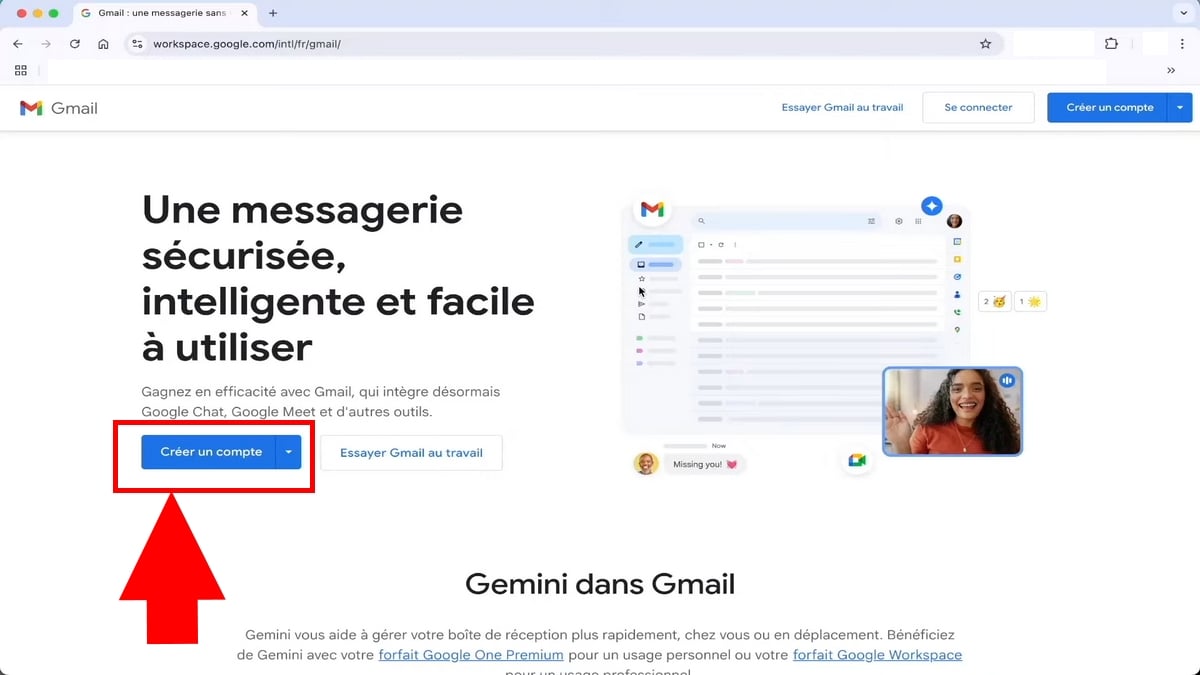
Step 2: Fill in your information
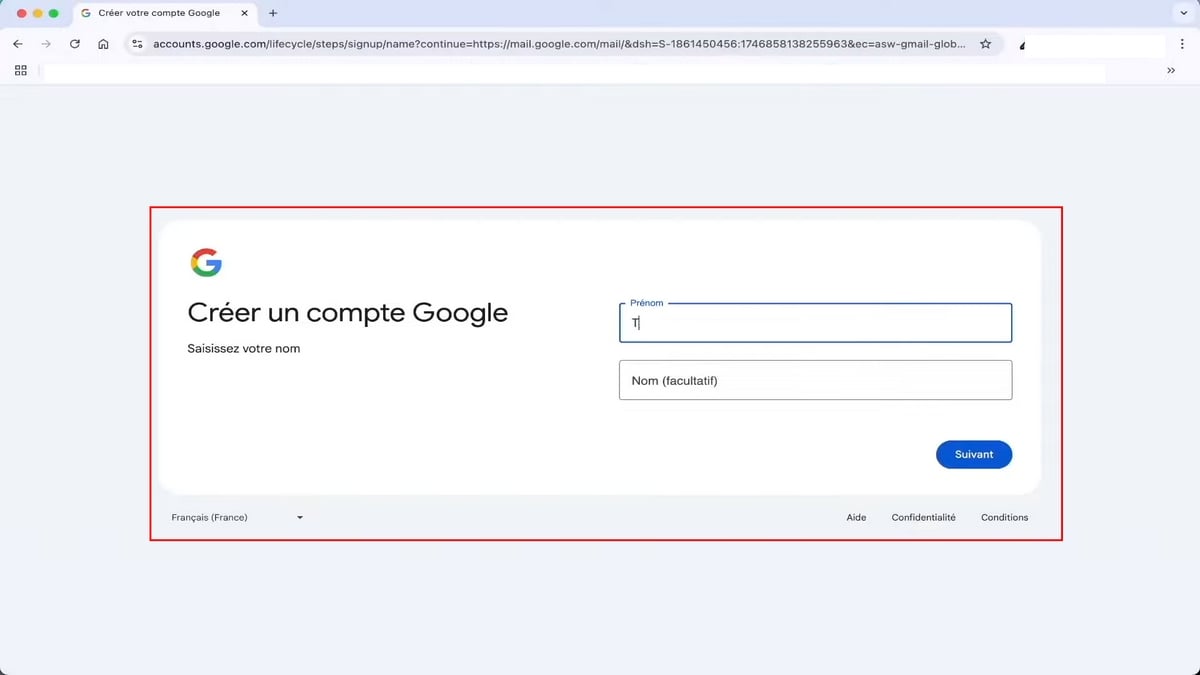
- Enter your first and last name(s):
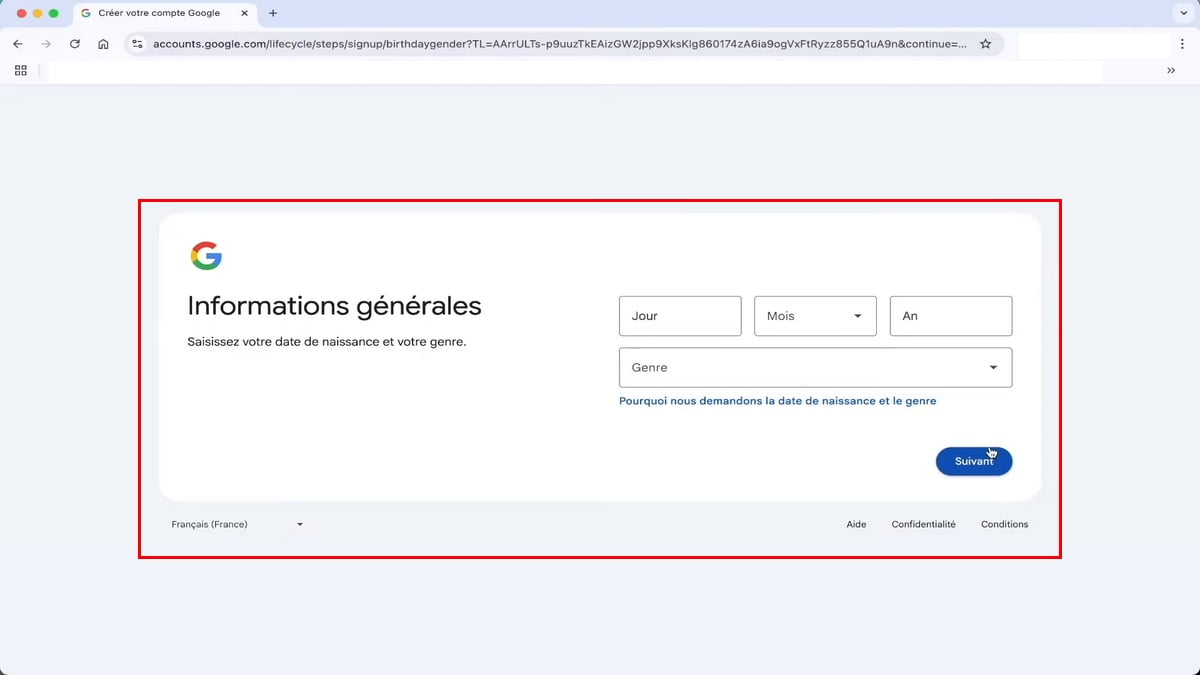
- Next, enter your date of birth and your kind :
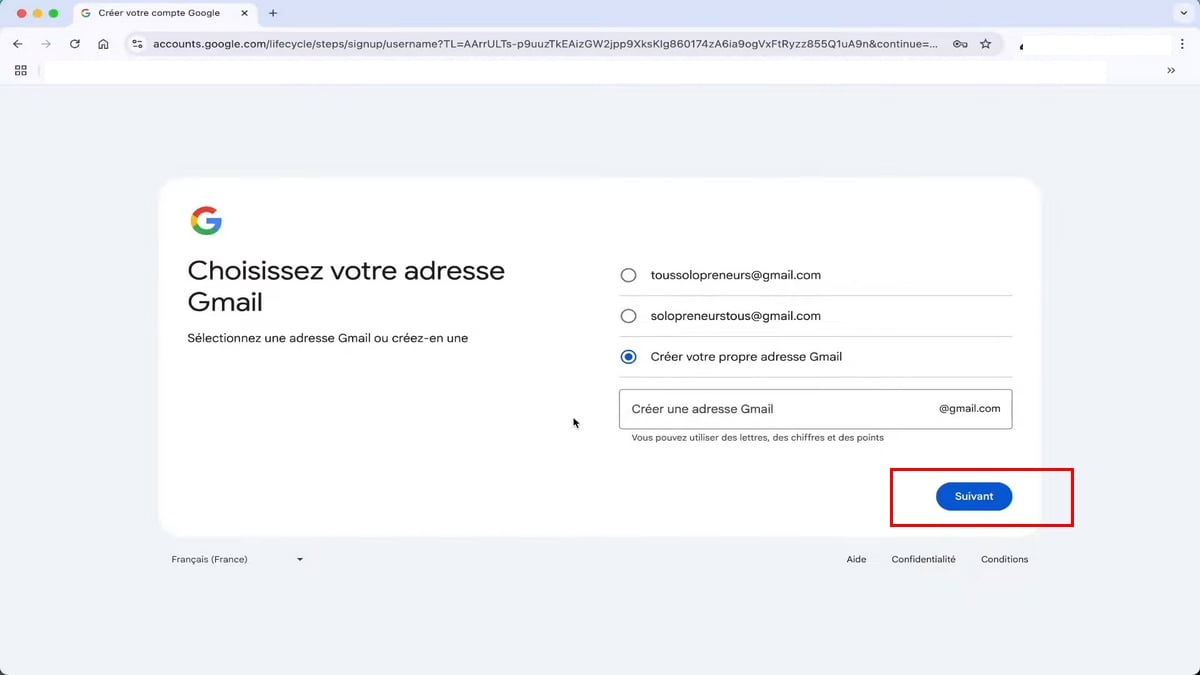
- Choose Your email address: You can choose from Google’s suggestions or create your own Gmail address to customize the part before “@gmail.com”
⚠ Choose your username : It cannot be changed later.
- Then choose a password safety:
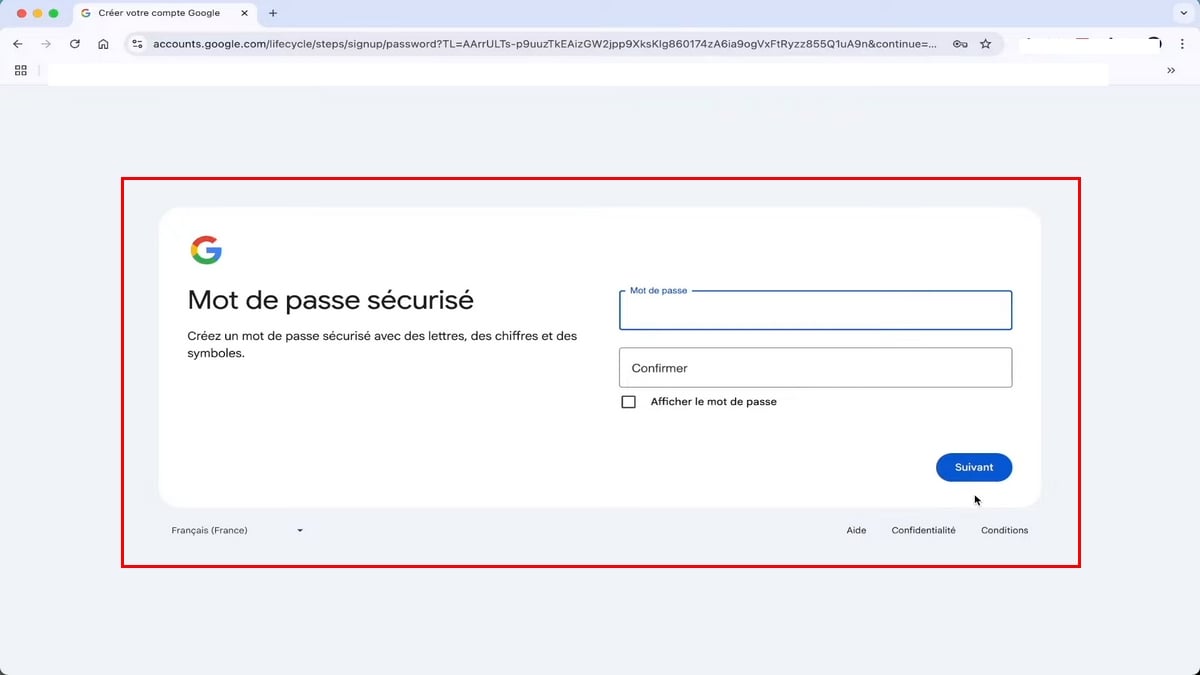
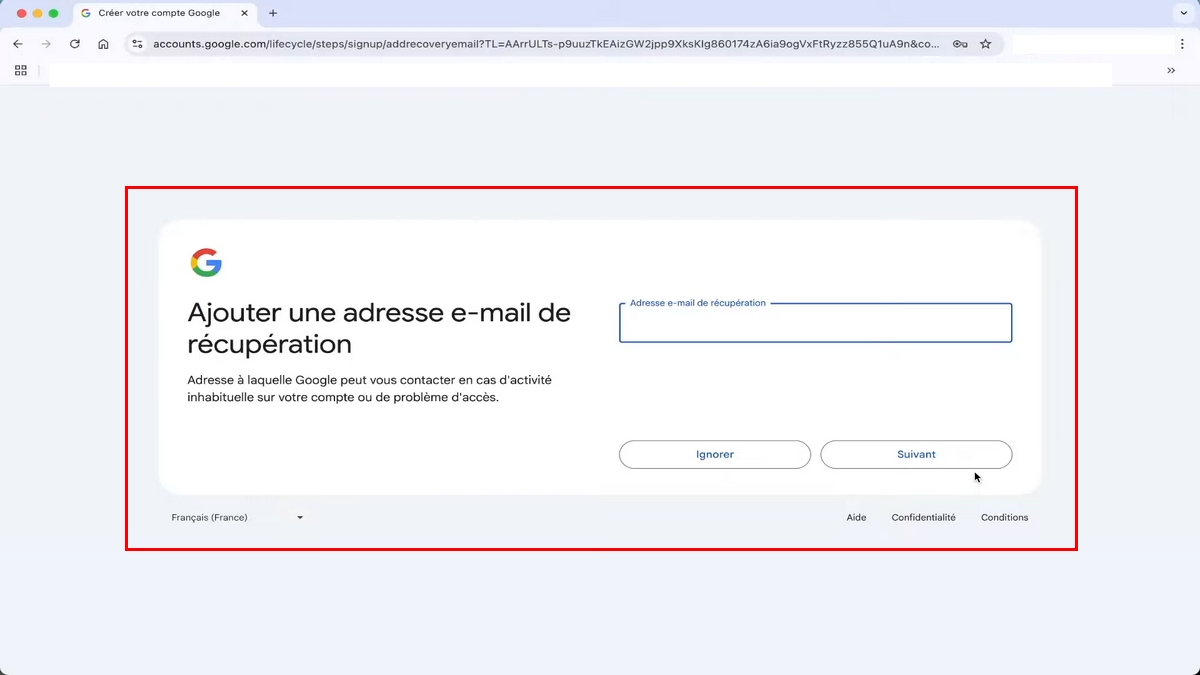
- Add a recovery email address (optional): This step allows you to regain access to your account if you lose your password. You can enter an existing email address here (yours or that of a family member or friend).
- If you don't want to add any, click Ignore.
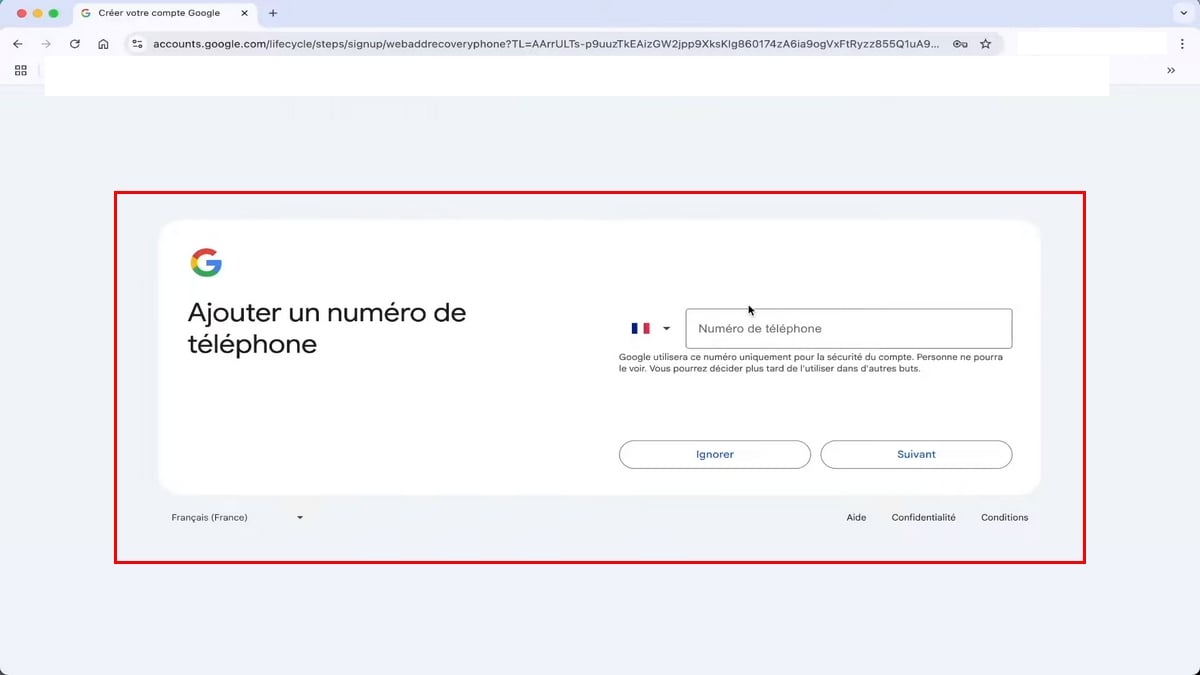
- Pair a phone number to secure your account. Google will send you a code via text message that you must enter to verify your account (optional step).
Good to know: this number is used to recover your account if you forget your password. If you decide to set one, choose one that you actually use.
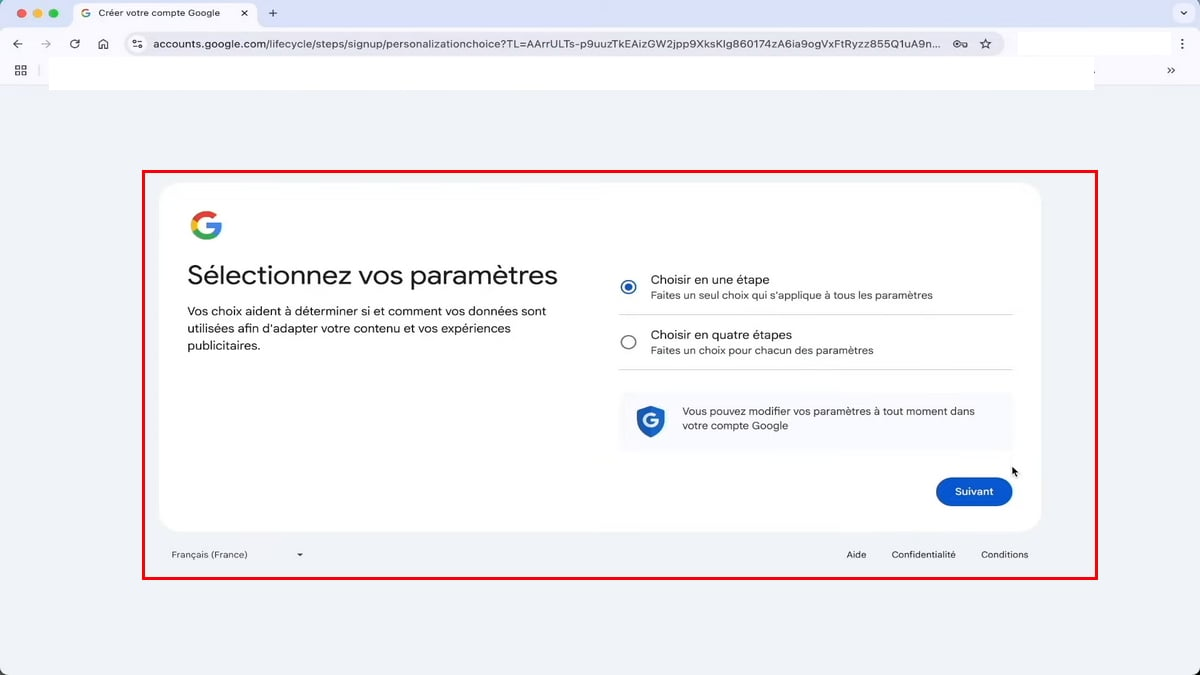
- Select the how to configure the settings. You can choose the quick option Choose in one step :
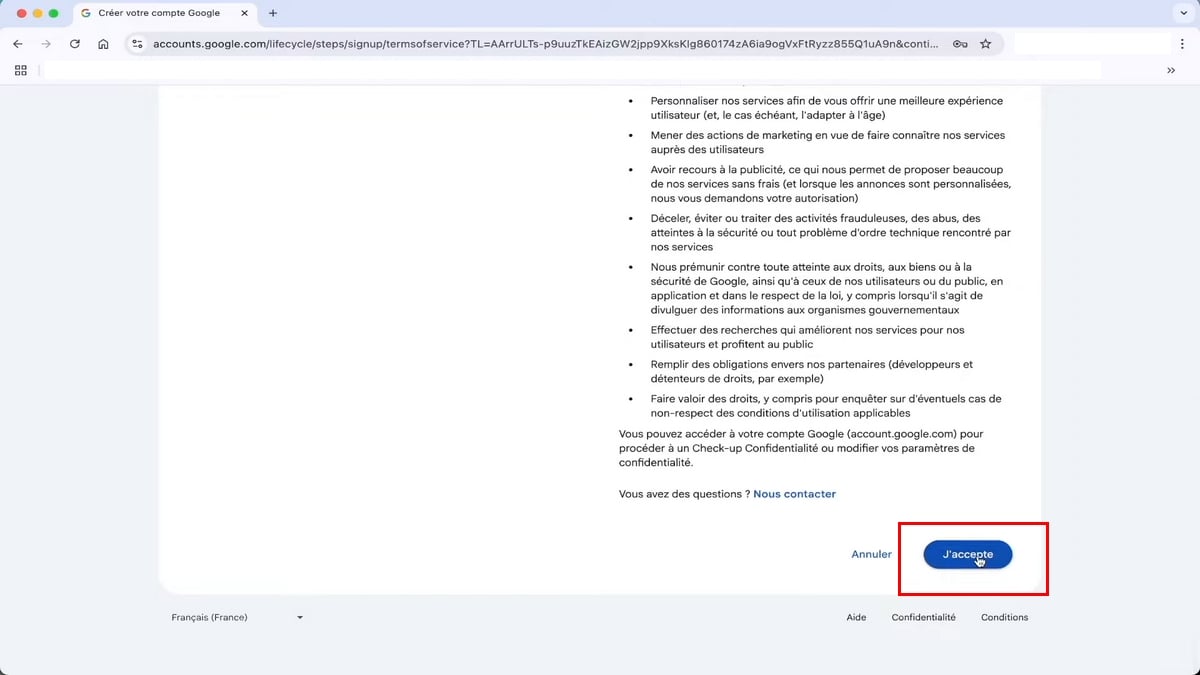
Step 3: Accept Google's Terms of Service
- Please review the Google Terms of Service, then click “I Agree”:
Step 4: Your Gmail address has been created
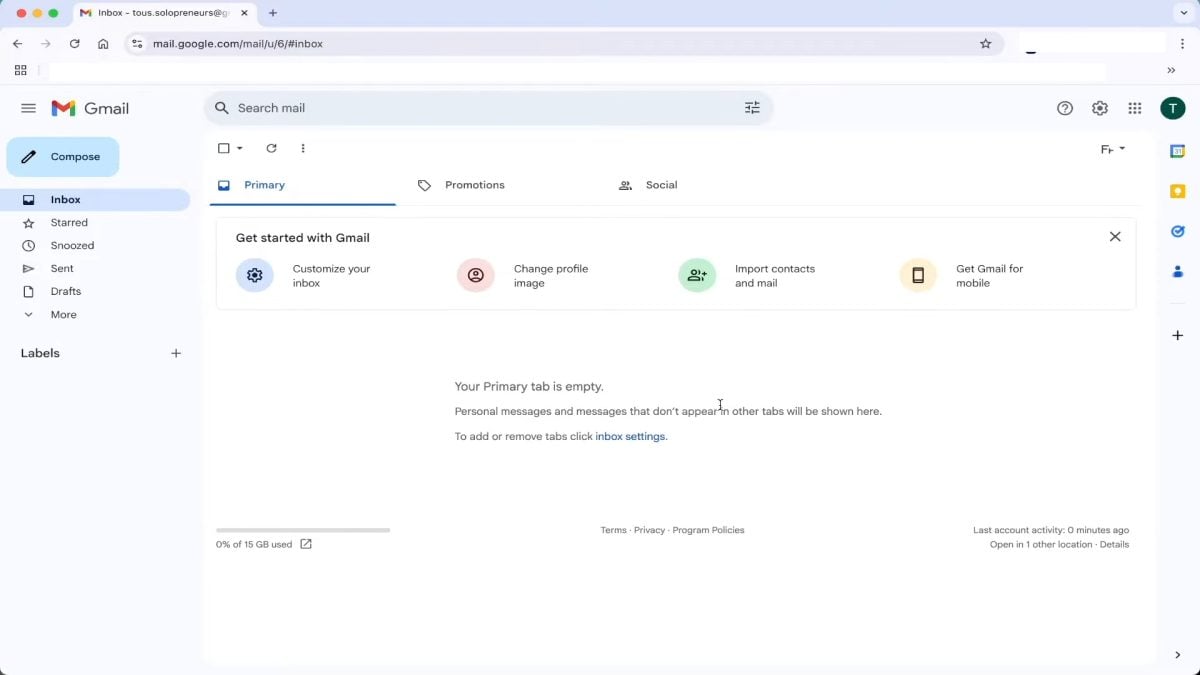
You go straight to your inbox.
Your new email account is ready: you can now send and receive emails, and use this email address to connect at YouTube, Drive and all other Google services.
Create an e-mail address directly from your phone
The procedure is almost identical on a smartphone, with just a few taps.
On Android
Your Google account and Gmail address are often created automatically the first time you switch on your phone.
- Otherwise, go to Settings → Accounts → Add an account → Google → Create an account.
The rest is the same as on a computer (name, password, SMS verification).
On iPhone
Download the Gmail application from the App Store, open it, then tap on Create an account.
- You can also use Settings → Mail → Accounts → Add an account → Google.
📱 Tip: creating your mailbox directly from your phone saves you time, as the SMS verification code arrives on the same device.
No need to switch between PC and mobile!
Why isn't my username validated?
If Google refuses your username, it's usually for one of these reasons:
- ❌ It is already in use by someone else (most common with common nouns)
- ❌ It is too similar to an existing name (Google blocks to avoid confusion)
- ❌ It corresponds to a name used then recently deleted (Google keeps addresses in reserve for some time)
- ❌ It is reserved by Google for technical or anti-spam reasons (sensitive keywords, company names, etc.)
✅ The solution: add a dot, a number, an initial or a variant (pierre.dupont, pierre.dupont75, p.dupont.fr...) until you find an available combination.
FAQs
Can I create an e-mail address without a telephone number?
In Gmail, you're asked for the number, but sometimes optional depending on your circumstances (age, country, browser used).
If you absolutely must set up an account without a phone number, consider Proton Mail or certain temporary email services, but keep in mind that you’ll sacrifice security and account recovery options.
Is it really free to create an e-mail address?
Yes, You can create an email address for free. Gmail, Microsoft Outlook, Yahoo, iCloud, and Proton all offer free plans that are sufficient for personal use.
The paid versions mainly offer additional storage and professional features, such as a custom domain name. This domain name gives you a professional email address, for example contact@votreentreprise.fr.
What's the difference between Gmail and Outlook?
Gmail is better integrated Google tools (Drive, YouTube, Android). Microsoft Outlook, available at outlook.com, is better integrated with Microsoft 365 (Word, Excel, Teams).
- If you use Windows and the Office suite, Outlook is more consistent.
- For everything else, Gmail remains the simplest, and in both cases you can create your own free mailbox in just a few minutes.
How do I create a 2nd e-mail address alongside the first?
We have an entire guide dedicated to this: How to create a second email address?
This solution is convenient for separate the pro from Personally, or for signing up on unreliable websites.
How many Gmail addresses can I create?
There is no official limit, but Google detects multiple accounts created from the same device or phone number.
In practice, you can easily register 3 to 4 addresses on the same phone. If you have more than that, you'll need to use different phone numbers for SMS verification.
How do I secure my e-mail address once I've created it?
To maintain a secure email account To keep your emails private, here are three simple steps:
- Activate the double authentication (Google offers this feature as soon as you create an account),
- Choose a word of pass at least 12 characters long,
- Check check the history regularly connections in the security settings.
- Avoid Also, don't use your Gmail password on other websites!
Can I change my Gmail address later?
Nope, The username (the part before @gmail.com) is permanent. If you want a new address, you’ll need to create a new account.
That's why we insist on choosing right from the start.
On the other hand, you can modify and personalize your displayed name, and create aliases with a + (e.g. : pierre.dupont+pro@gmail.com), handy for sorting your e-mails.
In a nutshell
Creating an email address takes less than 5 minutes and it’s free. Gmail remains the simplest and most versatile email service for most users, but Outlook, iCloud, Yahoo, or Proton may be a better fit depending on your needs.
3 mistakes to avoid when creating your address :
- ❌ Choose a fancy username kind boss92_lebg you'll regret for your professional applications
- ❌ Enter a phone number temporary or that you plan to change (you will lose access to the account if you forget your password)
- ❌ Use the same password than on other services
✅ The right reflex: a simple “firstname.lastname” name, a real phone number, and double authentication activated from the start.
Once you've got your mailbox, remember to set up a second e-mail address to keep your business and personal mail separate, as well as any registrations on unreliable sites.
And if you're more of a Microsoft team, we also have a dedicated guide: How to create an Outlook email address?








 English