You can create a second email address for free in just a few minutes!
The easiest way is to open a second Gmail account, with its own inbox and username. Here's how to do it, with screenshots to guide you.
Don't have a first address yet? Start with our tutorial on create an e-mail address.
Why create a second email address?
Gmail is the most widely used email service in the world, and there's nothing stopping you from managing multiple email addresses simultaneously from the same device. Here are the most common reasons:
- Keep your personal and professional lives separate : one email account for your loved ones, another for work or your projects. For example, having a separate inbox for work helps keep your messages organized.
- Avoid spam : An email address dedicated to sign-ups, newsletters, and online purchases keeps your main inbox clutter-free.
- Have a recovery email address : in the event of a hack or lost password, a second Gmail account allows you to regain control of the first one.
- Breaking a Project Down into Sections : a nonprofit, a side project, a store… for example, each project can have its own Gmail address—it makes it easier to stay organized.
Tutorial on How to Create a Second Gmail Account
You don't need to sign out of your first email address. Everything is done through your current account, and you can switch between Gmail addresses with a single click. A phone number You may be asked to verify your identity.
Here are the steps to follow:
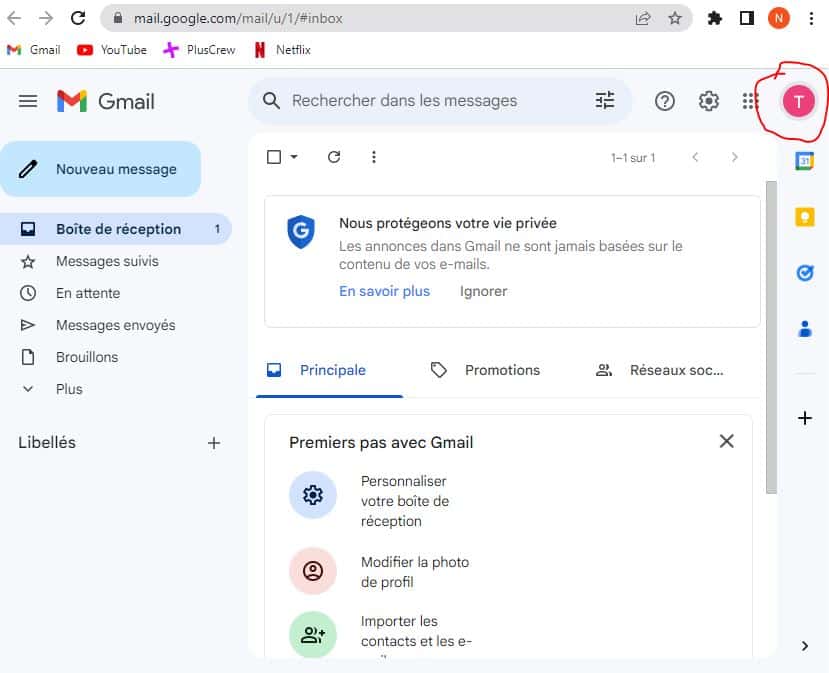
- From your main account, click on your profile photo in top right on your screen.
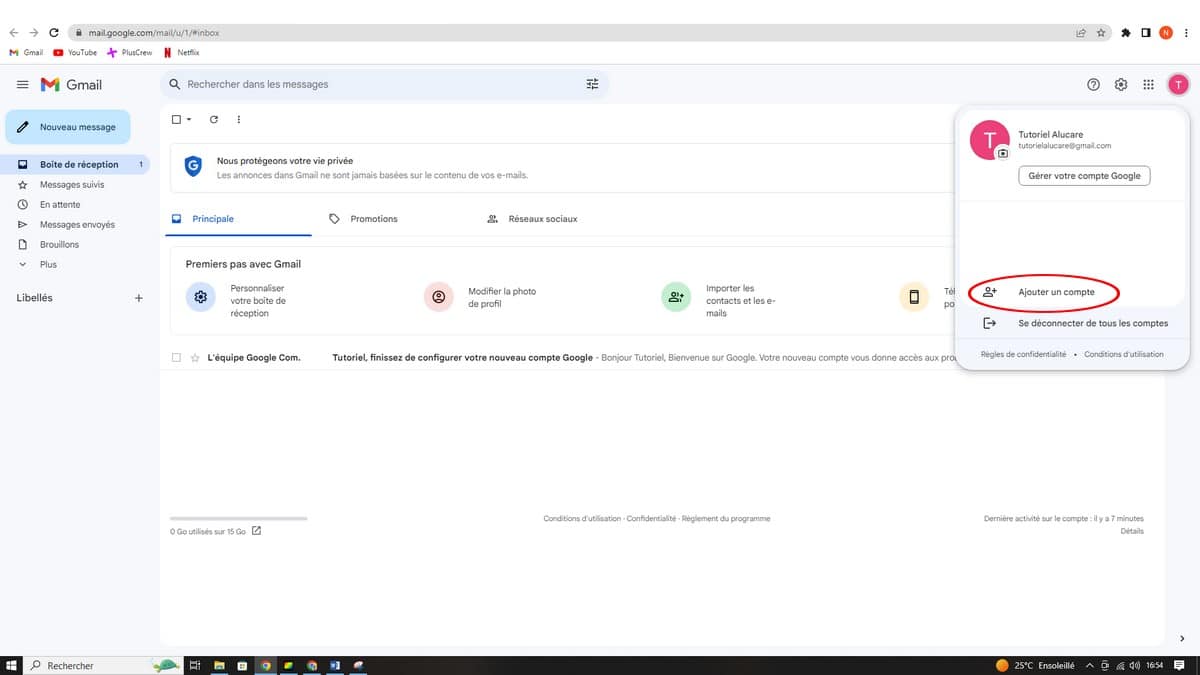
- Click on Add Another Account.
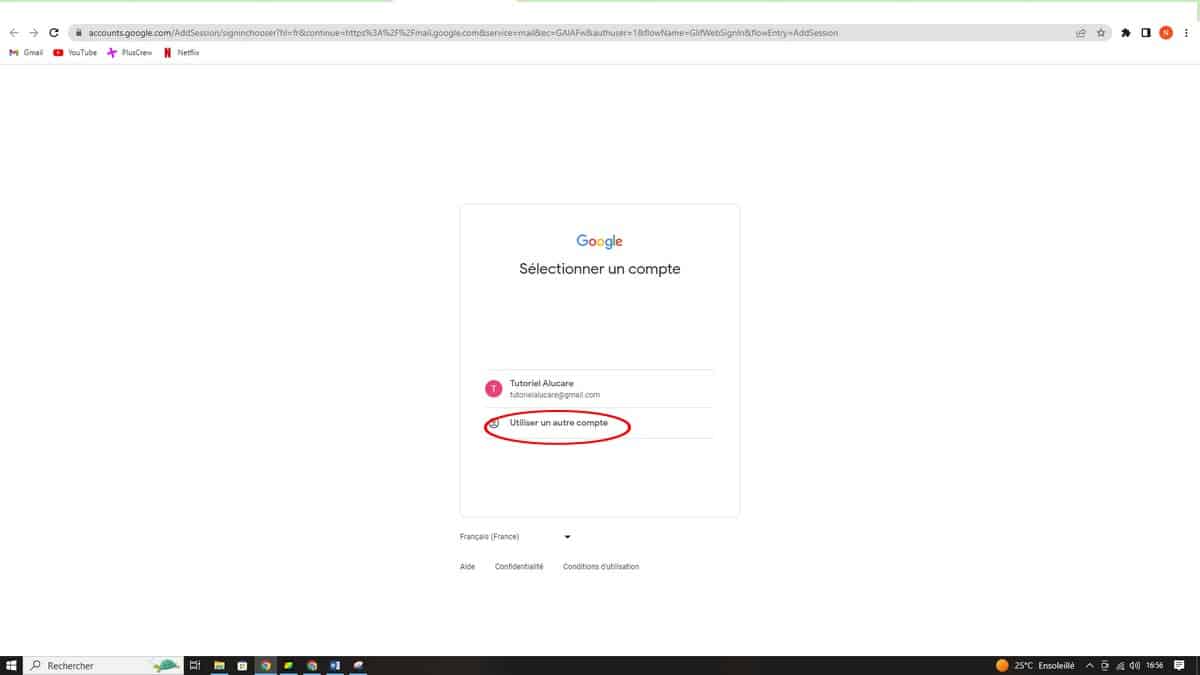
- On the next page, select Use a different account.
- Click on Create an account, then select For me in the window that opens.
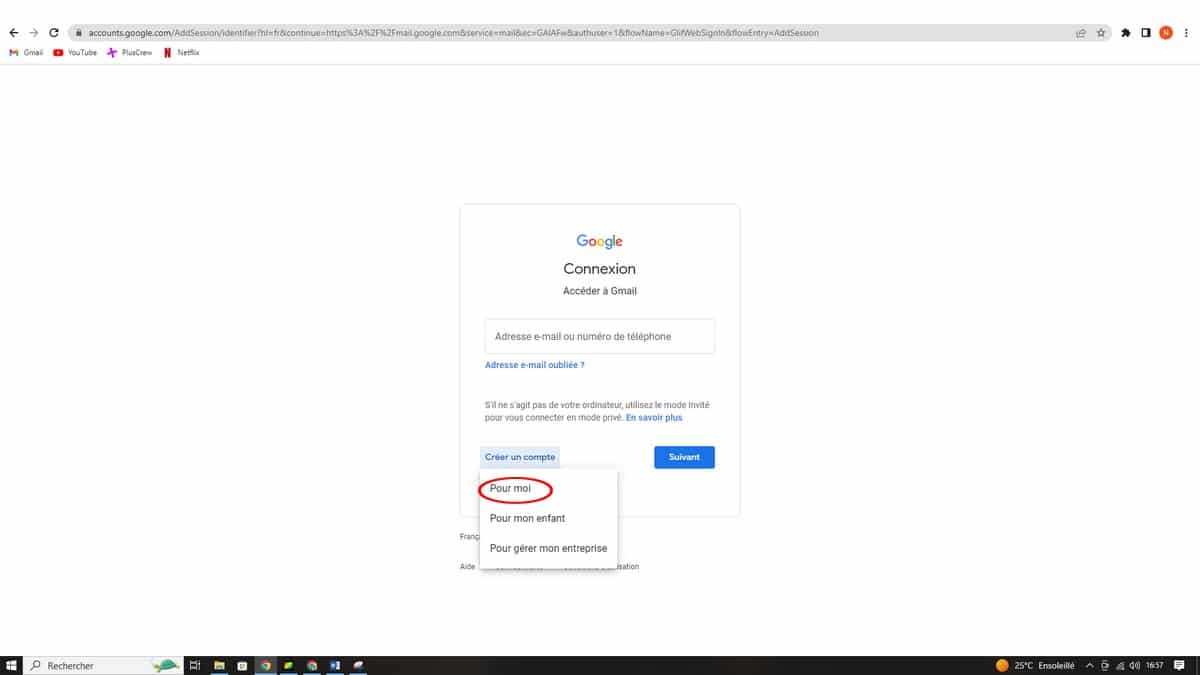
- Fill out your name, your username (your future email address) and your password, then click on Next.
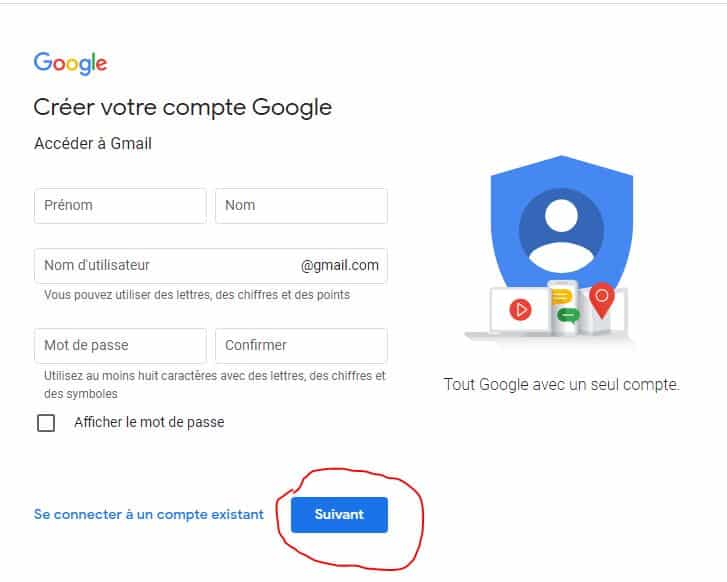
- Provide additional information if Google It asks you, then confirms.
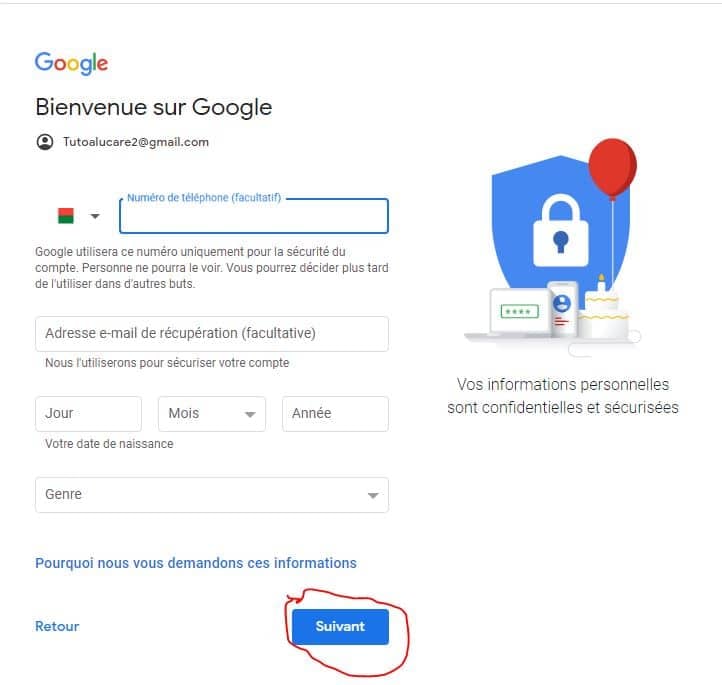
- Valid: Your short story Gmail address is ready. You can send and receive emails from this inbox right away.
Once you've created the account, switch between email accounts by clicking on your profile photo in the top right corner, without ever logging out. Your Gmail inbox remains accessible at all times. This new Google account also gives you access to Google Drive, Google Play, the calendar, and all other related services.
How many Gmail addresses can you create (without a phone number)?
Google does not publish no official limit on the number of email accounts you can have. In practice, this is the phone number which poses a problem: the same number generally validates only 3 to 4 accounts before Google requires additional verification.
A few useful points to keep in mind:
- No phone number: SMS verification isn't always required. Depending on the device and the situation, you can sometimes skip this step. Otherwise, use a second issue (secondary or trusted email address) to verify the new email account.
- Avoid creating multiple accounts in a row: Google may block or suspend email addresses created in bulk from the same device or IP address.
- For most uses, two or three Gmail addresses are more than enough to meet your various needs. For example, a personal email address, a work email address, and an email address specifically for sign-ups.
FAQs
Is it free to create a second Gmail address?
Yes, absolutely. Creating a Gmail account is completely free.
How do I switch between addresses?
To manage multiple accounts from a single device:
- Click on your profile photo in the upper-right corner of Gmail.
- Select the Google account that you'd like to view.
- Your inboxes will remain accessible without having to log in again.
Can you create a Gmail address for someone else?
Yes, the process is the same. You fill in the information about the data subject, including his phone number, and then you send him the login credentials via a secure channel.
To find out more :
- How to recover the password for your Gmail account
- How to Create an Outlook Email Address, if you'd rather use an alternative like Outlook or Yahoo.
Article updated in August 2026.








 English