Keypoints
- Use of WhatsApp usernames and QR codes: Finding and contacting people on WhatsApp without a phone number is possible via username or by sharing and scanning personal QR codes.
- Creating direct links for discussions : Make it easy to connect with "Click to chat" links that open a WhatsApp conversation directly, or with invitations to groups via shared links.
- Search in groups and on social networks : Access contacts via shared WhatsApp groups, or find people using information available on social networks and online platforms.
You've probably found yourself in that frustrating situation where you want to contact someone on WhatsApp, but you don't have their phone number. Don't panic! There are solutions to this problem.
Even though WhatsApp is one of the most widely used messaging applications for exchanging messages or calls, users sometimes have need to contact someone whose number they don't have.
Whether it's an acquaintance, a new professional contact, or someone you met at an event, there are several ways to get around this lack of information and start a conversation with the contact you were looking for on WhatsApp.

Using other search methods on WhatsApp
Yes, it is entirely possible to find someone on WhatsApp without having their phone number!
The application offers features that are particularly useful in many situations, including when:
- You have lost the number of a former contact.
- You wish to send a message or start a discussion with a recent acquaintance during an event.
- You want start a conversation with someone whose name you know or the nickname.
Fortunately, WhatsApp offers several solutions to get around this problem and allow us to send messages to contacts we've lost touch with.
So, to find someone on WhatsApp without a phone number and send them a message to start a conversation, just follow one of the tips we suggest. What's more, if your phone is unfortunately stolen, you can always recover your WhatsApp account and find your contacts.
Search for WhatsApp username
Do you know the WhatsApp username of the person you want to contact? Great! That's the easiest and most direct way to start a conversation.
To do this, follow this tutorial:
- Open the WhatsApp app on your smartphone.
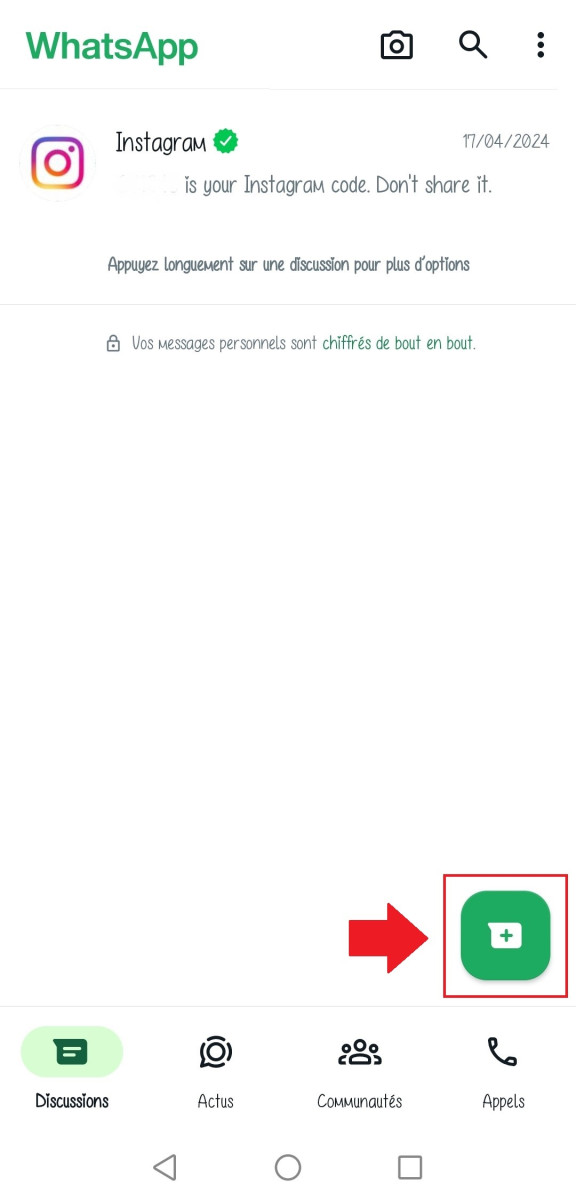
- Tap the "New Message" icon. or “Send a message.”
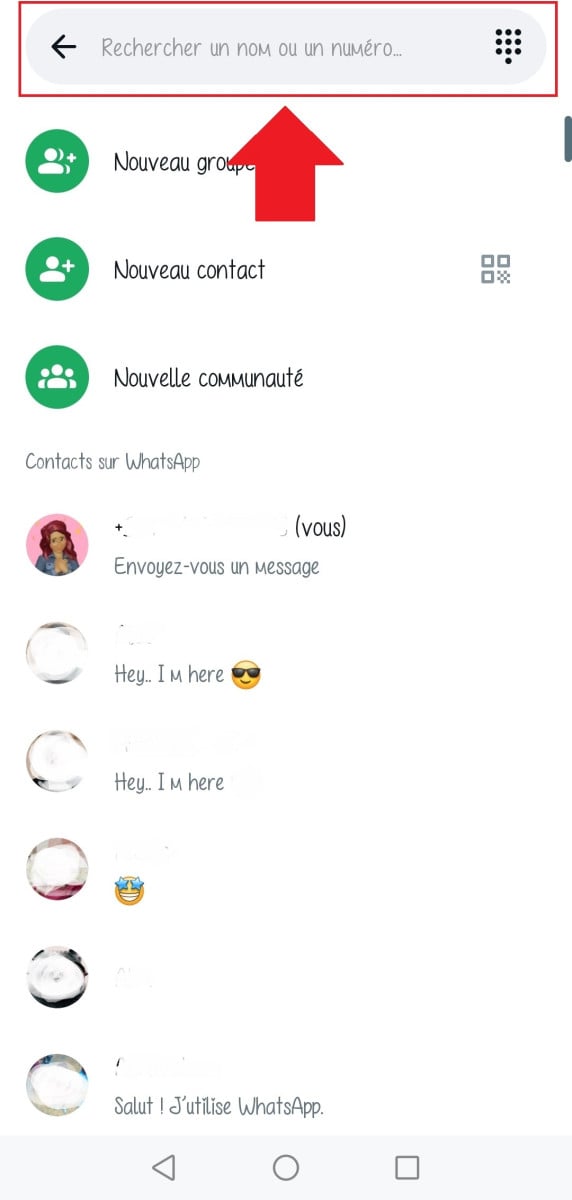
- Enter the person's WhatsApp username in the search bar at the top of the screen.
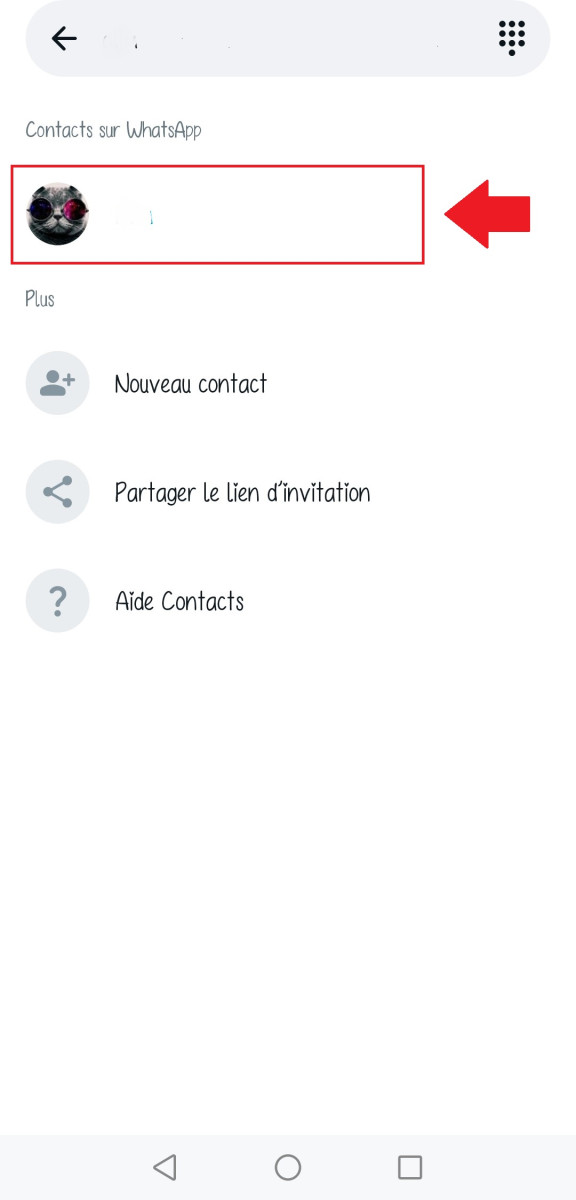
- If the username matches a WhatsApp contact, your profile will appear in search results.
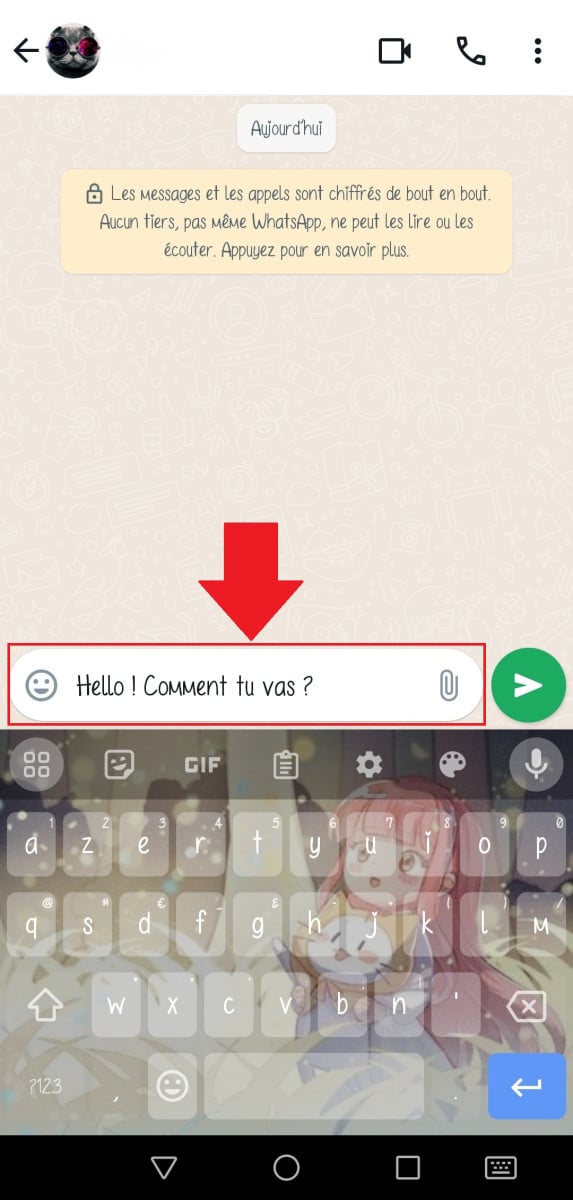
- Press the person's name to start a conversation with her.
There you go! You've successfully found and contacted the person you wanted without needing their phone number. All you have to do now is exchange colorful messages with your new contact.
This method is particularly useful when you have met someone at an event and exchanged WhatsApp contacts, but not phone numbers.
Feel free to use it whenever you have the opportunity, and this time, don't forget to save their contact information in your address book.
Share your QR code to add a WhatsApp contact without a number
Did you know that every WhatsApp account has a unique QR code? You may never have wondered about this, but it's a particularly useful feature for finding someone on WhatsApp without their phone number.
Similar to a virtual ID card, this QR code allows anyone who scans it to add you directly to his contacts without needing your number.
To take advantage of it, simply follow these steps:
Step 1: Access your WhatsApp QR code
- Open WhatsApp on your smartphone.
- Click on the tab Settings which is represented by three vertical dots.
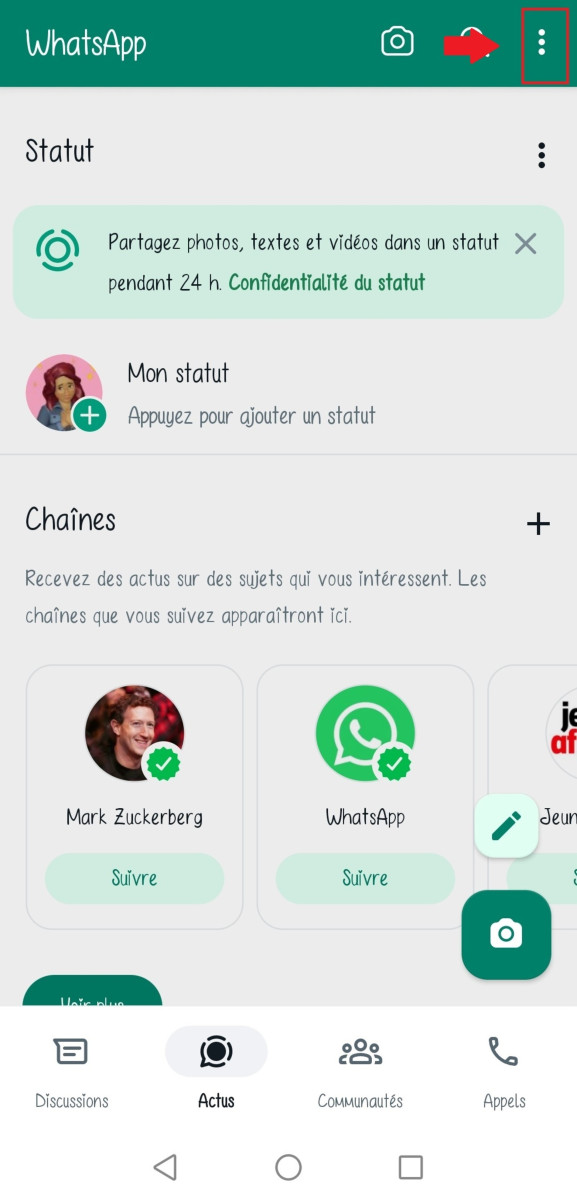
- Click on your profile picture.
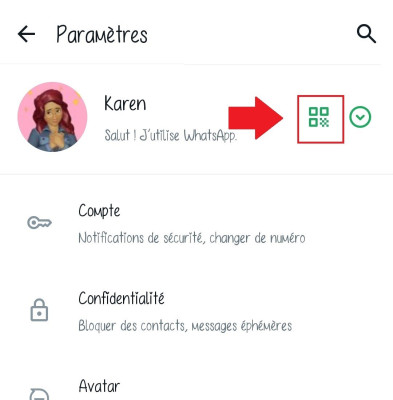
- Your WhatsApp QR Code will be displayed on screen.
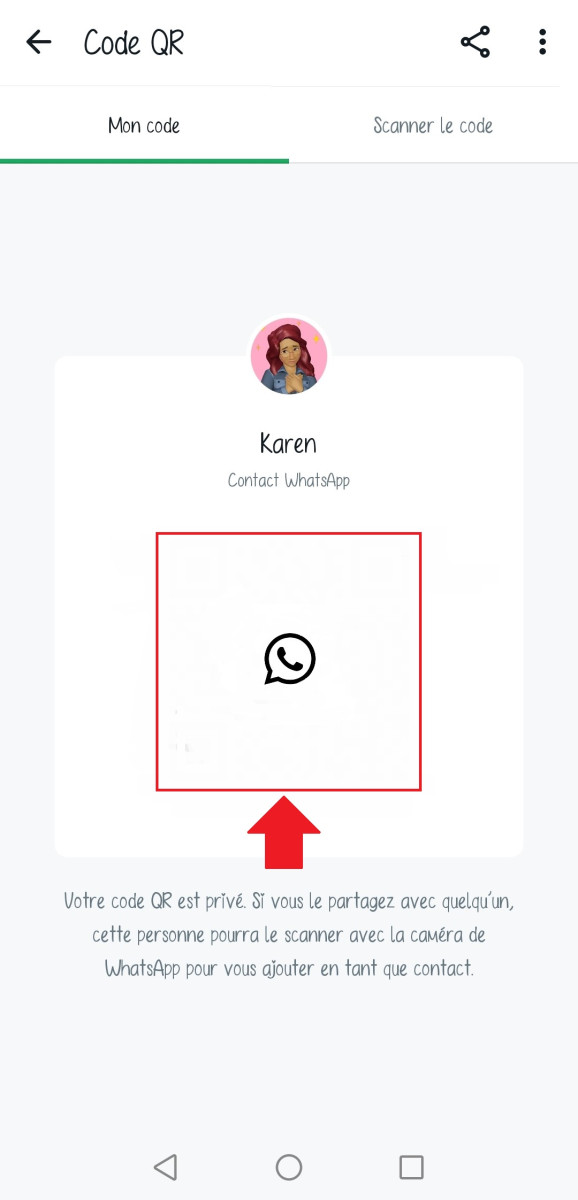
Step 2: Share your QR code with other users in different ways
- By taking a picture of it and by sending it via message.
- By displaying it on a screen and asking the person to scan it with your phone.
- By printing it and physically distributing it for example, for work using a business card.
Step 3: Wait for people to scan your WhatsApp QR code
- You will be automatically added to their list WhatsApp contacts.
- They can directly contact you by messagewithout having to register your phone number.
Convenient, fast and secure, the WhatsApp QR code is the ideal way to make new contacts or share information easily.
Use “Click to chat on WhatsApp” links
Want to make it easier to get in touch with your customers, partners, or friends? Create a "Click to chat on WhatsApp" link or use a WhatsApp invitation link!
How does it work? Follow the guide!
How do I create a "Click to chat on WhatsApp" link?
- Open WhatsApp web on your computer.
- Click on the tab Settings which is represented by three vertical points.
- Select Your name.
- Press on Click to chat on WhatsApp
- A unique link will be generated.
How to create a WhatsApp invitation link for groups?
- Open the WhatsApp group of which you are the administrator.
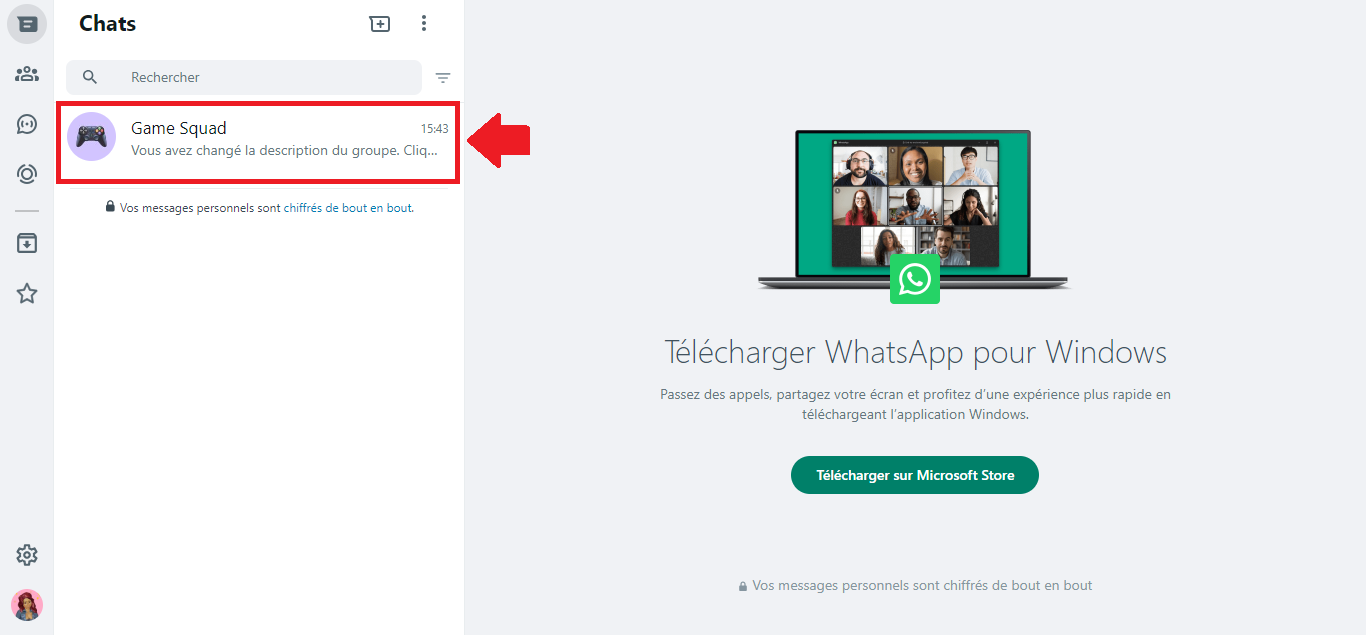
- Press on The band name.
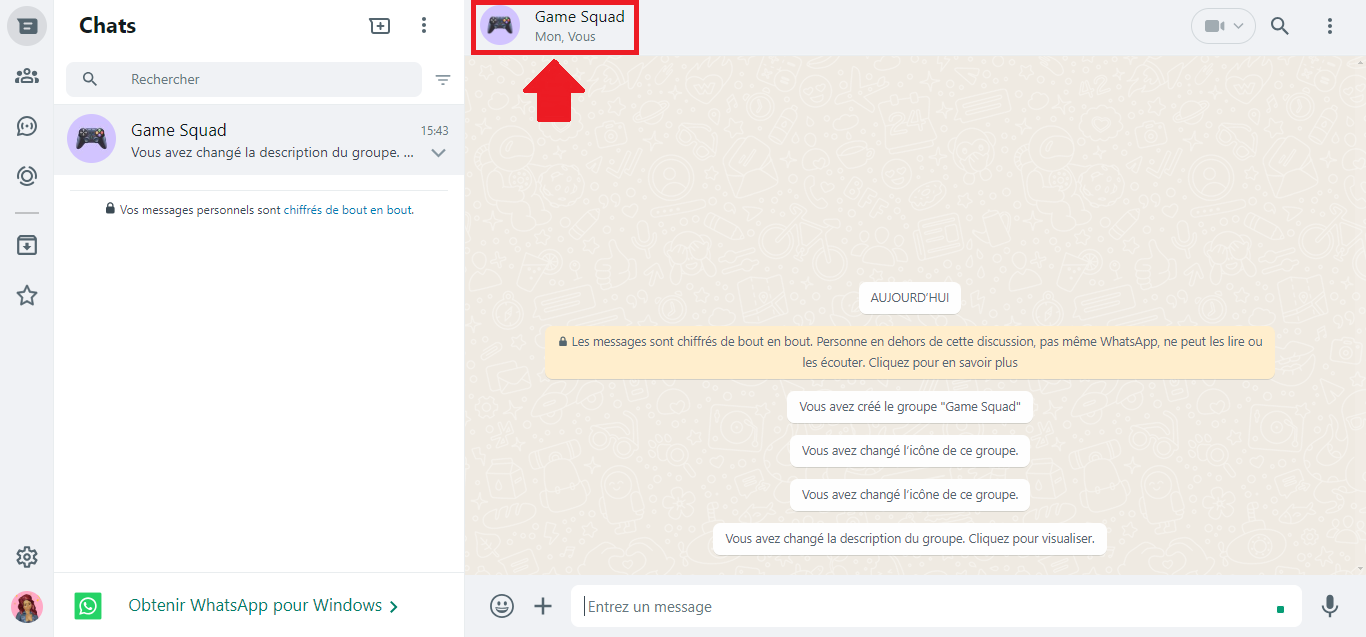
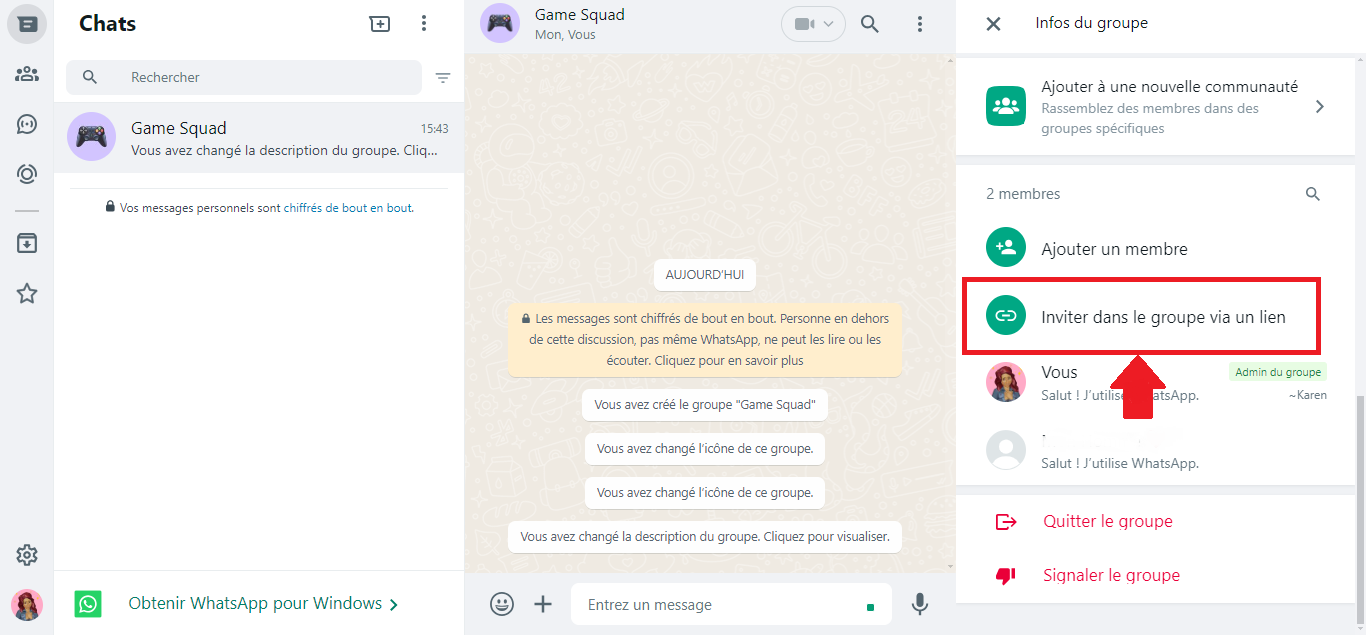
- Select Invite to group via link.
- Choose between Send the link via WhatsApp Where Copy link.
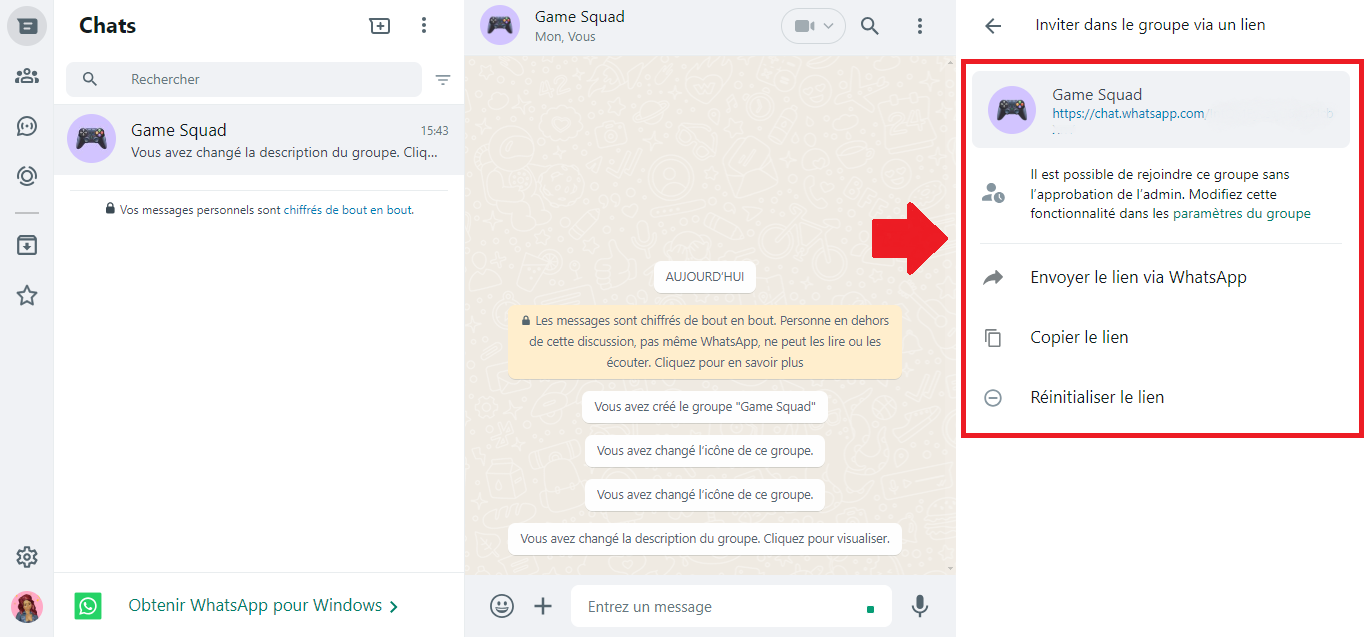
Then send the link to your contact. You can share it by e-mail, SMS, social networks or any other means of communication. Once your contact clicks on it :
- The link will automatically open WhatsApp on your smartphone.
- the cat will be pre-filled with your phone number.
- The user will be able to directly start a discussion with you.
Thanks to this particularly fast and convenient method, we no longer have to exchange our phone numbers manually. What's more, it's ideal for businesses, as it allows your customers to easily contact you with questions, orders, or support requests.
Search for someone on WhatsApp without a number from groups
Do you know that the person you are looking for is a member of a shared WhatsApp group? Perfect! You can contact him on WhatsApp without needing his number personal telephone number.
If you are not already part of the group, simply ask to join the WhatsApp group. You can ask a member to invite you or ask the administrator to add you directly.
If you are in the group, simply follow this tutorial:
-
- Access the list of participantsthe person you're looking for should be mentioned.
- Tap on their WhatsApp username to display its profile.
- Send him a private message by clicking on the Send a message in its profile.
Before choosing this method, you should know that by joining a WhatsApp group, your telephone number will be visible to everyone members.
If you do not wish to share this information with other users, it is best to use another search method, such as searching by username or sharing the WhatsApp QR code.
If you are the administrator of the group in question, you can create a "private" group to chat with a specific person.
Find a WhatsApp contact without a number thanks to social networks and online search
Have you lost touch with a friend? Would you like to contact a professional whose phone number you don't have? Don't worry, there are several ways to find someone on WhatsApp even without their number.
One of the most effective solutions is to find the person on social media platforms such as Facebook, LinkedIn, or even Instagram, even if you don't have an account. You will generally proceed in the same way to find one of your contacts, namely:
- Search by first and last name.
- Try to find someone you know by e-mailworkplace or school.
- You can also search by company or job title.
- Check their profile to see if your potential contact has entered their WhatsApp number or a chat link.
You can try to find the person by searching online:
- On search engines : You can try searching for someone using their first and last name, as well as their city or place of birth. Do as I do and use quotation marks to get more accurate results!
- On classified ad search websites and professional directories: Platforms such as PagesJaunes or Kompass can help you find professional information about the person you're looking for. These sites might mention their WhatsApp number or another means of contact.
Some warnings about finding WhatsApp contacts without a number
We can communicate on WhatsApp without a phone number, but with respect! As we have seen, there are several tricks for finding and contacting someone on WhatsApp without having their phone number.
There are many solutions, but it is important to keep in mind that:
- Finding a contact without a number can be tricky.. In fact, the person may not be active on social networks, or may not have mentioned his or her contact details.
- It is necessary to respect the privacy of others. For this reason, you should never send unsolicited messages to users you don't know and who have never given you their consent.
- The solutions I have shared with you should be used wisely. Never exploit the information obtained. for illegal or malicious purposes.










 English
Bei mir gibt es nur Neuer Kontakt, Neue Gruppe und Neue Community! Aber weder Neue Nachricht oder Nachricht senden! Vielleicht habe ich ein anderes WhatsApp