It is possible to hack Family Link. To do so, there are two methods that are most commonly used:
- Turn off the Play Store content filter to remove age restrictions on app downloads.
- Add another Google account.
However, since January 2026, Google has tightened its rules. For example, if a teenager is under 18, they can no longer remove parental supervision on their own. Parental consent is required.
Further down in this article, you'll find instructions on how to bypass Family Link.
First of all, what is Family Link?
Family Link is the parental control service a free app from Google. It works through two separate apps: one for parents and one for children.
From a parent's phone, it allows you to remotely control:
- the screen time (daily limit, bedtime).
- The apps (download, blocking, approval before installation).
- The location in real time from the device.
- the visible content on the Play Store based on the child's age.
Whether you're a parent who wants to understand the app's vulnerabilities or a teenager looking to find out what can actually be bypassed, here are the methods for hacking the app.
1. Turn off the Play Store's content filter
This is the easiest method. It doesn't disable Family Link, but it removes age restrictions on app downloads.
Method 1: Through the Play Store settings (with a PIN)
- Open Google Play Store on android mobile.
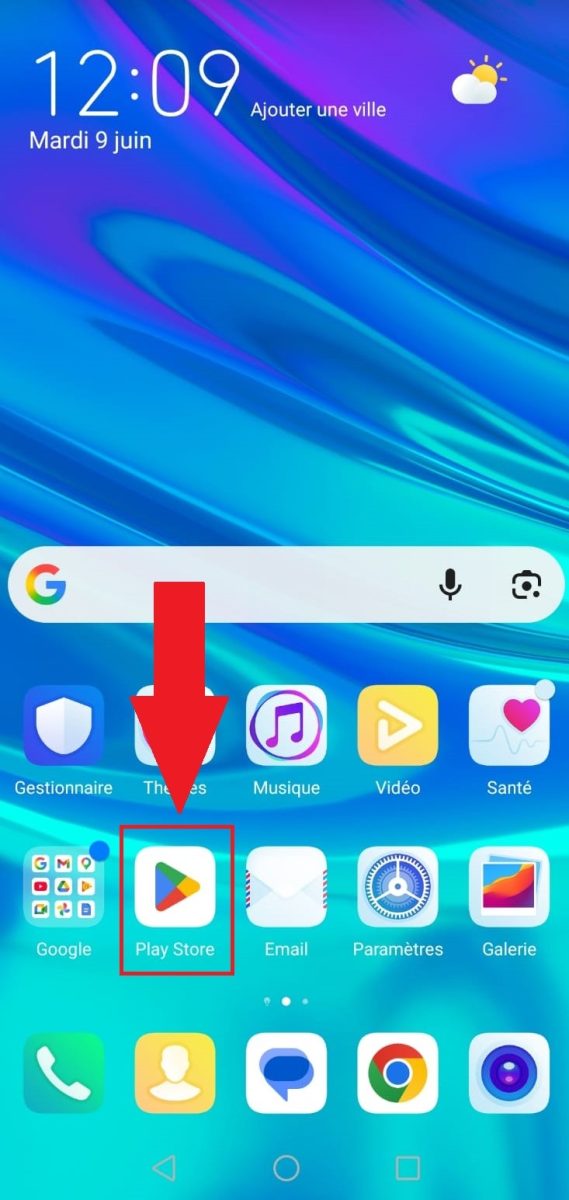
- To push on the profile icon at top right to access the account linked to the device.
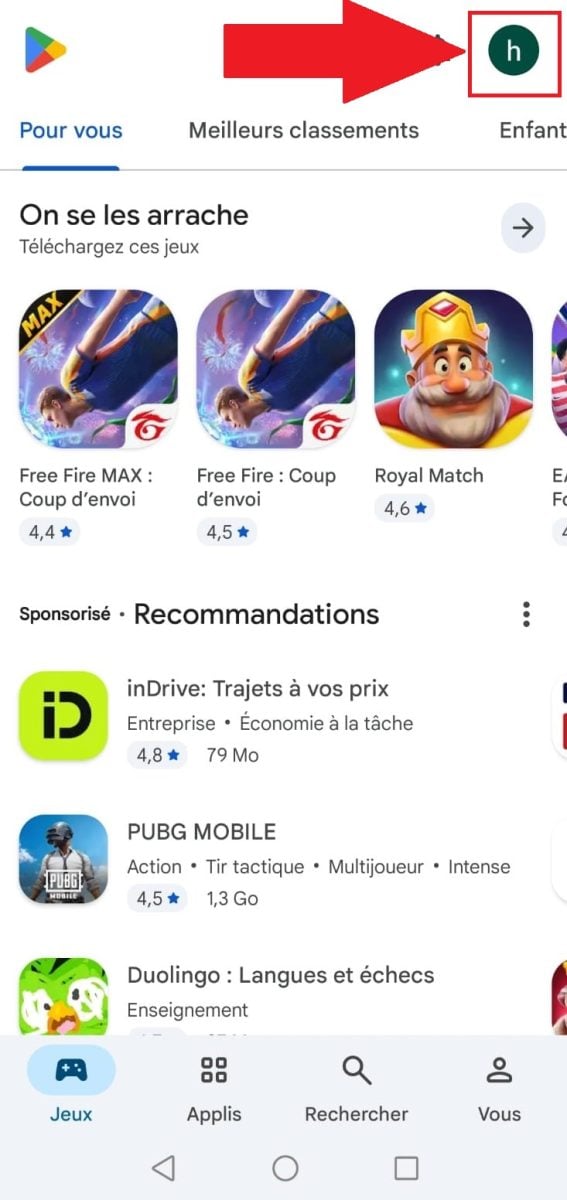
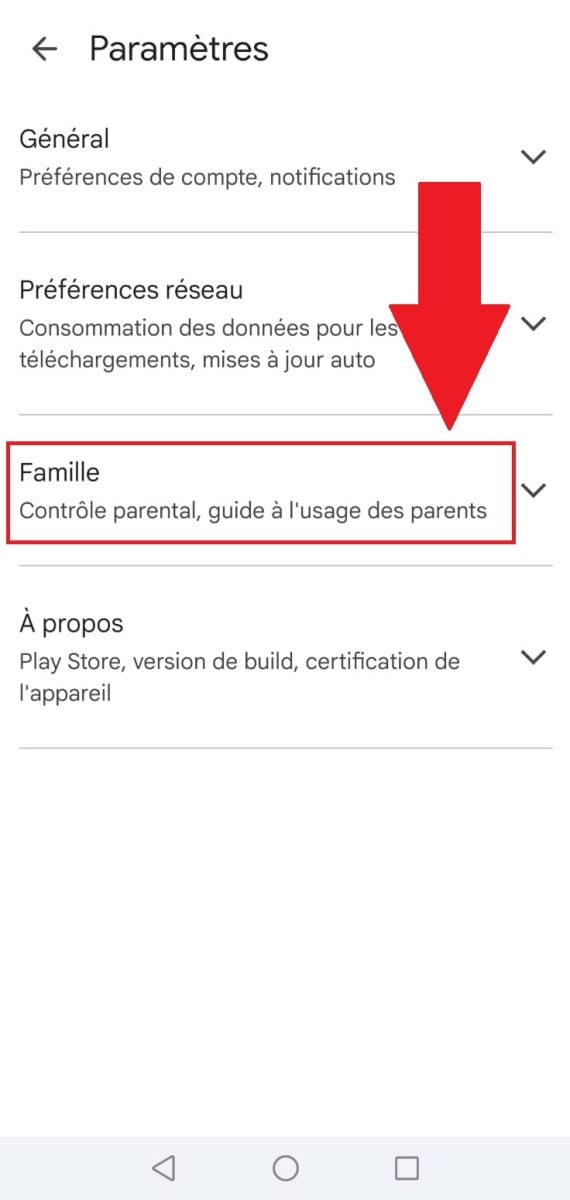
- Enter menu Settings

- Go to the menu “Family”.
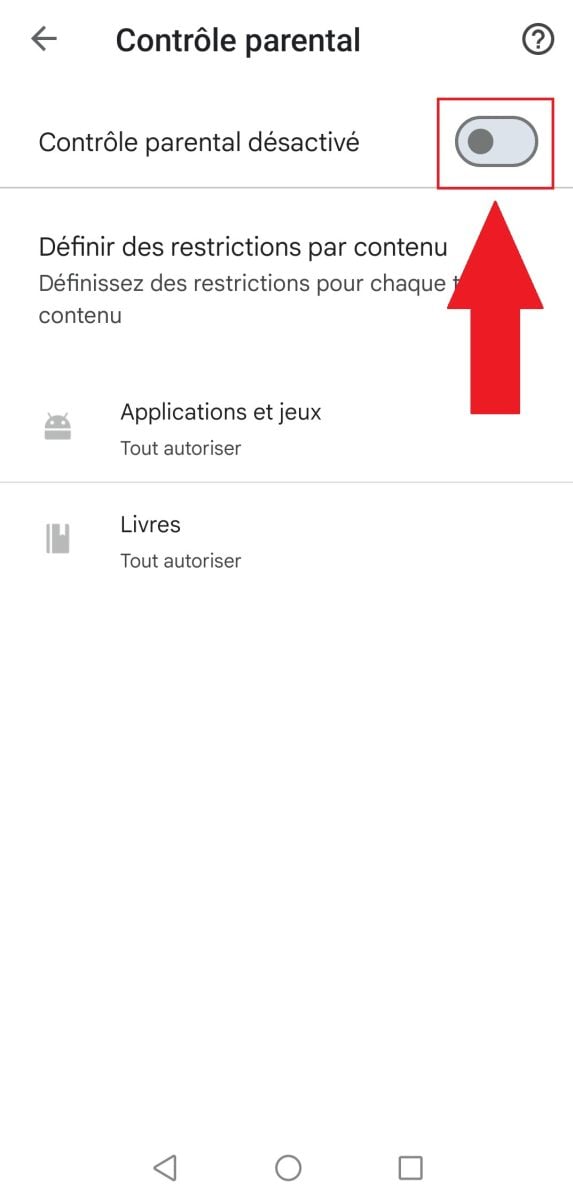
- Parental control can be activated Where disabled from this section for each category (movies, apps & games, TV, music, books, etc.). Simply press on the front toggle button each option and enter the PIN code.
Method 2: Without a PIN, by clearing the Play Store data
The parental controls in Family Link can also be disabled without a PIN by clearing data from the Google Play Store. This will remove all parental control settings and browsing history without affecting downloaded content:
- Getting to the "Settings from a mobile device.
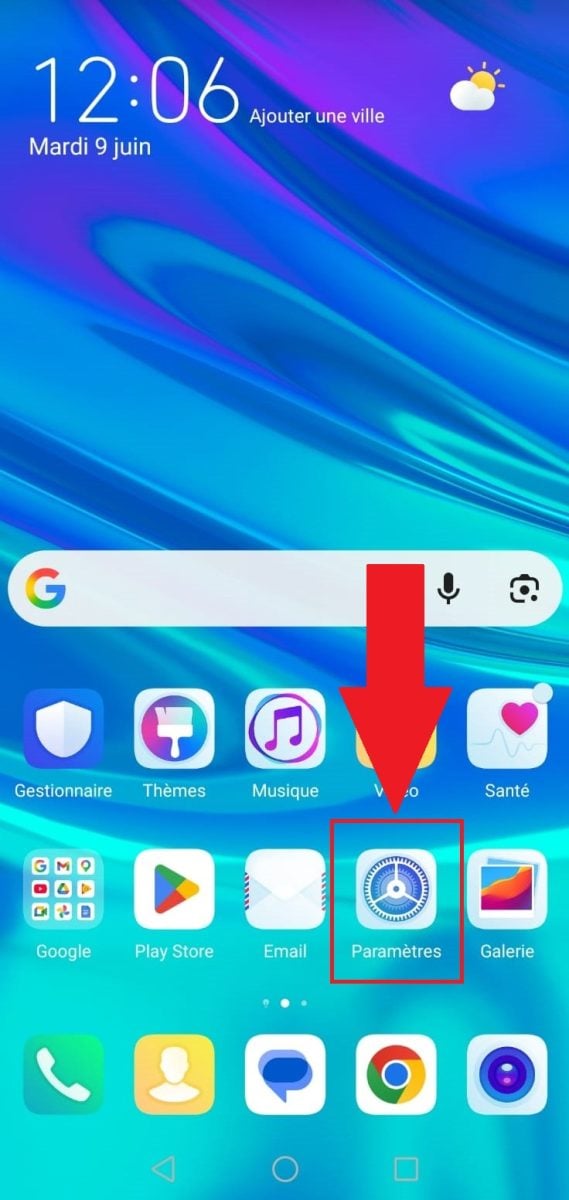
- Click on “Applications”.
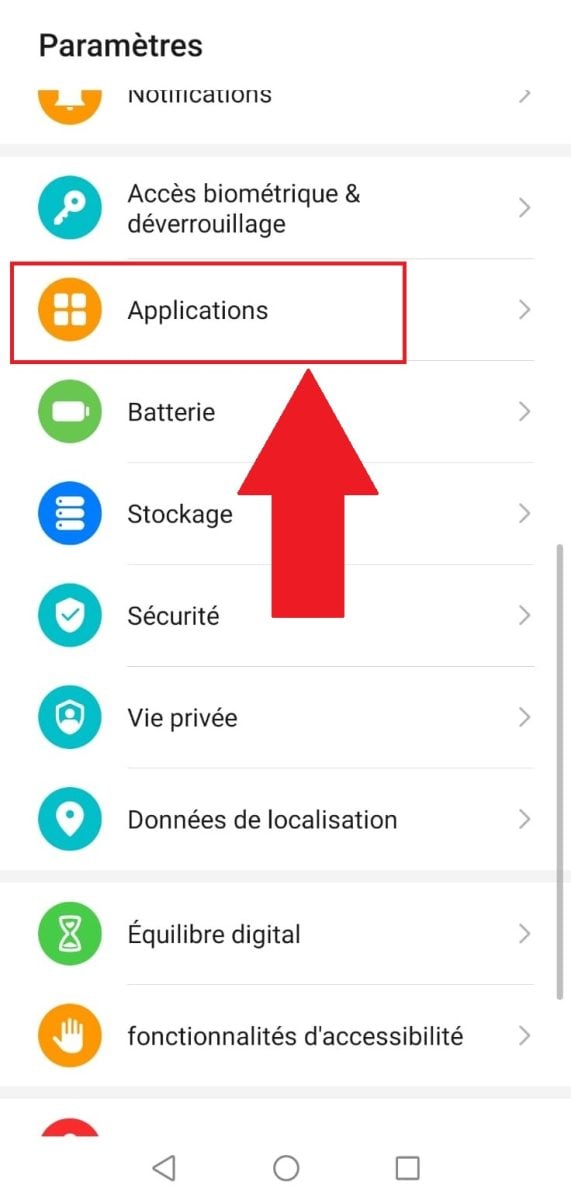
- Picking out Google Play Store.
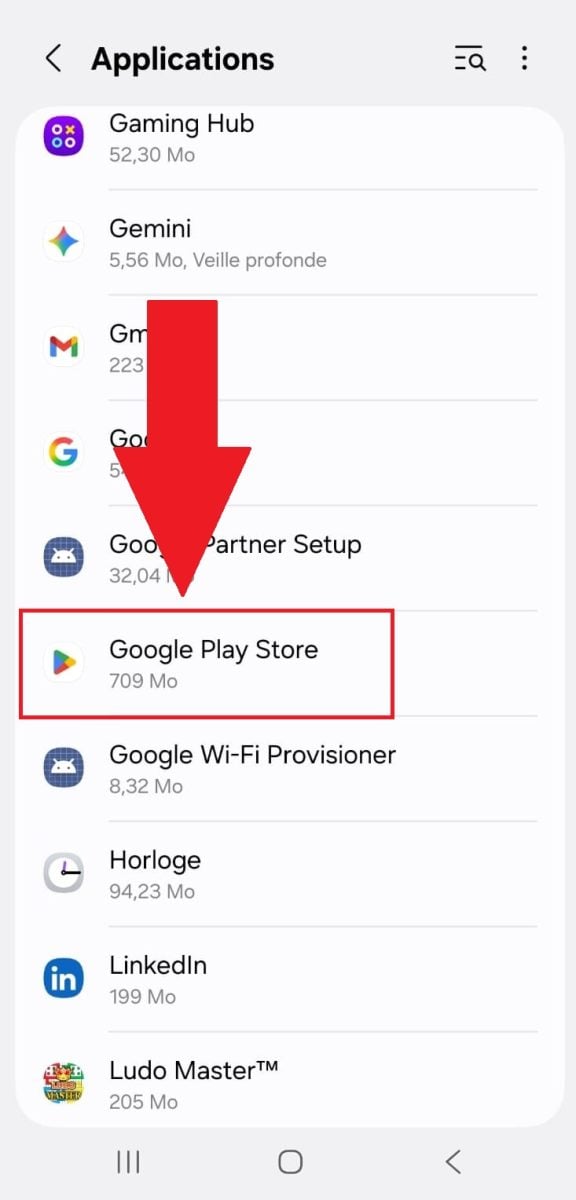
- To push on “Storage”.

- Delete the data by clicking on “Delete data”.

Basically, here's what this method can do:
- ✅ What it takes away : only the Play Store's content filter.
- ❌ What it doesn't affect : Screen time, app restrictions, and location tracking remain fully active.
- 🔔 This action does not trigger any notifications or parental alerts.
2. Add a second Google account
It’s important to note that Family Link doesn’t lock the device itself; it locks a specific Google account. As a result, if the parent hasn’t blocked the addition of accounts on the device, it’s possible to switch to an unsupervised Google account.
- Go to Settings on your device, scroll to find the menu “Google”. Tap it.

- Select Add an account.
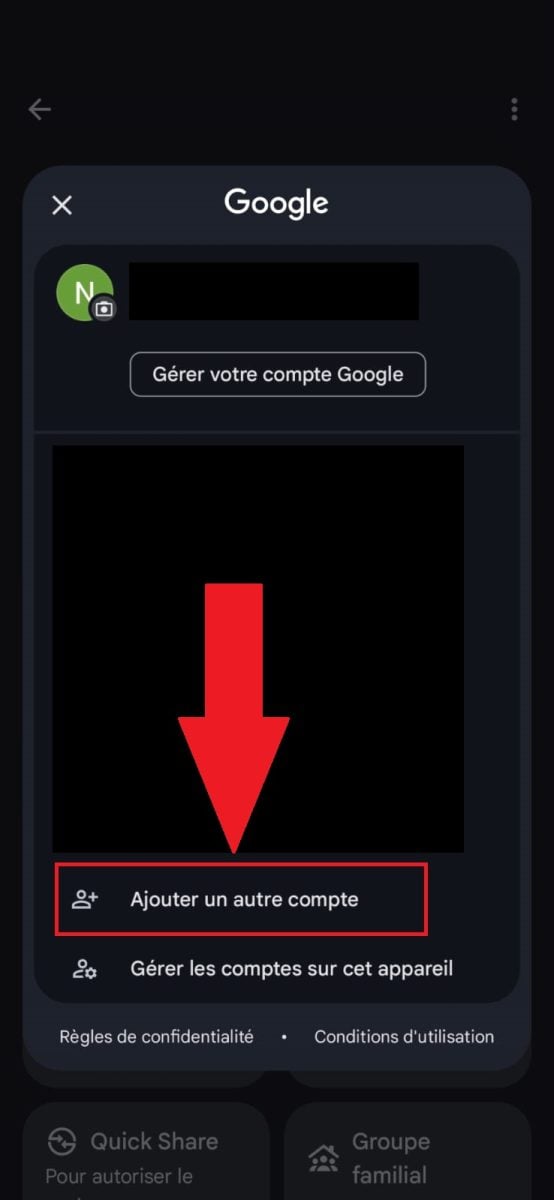
- Once the new account has been added, simply switch between accounts by tapping the corresponding icon in the notification bar or in Settings > Accounts.
✅ What it enables : Use apps without the restrictions of a supervised account.
❌ What it doesn't affect : If the parent has disabled the ability to add accounts in Family Link, this method is completely useless.
🔔 Parent Alert : No, unless they regularly check the list of active accounts on the device.
How can I bypass the Family Link screen time limit?
You can change or turn off the Family Link screen time limit in an authorized manner. The only requirement is to have access to the parental password, at the parent's phone number or if you meet certain age requirements.
This way, you'll be able to:
- Ask for more time.
- Change usage limits (using parental controls).
- Stop monitoring.
Where can I find the parental controls password in Family Link?
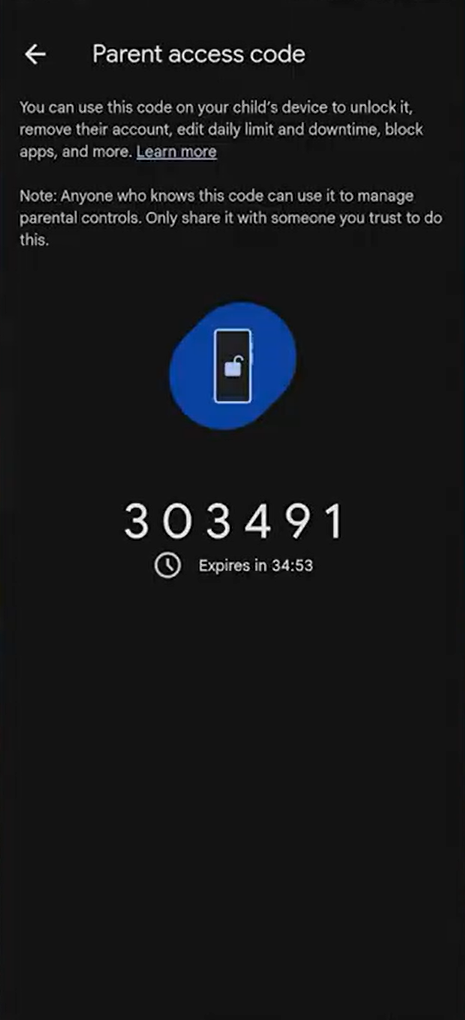
The parental access code can be found in the Family Link app on the parent's phone.
- Open the Family Link app on the parent's phone.

- Click the three bars in the top-left corner to go to the menu.
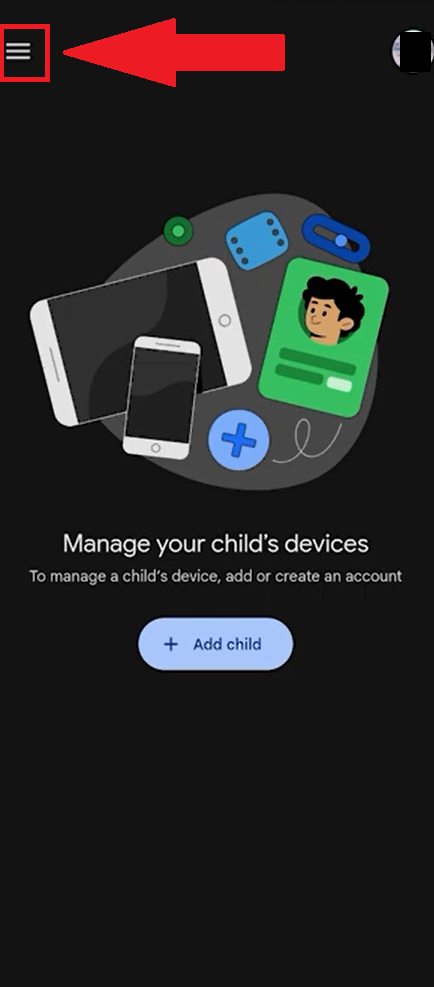
- Go to Parental Controls.

- The code is temporary and regenerates automatically. Please use it as soon as possible after it appears.
Can a 13-year-old remove Family Link?
Until December 2025, Google allowed teenagers to stop Family Link supervision on their own. from age 13, without parental consent.
This has not been the case since January 2026.. From now on, the parent's agreement is mandatory to withdraw supervision until the child turns 18.
This is good news for parents, but the technical workarounds described in this article are still possible without going through this official procedure.
How can we make Family Link harder to bypass?
If you're reading this article to understand what your child might try to do, here's how to plug the main loopholes—for free:
- Enable Factory Reset Protection in Settings.
- Block account changes.
- Review the list of “always allowed” apps.
Which parental control software is the hardest to bypass?
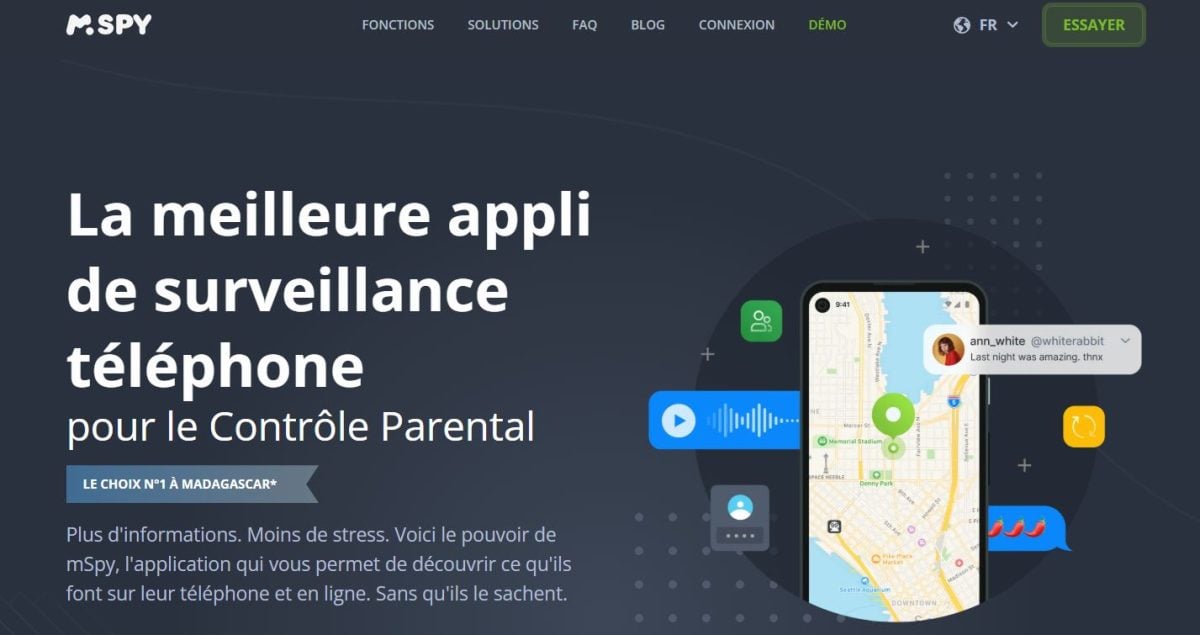
To protect your children, we recommend the mSpy parental control software. It helps monitor everything your children do on their phones (what video they're watching, what information they're looking for), without them even knowing it.
It is compatible with Android 5 or later. For iPhones, mSpy offers several modes (iCloud Sync, Wi-Fi Sync) with different requirements. Before purchasing, it’s best to check the official compatibility policy.
However, to use this software, you need physical access to your child’s cell phone. Be sure to check the applicable legal requirements based on your child’s age and your country before installing the software.
To get started with mSpy:
- Go to the page to create your account using your email address.
- Next, install the app on the target phone (Android or iPhone) by following all the instructions provided.
- Once you've chosen a plan, you can start tracking.
If you want to know more:
Why choose parental control apps?
The advantage of mSpy or Eyezy is that your child cannot disable them himself, and the the tracking is more comprehensive (messages, location, internet activity).
However, the installation requires physical access to the smartphone, a paid subscription, and compliance with legal requirements based on age and country. In France, for example, monitoring a third party without their consent may result in criminal liability. Be sure to check the relevant regulations before using the service.
So, if you want to use best tools to protect your son/daughter :
⏩I want to use mSpy to protect my child⏪
💡I want to use EyeZy to protect my child💡
In conclusion, Family Link isn’t perfect, but when set up properly, it remains a reliable option. For parents who want to take things a step further, mSpy or Eyezy effectively fill in the gaps that Family Link doesn’t cover.
Please feel free to ask any questions you may have in the comments.








 English
Very informative article. Understanding how to hack Family Link can be helpful but it's essential to respect the laws and prioritize family dialogue.
Kkkkkk
hello, good evening
I would like to know if it is possible to bypass Family Link on a Poco X3 Pro.
thanks if ever
Test it and let me know, I don't have this model.
Hey, sorry, I'm 13 and I disabled Family Link, SFR Family Teen, and the iPhone one...
It's really super simple, the only ones that are really difficult are the paid ones... (also found their flaw)
That's why I recommend paying products in my article ^^ The aim is to protect
aaaaa
Hello, I'm 13 years old and I would like you to make a video or for someone to explain to me again how to delete Family Link, please. I feel like I'm trapped. Please help me!.
The goal is to warn parents, as many children are searching for ways to unlock Family Link without the parental code.
how can I bypass family link on blackview A52 please ???
Hello, I work for Alucare, if you have a question don't hesitate to ask it on the Alucare discord: (link at the bottom of the site)
I would like to be able to use Netflix without my parents knowing.
I don't have the password for my email address. Please help me. I can't reset my phone. I have Family Links on my phone. I'm about to turn 18.
buongiorno, ho svuotato i dati di google play store ma dopo non è cambiato nulla perchè comunqu dovevo insert il pin che with impostato mia madre.
mi può aiutare, grazie
danked
Man alguém me diz como desbloquear isso!
Clear that sem o code PIN,
E a técnica do play story não deu certo!
Quero falar com meus amigos e unbloquear o WhatsApp!😔
Who doesn't have a technique just to deactivate an application?
Bah I believe you go in the app
Bottom to find the code you just have to find the code of your parent's email and authorize all the apps or if you don't have an unlimited app just unlock and letter the email
This app is 🤬
How can we find our parents' code?
Try date of birth name mix the 2.
Otherwise look in their note or even change it directly on their tel.
but I don't know when to use it
and or. Does it work on huawei?
Yes
Funktioniert es auf Google Pixel 6
I did not succeed because I do not know what the PIN code corresponds to!
A PIN code is a code comprising at least 4 digits, intended to authenticate the holder of a SIM card
Can you send a video of someone doing it because I didn't understand everything?
no video came out on it because everyone thought it sucked at the time 🙁 I talked about it live, I wanted to do it but hey people were laughing in ballec mode suddenly not done ^^
Can you do it again please
Hello, I am 13 years old and I would like you to make a video or for someone to explain to me again how to remove Family Link, please. I feel like I am trapped. Please help me! Make a video showing how to quickly remove parental controls from our phones without our parents' secret code.
Hi, the article is meant to protect. You're 13 years old, and I won't let that happen. The article is more for parents who want to better protect their children.
Remove the family link
Congratulations on teaching children to circumvent their parents' authority. You clearly don't have teenagers! In a world where the greatest danger lurks behind a screen, you are being irresponsible!
As I have said in other comments, you can find everything on the internet. The article is intended for parents, so that they can find a real technique!
this app is really boring and shitty for me I can't do anything with my phone!!🤬 apps like that to flik people aren't even supposed to exist. Lots of tutorials on the Internet show how to delete and fortunately it is possible !!!
Normally applications of this kind are not supposed to be “hacked” by the user.
What do you mean by "user"?
What ?
can you tell me how please
Parents block us all I can't even talk to my friends on Snap
I personally agree I have no social network
My mom won't even let me use social media! The worst part is that I'm old enough 😑 My life doesn't make sense 🫥
pareil c insuportablr
My parents are sequestering me on my phone and I can't do anything because of the control.
Ich bin achtunddreißig und habe das Selbe Problem geh jetzt zur Polizei
Hello,
Looking at google family link reviews I saw someone saying that this parental control allows our parents to bug us kids, watch our phone remotely, watch our conversations and put it under video surveillance
Is it true ?
So I don't use family Link for the simple reason that it's not secure and that the child can easily "break" the protection, and suddenly act as if there were no parental controls, anyway as soon as a product is free, we know very well that it is not at the top of the top.
Of course my mother saw the discussions with my crush, irresponsible
I answer you is this is not a joke no parents can not put our conversations under video surveillance
If they can with https://www.alucare.fr/avis-mspy-le-logiciel-de-surveillance-ultime/ For example
I hope not because it is not done
And will my parents see what I've installed after I install games? For example, I disabled parental controls and installed games. When parental controls are enabled, will my parents be able to see what I've installed?
It depends on parental controls, but if you have annoying ones like mine, when you install a game or Snapchat or any other app, they receive an email.
You just have to log in to their email or take their phone and delete it as soon as it is received.
Ja
No, they can make it vibrate, ring (which makes it difficult to hide), or even unlock it remotely. They can see our contacts and block them, but they don't have access to our conversations. They can see our Google history, but they can't view video surveillance. This is prohibited.
That's all.
To get around this, simply take the phone of the person who manages parental controls and disable all restrictions or even delete them using the code that changes every 2 minutes.
no
yes
Não sei