To add a video not listed on YouTube, go to YouTube Studio, click on + Create > Upload a Video, then select Unlisted in the "Visibility" step before publishing.
Result: Only people who have the video link can see it, even though it doesn't show up in search results Youtube or on your channel.
This feature is free of charge and available on all YouTube accounts. It’s the ideal option for sharing content with a select group of people, falling somewhere between public and private settings.
How do I upload an unlisted video to YouTube?
A Unlisted video is accessible to anyone who has the link, even without YouTube account. It never appears in the search results or on your channel. Here's how to upload it from YouTube Studio :
- Log in to YouTube Studio, click the icon "+ Create, then select «Upload a video».

- Select the video file you want to upload. Then fill out the title, the description and the miniature.
- Add the video elements, then click Next.
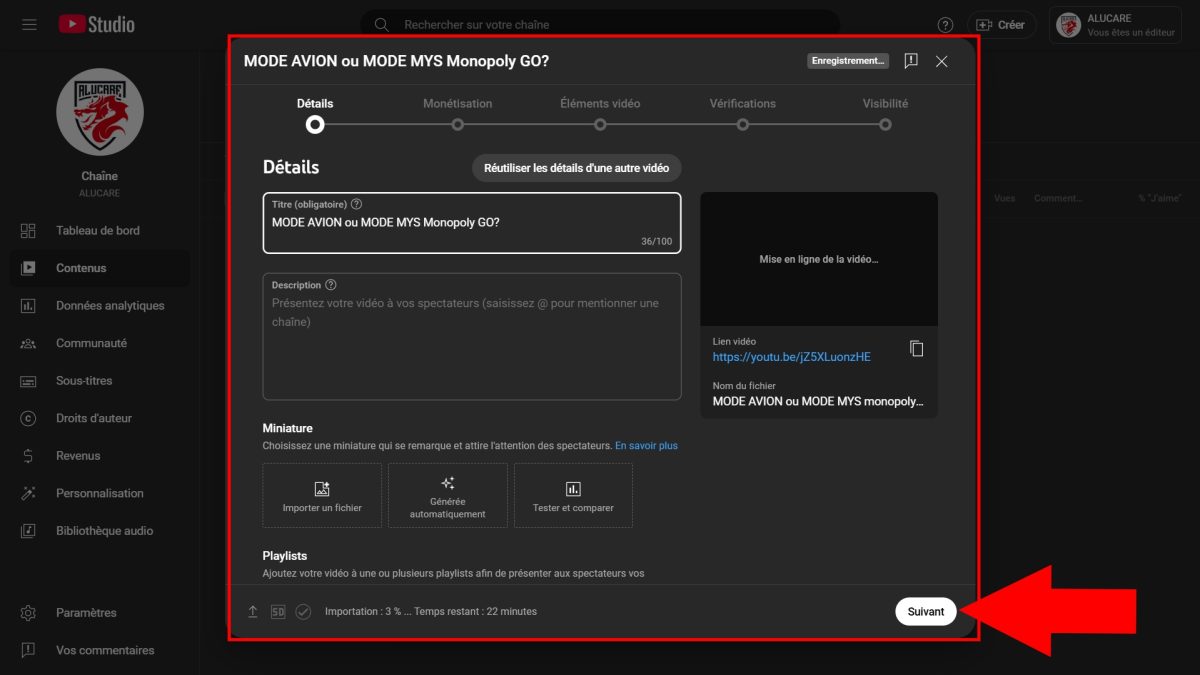
- At the stage Visibility, select the option «Not listed».

- Click on "Record and publish. Your unlisted video is online.
Do you want to play a video? already published If it's not listed? The process is even faster:
- Go to the section Contents of YouTube Studio, then click on the video you want to edit.
- In the Visibility, select «Not listed», then save.
To retrieve the shareable link from your unlisted video:
- Go to the page Contents on YouTube Studio, then hover your mouse over the video.
- Find the three small points next to the video.
- Click here to get the link, then share it with whoever you want.
How do I share a private video on YouTube?
Do you want to keep the absolute control Who can see your video? Status private is the best option. The steps are similar to those for an unlisted video; only the privacy setting changes at the end.
- Go to YouTube and log in to your channel via YouTube Studio.
- Click on the "Create in the upper-right corner, then select «Upload a video».
- Select the video file, then fill it out title, the description and the miniature.
- Under the "Visibility, select "Private, then click on "Record and publish.
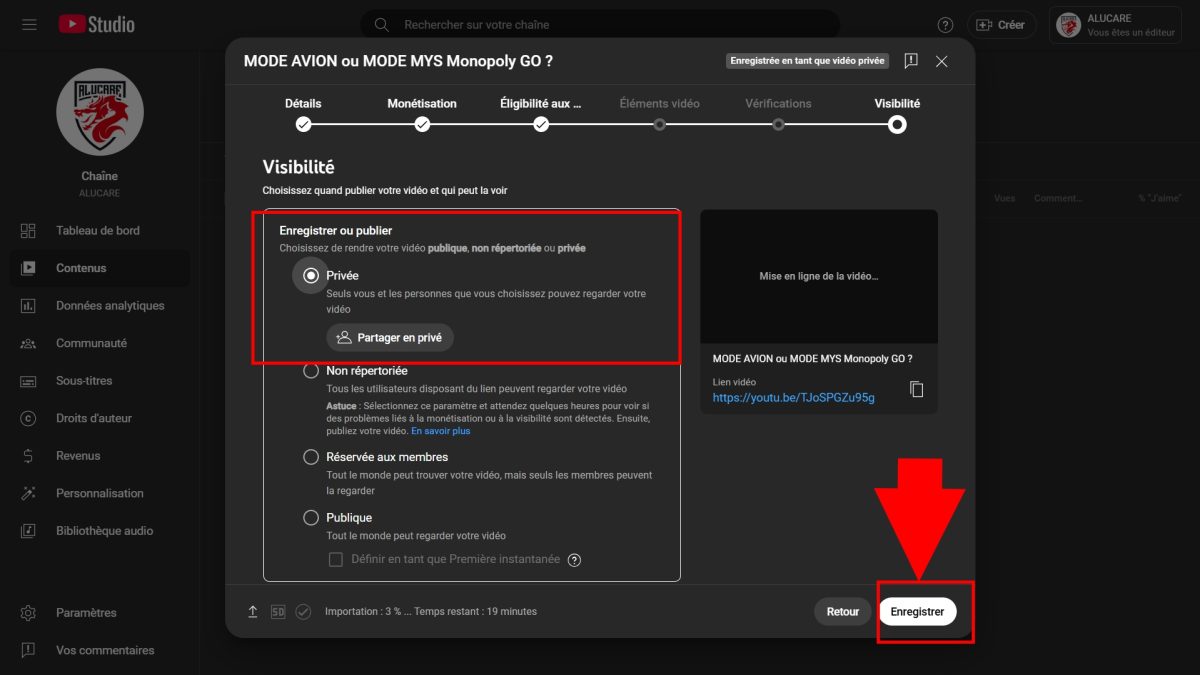
A private video is visible only to people you explicitly invite. Unlike an unlisted video, the link alone isn't enough: each guest must have a YouTube account. To share the video with specific people:
- Open the section "Contents in YouTube Studio.
- Find the private video you want to share.
- Choose "Share privately, between the email addresses the people involved, and then confirms with "Save" button.
This is the best choice for truly limited sharing, such as a family video montage or content intended for just a few coworkers.
Private and unlisted YouTube videos: what's the difference?
Many people confuse these two statuses, but they do not offer the same level of access at all. In short: a private video is reserved for people you invite via email, while a Unlisted video is accessible to anyone who has the link, even without create a YouTube account.
The table below compares the two visibility statuses To help you make the right choice:
| Special features | Private Videos | Unlisted videos |
|---|---|---|
| Visible to whom? | Only you and the game's guests via their email address (they must have an YouTube account). | The whole world who has the link to the video, even without a YouTube account. |
| Privacy | You can program date and time to make it public. | You I can't program A private video, but you can make it public whenever you want. |
| Appearance | She's nowhere to be found:
|
She's nowhere to be found:
|
| For whom? | Those who want a comprehensive access control regarding the content, for personal reasons. | Those who want to share videos with loved ones or collect honest opinions before making the content public. |
FAQs
How can I change the privacy settings for my YouTube videos?
You can change the visibility a video at any time from the settings of YouTube Studio, without having to upload it again. Here's how to do it:
- Go to YouTube Studio and log in to your account.
- In the menu on the left, select Contents.
- Find the video whose privacy settings you want to change.
- Click on the’pencil icon next to the video.
- Under the Visibility, open the drop-down menu.
- Choose the option that works best for you: Public, Unlisted Where Private.
Change is immediate. This is especially handy when you want to change a public video to "unlisted" to restrict access to it.
How can I find my unlisted videos on the web?
You can easily find your Unlisted videos directly into YouTube Studio :
- Go to YouTube Studio, then in the section Contents.
- This page displays all the videos on your channel, including the Unlisted videos.
Be careful, though: an unlisted video remains accessible to anyone who has the link. If that link has been posted somewhere on a public website, the video may become visible far beyond your circle. Some third-party sites even list unlisted videos whose’URL Leaked on a forum or public page. For truly sensitive content, opt for a status update Private.
Can a guest share the link to a private video with friends?
No. A private video will remain visible only to users you have explicitly invited. The link alone is not enough: someone who hasn't been invited won't be able to view the content, even if they have the link.
If you want to share a video editing with a large number of people without opening it up to the whole world, a Unlisted video is more suitable. You just share the link, and anyone can watch it. You can also add subtitles to make it even more accessible to your audience.
Can you set a video to "unlisted" on Android?
Yes. You can do this from the app. YouTube Studio available on Android. Open the app, select the video you want, and then edit the visibility settings by choosing «Not listed». The change takes effect immediately, is free, and requires no additional steps.
Check out these articles, too:







 English