On android and iPhone, you can find out if a The text message has been read thanks to the built-in read receipts. It works on one condition: both phones must be compatible (RCS Where iMessage) and connected to the Internet.
Enable the option in the settings, and the message “Lu” will appear below your message.
How do I know if an SMS has been read on Android?
On android, you can tell if a text message has been read by using the RCS (Rich Communication Services). This is the service for Google which modernizes traditional text messaging and offers features similar to WhatsApp, including reading confirmations.
Most manufacturers (Samsung, Xiaomi, Oppo, Huawei) have adopted it by default in their email application.
To enable read receipts on Google Messages, follow these steps:
- Open Google Messages and press the three dots top right.
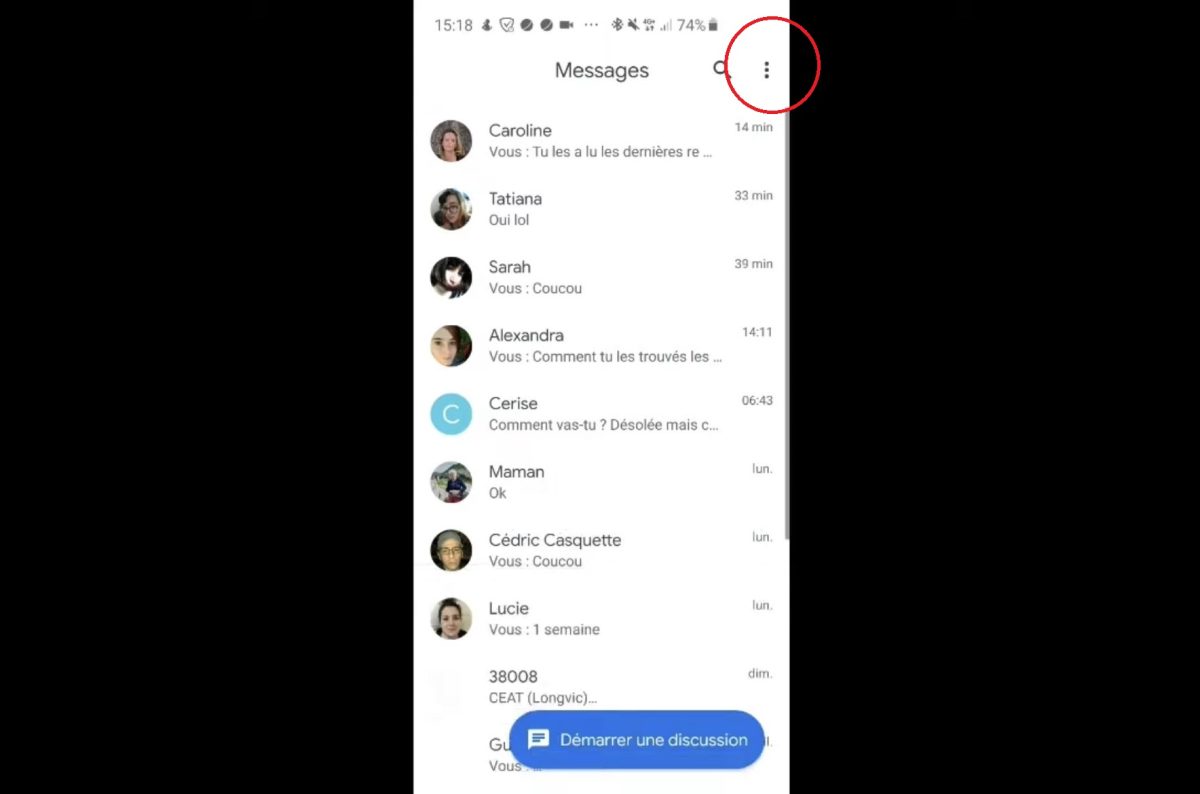
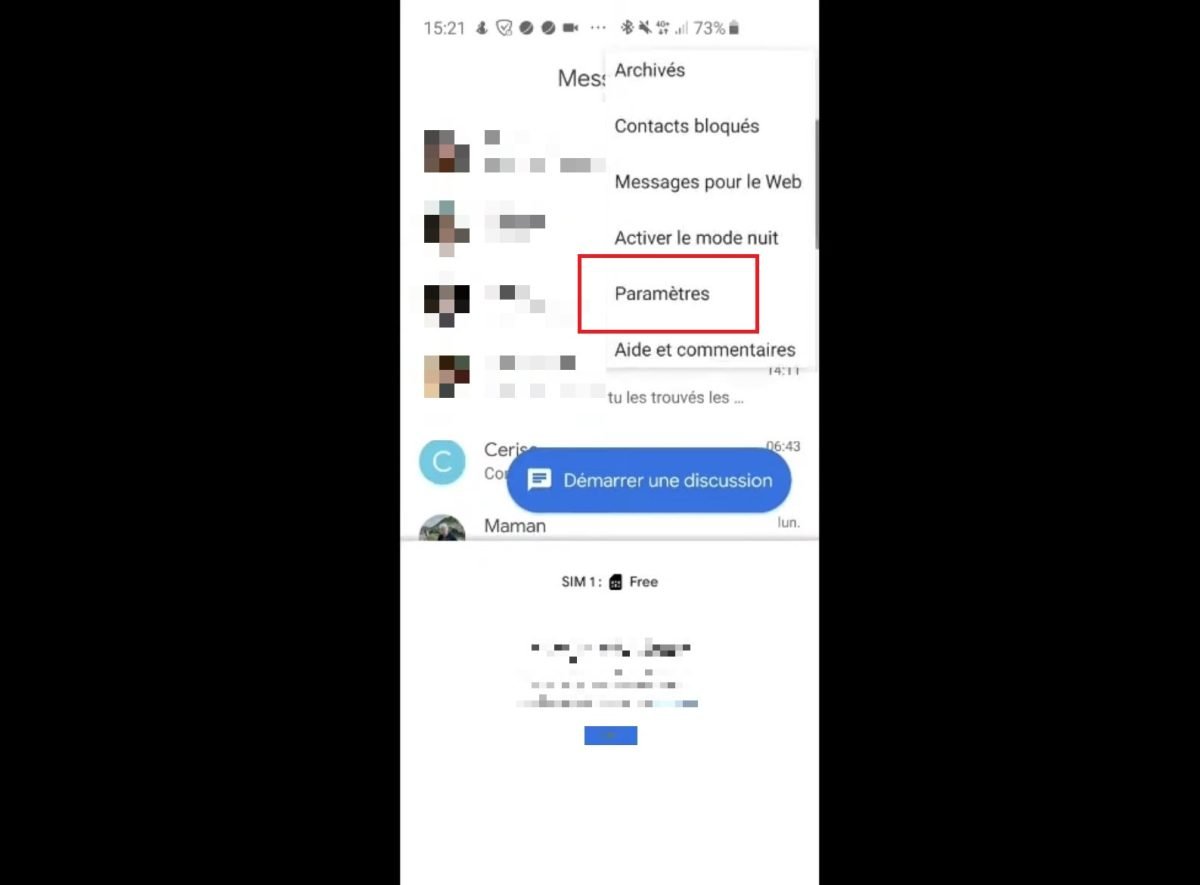
- Select Settings of the application.
- Go to Chat functions and enable the option “Send read receipts”.
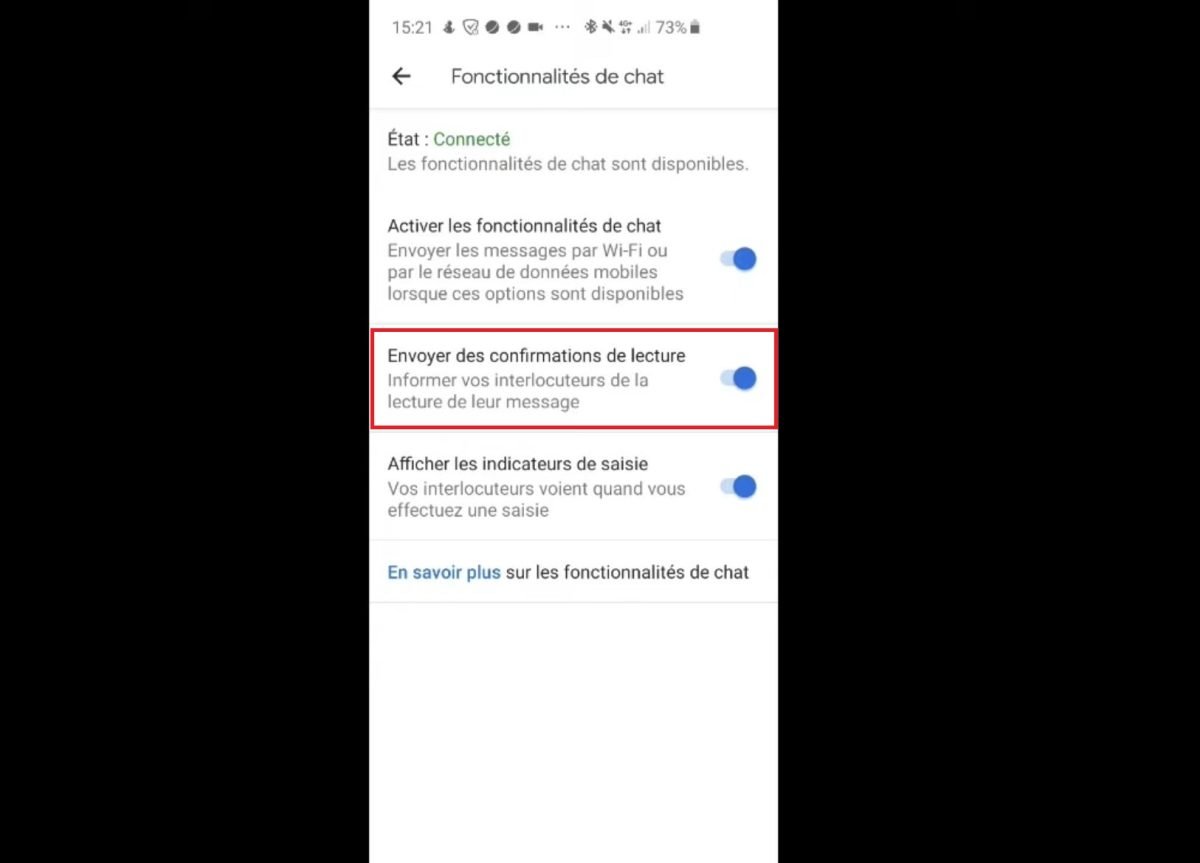
Once the option is enabled, the message “Lu” appears below your message as soon as the recipient opens it. Be careful, though: the RCS requires a Internet connection on both ends, and the recipient must also have a device that supports read receipts.
Otherwise, your message will go to Standard SMS and you'll have no way of knowing if it was read.
How do I know if a text message has been read on my iPhone?
On iPhone, it is iMessage, Apple's messaging app, which lets you know if a text message has been read. The word “Lu” will then appear below your message. To get it, you must first enable read receipts in the settings.
Here's how to enable this feature in iOS :
- Open the app Settings.
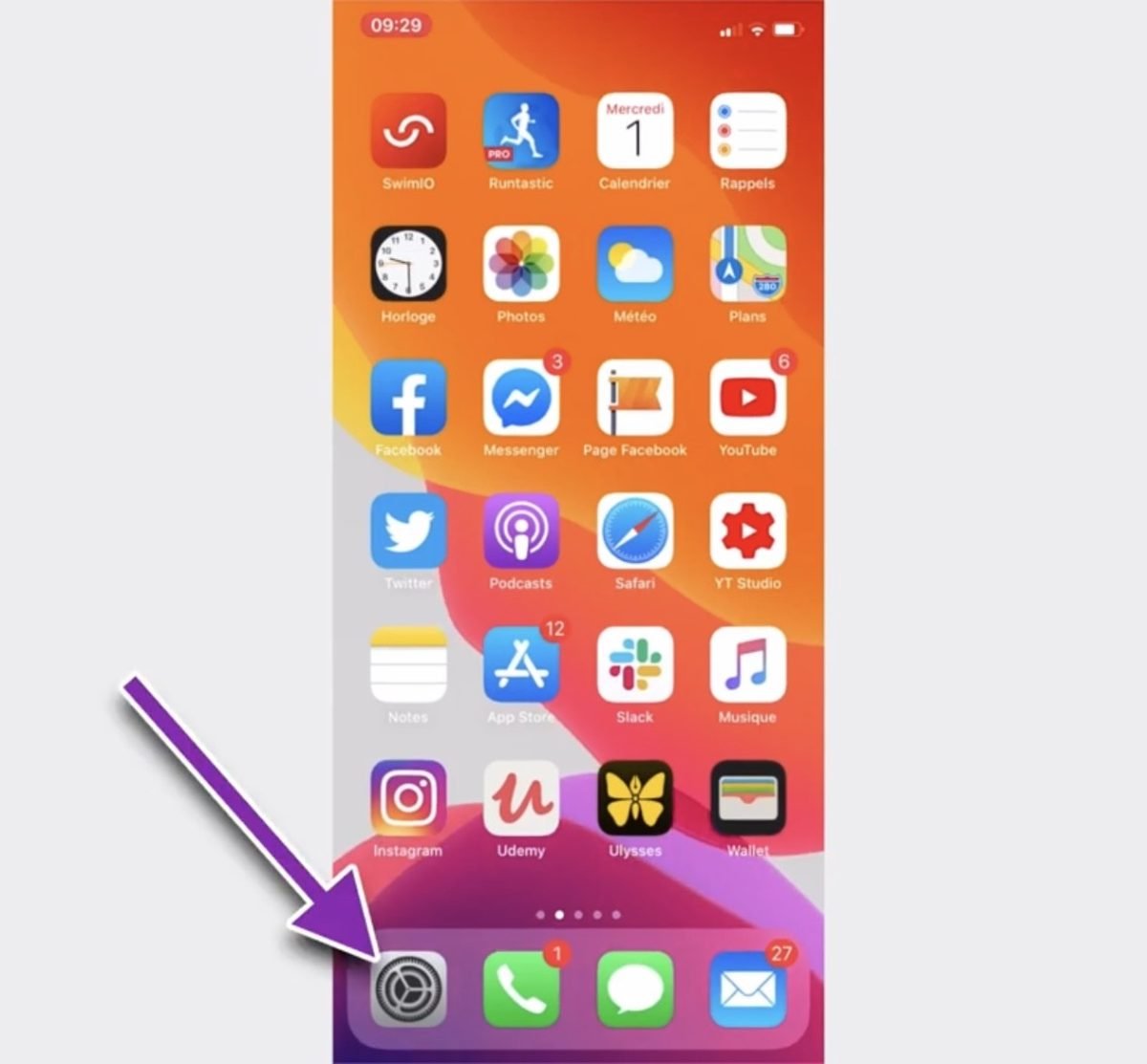
- Select Messages.

- Active iMessage If you haven't already done so, enable the option Read Receipts.

Once the option is enabled, the message “Lu” appears below your message as soon as the recipient opens it. However, two conditions must be met: the recipient must be using a iPhone with iMessage, and to have also enabled the read receipts in its settings.
If either of these two conditions is not met, or if the message is sent to Classic SMS, you'll never see the “Read” status. If the recipient doesn't have an Internet connection, the information won't be sent back either.
Does “delivered” mean that the text message has been read?
No. The status “Distributed” simply means that The message has been received on the recipient's phone. That doesn't mean it was opened or read.
That's the big difference between the’acknowledgment of receipt and the read receipt. The first confirms that your text message was successfully delivered. The second indicates that the contact has actually viewed the message's content.
Here are the three statuses you might see on your smartphone:
- Sent : Your message has left your phone, but there's no proof yet that it has arrived.
- Distributed : The message was received on the recipient's device, but the recipient has not confirmed receipt.
- Read : The contact started the conversation. This is the only status that confirms your text message has been read.
On certain devices, such as the Huawei, or in iMessage, the phrase “Distributed” It simply replaces “Sent.” Therefore, it is never a guarantee that the message was read.
To be certain of this, only the mention “Lu” account, and it depends on read receipts enabled via iMessage where the RCS.
How do I know if an SMS has been read by a third-party application?
Today, there are applications that allow you to follow messages and to know whether they have been read. Examples include:
However, they require direct access to smartphone of the person, in particular to posts and to contacts. These spyware applications can be powerful, but they come with risks for data confidentiality.
Warning: Using them without consent is illegal in many countries. Check the laws before using it. Some tools, such as Mspy even receive text messages from another phone number without the owner's knowledge.
FAQs
What happens if you get stuck?
If a contact has blocked you, you'll never see the notification “Lu” appear below your message. A read receipt cannot be sent, since the recipient does not receive anything.
Be aware of your status “Distributed” on iPhone. Since iOS 16.5, a message iMessage may show “Delivered” even when you’ve been blocked. This status is therefore not a reliable indicator of being blocked, contrary to what is often claimed.
Why am I not receiving SMS read receipts?
There are several possible reasons for the absence of’charged with reading :
- The reading confirmations are not enabled in your settings.
- The recipient has disabled the option for its part.
- Your device or messaging app does not support this feature.
- You send a Standard SMS and not a message RCS Where iMessage, which are the only ones that handle the “Read” status.
- The recipient has read your message offline : The accused only comes back online once he's back on the Internet.









 English