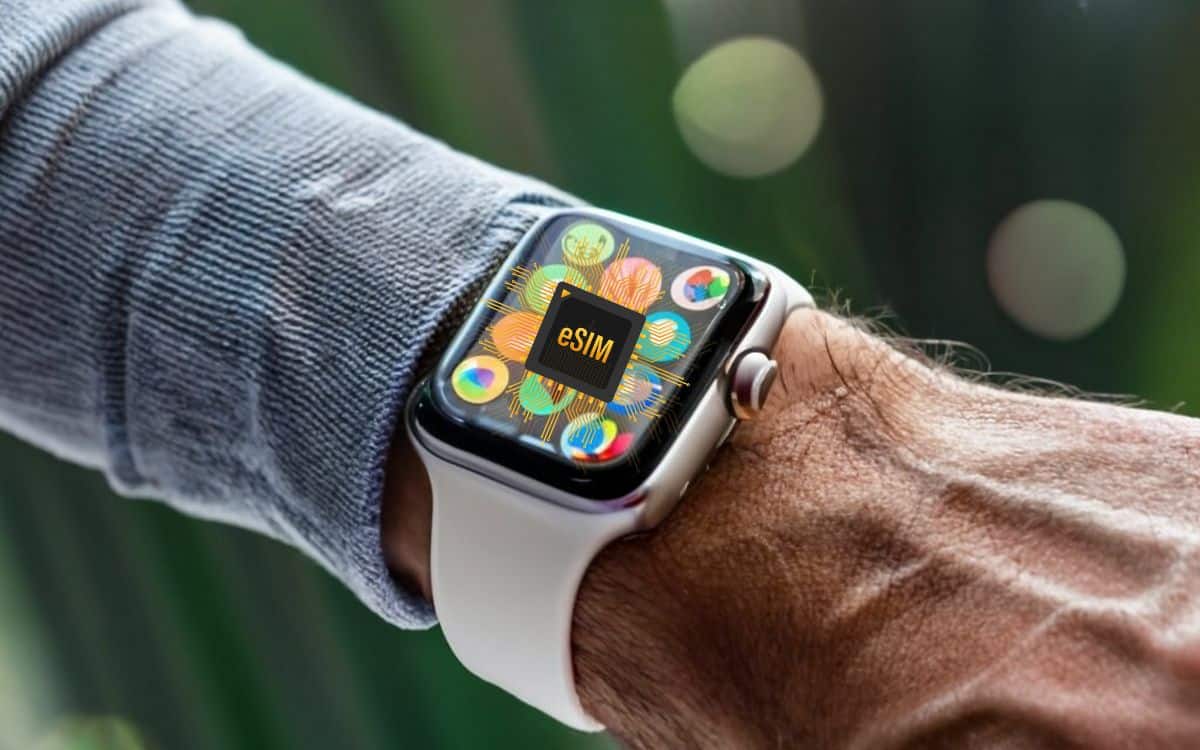
L'eSIM lets your connected watch to work without a smartphone nearby. You can make calls, send messages, and use the mobile data directly on the wrist.
This chip is built in during manufacturing: there is no physical SIM card to insert.
In France, SFR and Orange offer a eSIM Watch option around 5 €/month, and you can activate it entirely through the app on your watch.
What is an eSIM for smartwatches?
L'eSIM (for Embedded SIM) is a integrated SIM card right on your smartwatch. This chip from 5 x 6 mm is soldered onto the device during manufacturing: you can neither remove nor replace it, unlike a traditional physical card. Yet it offers the same functions: making calls, send SMS and connect to the Internet by 4G.
The real value of the’eSIM Watch option, it's its versatility in everyday life:
- You're changing your’operator Without touching a single chip, everything is done digitally.
- L'activation goes through a QR code provided by your service provider, the dedicated app, or by manually entering your login credentials.
- It takes up very little space, making it ideal for compact devices like the’Apple Watch or the Samsung Galaxy Watch.
In practical terms, your smartwatch becomes a real cell phone a miniature device on the wrist. It connects automatically to the cellular network, without your smartphone being nearby.
This way, you can stay reachable even if you leave your iPhone at home, whether it's for a jog or just a walk.
How do you integrate an eSIM into a smartwatch?
The eSIM is already embedded in the watch during manufacturing: there is no SIM card to insert. Everything is controlled via the’companion app from your watch, which is connected to your smartphone.
Once you've signed up for the plan, your watch becomes a standalone extension of your phone, capable of making calls, send SMS and log in to Internet without him.
Sign up for the Watch eSIM option
Before activation, you'll need a eSIM Watch option with a compatible carrier. In France, SFR, RED by SFR, Orange and Sosh offer this option, usually for around 5 to 6 €/month (Check the rates on your carrier's website, as they change regularly.).
The option shares the same number that your mobile package main. So you receive your calls and messages on your watch just as you do on your phone.
To sign up, open the app for your watch and go to the section cellular :
- the application Watch for a iPhone ;
- Galaxy Wearable for a Samsung Galaxy Watch ;
- Wear OS (via the app Google) for models under android.
Enable the eSIM Watch option on an Apple Watch
On Apple Watch, activation is done through the app Watch of your iPhone, with the two devices paired in Bluetooth. Here are the steps :
- Open the app Watch on your iPhone.
- Go to Cell phone, then press Set Up the Cellular Network.
- Select your operator (SFR, Orange, Sosh, or RED).
- Follow the instructions: scan a QR code or enter your login credentials, depending on your service provider.
- Validate, then confirm the activation directly from your watch.
Once the option is enabled, your watch sends and receives calls, of the SMS and logs in to 4G without a smartphone nearby. You can even listen to streaming music from your wrist—perfect for a hands-free jog.
Explanatory video in French by Alucare, ideal complement to the page. View video (you can use YouTube's automatic translation)

To note : in the event of a change in’iPhone, some models allow you to transfer eSIM settings from one device to another via Bluetooth, without going through the carrier.
Which smartwatches are eSIM-compatible?
Many smartwatch manufacturers have built-in eSIMs, which let you stay connected 4G on the wrist. Important note: On most models, only the mobile version (often written as GPS + Cellular Where LTE/4G) is compatible. The variant GPS only does not support eSIM.
Apple
Apple has included eSIM support since the’Apple Watch Series 3.
To take advantage of this, you'll need a model GPS + Cellular, a iPhone compatible and a carrier that supports activation. Here are the compatible models:
- Apple Watch Series 3, 4, 5, 6, 7, and 8
- Apple Watch Series 9 and 10 (mobile version)
- Apple Watch Ultra 1 and 2
- Apple Watch SE (2nd generation, cellular version)
Please note : all the Apple Watch Ultra load the cellular connectivity by default. There is no standalone GPS version for this product line.
Samsung
Samsung also offers a wide selection of watches equipped with eSIMs, provided you choose the 4G/LTE version :
- Samsung Galaxy Watch (first generation)
- Galaxy Watch Active 2 4G
- Galaxy Watch 4 and 4 Classic
- Galaxy Watch 5 and 5 Pro
- Gear S3 Frontier and Gear S3 Classic (Letter to the Editor)
Huawei and Other Brands
Other manufacturers are incorporating eSIMs into their smartwatches, often in the form of Wear OS of Google or their own system:
- Huawei Watch 2, 3, and 3 Pro
- Oppo Watch (4G)
- TicWatch Pro 4G/LTE
Watch out for a common pitfall: two models with the same name may exist in GPS-only version and in mobile version.
Before buying, always check that the product description clearly states the 4G/LTE or theeSIM, otherwise you won't be able to activate the eSIM Watch option with your carrier.
Why Is eSIM a Revolution for Smartwatches?

The eSIM Watch option really changes your daily life with your smartwatch. Here's why it's worth it.
Convenience
That's the first advantage that stands out. With a standard SIM card, switching to a’operator or choosing a plan can be a hassle, especially when you're abroad, where you often have to buy a local SIM card. An eSIM lets you switch from one service to another without physical handling, right from the app on your watch.
Security
A physical SIM card can be removed, cloned, or hacked. The’eSIM Watch is built into the watch during the manufacturing process: your identifiers and your number are stored internally, which significantly reduces risks.
Flexibility
The eSIM also makes it easier to manage multiple phone numbers on a single device, which is simply impossible with a traditional SIM card. In practice, your smartwatch shares the line from your iPhone or Android smartphone, without having to sign up for a second plan.
Extended autonomy and functionality
The real benefit is the’independence from the phone. You can make and receive calls, send text messages, and use the Internet by 4G right on your wrist, and even listen to streaming music without having your cell phone nearby. Perfect for a hands-free workout.
What eSIM plans are available for smartwatches?
In France, carriers that offer a eSIM Watch option are few and far between. The two references remain SFR and Orange, each with its own rates and terms.
These options rely on sharing your existing data plan with your smartwatch.
Smartwatch option at SFR
SFR offers a plan specifically for watches through its «Smartwatch» plan. It shares your mobile package Between your smartphone and your watch: same number, same data—no need to sign up for a new line.
- Price : 5 per month (or 60 € per year)
- Activation fee: 10 €
- Network: Calls, Text Messages, and Internet 4G directly on the wrist
- Special Offers: SFR regularly runs promotions or offers deferred refunds (ODR)
Rates change regularly: check the current price on sfr.fr before signing up.
Multi-SIM option Calls & Internet eSIM at Orange
With Orange, you need to enable the « Multi-SIM Calls & Internet eSIM«. Just like with SFR, it splits your plan between your phone and your watch. So you make and receive calls, text messages, and MMS messages from your watch.
- Price : 5 per month
- Activation fee: 10 €
- Offer: Orange often highlights First three months free
Check the amount on orange.fr, as pricing for this type of option has changed in the past.
What about other carriers?
RED by SFR and Sosh generally adopt the same policies as their parent companies. Bouygues Telecom also offers a number-sharing solution for the Apple Watch: check its availability at bouyguestelecom.fr before counting on it.
Side Free Mobile, the eSIM option for smartwatches is not currently available in France.
What You Need to Know Before Signing Up
The process is standardized, regardless of the operator:
- Package sharing : The watch is taken from your envelope of mobile data existing one; no need for a separate budget.
- Limitations: only one carrier at a time, and some options may not be compatible with your current plan.
- Abroad: Check the availability of the eSIM Watch feature outside of France, as coverage may vary by country.
It's best to contact your service provider to clarify these details before choosing the option that best suits your needs.
eSIM Smartwatch Plan: How Much Data Should You Choose?
Good news: Your smartwatch uses very little data. A plan for 10 to 20 GB The smartphone's capabilities more than cover the combined use of the watch and the phone.
Very low power consumption on the watch
A Apple Watch or a Samsung Galaxy Watch is designed for brief interactions : Receiving text messages, making calls, following a GPS route, or streaming music while jogging. The screen is small and the apps are lightweight, so mobile data usage is minimal. In practice, you rarely use up your data plan because of the watch.
The Recommended Cell Phone Plan
The date on the watch is the same as yours primary cell phone plan via the eSIM option. A plan 10 to 20 GB makes you feel comfortable. If you listen to a lot of streaming music Or if you use your wrist-mounted GPS often, go for a plan at the higher end of the range. For occasional use, a more basic plan will suffice.
Assess Your Needs Before Activation
Before enabling the eSIM Watch option, check your current consumption, not including the watch. You'll quickly see if your plan gives you a comfortable buffer. If you're often pushing the limit, upgrade your plan to enjoy calls, texts, and internet right on your wrist without any unpleasant surprises at the end of the month.
Smartwatch plan and smartphone eSIM plan: Can I choose different ones?
No, you can't choose a separate plan for your watch. In France, the’eSIM Watch option remains connected to your main plan. So your watch and your smartphone share the same plan and the same number.
Operators such as SFR, Orange, RED by SFR Where Sosh They all enforce this rule: you can't have one carrier for your phone and another for your smartwatch.
Restriction by operator
Your choice of service provider is therefore crucial. If you're already a customer with SFR, Orange, RED by SFR Where Sosh, you can add the eSIM Watch option directly to your existing plan. At Bouygues Telecom, check the official website to see if the eSIM option is available for the Apple Watch. A quick call to customer service can save you from making an unnecessary change.
Number and package sharing
The eSIM Watch option is designed to share the same number and the same benefits as your main plan. Basically, your watch draws from the same data allowance as your iPhone. Everything you use on your wrist comes from this all-in-one cell phone plan :
- them mobile data for browsing or streaming music; ;
- them calls made and received without a phone nearby; ;
- them SMS and MMS sent from the watch.
Please note: This line can only be active with one carrier at a time. You cannot have two separate mobile plans on a smartwatch equipped with the eSIM feature.
Get an eSIM for your smartwatch
Is your smartwatch eSIM-compatible? Sign up for a eSIM Watch option gives him access to the Internet, phone calls, and text messages all on his own.
In France, the option is offered by Orange, Sosh, SFR and RED by SFR, for just a few euros a month.
Here are the steps to follow:
- Contact the customer service from your carrier or enable the option in your online account.
- Subscribe to the’eSIM Watch option included in your plan.
- Open the app on your watch (app Watch on iPhone, Galaxy Wearable on Android) and starts the configuration of the cellular network.
- Follow the instructions (scan of the QR code or manual entry) to complete the activation.
The option sometimes includes activation fee unique; check directly on your carrier's website.
Once it's on, your smartwatch stays connected to your wrist by 4G, while jogging or taking a walk, without a smartphone.







 FR
FR  RU
RU  EN
EN  ES
ES  IT
IT  DE
DE  ZH
ZH  PT
PT  ID
ID  JA
JA  DA
DA