You want to stand out from other users on the platform Discord ?
Discover in this article how to create a profile banner interesting and unique.
What are the essential elements of an effective Discord banner?
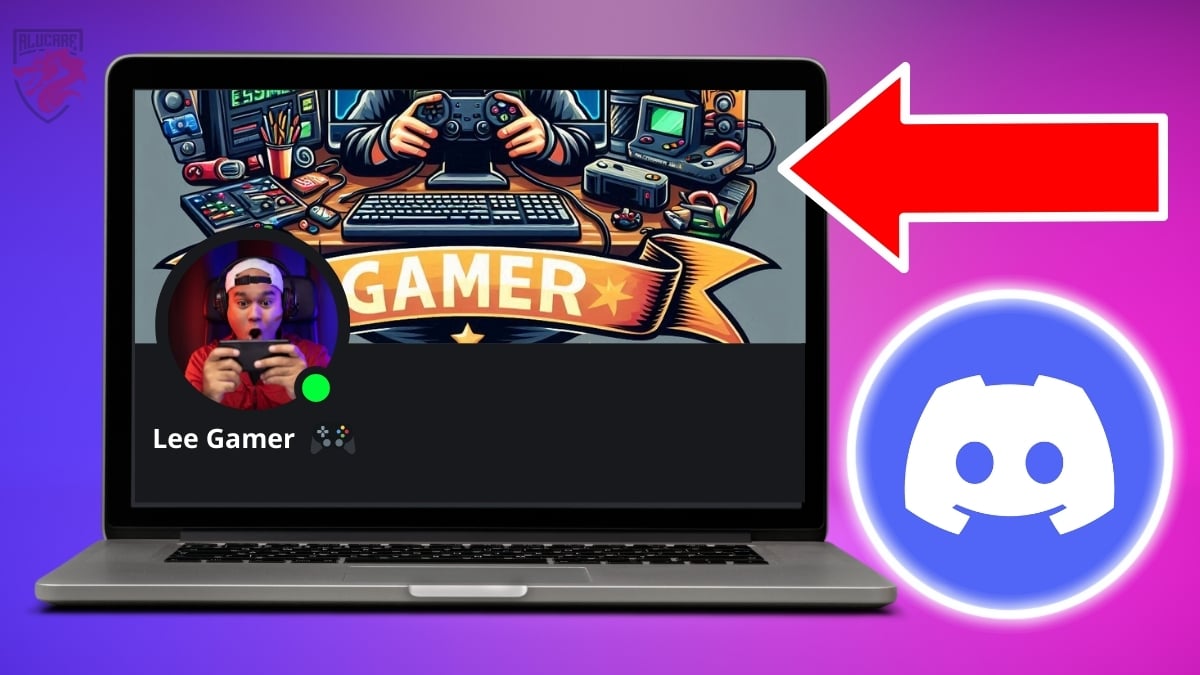
The profile banner Discord is an image that you can customize according to your preferences to decorate your user profile. However, to make your profile more attractive, it is strongly recommended that you choose the right image, based on:
- Customizing your profile banner. In fact, you should choose the image based on your passion or what best reflects you. For added distinction, you can even add a short text to your background image.
- The text should be consistent with the image you choose.That is, you must choose the right font and color. Make sure the text reflects your personality.
- Colors should be chosen based on the impression you want people to get when they look at your profile. In this context, it is very important to choose a color for your banner that is similar to the color of your profile photo.
If you use Discord To be professional, here's what you need to have on your profile banner:
- A title with a subtitle that accompanies it.
- A eye-catching image, related to your industry or a corresponding color palette.
- Your emblem Where logo personal or professional.
- A call to action clear.
All the elements and design of your profile banner Discord should therefore match your brand so that anyone visiting your profile can see at a glance what you have to offer.
Important Note:
It is important to note that registration on Discord is free, but in order to upload a photo for your Discord banner, you must be a Nitro subscriber.
If you cannot afford to pay for this offer on Discorddiscover How to get Discord Nitro for free à travers un autre article sur notre site.
What are the ideal dimensions for a Discord banner?
Here is what you need to note regarding dimensions of your banner Discord :
- The ideal dimensions for a Discord server banner are 960 x 540 pixels.
- The height-to-width ratio is 16:9.
- The file size must be less than 10 MB.
Which file format should you choose for a Discord banner?

The formats that you can use are:
- PNG;
- JPG;
- GIF.
Here are a few things to keep in mind to help you choose the format to use for your banner Discord :
- The ideal choice is to opt for the PNG format if your Discord profile banner contains illustrations. This helps maintain the clarity and quality of the image.
- If you want to add a banner with photos, choose the JPG formatThis provides a better balance between quality and file size.
- For an animated banner, the GIF format is the most suitable one.
Where can I find inspiration for Discord profile banners?
You can inspire you ready-made banners on Pinterest or Tumblr to create your Discord profile banner. The images on these platforms include many themes to choose from:
- Aesthetic;
- Animated;
- Cute;
- Gaming;
- Floral;
- Marvel;
- DC;
- Cyberpunk;
- Etc.
How to integrate your profile banner on Discord?
To integrate your profile banner on Discord, simply follow these steps:
- First, you must open theapplication Discord. You must then find the user settings located at the bottom left, near the profile icon.

- Next, access the profile settings via the button. Edit user profile.
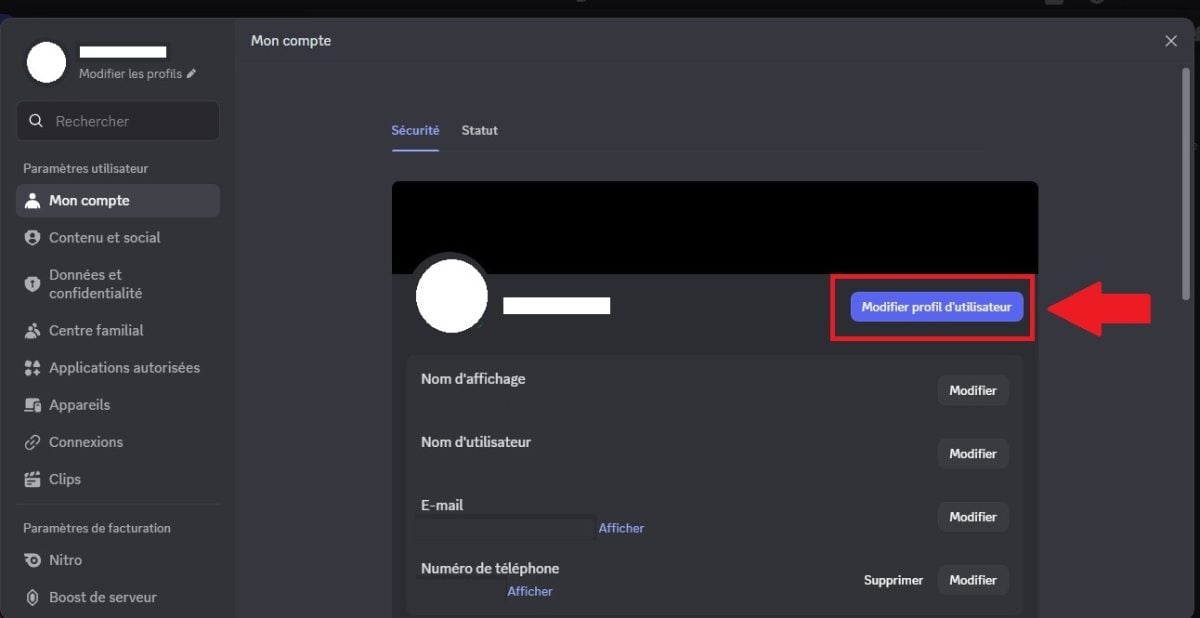
- In the profile tab, you will have access to all the options for customizing the content of your Discord account (avatar, biography, etc.). In our case, we will choose the option " profile banner " above your profile picture.

- You will then be asked to Download your content. Find the folder where the chosen banner is located.
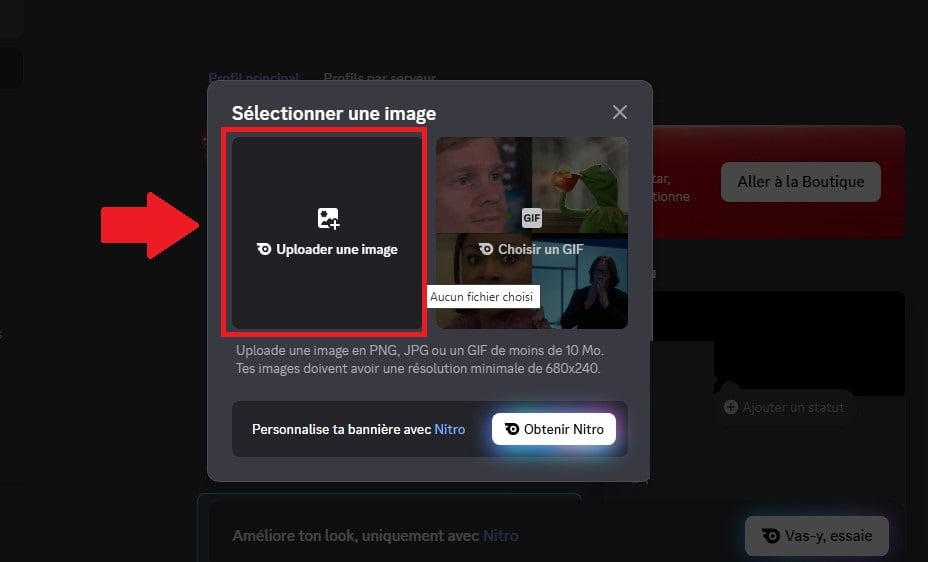
- Finally, all you have to do is adjust and register Make the changes and you're done!

Why choose a Discord banner?
The use of a banner Discord allows you to stand out from other users on Discord. It is a way to make you more recognizable, especially when it matches your profile picture.
Furthermore, in a professional setting, as on other social networks, having a profile banner allows you to highlight your personal style and what sets you apart in your field.
In conclusion, you can download a profile banner on Discord only if you are a member with a Nitro subscription. To get a good Discord banner:
- A image with a specific theme, distinctive colors, unique fonts, and good consistency.
- You must choose an image under one of the accepted formats which are: PNG, JPG, and GIF. The choice of file type depends on the content of the banner and the effects present on it.
- You can choose a few images from web platforms to inspire you in creating your banner.
If you need other articles about Discord, you can visit our page dedicated to this topic.







 English