My Eyes Only is a safe built into Snapchat, which locks your snaps, the most private photos and videos behind a 4-digit PIN that only you know.
The feature is tucked away in your Memories : Once content is moved there, it becomes invisible from the standard gallery. No one can access it without your code, even if they go through your phone.
Before you get started, keep one crucial point in mind: if you forget your PIN code, you can reset it through your Snapchat password, but this action deletes all stored content.
Snapchat does not store any copies of your data on its servers—a design choice made to protect your privacy.
What steps do I need to take to access My Eyes Only?
The navigation is almost identical on iOS and android. You always go through the Memories, then open the folder My Eyes Only protected by your PIN code.
Depending on the app version, you can access it by swiping left or through a dedicated tab at the bottom of the screen. It’s one of the most useful privacy features among the social networks current.
Enabling My Eyes Only for the First Time
This step lets you create your PIN, the one that will protect all your saved photos and videos.
- Open Snapchat, then swipe the camera screen to the high to open the Memories.
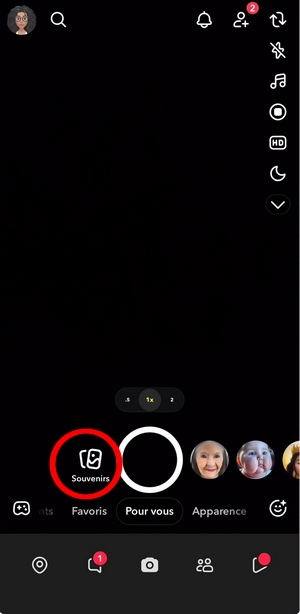
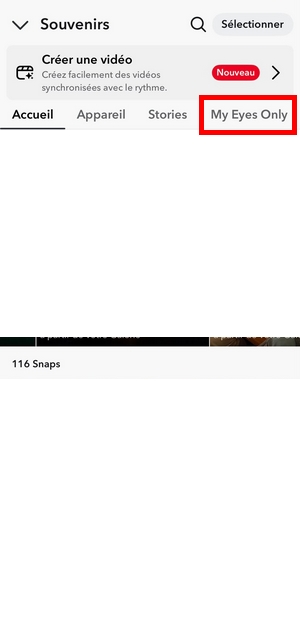
- Scroll left until you reach the tab My Eyes Only.
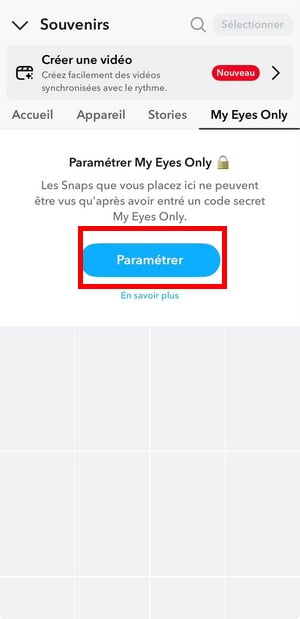
- Press the start button, then select the option to configuration proposed.
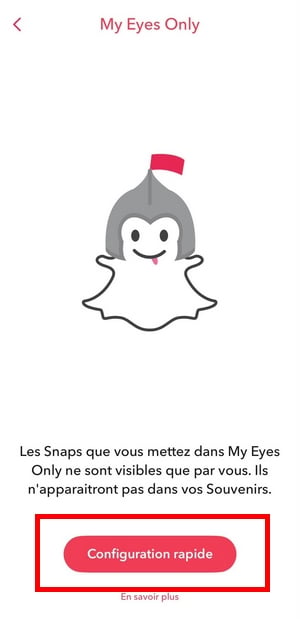
- Creates a 4-digit code different from your password Snapchat, then confirm it. You can also choose a secret phrase longer instead.
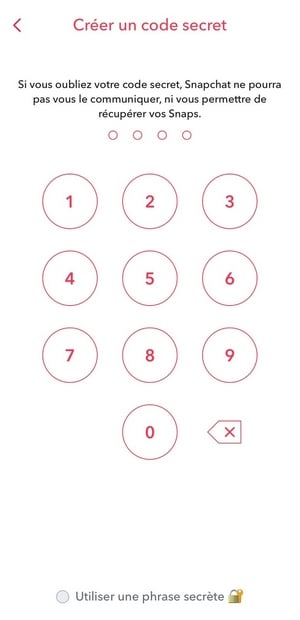
- Read the displayed warning carefully, then click "Confirm" to complete the setup.
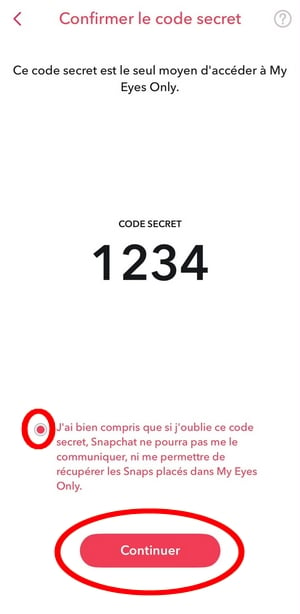
Confirm the code ©Antonin for Alucare.fr
Note this PIN code in a safe place. If you lose it, your files will be deleted when you reset the device, and you won't be able to recover them.
Access My Eyes Only once it has been activated
The procedure is the same on both iPhone and Android.
- From the photo screen, swipe to the high to open the Memories.
- Go to the tab My Eyes Only, to the right of the navigation bar.
- Enter your PIN to view your protected photos and videos.
What to Do If You Forget Your PIN
You can reset your access, but be aware of what that entails.
- Open the tab My Eyes Only, tap the icon Options, then select Password forgotten.
- Enter your password Snapchat account main menu, then press Next.
- Confirm the reset, then create a new one 4-digit code.
This reset permanently deletes all the snaps already saved in My Eyes Only. Since the data is encrypted locally using your key, it is impossible to retrieve it later.
No files can be restored, even if you contact support Snapchat.
How do I add photos and videos to «My Eyes Only»?
Once the feature is enabled, move snaps to My Eyes Only takes a few seconds. The same principle applies to the Pictures, them videos and the game's private stories stored in your Memories.
- Open Snapchat and access the Memories.
- Press the’selection icon (the checkmark in the upper-right corner of the screen).
- Select the Snaps, photos, or videos you want to move.
- Press the’lock icon in the bottom bar.
- Press «Move» to confirm.
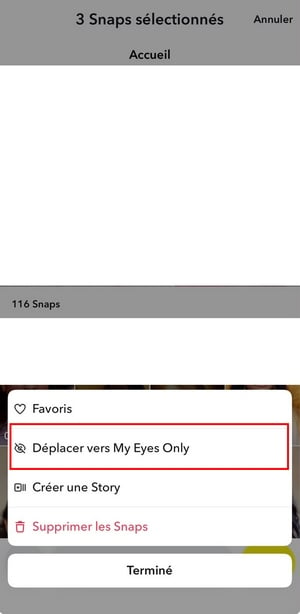
To get there faster: press and hold a snap from your Memories, then select directly «Move to My Eyes Only ».
The file immediately leaves the standard gallery and becomes invisible without any notification PIN code.
Moved content will no longer appear in your regular Memories. To view your photos and videos again, you'll need to enter your code in the folder My Eyes Only.
That's exactly what protects your privacy, especially if you also want to block someone on Snapchat to prevent unauthorized access to your messages.







 English