Want to analyze prices, availability or Booking reviews? Le web scraping remains the fastest way to collect this data and turn it into useful insights in 2025.
In this article, discover how to scrapbook on Booking in 2025.

The different methods for scrapbooking on Booking
the web scraping consists of extracting large amounts of structured data from websites. It is a automated method which allows collect information far too time-consuming to copy manually.
There are two main approaches to scraper Booking You can use scraping tools or do it by code.
1. Use web scraping tools
Web scraping tools are turnkey solutions, ideal for those who don't want to (or can't) code. Convenient, they take care of technical challenges (blockages and CAPTCHAs) for you.
Here are three popular tools for scrapping Booking without coding, with functions dedicated to the site:
- 💡 Bright Data
- 🐙 Octoparse
- 🤖 Apify
Bright Data

Bright Data is a complete solution which offers proxies, a scraping browser and APIs.
It stands out for its dedicated Booking.com functionality: Scraper Bookinga ready-to-use tool for easy retrieval of data such as prices, availability and reviews.
👉 Discover our full review of Bright Data.
Octoparse

An intuitive solution, Octoparse is tool without codeideal for non-technical users.
Thanks to its pre-built template, Booking Hotel Info Scraper, you can extract data such as establishment names, prices, or ratings with just a few clicks.
👉 Discover our full review of Octoparse.
Apify
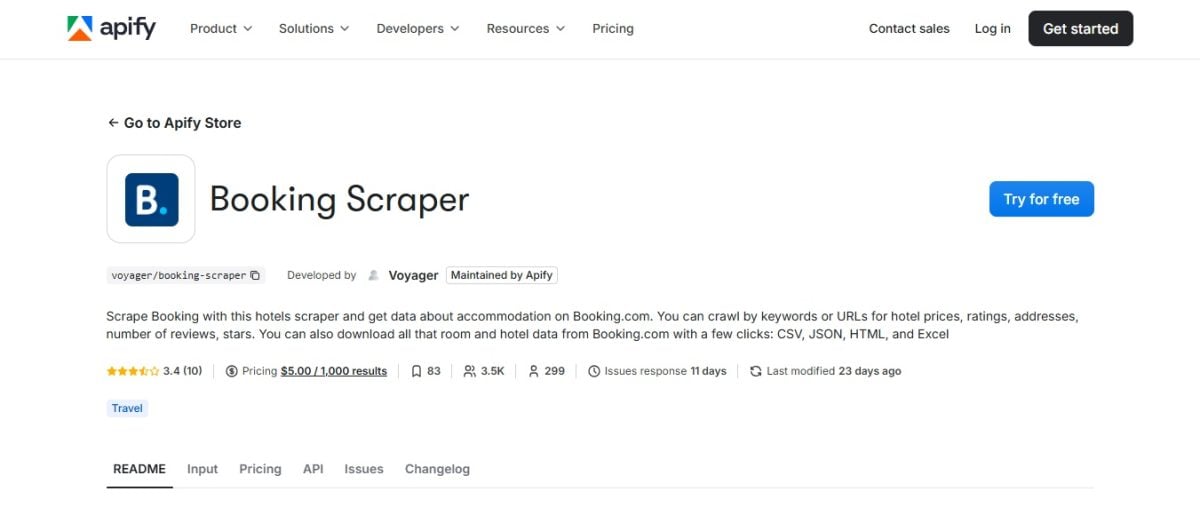
Apify is a development platform that offers a vast library of ready-to-use scrapers (called "Actors"), including the very popular Booking Scraper.
Thanks to this scraper, you can extract a wide variety of data from Booking.com without having to code. You'll be able to retrieve information from large-scale hotelswhile managing pagination and automatic deadlines.
👉 Discover our full opinion on Apify.
To help you choose, discover our comparison of best scraping tools in 2025 !
2. Code scraping with Python
the web scraping by code is the perfect solution for complex or recurring tasks.
The Python ecosystem is particularly rich for this activity, thanks to its specialized libraries.
Here are the essential bookshops for Scraper Booking with Python :
- ✅ BeautifulSoup and Requests: for the basics of static scraping
Requests enables make HTTP requests to retrieve the source code (HTML) of a web page, much like your browser would.
Then, BeautifulSoup analyzes HTML code that you have retrieved. This will allow you to easily navigate the page structure and extract specific elements (titles, prices, links, etc.).
For more information, please see our article dedicated to Web scraping with Python and BeautifulSoup.
- ✅ Selenium or Playwright: to manage dynamic content and JavaScript interactions
These tools control a web browser (such as Chrome or Firefox) automatically.
They can click buttons, fill out forms, or scroll down the page. All this to ensure that all content is loaded before retrieving the data.
- ✅ Scrapy: the complete framework for large-scale projects
Scrapy manages the entire scraping process very efficiently, with built-in features for query managementdata processing and storage.
If you plan to scrape thousands of pagesWhether you need to manage complex sites or automate the process, this is the tool for you!
How to scrapbook on Booking with Python?
📌 Here's a simple example of scraping with Selenium, to extract data from Booking.com.
👉 1. browser configuration and launch
Use Selenium to open Booking as if it were in a real browser (Chrome, Firefox...).
from selenium import webdriver
from selenium.webdriver.chrome.service import Service
from webdriver_manager.chrome import ChromeDriverManager

# Launch Chrome automatically
driver = webdriver.Chrome(service=Service(ChromeDriverManager().install()))
driver.get("https://www.booking.com")
👉 2. HTML code retrieval
Once the page is open, retrieve its contents.
html = driver.page_source👉 3. Data analysis and extraction
Then use BeautifulSoup to analyze the HTML code and extract information (e.g. hotel names).
from bs4 import BeautifulSoup

soup = BeautifulSoup(html, 'html.parser')
hotels = soup.find_all("div", class_="fcab3ed991 a23c043802")

for hotel in hotels:
    print(hotel.get_text())
Then, once you're done, don't forget to close the browser!
For more details on the process, visit our article for scraper a website in Python.
Why scrapbook on Booking?
the scraping from Booking.com offers a wealth of opportunities for companies and individuals alike.
Here are some really useful use cases:
👉 1. Competitive intelligence and market analysis :
- Price monitoring : monitor price trends to adjust your own pricing strategy
- Demand analysis : identify booking trends for specific periods or destinations
👉 2. Reputation and customer review management :
- Notice follow-up : collect and analyze customer feedback to improve your services
- Sentiment analysis : Evaluate the overall tone of the comments to better understand your company's strengths and weaknesses.
👉 3. Application and service development:
- Travel aggregators : create platforms that compile the best offers from different sites
- Academic research : The data collected on Booking can be used for studies on tourism and the travel economy.
Booking's web scraping also allows fordata automation with regular updates. But above all, you save precious time collecting information!
What type of data can be extracted from Booking.com?
Booking.com is a veritable gold mine of information !
Here is a non-exhaustive list of the data you can extract from the site:
- 🏨 Name of the establishment
- 🏘️ Type of accommodation (hotel, apartment, hostel, etc.)
- 📍 Full address and zip code
- 🌐 Geographic coordinates (latitude, longitude)
- 🔗 Link to the institution's page
- 📖 Full description of the establishment
- 🛎️ Facilities and services offered (Wi-Fi, swimming pool, parking, air conditioning...)
- 📜 Policies (cancellation, check-in, check-out)
- 🖼️ URLs for main images and photo galleries
- 💲 Prices for different dates and lengths of stay
- 💰 Prices with and without taxes
- 🎁 Promotions and discounts applied
- 📊 Availability status (available, complete)
- 🛏️ Number of beds remaining for a given room type
- 🛋️ Name and type of room (double, suite)
- 📏 Room size
- 👥 Capacity (number of people)
- 🔌 Room-specific equipment
- ⭐ Overall rating of the establishment (e.g., 8.5/10)
- 📝 Total number of reviews
- 📊 Ratings by category (cleanliness, comfort, location, value for money)
- 💬 Full text of each notice
- 👤 Customer name and country of origin
- 📅 Date of publication of the notice
- 🌟 Customer rating for this review
- 👍👎 The "I liked" and "I didn't like" parts of the review
- 🏙️ Distance to city center
- 🗺️ Distance from places of interest (museums, train stations, airports)
- 🏞️ Description of the neighborhood or surrounding area
- 📌 Location score
What are the most common technical problems with Booking.com scrapbooking?
Booking offers a wide range of defense systems to block bots and scrapers.
We take a look at the most common problems encountered when scrapbooking Booking and how to get around them :
1. Blocking by IP
If you send too many requests from the same IP address, you'll be blocked.
🔑 Solution: use proxy rotation. Tools like Bright Data offer proxy networks that let you mask your IP and simulate requests from different addresses.
2. CAPTCHA
More and more websites, including Booking.com, use CAPTCHAs to verify that the user is human.
🔑 Solution: you can opt for automated CAPTCHA bypass services to easily solve this problem.
3. Blocking by User-Agent
Websites can block requests that do not come from a standard web browser.
🔑 Solution: modify your User-Agent to simulate the behavior of different browsers (Chrome, Firefox...).
4. Dynamic content (JavaScript) difficult to load
On Booking, much of the data is not present in the initial source code and is loaded via JavaScript after the page has loaded.
🔑 Solution: use tools like Selenium or Playwright that can execute JavaScript and interact with the page like a real user.
FAQs
Is it legal to scrape Booking.com?
The legality of web scraping is a complex subject. It depends on several factors:
- 📜 Les terms of use from Booking
- 🛡️ The laws on data protection (like the RGPD in Europe)
- 📊 Type of data extracted
the Booking scraping is not illegal in itself. However, it can become illegal if copyright or confidentiality laws are not respected.
Does Booking.com have API access?
❌ NO, Booking.com does not offer no public API for the mass extraction of data such as prices, reviews, or hotel descriptions.
✅ On the other hand, Booking has a Partnership API designed for hosts so they can manage their own listings and bookings automatically.
How to scrape Booking.com without coding?
Web scraping tools are the best solution for scraper Booking without coding :
- 💡 Bright Data: all-in-one service with integrated browser and API
- 🐙 Octoparse: visual interface for creating scraping scenarios
- 🤖 Apify: platform with pre-configured scrapers (Booking Scraper)
These platforms offer user-friendly solutions dedicated features.
Alternatively, you can use web scraping extensionsbut they are limited for Booking.com.
Scraping Booking.com is now within your reach! Which solution are you planning to try? And if you have any other questions, feel free to ask us in the comments!








 English