Discord recently released a new update. You will now have a unique username and rarely changeable, as well as a display name that can be changed infinitely and is not unique.
Find out in this article how to change your name on Discord and how to modify it on a single server only.
How to change your Discord username?
Change your username Discord is very simple. Here are the steps to follow:
- Go to settings Discord (bottom left, on the gear).
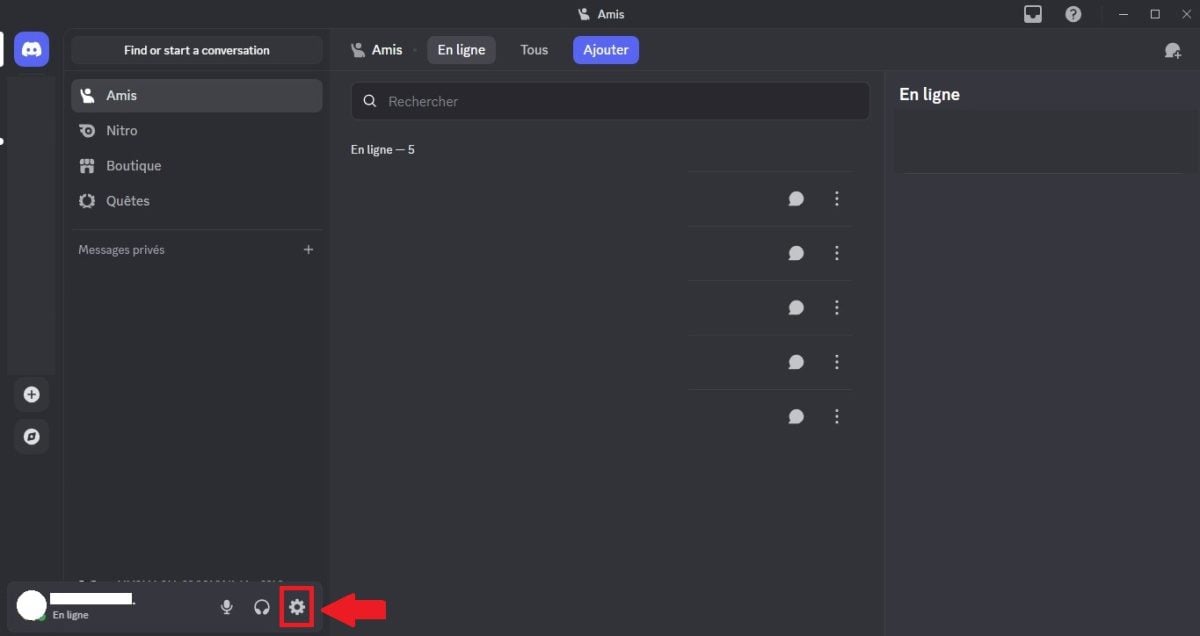
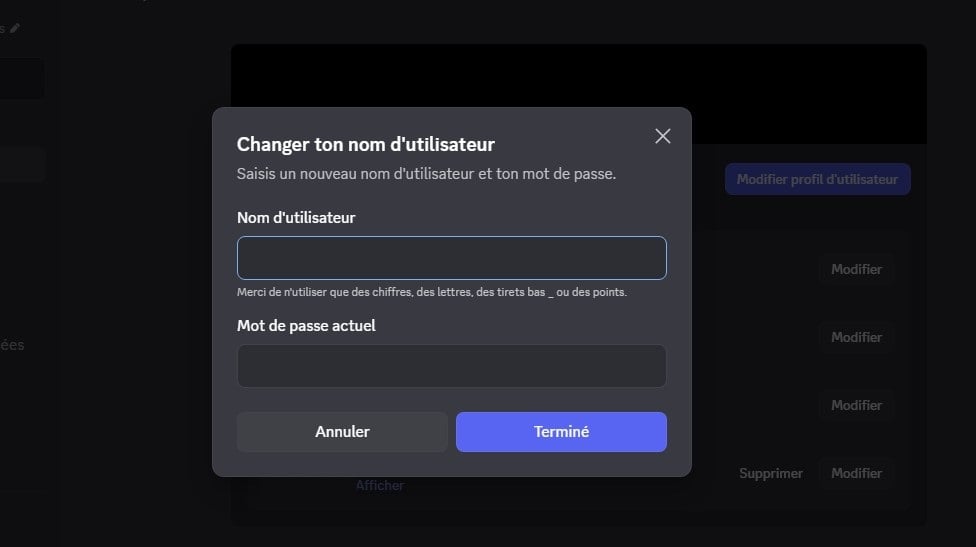
- You will see the "My Account" section immediately. You can then click on " Edit ", located to the right of the category " Username ".

- You can then choose a username (You cannot change the numbers unless you are Nitro or are already on the new username system). Write down your password (for the Discord account) and your username will now be changed.
How to change your display name Discord?
You can change your display name for all servers and for your private messages on Discord. Here are the steps to follow:
- Go to settings Discord (bottom left, on the gear).
- Then, in "My Account," click on " Edit ", located to the right of the category " Display Name ".

- The page below appears. You can change your display name and save. You can add special characters, emojis, etc.

How to change your display name Discord on servers?
Some Discord servers offer the option to change your display name for that server only. This allows you to have a personalized profile for each server. Here are the steps to follow: change your name Discord on a server :
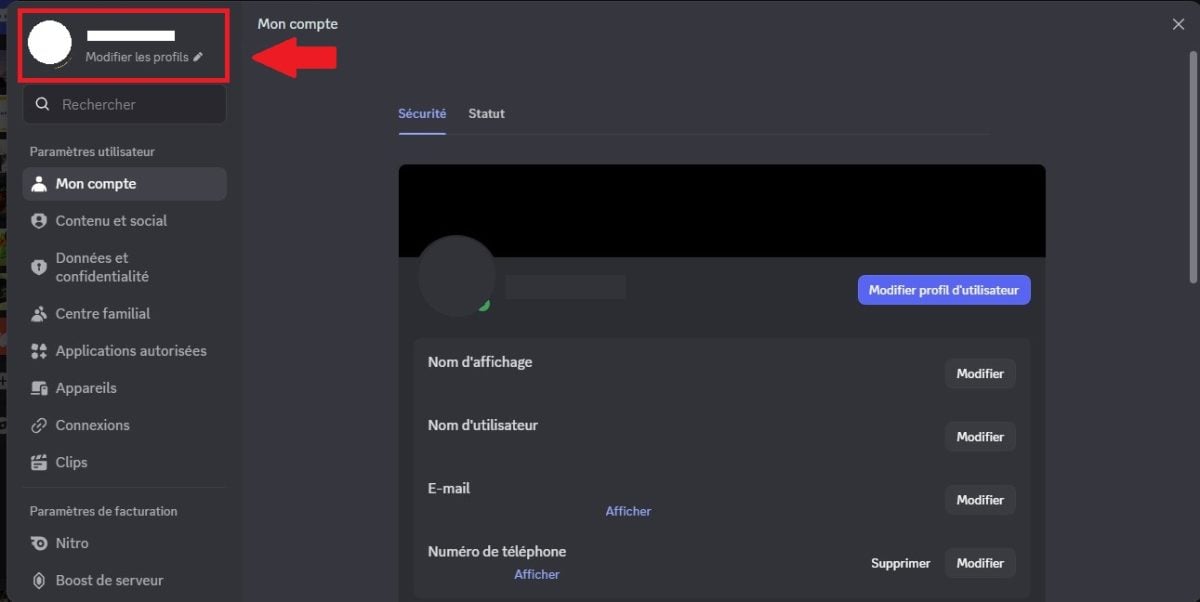
- Go to settings on Discord (bottom left, on the gear).
- Go to the " Edit profiles ".
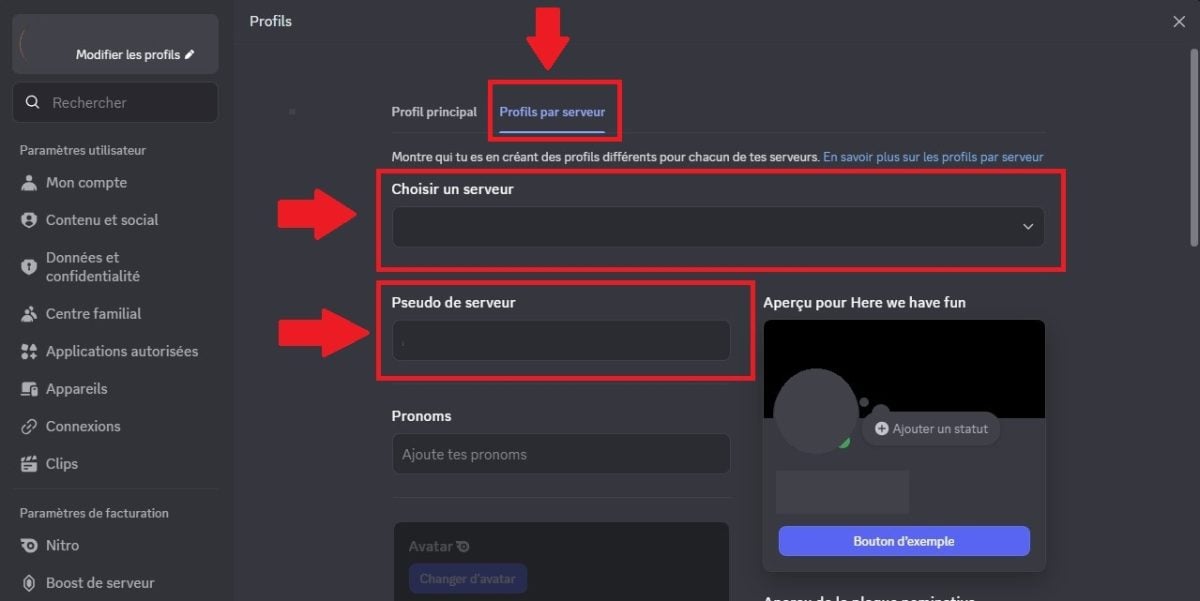
- Then go to the section " Profiles by server ". You must then select the server where you want to change your display name (Please note: not all servers allow name changes!). Choose a name for the server in question, then save.
As you can see, if you go to the server where you changed your username, your new name appears, without change your original name on other servers.
Change your username Discord on a server allows you to have a stylish Discord username specific to that server without losing your general identity.
To better customize your profile, discover how to create a profile banner Discord à travers un autre article sur notre site.
FAQs
What are the updates on Discord usernames?
Some time ago, Discord published a NEW UPDATE.
- Previously, we had always had a username with a discriminator (e.g., Alucare#0010).
- However, many people could not hold back this type of username Discord, which made profile sharing complicated.
- Discord therefore decided to use a system similar to other social networks, with a unique username (e.g., @alucare_off).
- This system should make it easier to remember your username, allowing everyone to best experience application.
The username may not not be changed too often, so choose something that suits you.
However, you also have access to the display name in addition to your username. The display name can be customized as you wish (emojis, special characters, etc.). You can change it as many times as you like.
What are the restrictions for usernames?
A few points are worth remembering in the context of username on DiscordHere is what the platform states:
- The number of characters for usernames must be between between 2 and 32.
- Usernames may include capital letters and are not case sensitive.
- It is not possible to use special characters other than the underscore ( _ ) and the point ( . ) in usernames.
- It is not possible to use two consecutive points in user names (for example: a.b. is accepted, but a..b is not).
- Each Discord user has a unique usernameTwo users cannot share the same username.
In accordance with the rules, discover What are the different penalties possible on Discord? à travers un autre article sur notre site.
Should I use my real name on Discord?
Users may not not falsify their identity on the Discord platform. It is imperative to comply with community rules when creating a username. Here are some examples of usernames that are not allowed:
- Usernames containing attacks on other people or some incitement to hatred.
- Usernames used for impersonate of an individual, group, or official organization.
- Usernames used for impersonate Discord, Discord personnel, or Discord system messages.
- Usernames containing profanity sexually explicit.
In conclusionYou can change your name on Discord quickly and easily. You can choose between changing your name in general or only on some servers.
If you're wondering how change name on Discord on phoneThe methods are the same. All you need to do is access the mobile app.
If you have any questions about this article or would like to share your opinion, please feel free to leave a comment.








 English