A .docx document is, in fact, composed of several files ! But how do you find these secret files?
No need to worry! In this article, we'll provide you with detailed tutorials on :
- How to locate secret files in a .docx,
- How to find hidden .docx documents for Windows and Mac!
Here we go!
Explanatory video in French by Alucare, ideal complement to the page. View video (you can use YouTube's automatic translation)

How to locate the secret file in a .docx document easily?
Here are the simple steps to find all the secret files in a .docx document:
- start with locate .docx document on your computer. If file extensions are not visible, you can configure Windows to display them.

- Once you have found the .docx document, right-click above and select the option " Open with » using your mouse.

- Then, several choice will be available to you to open the .docx document on your device.

- But to find the hidden files in a .docx document, the best option is to open it with WinRAR. However, if you can't find this option, click on More applications.

- If WinRAR is still not listed among the playback options, click on Search for another application on this PC.
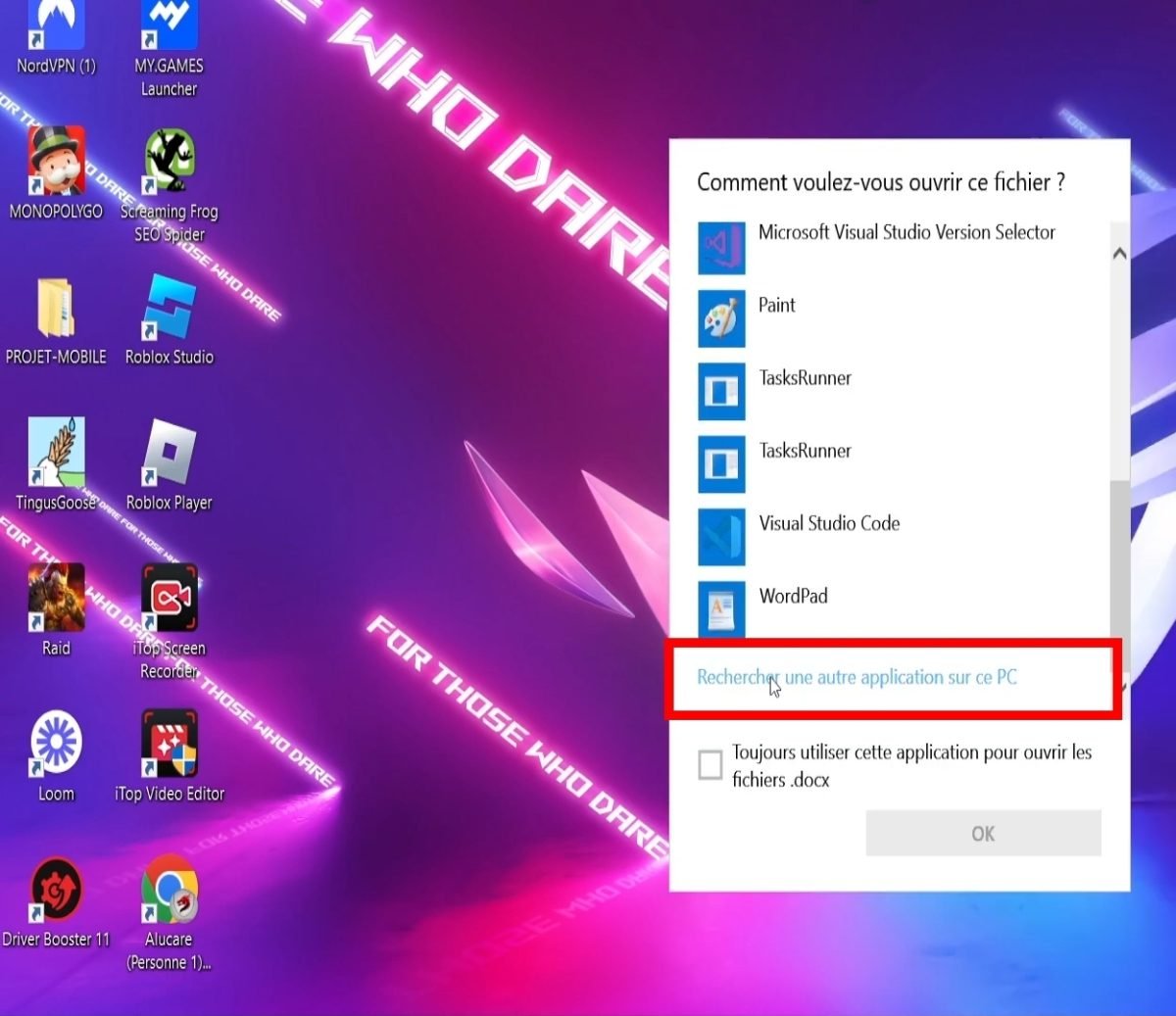
- Now click on WinRAR then on Open,
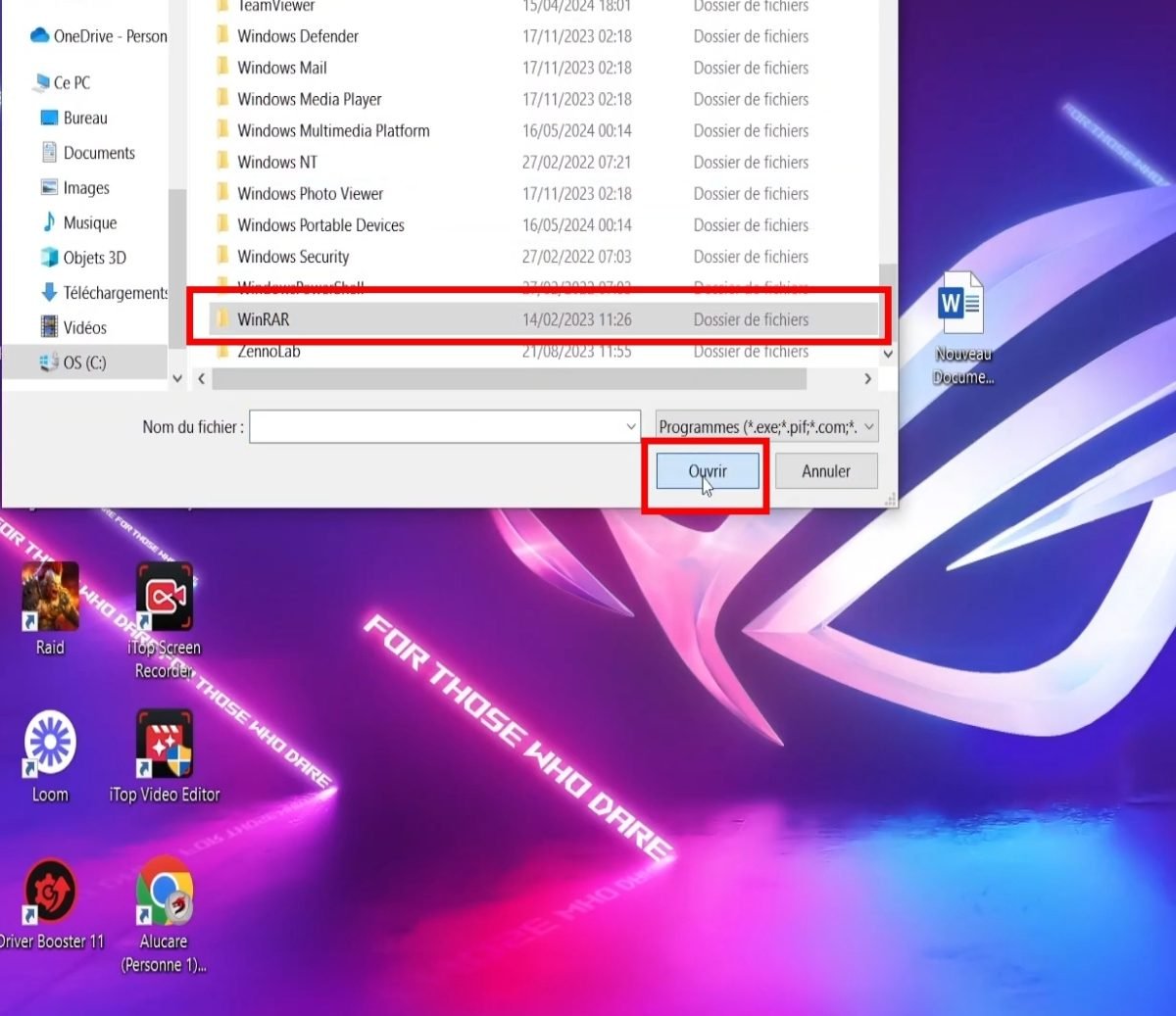
- Now place your cursor on WinRAR.exe then on Open,

- Until then, you'll see. all .docx information hidden, as well as all the files inside!
- You can also insert files if you wish and delete them if necessary later on.
Discover also thefile extension that opens with a word processor !
A .docx document is actually made up of several files: find the secret file!
After having open .docx with Winrar.exe, you will find all the secret files inside!
Please note that this is a document consisting of several files grouped together in a compressed archive. It contains:
- Document content,
- Style,
- The text,
- The image,
- Other data and information.
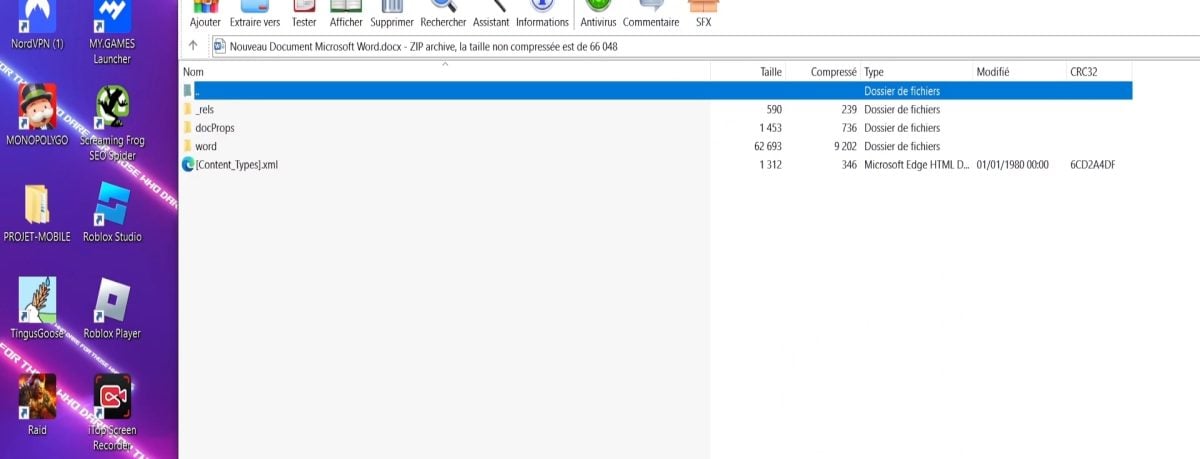
In fact, when a .docx file is opened, it is extract from the archive. The various files that make it up will then be processed by Microsoft Word or any other software compatible with this format.
This modular structure will more efficient document management. It also facilitates subsequent modifications and updates to these files.
.docx secret files: how to find them on your computer?
Sometimes cannot locate a .docx file that should have been on your computer, or that you chose to hide on the device intentionally.
If one day, you wish to find it again, here are some simple techniques to help you :
1. Displaying secret files in Windows
To display secret files easily under Windows, proceed as follows:
Windows 11 :
- First, open File explorer from the taskbar.
- Then select To display > then To display > and click on Hidden items.
On Windows 10 :
- First, open File explorer from the taskbar.
- Then select To display > Options > then Modify folder and search options.
- Select the To display and, in Advanced settings, select Show hidden files, folders and drives then finally confirm by clicking on OK.
2. On Mac
Similarly, .docx files may also be hidden from your Mac, or you may have deliberately hidden them from the device settings.
So, for find secret .docx files on a Mac, follow these simple steps:
- First, click on the icon. Finder from your Dock to open it.
- Then press “Command + Shift + .” to display files hidden in folders.
If you want to hide the file again, press Command + Shift + . on your Mac.
For more tips on your Mac, discover how to change the color of a folder on macOS !
What software can I use to open a .docx document?
To open a .docx document, it is essential to have the following tools compatible Microsoft Office applicationsHowever, please note that a .docx file is compatible with the following software:
- Microsoft Word Open Office
- LibreOffice
- Google Docs (online reading)
- apple-page
- Word Viewer
This .docx document can be opened with Microsoft Word 2007 and later versions!
Now you know how to find the hidden file in a .docx document and modify it by choosing WinRAR as the reading option! Similarly, finding a hidden .docx file on your computer is no longer a mystery to you!








 English