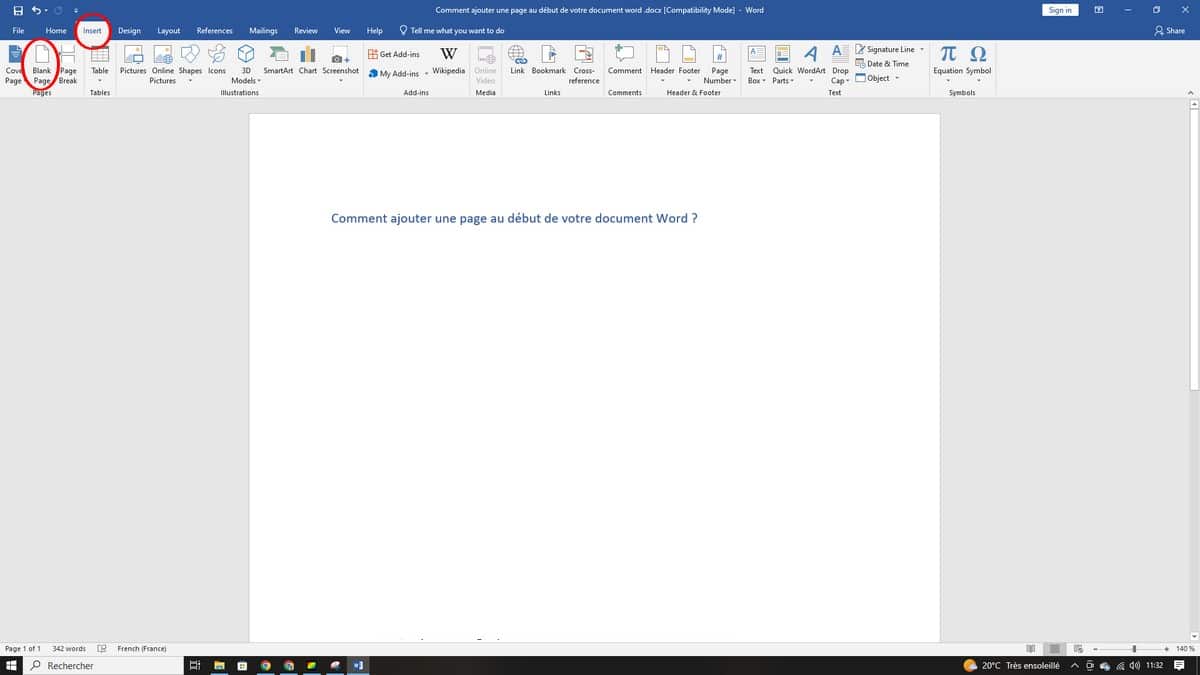
To Add a page at the beginning of your document Word, go to Insert > Blank Page. A new page will then appear before your existing content.
You can also use a page break with Ctrl+Entrée to go even faster.
This tip works on Word to Microsoft 365, on both PC and Mac. Would you rather see how it works?
Explanatory video in French by Alucare, ideal complement to the page. View video (you can use YouTube's automatic translation)

How to Insert a Blank Page into a Document Word ?
Here are the steps to follow Insert a blank page at the beginning of your document Microsoft Word :
- Place the cursor at the very top of the document by pressing Ctrl+Home at Windows (Where Cmd+Home (on a Mac).
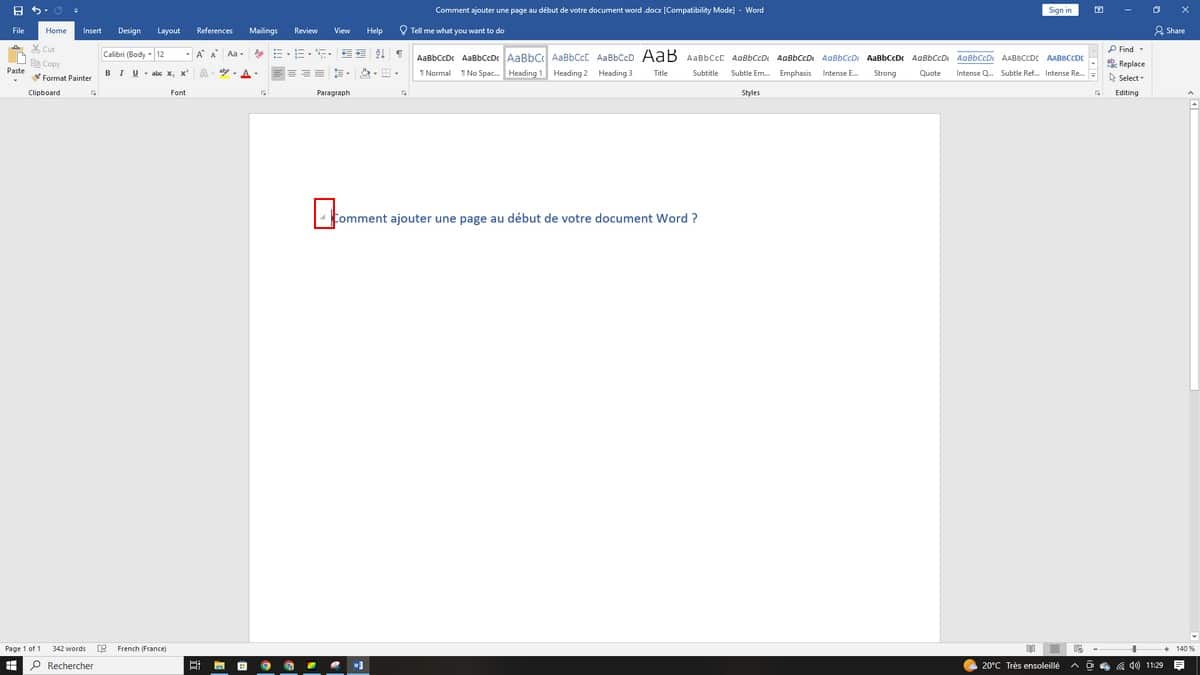
- Click the tab Insertion on the ribbon, then on the button Blank page in the group Pages.
A blank page goes right before your main content. You can repeat this step as many times as needed, whether at the beginning, middle, or end of the document.
The quick version: page break
If you want to go faster, place the cursor where you want it and press Ctrl+Entrée.
This shortcut inserts a page break immediately and pushes your content down. This is the fastest way to ensure a new page starts in the right place.
Blank page or page break: What's the difference?
Both options create a new page in your document Word, but they don't work the same way:
- Blank page : Adds a complete, blank page ready to hold text, images, or tables. Useful, for example, for inserting a title page or a page with additional information.
- Page Break : Simply moves the following content to the next page without inserting any unnecessary spaces. Ideal for ensuring that a new section always begins at the top of a page.
For a layout clean, prefers the page break when you want a section to start on a new page. Choose Blank page when you need a completely blank page to put separate pieces of information on.
Find and delete pages quickly
In a long document, the navigation pane is your best ally. Click on Display, open the panel, then click on Pages to view the pages and identify any unnecessary elements. This method works just as well on Windows only on a Mac.
To delete a page or one page break If you have any questions, check out our dedicated article, which explains the process step by step.








 English