You've decided to try the GamsGo adventure, but you're having a few problems? Don't panic! In this article, discover how to solve problems on GamsGo.
On the program: clear and simple solutions so you can finally enjoy your cheap streaming subscriptions.

1. Solutions to Netflix-related problems on GamsGo
Having trouble with your Netflix subscription? Can't access your account? Let us guide you step-by-step to solve your problems.
Can't connect to Netflix with GamsGo: what can I do?
METHOD 1:
- Log on to your GamsGo account
- Go to your subscription pagethen in the Netflix section
- In the password section, you'll find the option REINITIALIZE
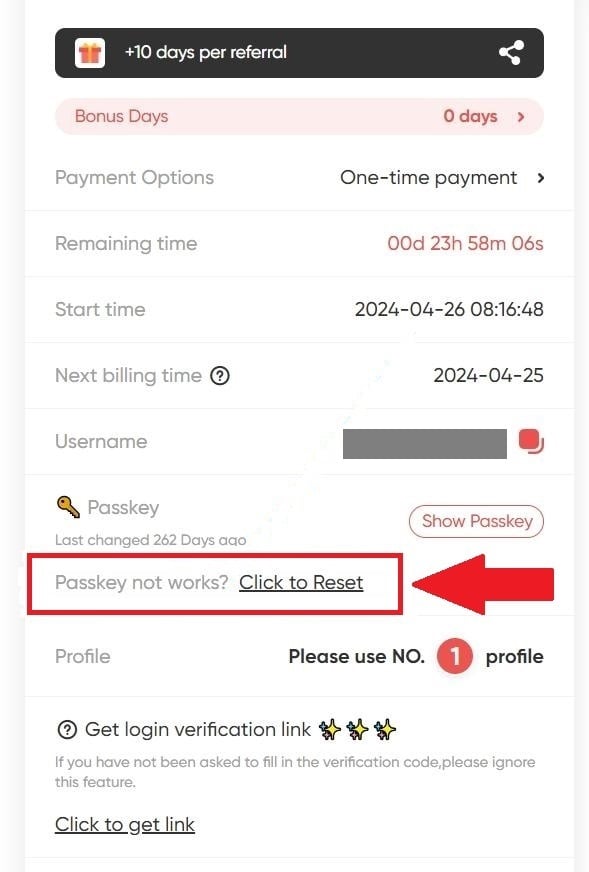
- Press to get a new code.
Wait 5 minutes, then refresh the page. You'll see a new password which you can use immediately to log in and access your account!
METHOD 2:
If you are unable to access the platform from your TV or mobile application :
- Go to your computer to test the password on the official Netflix website.
- If it works, it means that the application on your TV or phone needsan update.
- If this doesn't work, go to GamsGo.com to request a new code.
How to resolve the "Not part of the Netflix household" error?
METHOD 1:
- Stay on your Netflix account
- Select "I travel Where "Watch temporarily"
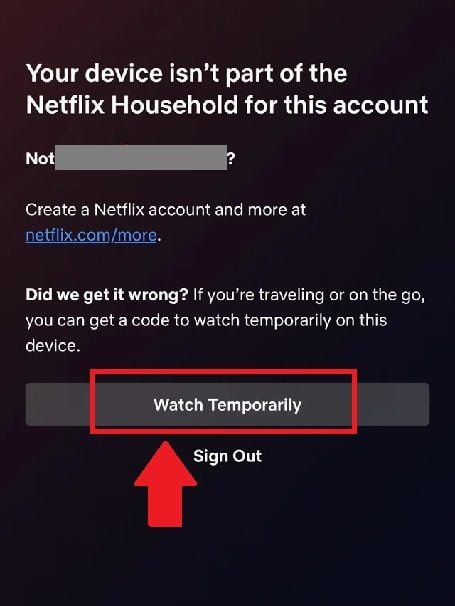
- Then select "Send an e-mail
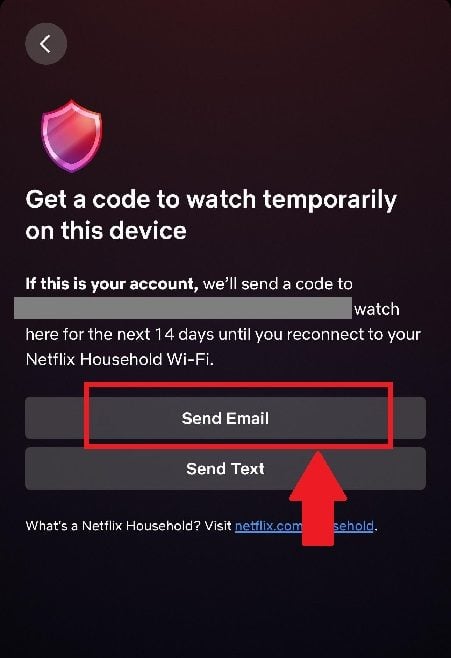
- Go to GamsGo.com, then to your subscription page
- In the Netflix section, select "Click for link" all the way down
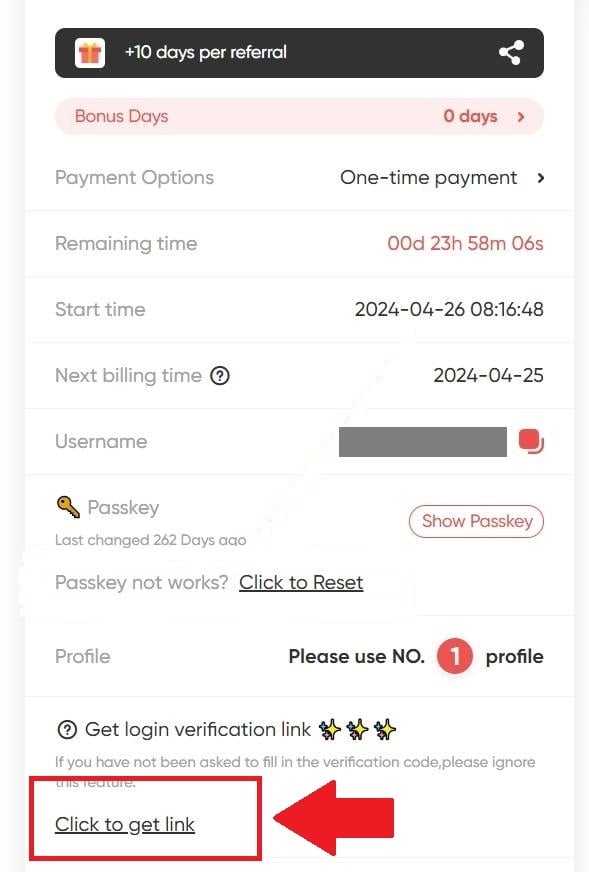
- Once this is done, select "Open the link to see the verification code".
- Use the login provided to access your account.
Important! If this fails, you must wait 24 hours to try to obtain the verification link again.
METHOD 2:
- Sign out of your Netflix account
- Restart your Smart TV router/modem
- Then reconnect.
I can't find the "I'm traveling" or "Watch temporarily" option on Netflix: what should I do?
- Click on "Updating the Netflix home"

- Then select "Send an e-mail
- Go to your Netflix subscription page on GamsGo.com
- Select "Click for link"
- Press on "Open the link to see the verification code".
- You will then be directed to the streaming site
- Use the series of numbers to update your account
Why is my profile blocked on Netflix?
Shared subscriptions via GamsGo mean that co-subscribers are constantly changing. So when a user leaves, his or her account is reassigned to a newcomer. However, the profile in question may still be defined by the user's personal information and the name of the new member. PIN code of previous subscriber.
As a result, the new user is blocked. If this happens to you, you need to change password from your user account. Don't worry, it's very simple!
- Just click on your profile
- Select "Forgot password", under PIN request
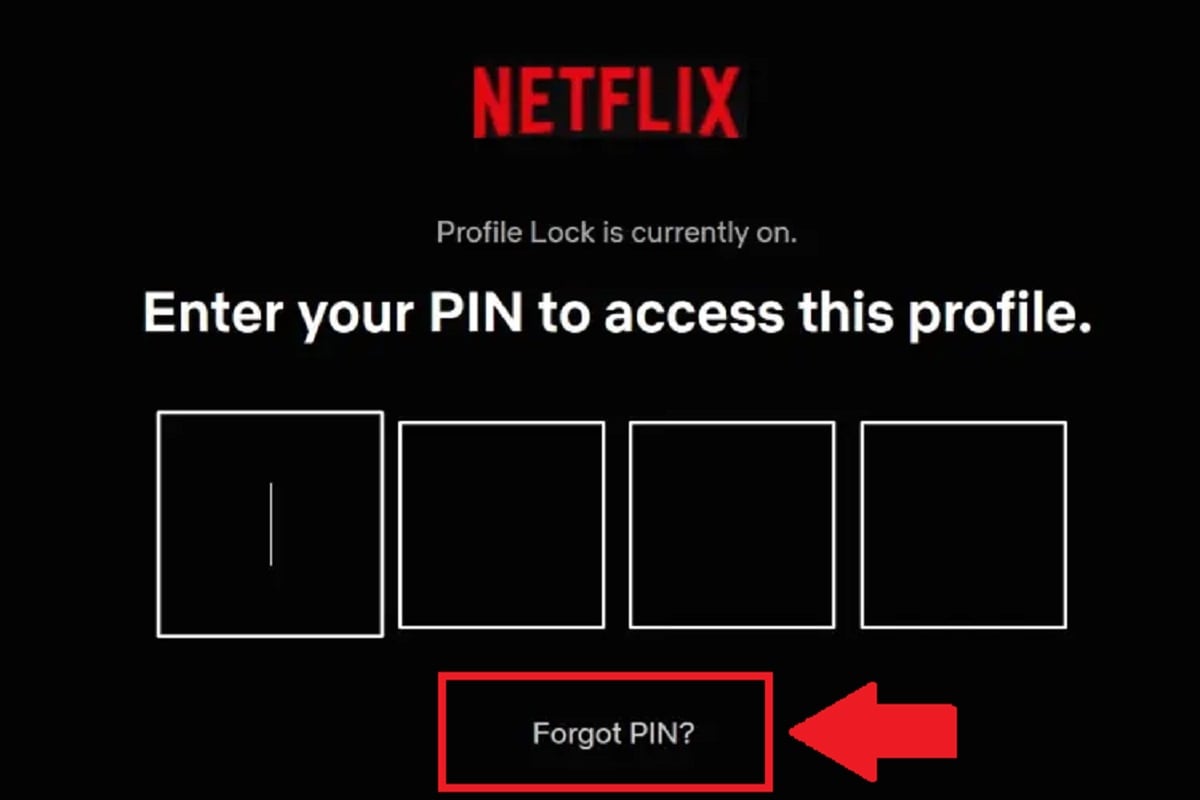
GamsGo will receive your request and send you a new password on your Netflix subscription page.
Use this new series of letters and numbers to set up your account and change the PIN.
2. Solutions to problems with Spotify on GamsGo
Having trouble with your new Spotify account? Don't worry, there's always a simple and effective way to get over it and enjoy your favorite tunes.
How do I connect to Spotify with GamsGo?
Just go to Spotify.com, then use the login details provided by GamsGo to access your account.
You can do this on the streaming giant's web browser, desktop version or mobile application.
To find out more about the procedure to follow, visit our article, which explains in detail how to connect to Spotify with GamsGo.
What if my Spotify account is no longer Premium?
Have you received a notification that your account has been switched to free mode? Or have you lost access to advanced features overnight?
To solve the problem :
- Visit Gamsgo.com
- Go to the after-sales service
- You can contact a manager via chat
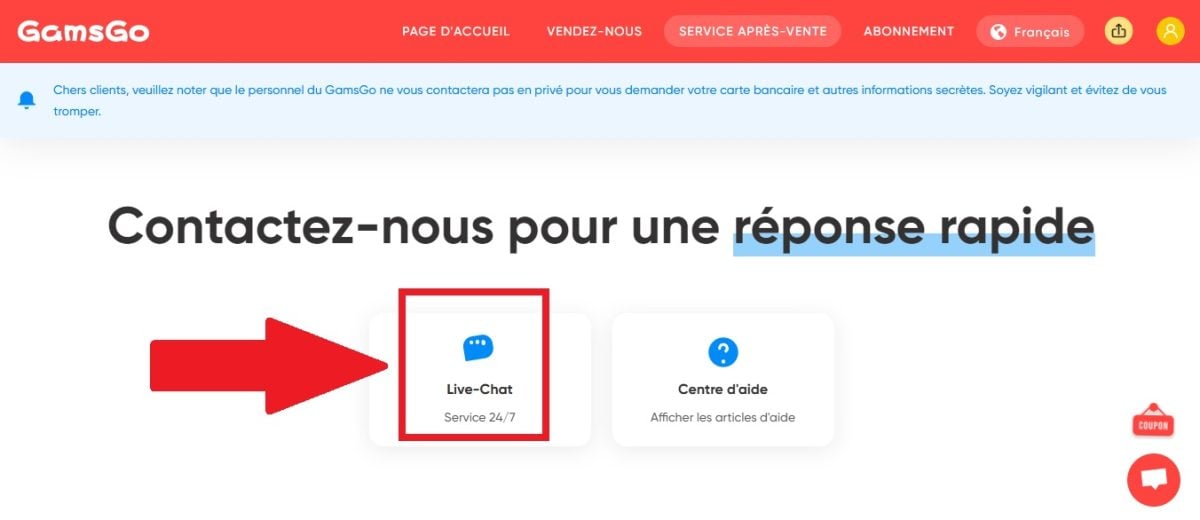
- Explain your concern as clearly as possible
- You must also provide your order number
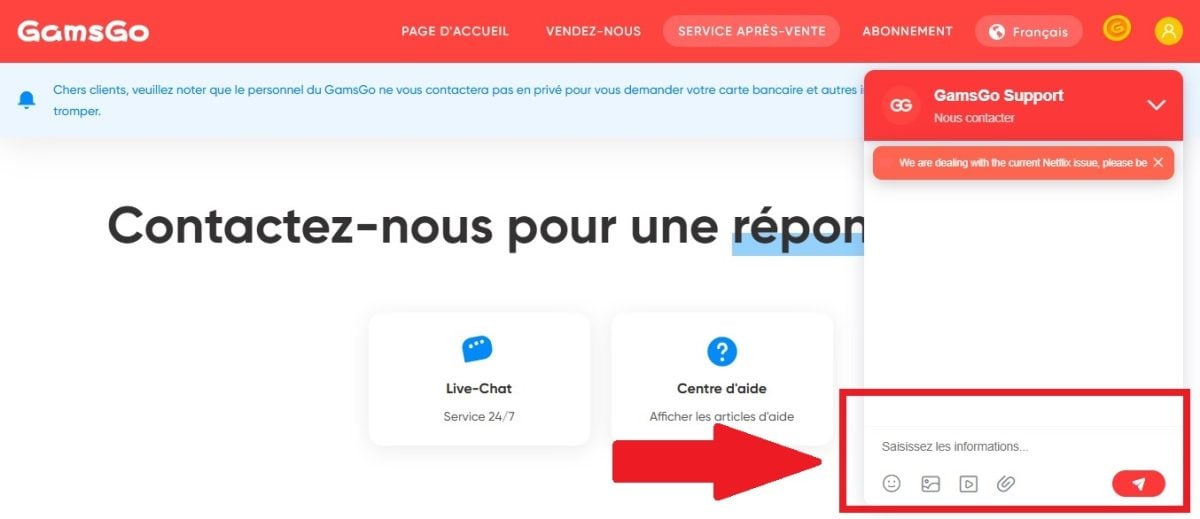
- The after-sales service will put everything back in order.
- You'll be notified immediately once the problem has been solved!
How do you transfer your Spotify playlist to the account provided by GamsGo?
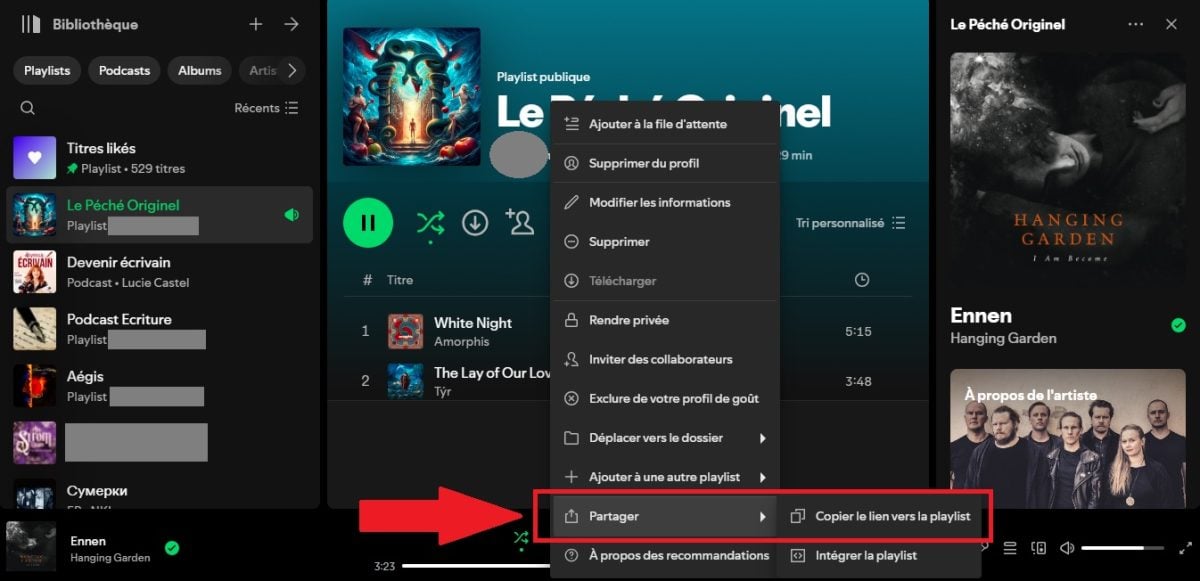
FIRST STAGE
- Log in to your old account
- Select playlist you want to transfer
- Then press the more options button “…”

- Then select SHARE
- Then "Copy the link to the playlist".
SECOND STAGE
- Go to your new account
- Paste the playlist link on the search bar

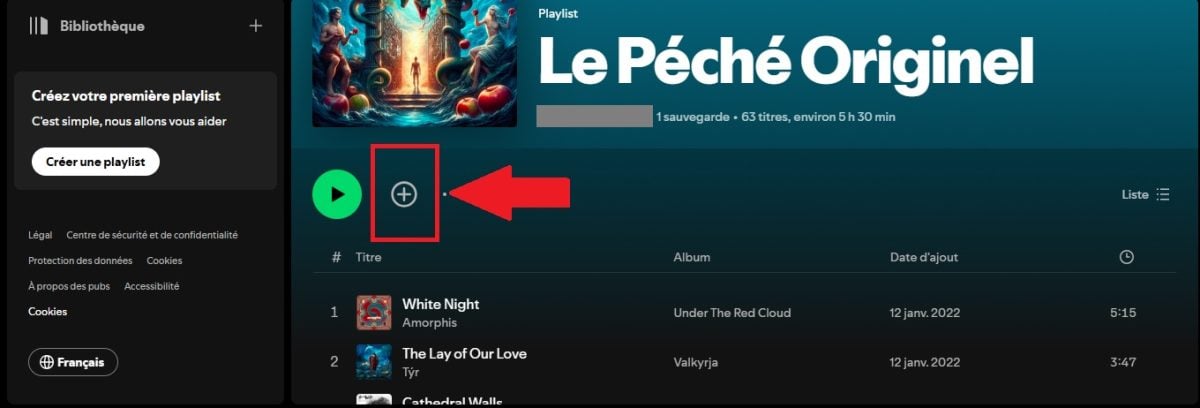
- Then press the + or heart icon playlist
- This will be saved in your new account.
3. Solutions to YouTube-related problems on GamsGo
You've subscribed to a YouTube Premium package, but nothing's going according to plan? Don't panic, whatever the problem you're having, there are solutions for everything!
How do I activate my YouTube subscription on GamsGo?
- Go to your subscription page
- Then go to the YouTube section
- Fill in the box "YouTube login email"
- Then press SUBMIT

- You will receive a invitation link by mail
- Open the link in private browsing

- Click on JOIN, then JOIN THE FAMILY

- Once this is done, your subscription is activated!
I don't have a YouTube Premium account: what should I do?
You've managed to join the family group, but your YouTube account is free? Don't worry, all you have to do is activate it. Here's how to do it:
- Go to YouTube.com
- Press your avatar to scroll through the settings options
- Select "Manage your Google Account
- Then select "Users and sharing to display family groups
- Go to Sharing at home
- At the very bottom, you'll find "Show home sharing"
- Press it, and you'll see YouTube Premium Family Plan display
- Just click on it to activate your account!
Important! If it's just your home page that isn't displaying Premium, wait about 3 hours, then refresh the page. If it's a simple delay, everything should be back to normal by then.
If both solutions fail, contact GamsGo customer support, who will take care of everything.
What are the requirements for joining a YouTube family group?
- You must have a Google account.
- You must be a resident of a country that meets GamsGo and YouTube requirements.
- You must not be a member of another family group.
- You do not need to be a Google One member.
How to resolve the error "It seems you're not in the same country as the person who invited you"?
Are you experiencing a subscription activation error? The invitation link sent by GamsGo indicates that the invitee is not in the same region as you? You have two solutions:
METHOD 1:
- Visit the Google Pay page
- Then in the Settings section
- Go to Payment profile status, all the way down
- Select "Close payment profile

Then go back to the invitation link on GamsGo.com. There should be no more errors this time!
METHOD 2:
- Still on the Google Pay page
- See you this time on the COUNTRY/REGION menu, top left
- Make a screenshot this page
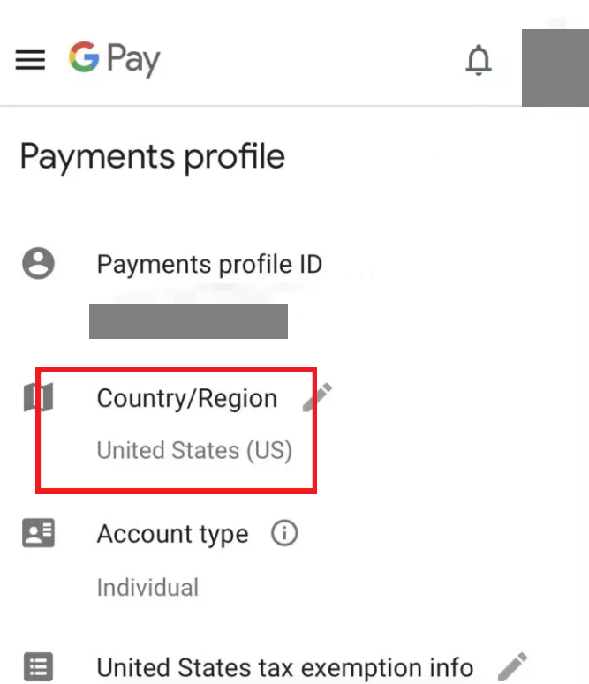
- Then go to GamsGo.com
- Send screenshot to customer manager
- You can do so via online chat
- We'll take care of it for you.
4. Solutions to GamsGo account problems
Problems with your subscriptions, refund requests... Having trouble with GamsGo.com? Don't panic, here's how to solve your problems:
Here is our complete article on alternatives to Gamsgoif you wish to change your subscription-sharing platform.
How do I request a refund on GamsGo?
- Log in to your GamsGo account
- Press your avatar
- Go to "Order history

- Here you will find all the details of your reimbursement
- Don't hesitate to contact customer support if you have any questions.
My payment was successful on GamsGo, but I didn't receive a subscription. Why not?
There are several reasons that could explain what's going wrong:
- The subscription you have purchased is in out of stock
- The package you are interested in is still in presale
In both cases, delivery of your identifiers can sometimes take 1 or 2 days.
It takes even longer if you've used a local, offline system to pay. GamsGo will only receive your money after 3 to 7 days. Only then will you receive your login details.
The deadline has passed and you still haven't received anything? Visit online customer service is available around the clock to receive and process your complaint as quickly as possible!
How do I renew my GamsGo subscription?
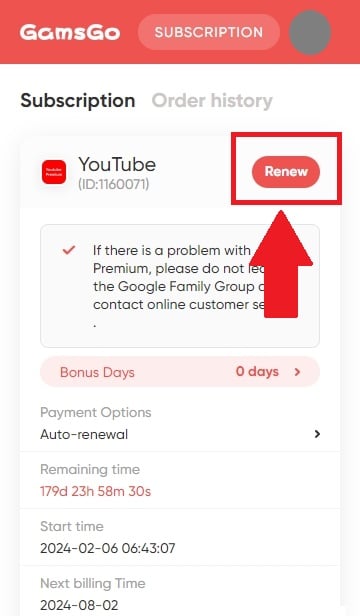
- Go to your subscription page
- Select the package you wish to renew
- Press on "Renew now
- Choose how long you want to subscribe for
- Click on "Go to payment
- Choose how you would like to pay for your subscription
- Fill in your bank details then validate.
If this doesn't work, you can contact customer service at any time via online chat.
Aside from the issues addressed in this article, do you have any other questions about GamsGo and its shared subscription system? Let us know in the comments!
Alternatively, you can read our article full review of GamsGo and the various subscriptions on offer.








 English
Qual è il problema
Achtung ‼️ Zugang nach einem Monat nur noch über gratis Abo mit Werbung möglich.
Noch keine Rückmeldung von Gamsgo erhalten. Werde berichten! Liebe Grüße