On Youtube, you can easily view all videos you have launched from your Historical. Don't know where to find it? Find out here!
But while this feature is useful, there are also times when users wish to delete or deactivate it for confidentiality or other reasons! Curious how to proceed?
Find out more in this article:
- How view YouTube history on mobile and PC?
- What are the steps to delete this history efficiently?
How can I view my YouTube watch history?
To access your YouTube historyHere are the steps to follow:
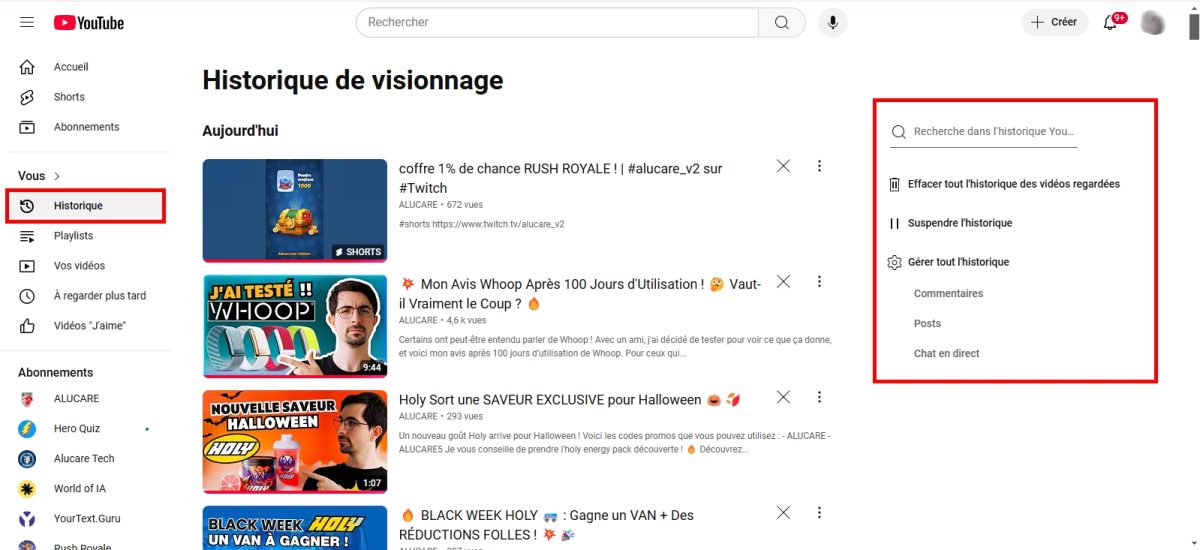
On PC :
- The first step is to launch your Web browser and to connect to your YouTube account ;
- Then, in the leftmost menu, locate the option Historical,

- By clicking on it, all your video histories will appear.
On mobile :
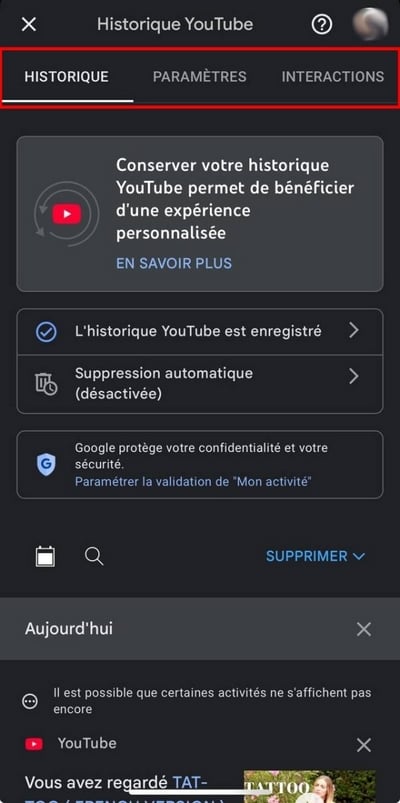
- Open the application Youtube on your phone and connect to your account,
- Then press your profile photo lower right,

- Then, click on thegear icon at the top right of the screen,

- Scroll down until you see " Manage all history »,

- Congratulations! You've managed to find the section that brings together all your activities on YouTube, such as videos watched and all your interactions.
Did you know? It is possible to pay less for YouTube Premium ! Feel free to check out our article for more information!
How can I see my entire YouTube search history?
- Go to YouTube (with your account logged in),
- Then simply position the cursor on the search bar to view your history. That's it!

To delete a search in particular, click on Delete in blue and that's it!
How do I delete my YouTube watch history?
- Meeting on Youtube and log in to your account,
- At the top left of the screen, click on the three horizontal lines then click on " Historical »,
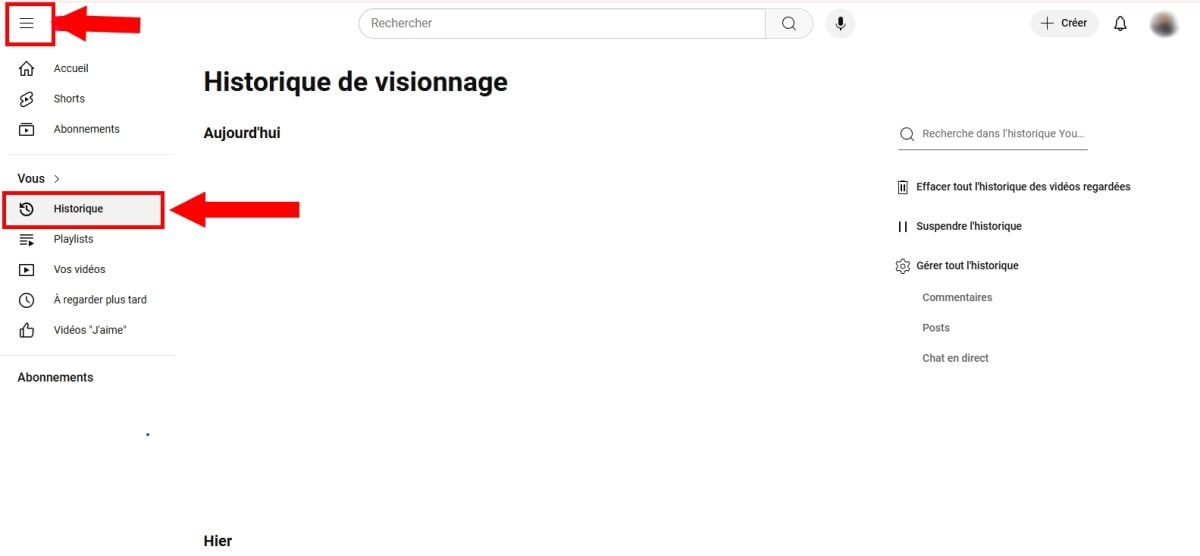
- By clicking on it, you have several options for suspend, delete automatically or Manage all history,
- Click on " Manage all history "You can effectively delete all your history on the platform,
- If you choose this option, start by clicking on To delete (indicated by the arrow below),
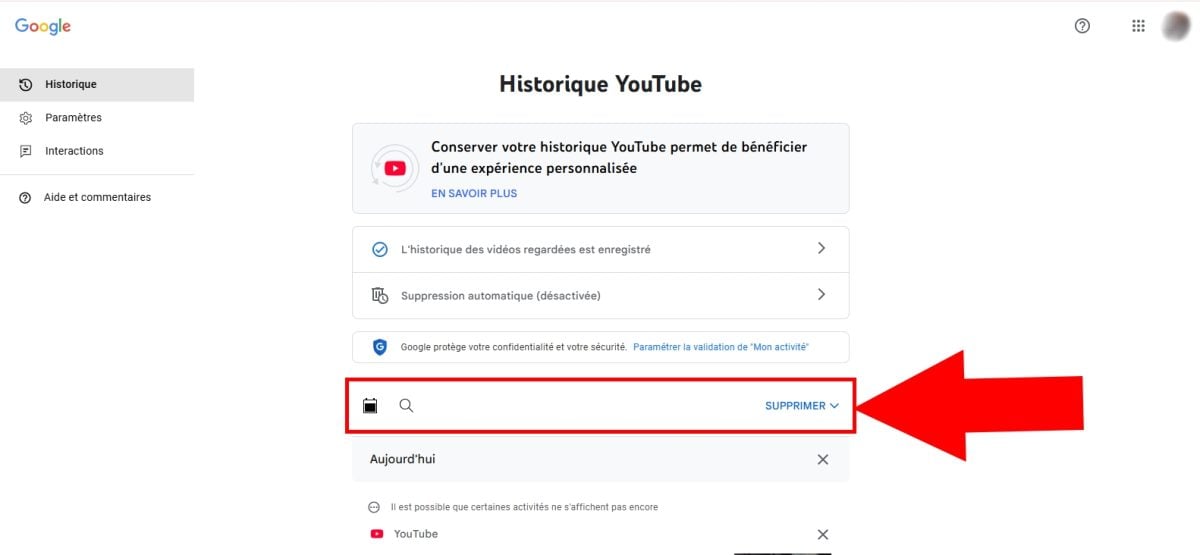
- Next, you will have 3 removal options, such as Suppressing daytime activities, Ua customized range or All activity,

- By opting for " A customized beach A calendar icon will appear. This allows you to delete the history for a specific period.
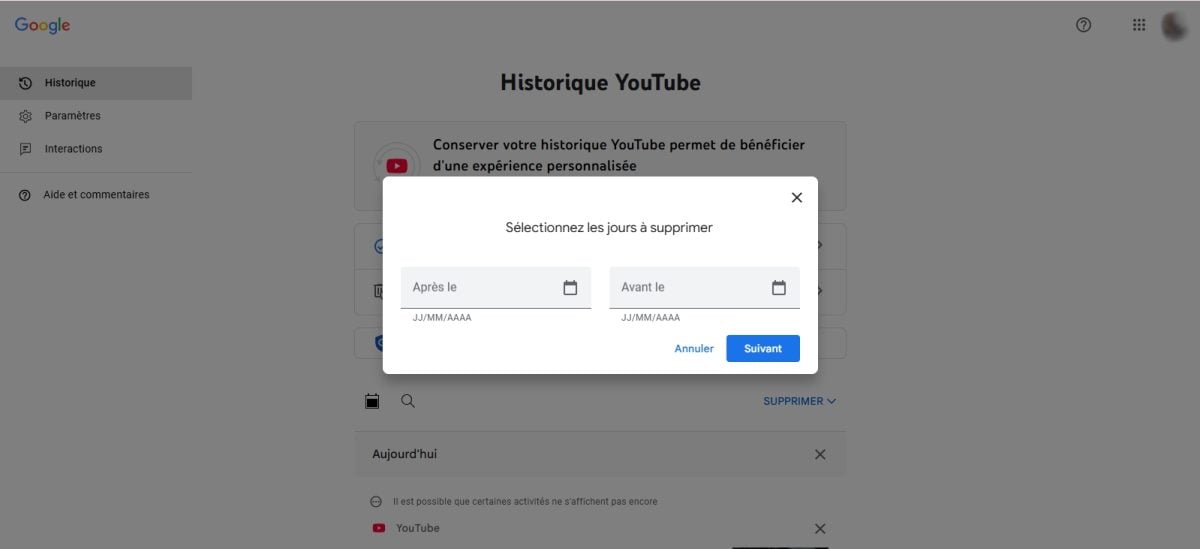
- To delete it, click on Next then on To delete and you're done!
FAQs
Why do I no longer have a history on YouTube?
Is the YouTube history feature not working on your account?
In this case, here are a few solutions to remedy the situation:
- Check if " Suspend history " is enabled. If this is the case, it means that you may have enabled it, and you need to click on it to disable it.
- Close the website or application and try again later.
- Update the YouTube app,
- Delete the hidden where the data YouTube on your phone.
Why did YouTube delete my history?
What could cause a deleting your YouTube history ?
Sometimes, the problem may come from a issue or a bug of the application. Also, certain update or a factory reset may also result in the deletion of your history on the platform.
Can I view my YouTube history without an account?
You want to view your history of videos, searches, comments, or other activities. on YouTube without an account ?
Unfortunately, this is not possible! This feature is only available when you log in to your account.
How to recover deleted YouTube video history?
You have accidentally deleted your YouTube viewing history How can I recover it? There is a technique, but it is not always reliable!
To try it out:
- Go to the Google - My business,
- Once on the page, press " Filter by date and product »,

- Select YouTube and click on Apply,
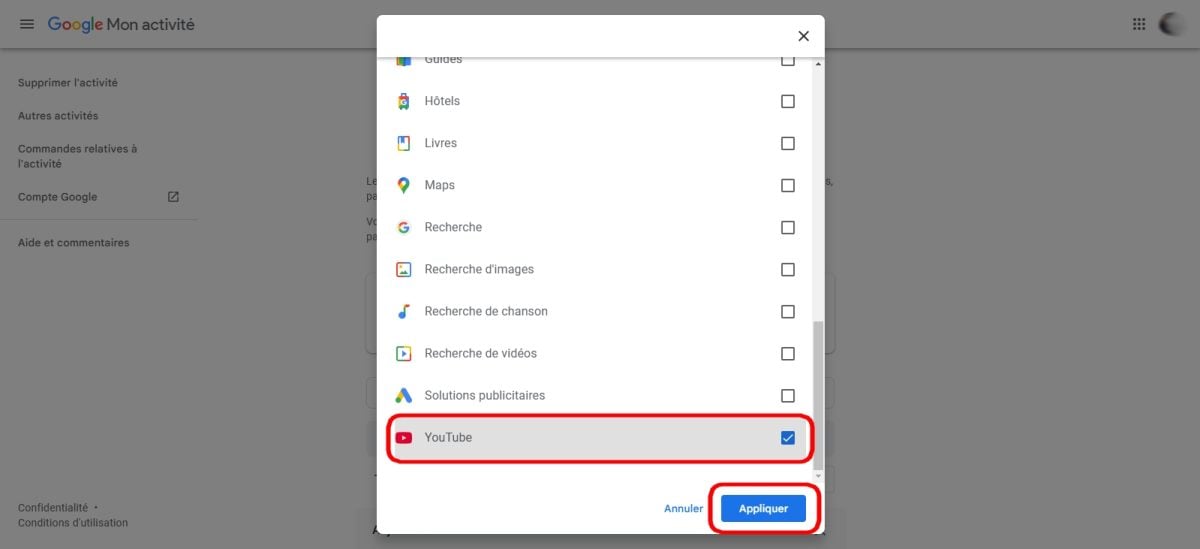
- Normally, all your viewing activities will be displayed.
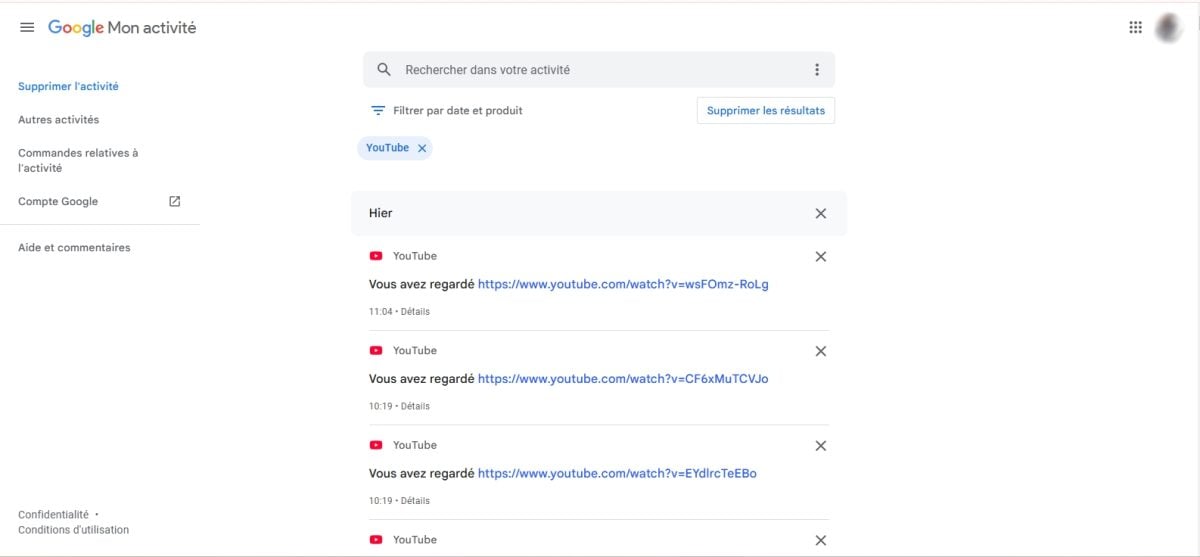
And that's it! Now you know how access your YouTube history or thedelete !








 English