To see your YouTube history on computer, click on Historical in the left-hand menu. On mobile, open the’YouTube app, click the tab Library (Where You (depending on your version), then on Historical.
From this screen, you can also delete videos, pause, or turn off history in just a few seconds, for reasons such as privacy or to get recommendations more relevant.
How can I view my YouTube watch history?
Your history YouTube includes all the videos watched and your interactions. Checking it allows you to easily find a video you watched recently, and that's also what helps YouTube to you recommend relevant content on your home page.
On computer :
- Open your browser, then Log in to your YouTube account.
- In the left-hand menu, find and click on Historical.

- All the videos from your history appear.
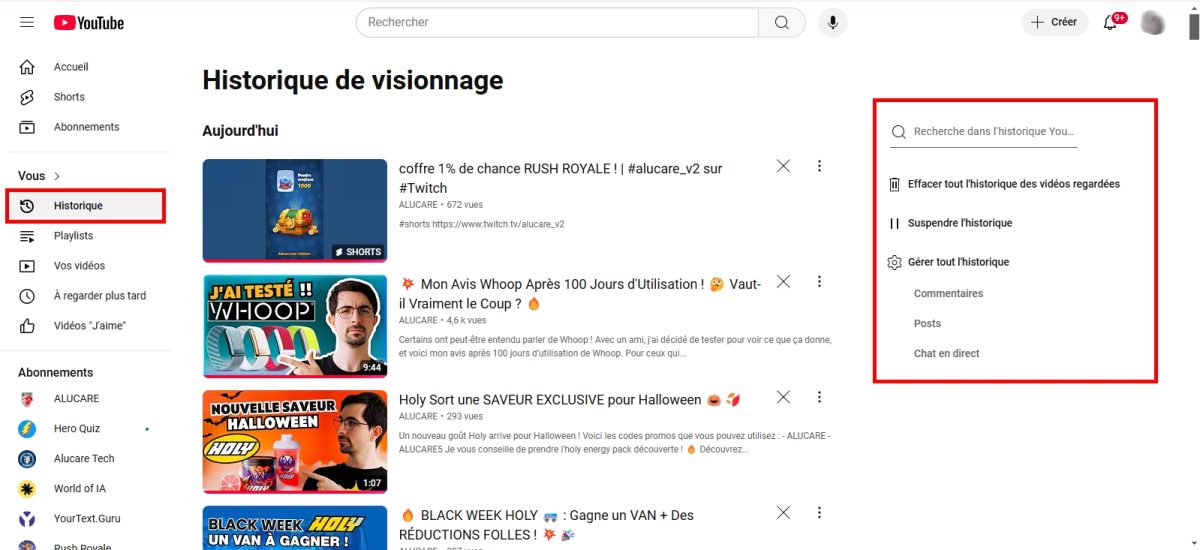
On mobile (Android and iPhone):
Open the’application YouTube and sign in. Depending on your version of the app, tap the tab You (formerly Library), in the lower right corner. There you'll find the section Historical along with the videos you've watched most recently.
To access full management of your history, here are the detailed steps:
- In the app, tap your profile photo lower right.

- Press the’gear icon (Settings) in the upper-right corner of the screen.

- Scroll down to Manage all history.

- You'll be taken to the page that lists all your activities : videos watched and interactions.
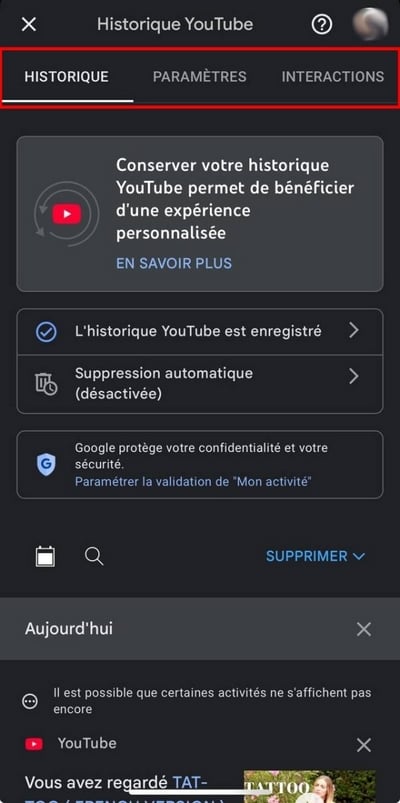
Please note: this page Manage all history links to Google Activity settings.
How can you view your entire YouTube search history?
Find your search history is even faster than checking your viewing history. Here's how to do it:
- Go to YouTube and log in to your account.
- Place the cursor in the search bar at the top of the page.
- Your latest research are displayed immediately.

To Delete a specific search, hover over it, then click on To delete (in blue) to the right of the line. The search disappears immediately.
How do I delete my YouTube watch history?
On a computer, you can clear history of your videos with just a few clicks—to delete everything or just a specific time period.
- Go to YouTube and Log in on your own.
- In the upper-left corner, click on the three horizontal linesthen on Historical.
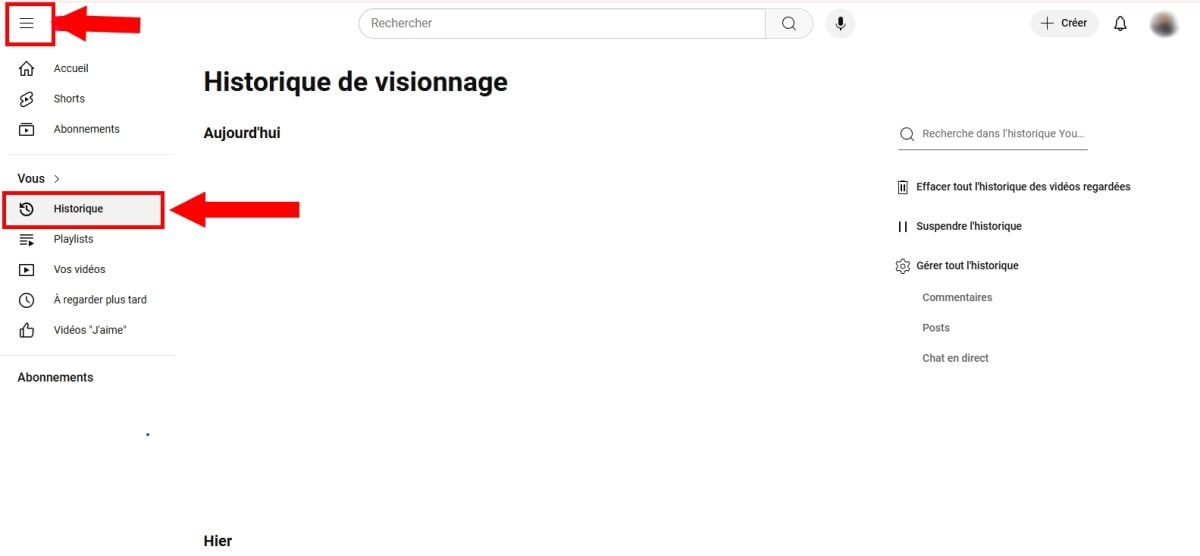
- In the menu on the right, you'll find several commands: pause the history, l'delete automatically, Where Manage all history.
- Click on Manage all history to access the delete options.
- Click on the To delete that appears at the top of the page.
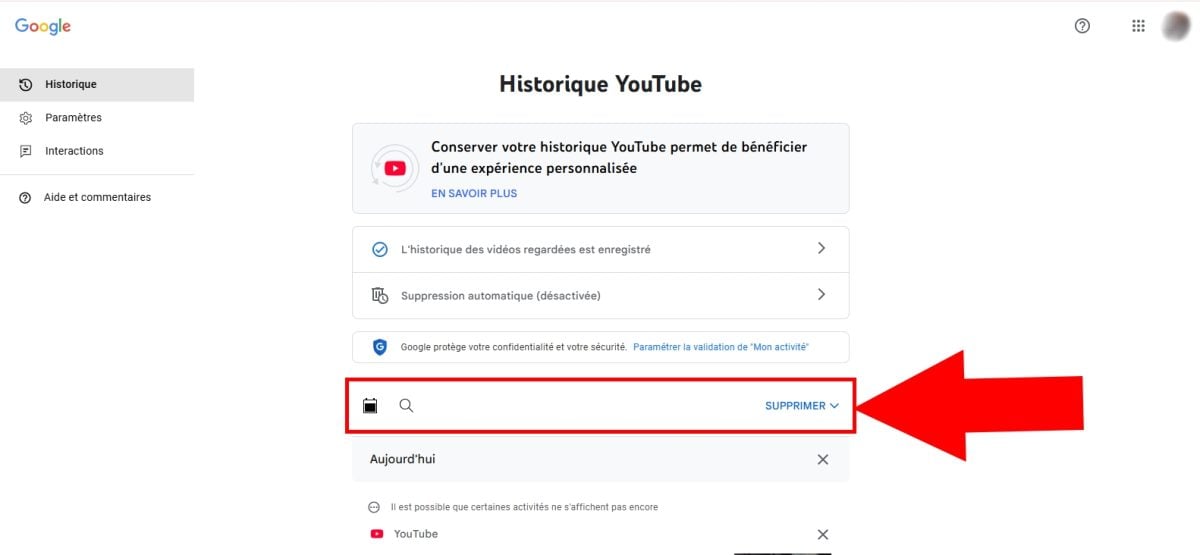
- You then get 3 deletion options : Delete Today's Activities, A customized beach, Where All activity.

- If you select A customized beach, a calendar icon appears to delete your history for a specific period.
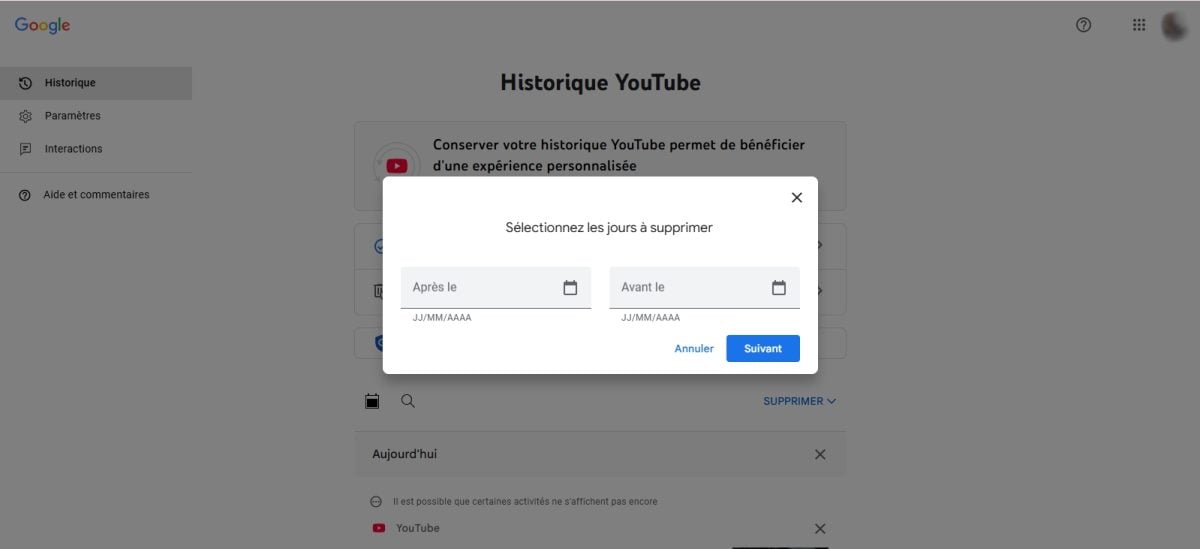
- Click on Next then on To delete to finalize.
Pause or turn off the "Videos You've Watched" history
You can also pause the history instead of deleting it. In the menu on the left, click on Historicalthen on Pause the history of videos watched. YouTube Then stop recording the videos you're watching.
FAQs
Why do I no longer have a history on YouTube?
L'history no longer works on your account YouTube ? Here are a few solutions to try:
- Check whether the option Suspend history is enabled. If so, you probably enabled it by mistake: click on it to disable and resume recording.
- Close the site or the’application, then try again a little later.
- Update the application YouTube to the latest available version.
- Clear the hidden and the game's data of YouTube on your phone.
Why did YouTube delete my history?
There are several possible causes for a Deleting your history. Most often, it is a bug or a temporary issue with the app. A update improperly installed or a factory reset Deleting the app may also delete your data on the platform.
Can I view my YouTube history without an account?
Unfortunately, that's not possible. The’history is only accessible by logging in to your account. Without a connection, YouTube does not show any activity related to your profile, whether it's your videos watched, your research or your comments.
How to recover deleted YouTube video history?
You have cleared your viewing history By accident? There's a way via Google My Activity, but it isn't always reliable.
What you need to know before you get started: If you've deleted a video since YouTube, it also disappears from Google My Activity and cannot be recovered. Other Google Services related (searches YouTube, ad history) may still appear if you haven't deleted them separately.
To check how much is left:
- Go to the Google "My Activity" page: https://myactivity.google.com/myactivity
- Press Filter by date and product.

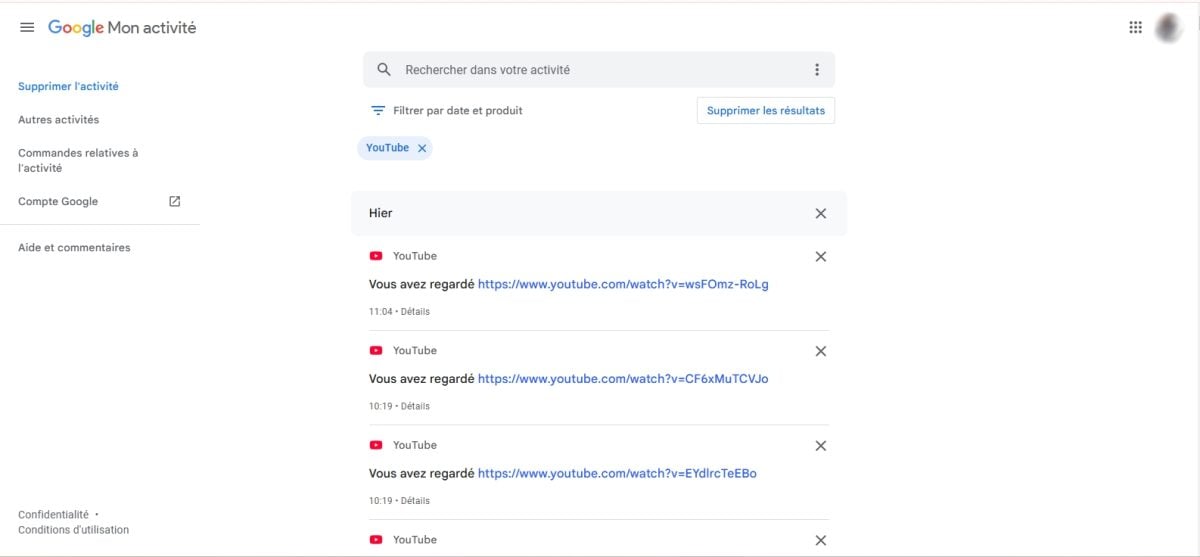
- Select YouTube, then click on Apply.
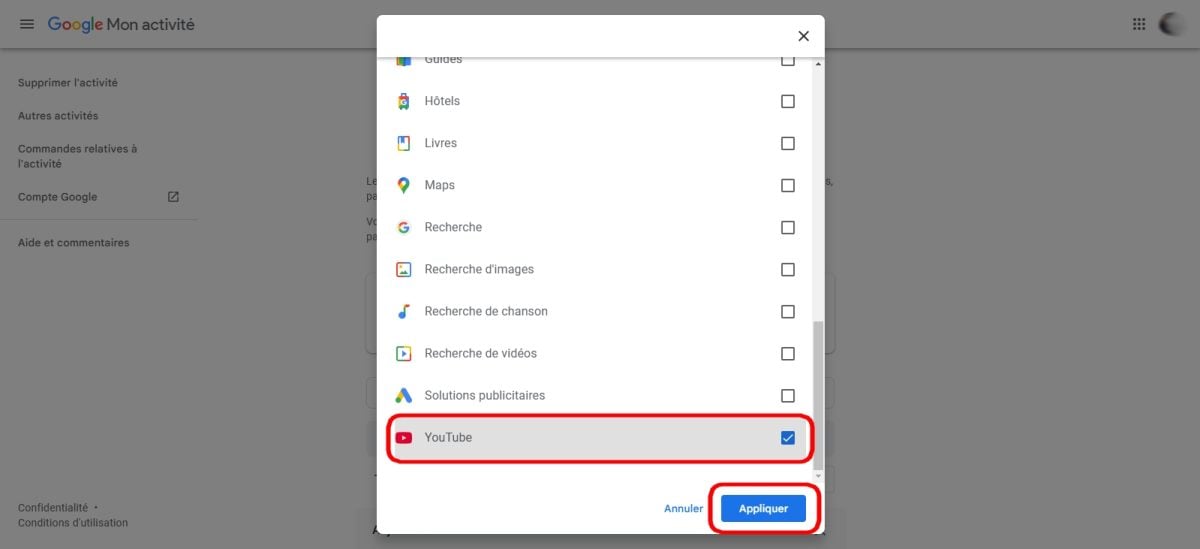
- All your viewing activities The remaining recorded entries appear on the screen.
If you want to as well download a YouTube video To preserve it, that's another option worth exploring.








 English