You've always wondered how to install a map Minecraft ? You've come to the right place!
In this tutorialwe'll take you step by step through the countless worlds imagined and created by the players of Minecraft !
5 steps to install a Minecraft map
First and foremost, please note that the following instructions concern the installation of a single-player map.
1. Download a map Minecraft
First, we invite you to visit the download site below. It will offer you several map typesWe'll let you find what you're looking for.
2. Extract Zip file
- Once you've found the one you like, download there.
- Next, you need to extract the .zip file to see only the map folder.
- Applications such as Winrar or 7 Zip make this possible. Alternatively, press right-click if you're on Windows.
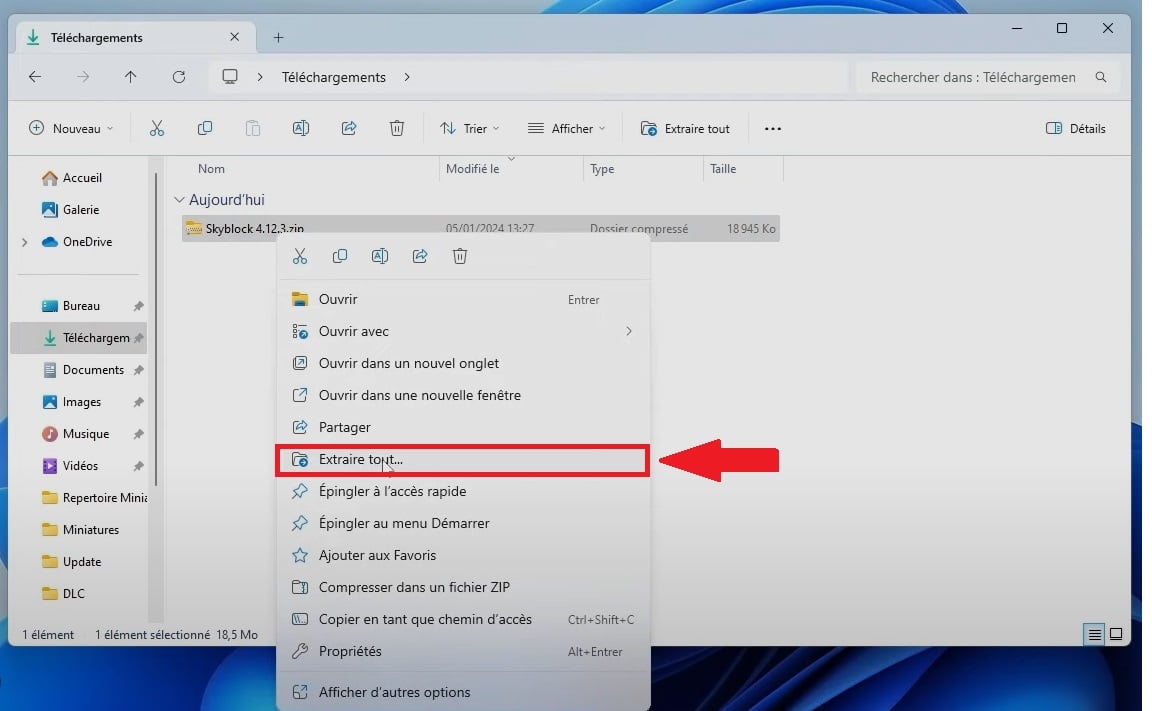
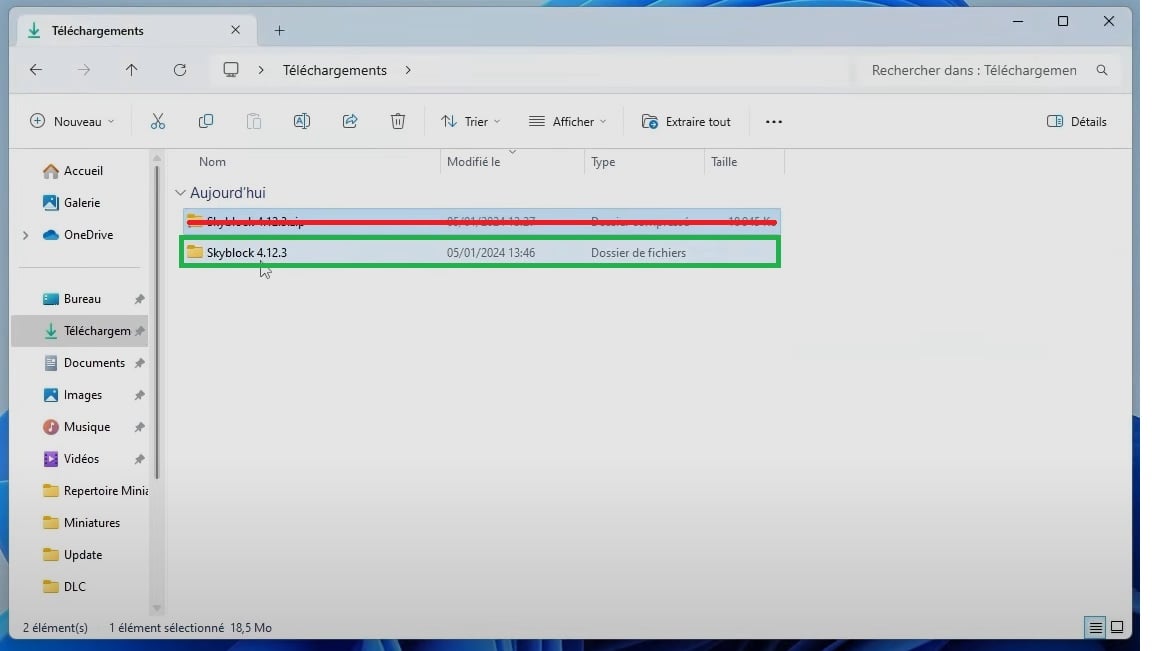
- On the Bedrock version, once the Minecraft map has been downloaded, you should have the file named .mcworld on your device.
- If this is not the case, you can always rename file in .zip format in .mcworld and extract it to a new folder such as “world” For example.
- Click twice on this folder and it should normally open directly in Minecraft.
If this is not the case, don't worry! Just follow the instructions below!
3. Access the Minecraft folder on your PC (Java)
Now that it's done, follow the path". %appdata% ⇒ .minecraft ⇒ Saves ".
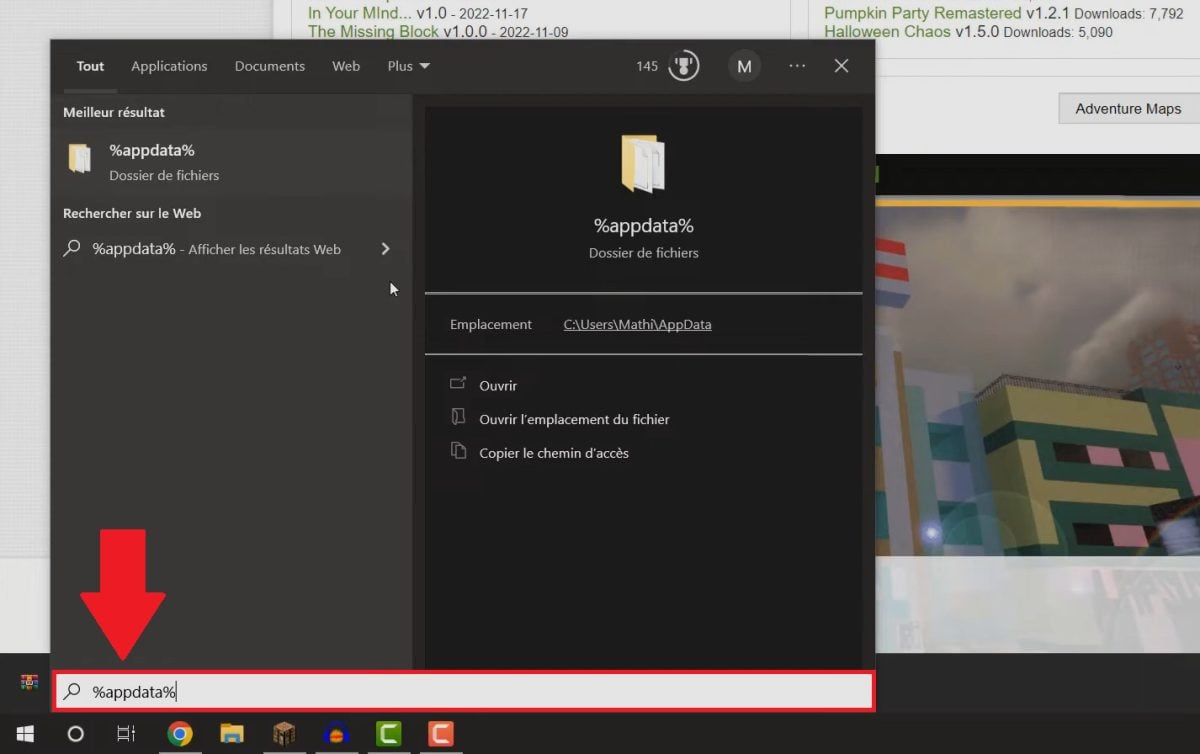
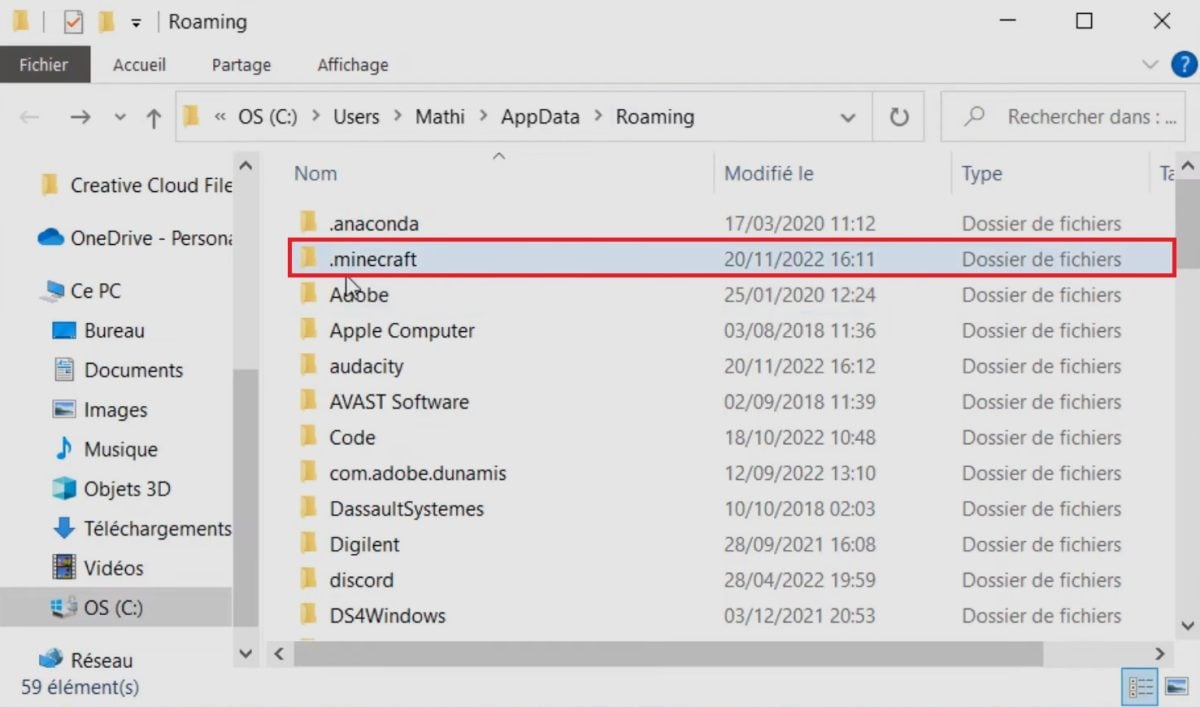

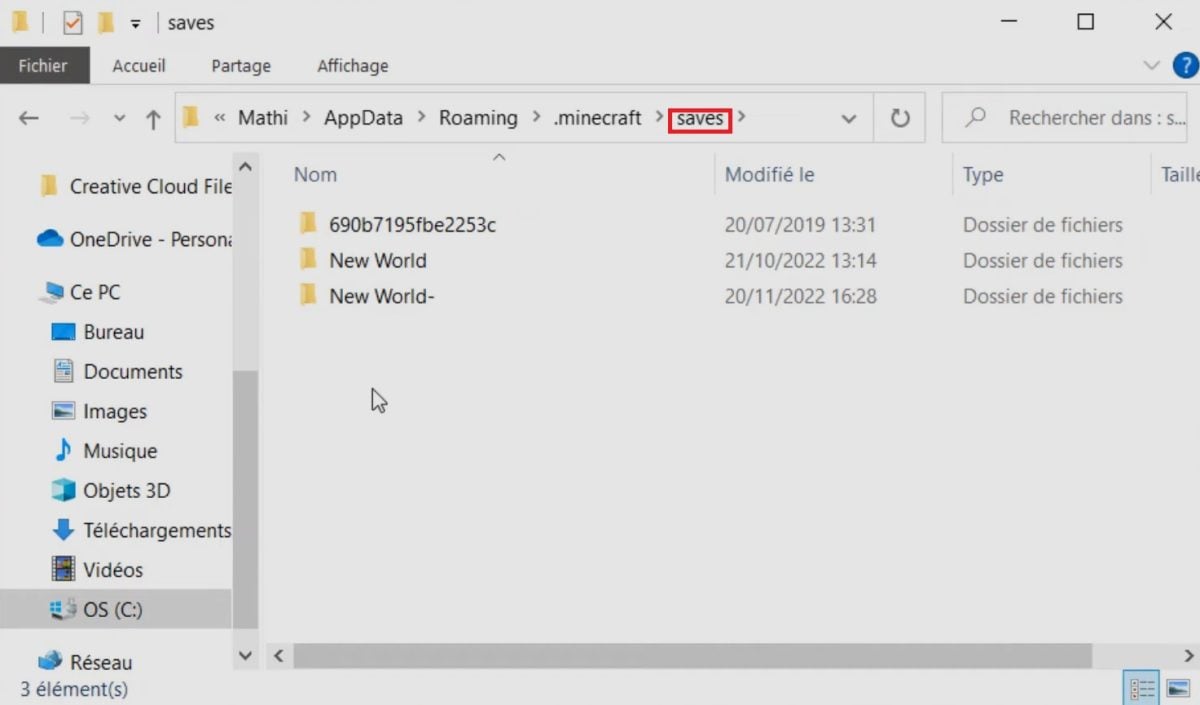
On MacOS, to find the .minecraft folder, follow this path :
- User ⇒ Library ⇒ Application Support.
- If Application Support cannot be found: Go to Tinder ⇒ Menu bar: Go + hold ALT ⇒ Library.
With linux :
- Press ALT + F2 , type .minecraft to find the folder.
On the Bedrock version
If you are playing on the Bedrock version of Minecraft, the folder name you need to find is not .saves but rather games/com.mojang.
So, once the Minecraft map of your choice has been installed, here's how to locate this folder on your device:
- On Windows 10 :%localappdata% ⇒ Packages ⇒ Microsoft.MinecraftUWP_8wekyb3d8bbwe ⇒ LocalState ⇒ games/com.mojang.
- On iOS : Minecraft ⇒ games ⇒ com.mojang.
- On android : storage ⇒ emulated ⇒ 0 ⇒ games ⇒ com.mojang ⇒ MinecraftWorlds.
4. Copy and paste your map folder into the appropriate folder
- Open the saves (Java) or minecraftWolds (Bedrock) where all your Minecraft worlds are stored! By the way, don't be surprised if you have downloaded a mod MinecraftYou'll also find them in this file.
- Copy and paste the file you extracted earlier in this folder!
5. Load your map Minecraft
Start your Minecraft game. All that's left is to choose the card you've just installed!
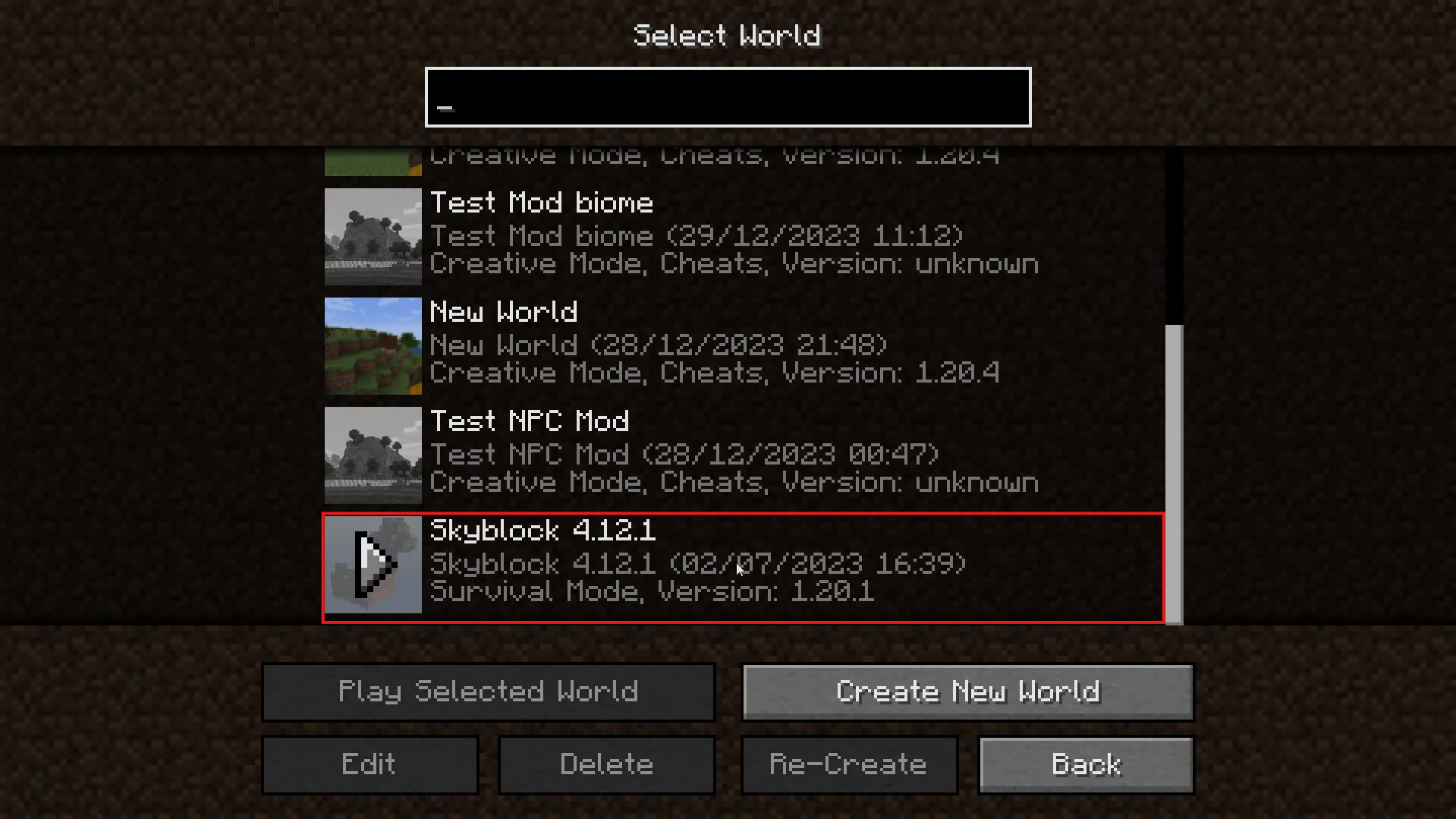
How do I install a map on a Minecraft server?
If it's on a waiter what you want to know how to install a map Minecraftno worries! Just follow the steps below.
Feel free to browse our article on how to create a Minecraft server if you want to create your own to optimize your gaming experience!
Before installing a map on a Minecraft server
Several prerequisites are required before any map installation on a Minecraft server. If you don't check them beforehand, you could be in for some nasty surprises...
- Version compatibility Please ensure that the version you wish to install is compatible with that of your server.
- Mods Unless your server uses the same mods as the map you want to install, avoid using those that do.
- Control blocks Don't forget to enable command blocks on your server if your map uses them.
- Backup Always perform a backup before making any major changes to your server.
Method 1: Replace the default world
This first method is aimed at players who want to know how to replace the main world of their server with a new map.
- First, perform a complete backup of your server, in case there's a problem installing the card.
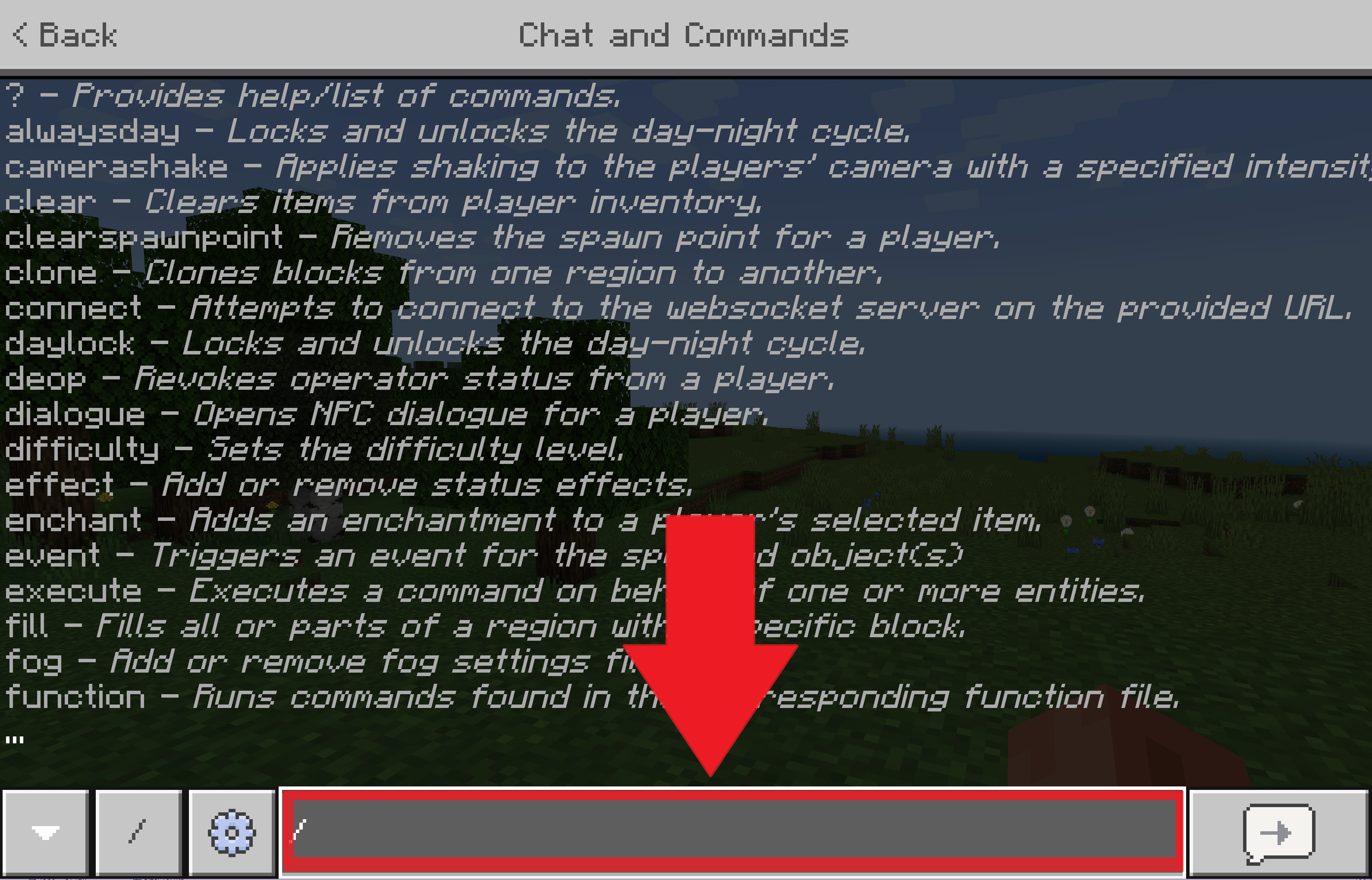
- Then use the command "/stop in the console to stop your server.
- From here, move your old world if you wish to keep it, or delete it directly.
- Copy the folder of your new map and paste it in the server root.
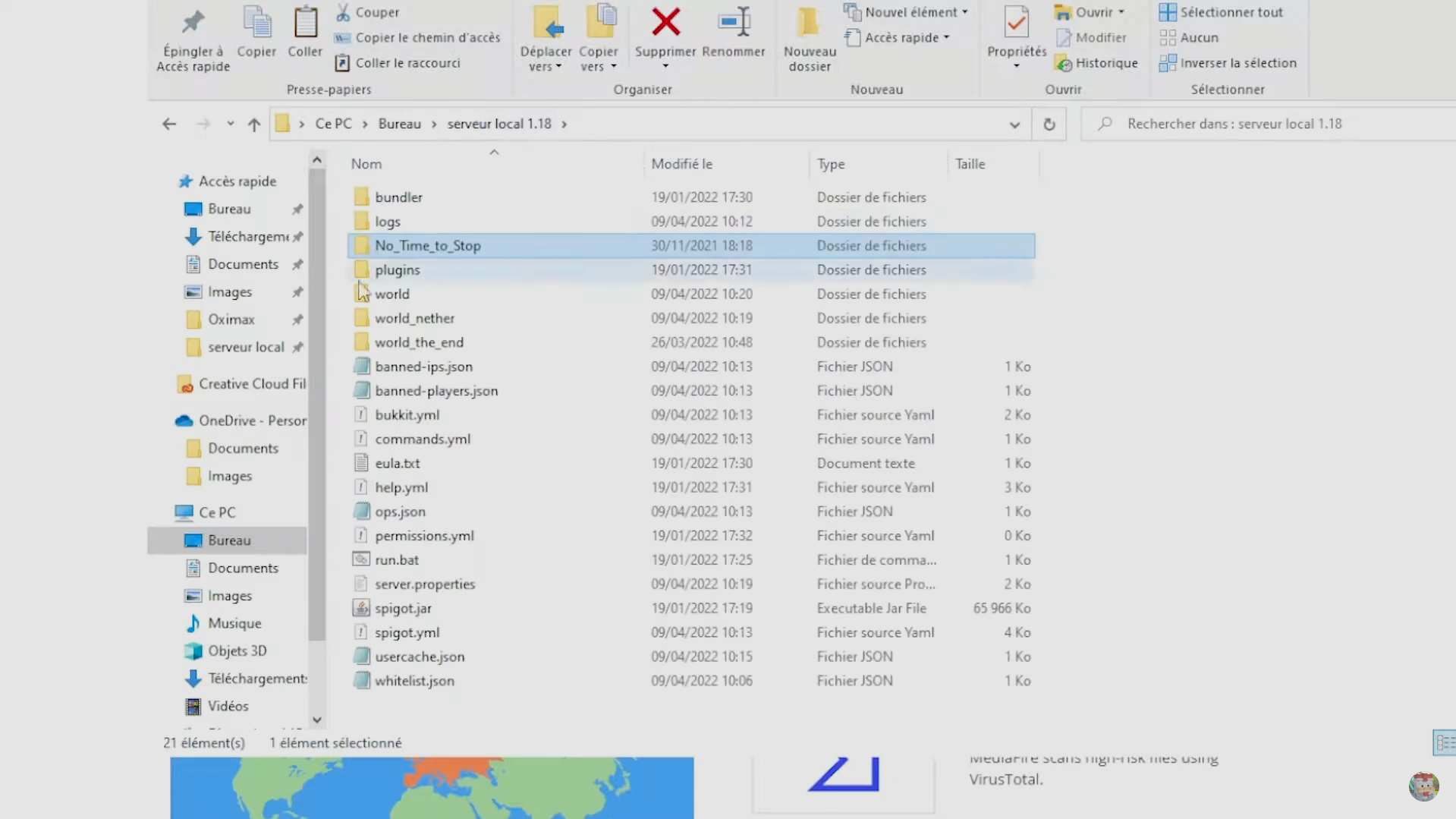
- Rename your new map's folder to " world ".
- Restart your server. Normally, your default world will be the new map you installed.
Method 2: Adding a map with a plugin
This second method involves a plugin is far more flexible, allowing you to manage multiple worlds on a single server. Taking the example of the Multiversehere's how:
- start with to copy the folder for your new map at the root of your server.
- Next, rename folder (for example, "my_new_world").
- Use the import order provided by your plugin.
- Finally, use the teleport command provided by your plugin to get you to the new world you've installed.
Remark
For Multiverse on Minecraft :
- The import command is " /mv import <nomdudossier> normal ". In our example, this would be "/mv import my_new_world normal".
- For the teleportation command, type " /mvtp <nomdumonde> ". In our example, this would be "/mvtp my_new_world".
What are the different map categories on Minecraft?
Here is a table illustrating the different maps on Minecraft :
| Survival | Try to survive on a hostile map with limited resources. |
| Adventure | Take on the role of an adventurer by completing quests and exploring the map. |
| Construction | Let your creativity run wild as you build the structure of your dreams. |
| Dropper | Put your skills to the test by dodging all obstacles during your fall before reaching the ground. |
| Parkour | Come to the end of complex courses where your ability to move will be the key. |
| Town | Stroll through the different towns built by the community's players. |

| Mini-games | Reawaken your competitive spirit by outclassing your opponents in a multitude of mini-games. |
| Horror | Get ready to shiver in a world where the environment and story have only one purpose: to scare you. |
| Skyblock | Take on the challenge of the celestial islands by completing the trials they hold. |
| Puzzle | Rack your brains solving puzzles and riddles. |
| Multiplayer | Create links with other players in the Minecraft community or with your own friends. |
| PVP | Fight everyone who stands in your way to become the king of the arena. |
You guessed it, install a map Minecraft is child's play if you follow this guide. So, what's your favorite map? Let us know in the comments.
If you would like to broaden your experience, please feel free to consult our article on how to create a mod on Minecraft.









 English