Create an account Youtube ? If you have a Googleyou automatically get a YouTube account !
However, if you don't have any, find out in this article how to get there in order to create your YouTube account ! As an added bonus, discover how to create a channel on the platform !
How do I create a YouTube account?
The process is simple! However, you need to start by :
1. Create a Google Account
Here are the steps to follow:
- First, access the official YouTube site,
- Click on the To log in at the top right of your screen,

- Once on the login interface, click on Create an account then on Next,

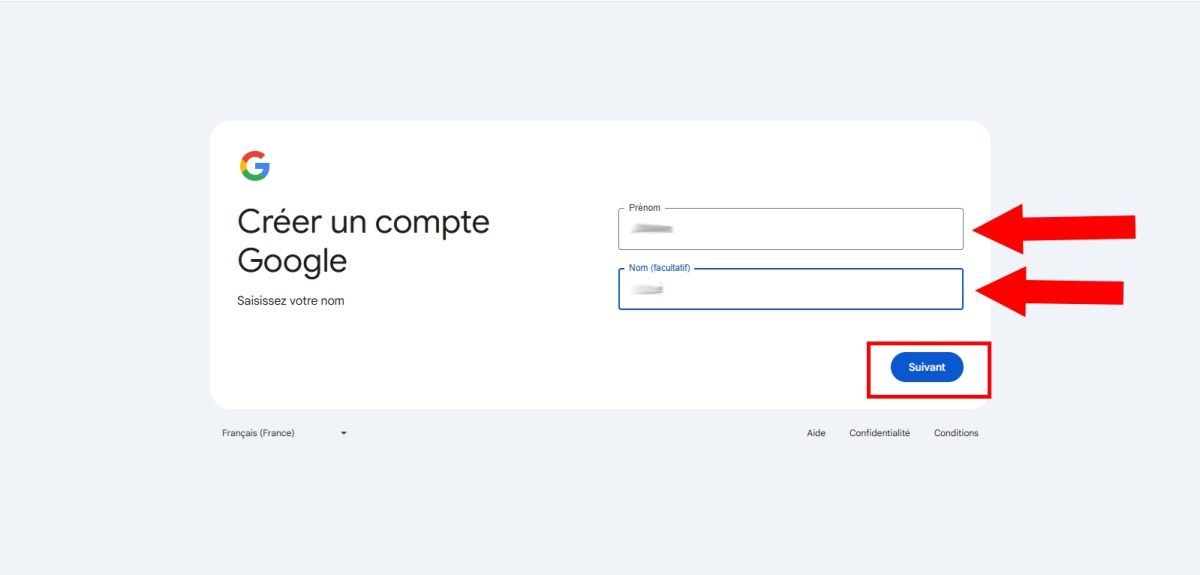
- From now on, you must insert your name and first name then on Next,
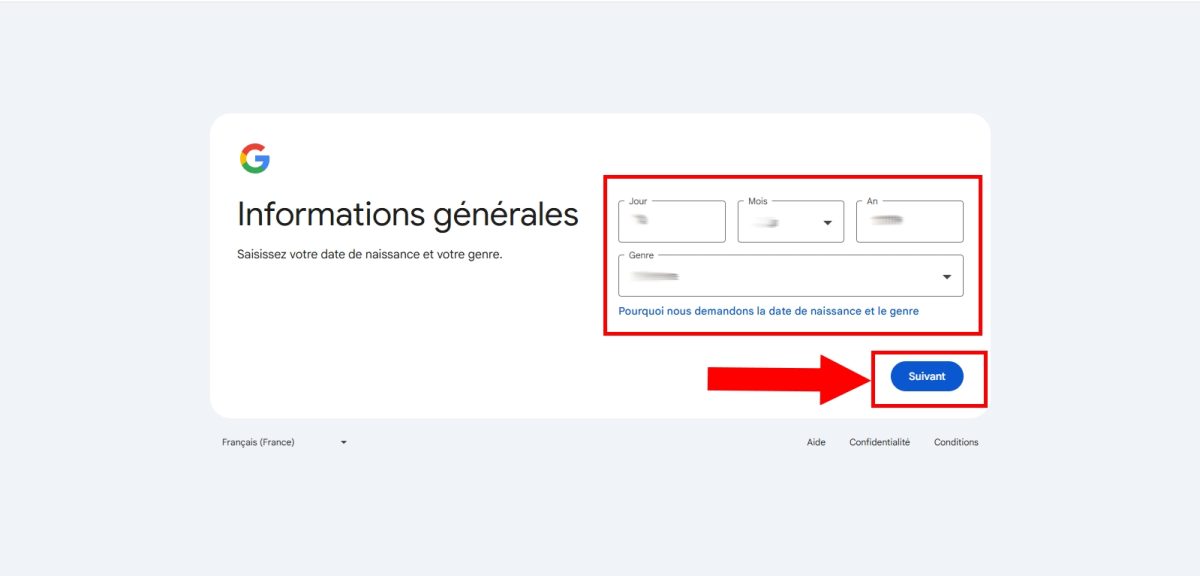
- Now enter your day, month and year of birth,
- You now have two choices: choose from the list or create your own. Gmail address,

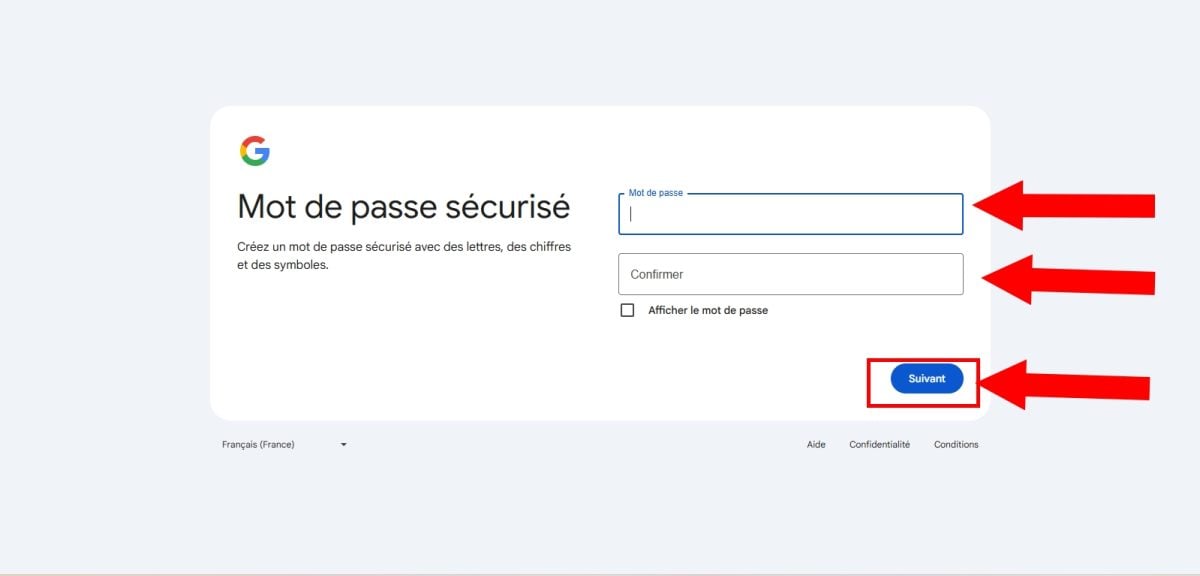
- It's time to create a strong password then click on Next,
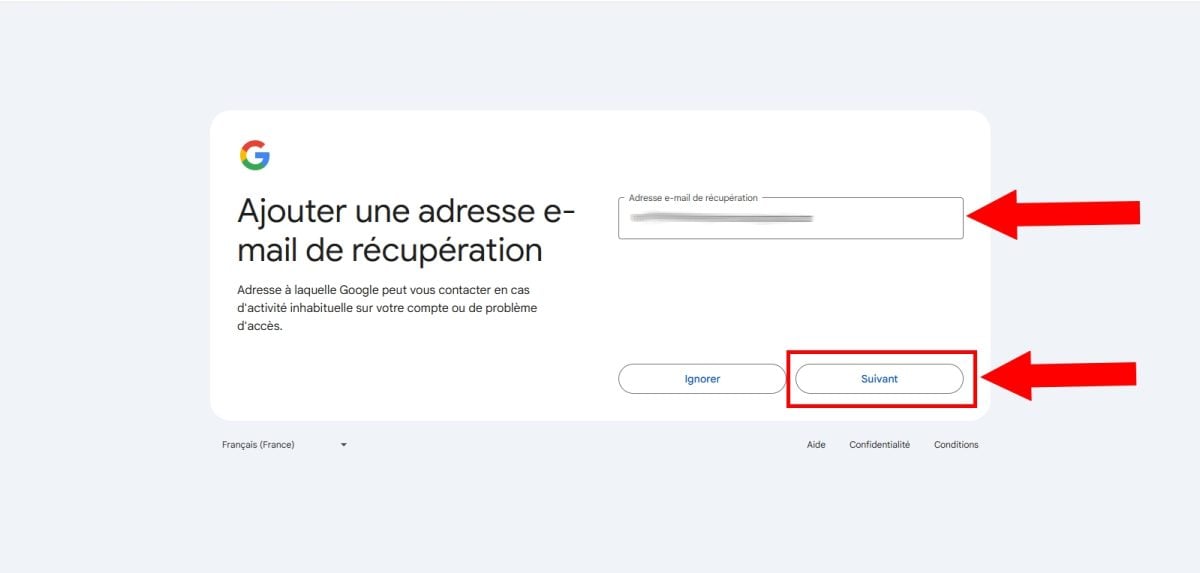
- Now enter an address e-mail recoverythen on Next. However, this step is optional, you can click on ignoreSimilarly, you can also skip the next step of inserting a phone number.
- Now preview your Gmail name and address, then press Next,

- Accept and approve Google Terms of Service by scrolling down the page and clicking on I agree,

- Congratulations! You've successfully created your Gmail account !
2. Log in to a YouTube account
Once you have created a Google accountyou will be redirected to Youtube with this account!
Now you can do lots of things on YouTube, such as:
- React to videos ;
- View your on YouTube !
- Subscribe to different channels;
- Add content to your favorites or waiting list;
Did you know? You can pay less for YouTube Premium with the right tools! Feel free to click on our article for more information on this topic!
How do I create a YouTube channel?
You want to explore more features create playlists, or monetize your content by broadcasting video content?
In this case, you not only need an account, but also a YouTube channel !
How do I create a YouTube channel?
- First, log in to YouTube via a website or the app.
- Then click on your profile photo then on Create a chain,

- Now you'll be invited to create a chain,
- Check your account details (name, photo, username) then press Create a chain,
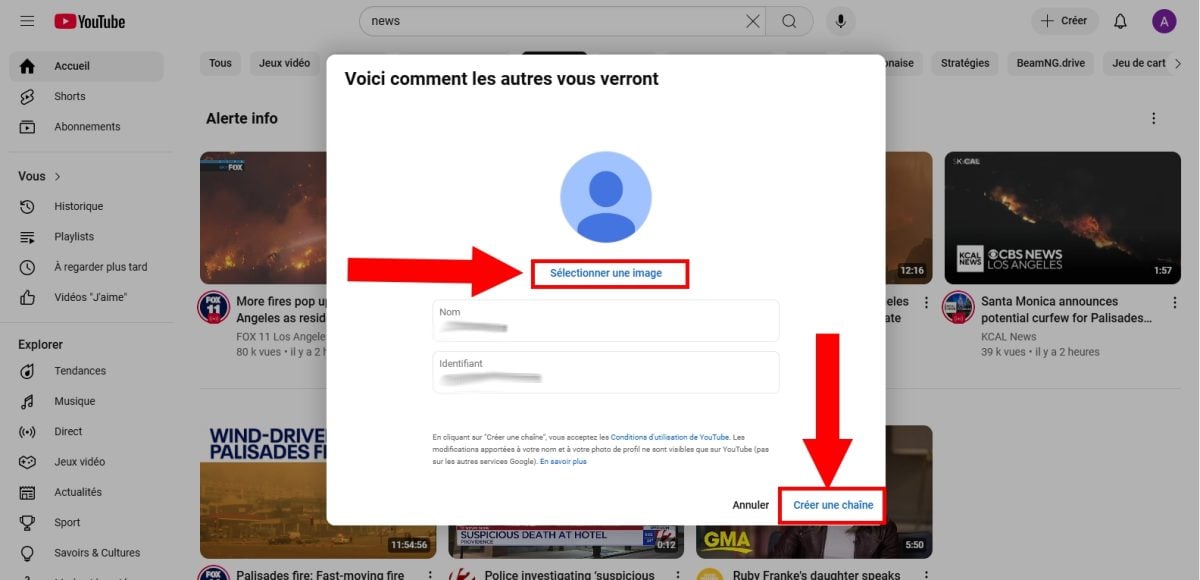
- Congratulations! You've got a YouTube channel !
How can I monetize my YouTube channel?
To do this, start by customizing your channel. Import or add :
- A YouTube banner,
- One photo,
- A description of this one,
- Contact details (e-mail address).
Then you can activate the monetization of your channel by following these steps:
- First, go to YouTube Studio,
- Select the Income,
- Next, check whether your channel is eligible and whether monetization is available in your geographical area,
- If so, please accept the platform's terms of use,
- Finally, connect an account AdSense to receive your payments.
You can now monetize your content on YouTube, provided you meet the platform's eligibility requirements, namely:
- 500 subscribers,
- 3 public videos published in the last 2 months,
- Achieving the 3000 hours of viewing on your videos over the Last 12 months. Don't hesitate to discover how YouTube views are counted For more information on this subject,
- Have accumulated 3 million views on public shorts in the last 2 months.
In short, the creation of a YouTube account and channel won't take long - it can be done in just a few minutes!








 English