The invisibility potion in Minecraft is made in two steps: first, you prepare a night vision potion, and then it is transformed by adding a fermented spider's eye to the still.
⌛ The resulting potion lasts 3 minutes by default and can be extended to 8 minutes using redstone powder, or made into a single-use potion using gunpowder.
In this guide, you'll find information on its uses and how to make an invisibility potion in Minecraft.
What is the purpose of the invisibility potion in Minecraft?
In Minecraft, the invisibility potion Makes your character invisible for 3 minutes in the basic version, or 8 minutes in the extended version with redstone powder. It's a valuable asset for exploring, escaping danger, or gaining the upper hand in PvP without being spotted.
⚠️ Be careful, however: Your armor and the item you're holding do not become invisible. Therefore, an invisible player wearing armor remains partially visible, and other players can see the items they're holding floating in the air.
As for mobs, the effect significantly reduces the detection radius:
- Hostile creatures like zombies or Endermen will ignore you as long as you keep your distance, provided you are not wearing armor or carrying any visible items.
- This advantage disappears if you attack or get too close.
- Certain elements are never hidden: the wool on sheep, the collars on domesticated dogs, the eyes of spiders, and the pumpkins on Golems remain visible.
Disposable version:
- The disposable invisibility potion (splash) allows you to apply the effect to another player or creature by casting it nearby.
- Useful for hiding an ally in Survival or Adventure mode.
[Tutorial] How to Make an Invisibility Potion in Minecraft?
In Minecraft, the invisibility potion It is made in two steps: first, a night-vision potion is prepared, then it is transformed using a spider's eye that has been fermented in a still.
✅ Essential prerequisite: Your still needs to be fed with blaze powder to operate (a single unit is enough to brew several batches of potions).
Step 1: Make the Night Vision Potion
The night-vision potion is the key ingredient for making your invisibility potion. First, gather these four items:
- Void Wart: harvested in the fortresses of the Nether, it serves as the base for most potions.
- Golden Carrot: Place a carrot in the center of a crafting table, then surround it with eight gold nuggets.
- Water bottle: Craft a glass bottle (three V-shaped glasses in the grid), then fill it by right-clicking on a water source.
- Blaze powder: obtained by placing a Blaze Stick in the crafting grid. The sticks drop from Blaze killed in the Nether.
Once you have gathered these ingredients, follow these steps at the still:
- Feed the still with the blaze powder in the designated slot.
- Place the water bottle into one of the bottom slots.
- Add the Void Wart in the top box and wait for the mixing to finish: you'll get a strange potion.
- Please return the golden carrot in the top slot. Once it's finished brewing, you'll have your night vision potion.
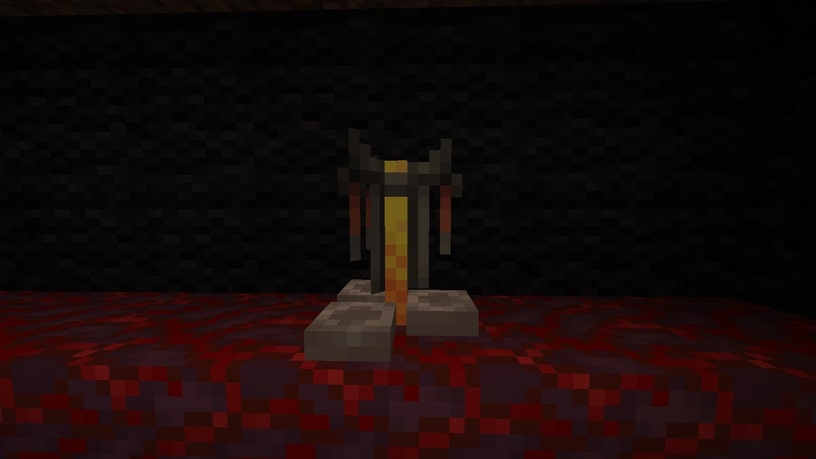
Step 2: Turn it into an invisibility potion
You're missing one last ingredient: the’fermented spider eye. To craft it, combine 1 spider eye, 1 brown mushroom, and 1 sugar directly in your inventory grid (no crafting table needed).
- Replenish your night vision potion into a slot at the bottom of the still.
- Remove the fermented spider eye in the top box.
- Wait until the brewing is finished: You receive an invisibility potion that lasts 3 minutes.
Improve and Create Variants
Once your invisibility potion is ready, you can modify it in the still. Just like with the speed potion or the potion of strength, several options are available:
- Long-Lasting Invisibility Potion: Add some redstone powder to extend the duration to 8 minutes.
- Disposable Invisibility Potion (splash) : Add some gunpowder. You can then throw it at yourself or another player.
- Persistent Invisibility Potion (lingering) : Add some dragon's breath to a version splash. It creates a cloud that makes anyone who enters its area invisible.
How do I get an invisible frame in Minecraft?
The invisible frame has nothing to do with a invisibility potion : It's done with a command, not with a still. This trick is used to display an object on a wall without the mount being visible. Here are the steps:
- Open your chat console.
- Type: /give @p item_frame{EntityTag:{Invisible:1b}}
- An invisible frame has been added to your inventory.
All that's left to do is hang the frame on the wall, then place the object of your choice inside it: only the object will be visible.
Attention : This command only works if cheats are enabled. In a single-player world, start the game over LAN, then enable the commands in the settings before re-entering the command.
See the rest of the guides on Minecraft :









 English