Between viral trends, influencers and ultra-engaged communities, TikTok is a veritable well of data in 2025. But how do you extract this valuable information? Visit web scraping is the solution!
In this article, we show you how to web scrap on TikTok in 2025with or without code.

Different ways to scrap on TikTok
Before diving into the methods, let's quickly review what web scraping This is a process ofautomated extraction which allows retrieve data from websites.
There are two main approaches to TikTok scraper in 2025you can :
- Use dedicated tools.
- Code your own scraper in Python.
The choice depends on your technical skills, but also on the complexity of your TikTok project. We tell you all about it!
1. Use web scraping tools
This is the simplest and quickest approach to TikTok scraper, the ideal solution for those who don't have programming skills.
Web scraping tools offer turnkey solutions They handle most of the technical challenges (bypassing protection, managing proxies, etc.) for you.
Here are three web scraping tools efficient TikTok scraper:
- 💡 Bright Data
- 🤖 Apify
- 🐙 Octoparse
Bright Data
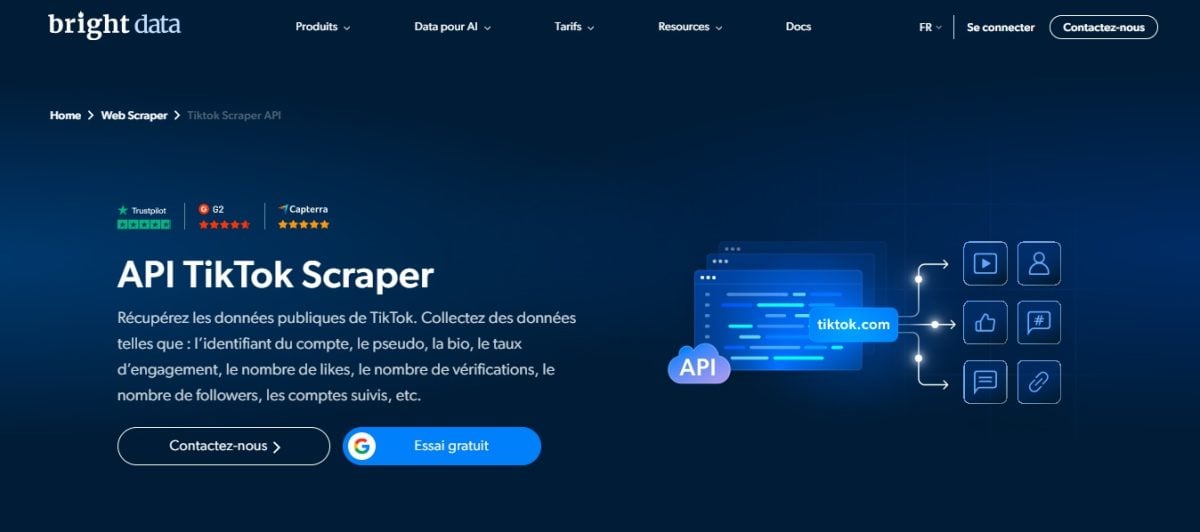
Bright Data is a complete solution, renowned for its proxy services (residential and mobile) and its advanced scraping tools (dedicated APIs, integrated scraping browser...).
The tool offers a feature specifically designed for TikTok scraping: the’APK TikTok Scraper which lets you collect data on TikTok profiles, videos or hashtags quickly and efficiently, without having to deal with complex technical aspects.
We tell you all about it in our full review of Bright Data.
Apify

Apify is a platform for development of scrapers which lets you build and run large-scale scrapers.
His TikTok Scraper is a powerful tool for extracting detailed information, such as user profiles, comments, hashtags and metadata from TikTok videos.
It's a flexible solution that adapts to the needs of developers and businesses alike. For more details, please feel free to consult our full opinion on Apify.
Octoparse
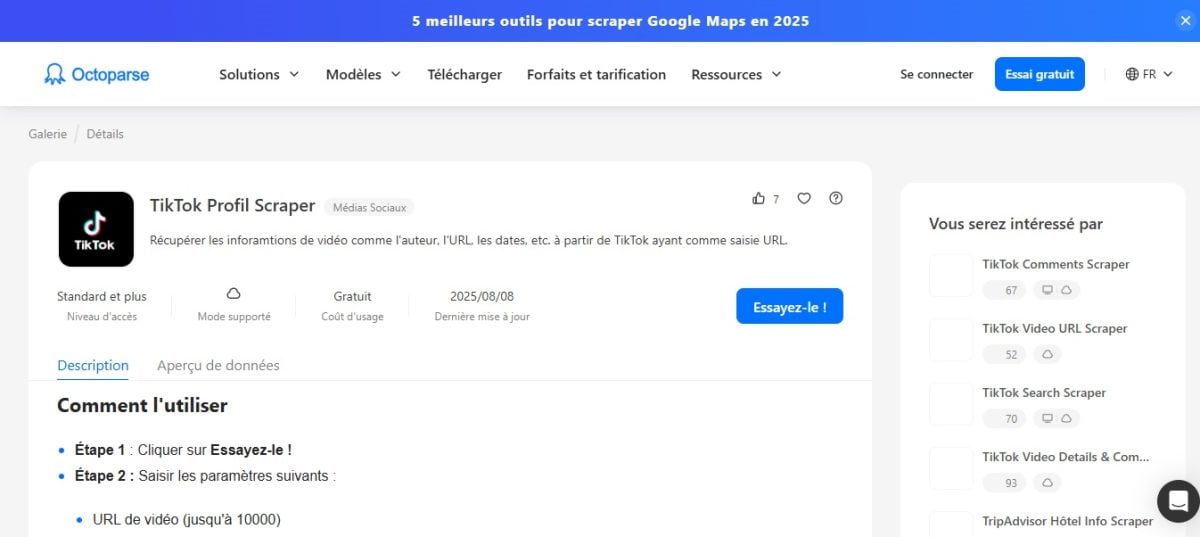
Octoparse is a no-code scraping solution. With its intuitive interface, the platform lets you create scrapers in just a few clicks, without writing a single line of code.
The tool also offers you a template TikTok Scraper which facilitates the collection of information on TikTok. In addition, you can also customize your scraper according to your needs.
To find out more, read our full review of Octoparse.
2. Code scraping with Python
Web scraping with Python is a more technical and customizable approach to extracting data from TikTok. However, this approach requires basic programming skills.
This is the ideal solution if you want a total control on the TikTok data to be extracted, the formats, the rhythm...
Now here's how to scrape TikTok with Python :
Prerequisites
To get started, you need to install a few Python libraries on your computer:
pip install requests beautifulsoup4 seleniumThis command installs :
- ✅
Requests
for HTTP requests
- ✅
Beautifulsoup4
to analyze HTML content
- ✅
Selenium
to manage JavaScript pages if required
For this tutorial, we will focus on an effective method: extracting data from a TikTok profile, hashtag, or video via the’JSON response analysis hidden in the page TikTok.
👉 Step 1: Analyze the network request
- Open the development tools (F12) of your browser.
- In the Networkobserve the loaded requests when you visit a TikTok profile or hashtag.
- Then locate internal API URL (often a <script> containing JSON data, or XHR requests to a URL /api/...). You will find it in the tab Headers.
- This is the URL we will use.
👉 Step 2: Send the request and get the response
Once you have the TikTok URL, you can use it with Python to simulate a query and get the JSON response.
Here's a simplified example using requests (Where httpx) for retrieve JSON :
import requests
from parsel import Selector
import json

url = "https://www.tiktok.com/@pseudo" # replace with target URL
resp = requests.get( url, headers={
    "User-Agent": "Mozilla/5.0"
})
selector = Selector(resp.text)
data = selector.xpath("//script[@id='__UNIVERSAL_DATA_FOR_REHYDRATION_']/text()").get()
profile = json.loads(data)["__DEFAULT_SCOPE__"]["webapp.user-detail"]["userInfo"]
print(profile)
📌 This type of method for scrapping TikTok is taken from real-life examples found at ScrapFly
👉 Step 3: Extract relevant data
You can then filter JSON to keep only the essentials (name, statistics, description, etc.).
Here's another example using ScrapFly for TikTok posts:
from scrapfly import ScrapeConfig, ScrapflyClient
import json, jmespath

SCRAPFLY = ScrapflyClient(key="VOTRE_CLE")
CONFIG = {"asp": True, "country": "US"}
def parse_post(response):
    sel = response.selector
    data = sel.xpath("//script[@id='_UNIVERSAL_DATA_FOR_REHYDRATION']/text()").get()
    post = json.loads(data)["____DEFAULT_SCOPE_"]["webapp.video-detail"]["itemInfo"]["itemStruct"]
    return jmespath.search(
              """{
        id: id,
        desc: desc,
        author: author. {uniqueId, nickname},
        stats: stats
            }""",
     post
     )
async def scrape_posts(urls):
    to scrape = [ScrapeConfig(url, **CONFIG) for url in urls]
    results = []
    async for resp in SCRAPFLY.concurrent_scrape (to_scrape):
        results.append(parse_post(resp))
    return results
📌 This code shows how clean data parsing TikTok important.
👉 Step 4: Manage iteration and pagination
Often, the TikTok API only returns a small portion of the results at a time. To get more TikTok videos, you need to manage pagination.
The idea is to use a loop (such as while) to continue sending requests as long as there are results to load.
To extract multiple pages TikTok or sets of results :
cursor = 0
all_data = []
while True:
   params = {"count": 20, "cursor": cursor, "aweme_id": post_id}
   resp = requests.get(api_url, params=params)
   data = resp.json()
   comments = data.get("comments", [])
   all_data.extend(comments)
   if not data.get("total") or cursor >= data["total"]:
        break
      cursor += params["count"]
📌 Here, we use the parameter cursor to paginate via the internal API (the comments API, for example).
To find out more about HTML scraping and data manipulation, take a look at our complete guide to HTML scraping. web scraping Python BeautifulSoup.
Why scrap on TikTok?
Scraper TikTok is useful for many professional and academic purposes.
Here are five good reasons to collect data on TikTok :
- 📊 Market analysis: With TikTok scraping, you can identify emerging trends, popular sounds and content niches.
- 🤝 Influencer marketing: The data collected on TikTok will enable you to find relevant content creators for your brand and analyze their audience performance.
- 💬 Sentiment analysis: You can evaluate the perception of a brand or topic by analyzing the comments under TikTok videos.
- 🎓 Academic research : TikTok data collected through scraping can be used to study social or cultural phenomena that occur on the platform.
- 🕵️♂️ Competitive intelligence : Web scraping on TikTok allows you to monitor your competitors' content strategies and performance on the platform.
FAQs
Is web scraping on TikTok legal?
It's a complex issue.
In general, the scraping public data on TikTok is not illegal, but you must comply with the TikTok Terms of Service and personal data protection laws (such as the RGPD).
For more details, please see our article on legality of web scraping.
What are the best tools and software for scraping TikTok?
It all depends on your needs and skills.
👉 For beginners, Octoparse is the ideal solution for simply scrape TikTok and efficiently.
👉 For more complex TikTok projects and complete solutions, it's best to opt for Bright Data or Apify.
For a detailed comparison, please refer to our article on best web scraping tools.
What data can you extract from TikTok?
You can scrape a wide variety of’useful information on TikTok:
- ⭐ User profiles (name, biography, number of followers, etc.)
- ✍️ Video descriptions
- 🔥 Hashtags and TikTok trends
- ❤️ Number of likes, shares, comments, views...
How to get around TikTok's anti-bot protection?
TikTok uses measurements to block scrapers (JavaScript verification...). But don't worry, it's perfectly possible to bypass the TikTok anti-bot protections. For example, you can :
- 👉 Use rotating proxies to hide your IP address
- 👉 Simulate a real navigator with Selenium or Playwright
- 👉 Add random delays between requests to avoid overloading TikTok servers
the web scraping on TikTok now holds no secrets for you. Which of the methods explored in this article do you plan to try for scraping TikTok? Feel free to share your experiences in the comments!









 English