TikTok is a treasure trove of data: profiles, hashtags, video statistics, comments. Web scraping lets you extract all of that automatically. There are two approaches you can take: use a turnkey solution (no code) or write your own code scraper in Python.
Here's how to do it, step by step, using the data you can obtain and in accordance with the law.

Different ways to scrap on TikTok
To TikTok scraper, there are two main approaches. The choice depends on your technical skills and the complexity of your project.
- Use specialized tools (no code).
- Write Your Own Web Scraper in Python.
1. Use web scraping tools
This is the most quick and easy, which is ideal if you have no programming skills. These tools offer turnkey solutions and handle the technical challenges for you: bypassing anti-bot protections, rotating the proxies, session management.
Here are three TikTok scrapers effective:
- Bright Data
- Apify
- Octoparse
Bright Data
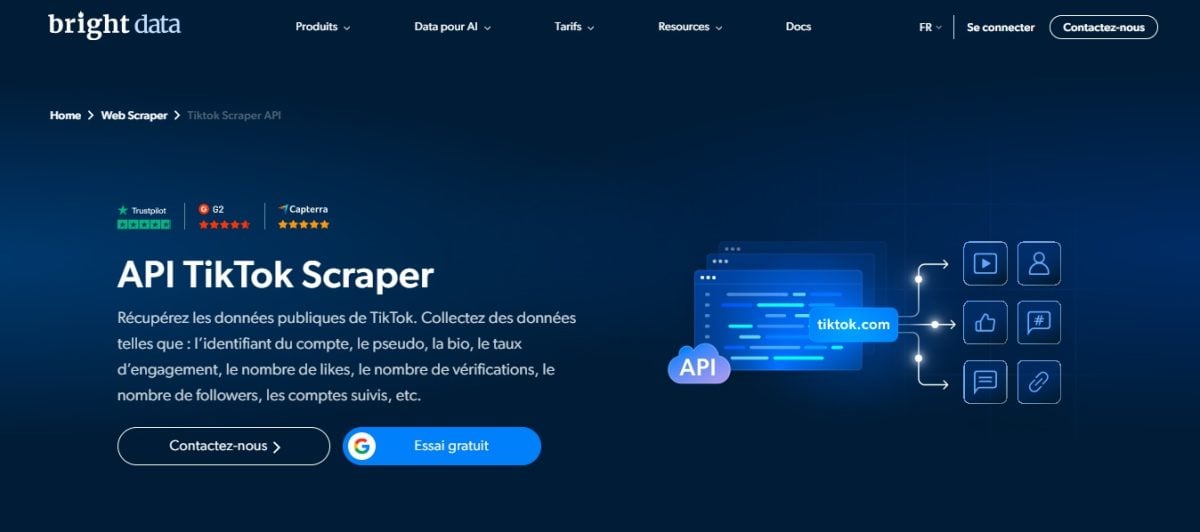
Bright Data is a comprehensive solution, recognized for its proxy services (residential and mobile) and its advanced scraping tools: dedicated APIs, built-in scraping browser. Its TikTok Scraper collects data on profiles, posts (including hashtags), and comments. The results can be exported to JSON or in CSV for your tests.
It's the best choice when your project requires a lot of volume and a reliable infrastructure. We'll tell you all about it in our full review of Bright Data.
Apify

Apify is a cloud platform for development of scrapers capable of performing large-scale data extracts.
His TikTok Scraper retrieves detailed information: user profiles, hashtags, music associated with videos, and complete post metadata. Comments are extracted using a dedicated tool, the TikTok Comments Scraper.
This is the most flexible solution, which is ideal when you want to customize your data extracts or automate recurring tasks in the cloud. The data is exported to JSON Where CSV directly from the interface. For more details, see our full review of Apify.
Octoparse
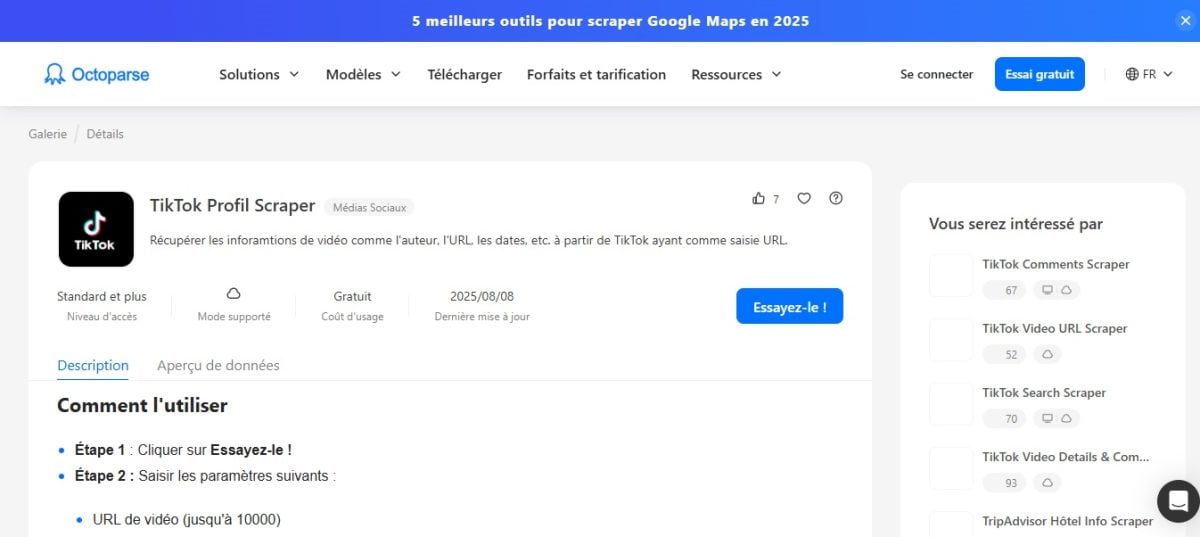
Octoparse is a no-code solution whose visual interface lets you create a web scraper in just a few clicks, without writing a single line of code. The tool also offers a template TikTok Scraper ready to use, which you can then customize to suit your needs.
This is the most affordable option for a beginner who wants to extract data quickly. To learn more, read our full review of Octoparse.
2. Code scraping with Python
the Web scraping with Python is a more technical and customizable, which requires some programming knowledge. It's the perfect solution if you want a total control regarding the data to be extracted, the output formats (JSON, CSV) and the frequency of requests. Here's how to do it, step by step.
Prerequisites
To get started, install a few Python libraries:
pip install requests parsel jmespath selenium scrapfly-sdk
This command installs :
- Requests for the HTTP requests.
- Parsel to analyze HTML content (XPath selectors).
- JMESPath to filter the JSON.
- Selenium to manage the JavaScript pages if required.
- scrapfly-sdk, the ScrapFly SDK (a paid service, with 1,000 free credits for testing), used below to manage anti-bot measures and proxies.
The method used here involves extracting data from a profile or a video via the’JSON analysis hidden on the TikTok page.
TikTok injects this data directly into the page's HTML, within a tag, which eliminates the need to call an official API.
Step 1: Analyze the network request
- Open the development tools (F12) in your browser.
- In the Network, observes the loaded requests when you visit a profile or a video on tiktok.com.
- Locate the data source. For a profile or video, this is the tag, visible in the page's source code (Elements tab). For comments, these are XHR requests to a URL of the form /api/comment/list/, visible in the Network tab. Their full URL appears in the Headers tab.
- For a profile or a video, simply use the page's URL; for comments, use the endpoint's URL.
Step 2: Send the request and receive the response
Once you've identified the source, use Python to query the page and extract the JSON it contains.
import requests
from parsel import Selector
import json

url = "https://www.tiktok.com/@pseudo"  Replace # with the target URL
resp = requests.get(url, headers={
    "User-Agent": "Mozilla/5.0"
})
selector = Selector(resp.text)
data = selector.xpath("//script[@id='__UNIVERSAL_DATA_FOR_REHYDRATION__']/text()").get()
profile = json.loads(data)["__DEFAULT_SCOPE__"]["webapp.user-detail"]["userInfo"]
print(profile)
The tag __UNIVERSAL_DATA_FOR_REHYDRATION__ contains the JSON block that TikTok injects into profile and video pages. This block contains the profile's metadata: number of followers, number of accounts followed, bio, and user ID. This method is based on real-world examples documented by ScrapFly.
Step 3: Extract the relevant data
You can then filter JSON to keep only the essentials: username, engagement metrics, and description. Here’s an example using ScrapFly for the TikTok posts :
from scrapfly import ScrapeConfig, ScrapflyClient
import json, jmespath

SCRAPFLY = ScrapflyClient(key="TA_CLE")
CONFIG = {"asp": True, "country": "US"}

def parse_post(response):
    sel = response.selector
    data = sel.xpath("//script[@id='__UNIVERSAL_DATA_FOR_REHYDRATION__']/text()").get()
    post = json.loads(data)["__DEFAULT_SCOPE__"]["webapp.video-detail"]["itemInfo"]["itemStruct"]
    return jmespath.search(
 """{
 id: id,
 desc: desc,
 author: author.{uniqueId, nickname},
        stats: stats
 }""",
 post
    )

async def scrape_posts(urls):
    to_scrape = [ScrapeConfig(url, **CONFIG) for url in urls]
    results = []
    async for resp in SCRAPFLY.concurrent_scrape(to_scrape):
 results.append(parse_post(resp))
    return results
This code shows how parse correctly Key data for a post: username, description, author, and engagement metrics (likes, comments, views, shares). The result can then be converted to CSV for your tests.
Step 4: Handling Iteration and Pagination
TikTok's internal API often returns only a small portion of the results at a time. To get more comments, you'll need to handle pagination using a loop. while, which continues to send requests to the endpoint as long as there is data left to load.
cursor = 0
all_data = []
while True:
    params = {"count": 20, "cursor": cursor, "aweme_id": post_id}
    resp = requests.get(api_url, params=params)
    data = resp.json()
    comments = data.get("comments", [])
    all_data.extend(comments)
    if not data.get("total") or cursor >= data["total"]:
 break
    cursor += params["count"]
Simplified Code : Replace `api_url` with `https://www.tiktok.com/api/comment/list/` and `post_id` with the video's ID. In practice, TikTok also requires session parameters retrieved from the browser, which is why it's a good idea to use ScrapFly or a headless browser.
Here, we use the parameter cursor to Pagination via the internal endpoint comments. Each iteration retrieves a batch of 20 results until all the data has been exhausted.
Why scrap on TikTok?
Collecting public data from TikTok helps you make better decisions, whether you work in marketing, data analysis, or research. Here are five real-world use cases where extracting TikTok data really makes a difference:
- Market Analysis: you spot the emerging trends (trending hashtags, popular sounds, content niches). By keeping an eye on emerging trends, you can spot a topic before it becomes oversaturated.
- Influencer marketing: You identify the creators who are relevant to your brand by comparing their number of followers, their commitment rate the actual reach and performance of their posts, rather than relying on the numbers displayed.
- Sentiment analysis: You assess brand perception by collecting comments under the videos, to see whether the reactions are positive, negative, or neutral on a large scale.
- Academic research: The extracted data make it possible to study social or cultural phenomena that occur on the platform, with quantified and reproducible examples.
- Competitive Intelligence: You monitor your competitors' content strategy by tracking the frequency of their posts, the formats that work, and the videos that generate the most likes and views.
In all these cases, compliance with TikTok's Terms of Service and the RGPD remains your responsibility, especially when you handle information related to identifiable users.
FAQs
Is web scraping on TikTok legal?
It's a nuanced issue. In general, scraping public data on TikTok isn't illegal in and of itself, but you need to keep two things in mind: the conditions of use of TikTok, which prohibit automated data collection in their Terms of Service, and personal data protection laws such as the RGPD in Europe.
In practice, extracting public information (hashtags, trends, aggregated statistics) poses fewer problems than collecting personally identifiable data (emails, identifiable profiles). If you store personal data, you are liable under the GDPR. For more details, check out our article on the legality of web scraping.
What are the best tools and software for scraping TikTok?
It all depends on your needs and technical skills.
- To get started without coding: Octoparse is the simplest solution, with its visual interface.
- For large-scale projects: Bright Data It excels thanks to its built-in proxies and its anti-blocking infrastructure.
- To automate in the cloud: Apify offers a TikTok Scraper ready to use with export to JSON Where CSV.
If you'd rather code it yourself, Python with libraries such as Selenium or the SDK ScrapFly gives you the most control over your extractions. For a detailed comparison (prices, benefits, limitations), check out our article on best web scraping tools.
What data can you extract from TikTok?
You can extract a wide variety of public information from TikTok:
- User profiles: name, bio, number of followers, number of followings, user ID.
- Video and post metadata: description, duration, publication date, associated music
- Current Hashtags and Trends
- Engagement Statistics: likes, shares, comments, views
All of this data is returned in a structured format (JSON), which is easy to convert to CSV for your tests.
How to get around TikTok's anti-bot protection?
TikTok is implementing several measures to block scrapers, including analyzing browsing behavior, analyzing the technical fingerprint of requests (TLS, headers, cookies), and evaluating the reputation of IP addresses.
These safeguards remain manageable when best practices are followed:
- Use rotating residential proxies (datacenter IPs are quickly detected).
- Simulate a real browser with Selenium.
- Add random delays between requests to avoid overloading the servers.
The faster you scrape, the more likely you are to be detected. A reasonable pace protects both TikTok and your own access.










 FR
FR  RU
RU  EN
EN  ES
ES  IT
IT  DE
DE  ZH
ZH  PT
PT  ID
ID  JA
JA  DA
DA