TeamViewer is the best answer if you want to control another phone remotely to troubleshoot or assist someone in real time. It's free for personal use, secure, and compatible with almost all devices.
If you're looking to discreetly keep an eye on a child, some spy apps as mSpy will be better suited for this purpose.
TeamViewer: The app for controlling another phone

TeamViewer is a remote desktop application launched in 2005, designed from the start for remote assistance. It lets you access the screen of another device and take control of it in real time from your own phone, tablet, or PC.
The tool supports almost all platforms:
- android and iOS
- Windows, macOS and linux
The included features are the screen sharing and the file transfer. This allows you to access the remote device's data and manage its files without having to go there.
Usage is free for strictly personal use. Be careful, though: the system may mistakenly detect business use and terminate a session. In that case, you'll need to prove that your use is for personal purposes. For business use, a paid license is required.
To control a Android phone, two separate applications are required:
- On your device : install TeamViewer Remote Control, available on the Play Store or on the official website.
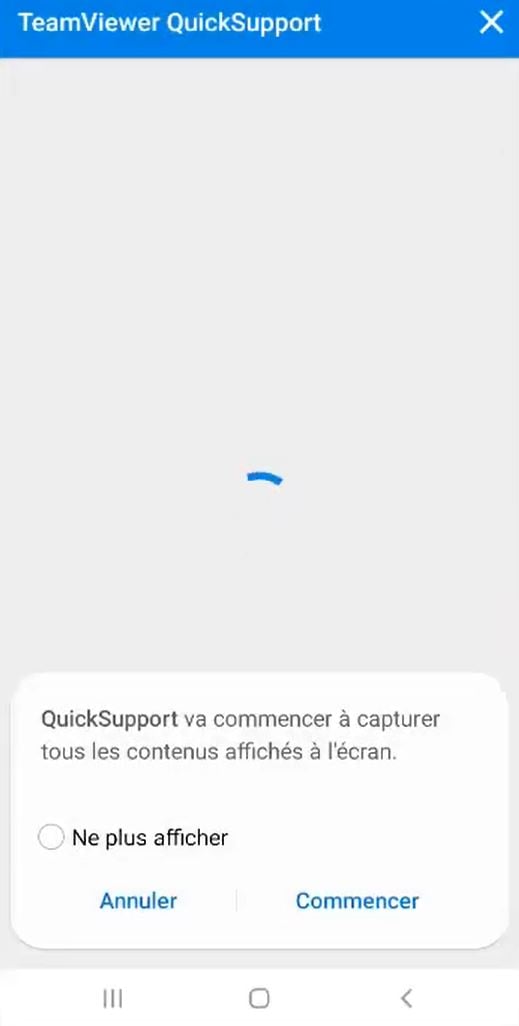
- On the phone to be checked : download TeamViewer QuickSupport, then allow the app to display over other apps in the Android settings.
Important thing to know: In standard mode, the person on the other end must accept the connection on your own screen and provide you with their ID. Therefore, by default, no checks are performed without their knowledge. TeamViewer It does indeed offer unsupervised access, but it must be set up in advance, with the user's consent.
If you want to know whether Your phone is already being spied on, that's a different approach.
Steps to control another phone with TeamViewer
Step 1: Log in to TeamViewer Remote Control on your Android device, tablet, or PC
- Open TeamViewer Remote Control on your device and open the menu Connect.
- Enter the’ID TeamViewer displayed on the interface QuickSupport of the phone to be checked.
- Press Remote control to log in.
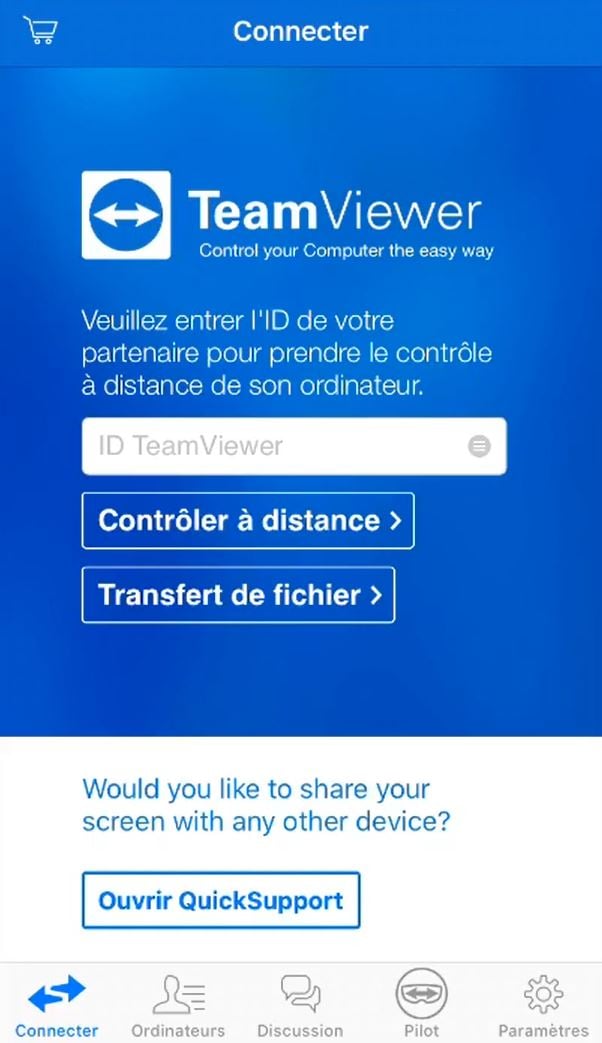
Each session is identified by a Unique ID generated upon the launch of QuickSupport. This ID changes with each new session, which enhances the security of the connection between the two devices.
Step 2: Authorize the connection on the device you want to control
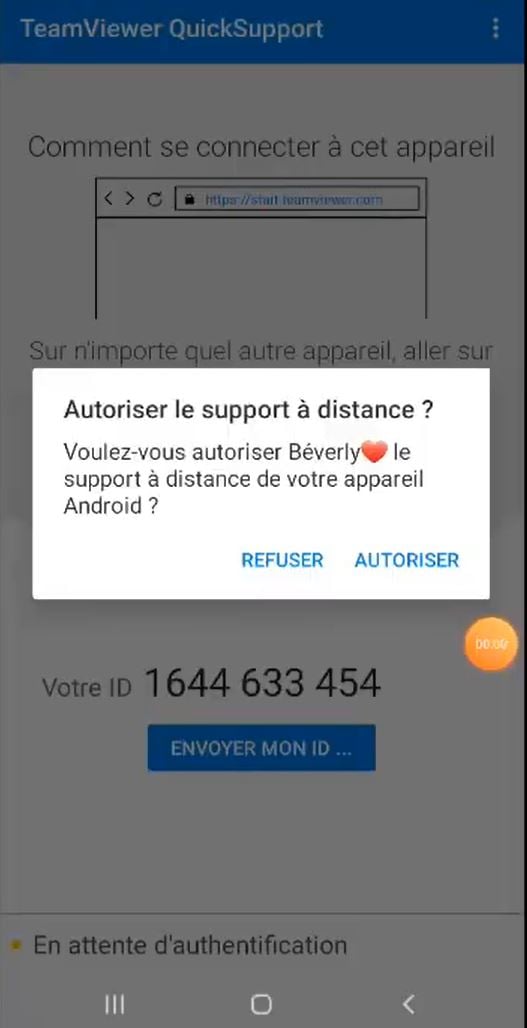
A remote control request appears on the screen of the Android phone targeted. The person must press To allow to confirm the connection. According to the Android version, you also need to enable certain screen-sharing permissions in the settings. Without this user confirmation, the tutorial cannot begin.
Step 3: Successful connection
Once the connection is accepted, the’remote phone screen is displayed in real time on yours. You can navigate as if you were holding the device in your hand: you can access its settings, manage its data, or perform a file transfer. The session remains active until one of the two users manually closes it. This is the ideal solution for quick remote assistance without having to travel.
The Evolution and Development of the App
Today, TeamViewer is mainly used in professional environment. Many French companies rely on it for their technical assistance online. Support teams use it to troubleshoot issues for customers remotely, without having to travel.
In practice, a technician can access the customer’s device in a matter of seconds, resolve the issue in real time, and then close the session. This remote support saves valuable time, especially when dealing with tasks that are too complex for the user.
The technician can also share files or access the data needed for diagnostics, without the user having to do anything on their end.
Secure remote access
the 256-bit AES encryption secures every session: your data and the customer's data are transmitted in a completely secure manner. Cross-platform compatibility (Windows, macOS, linux, android, iOS) covers virtually all devices on the market. Regardless of which version of the operating system is used, TeamViewer allows devices to connect to each other without complex setup.
Have you ever used TeamViewer Or is there another app for remotely controlling a different phone? Share your experience in the comments.
You can also check out our dedicated guide for check your child's cell phone.








 English