You've heard of a Minecraft that makes you want to? Or are you up for a nostalgia tour?
In our tutorial, discover how to change version Minecraft.
Steps to upgrade your PC to version Minecraft
Please follow the steps below to switch from version Minecraft to PC:
- Launch launcher Minecraft
- Go to the "Configurations

- Click on "New configuration

- Choose the version of Minecraft you want to play with from the drop-down menu
- Click on "Create
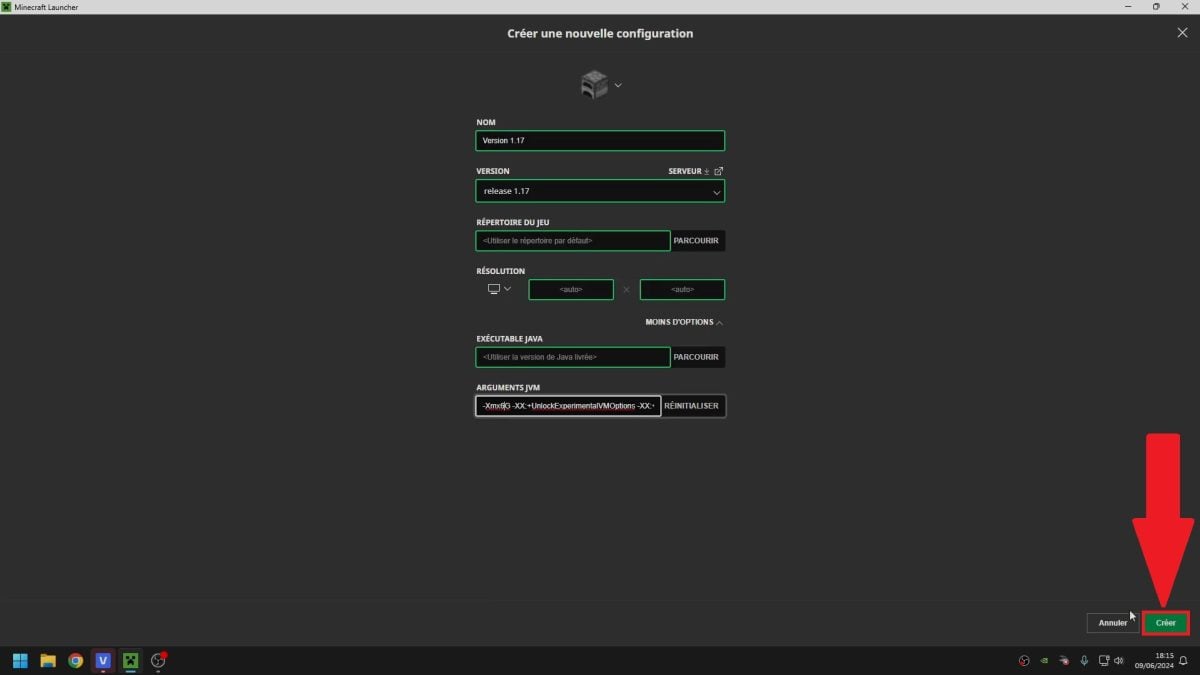
- Look for the new version, created in the "Configuration" tab.
- Click on "Play.

What precautions should I take before changing versions?
Before upgrading your version of Minecraft, we strongly advise you to save your worlds. The transition can damage them.
Finally, some versions can be less stable or contain bugs. So be careful which version you play.
How do I change the Bedrock Minecraft version on my phone?
For the Minecraft Bedrock phone version, please note that it is impossible modify it manually as on a PC.
Version Minecraft will be automatically updated as soon as the application is available. Of course, there are ways to download older ones.
However, we don't advise you to try it, since these tips involve third-party playersand therefore do not guarantee the safety of your appliance.
Finally, don't forget to save your world before changing to version Minecraft on PC. If you're playing on a phone, the Bedrock updates automatically. Unofficial methods may allow you to switch to older versions, at your convenience. risks and peril.
In any case, don't hesitate to consult our other tutorials, such as the one on how to how to install mods.








 English
v1.2.27