Create a mail address Outlook, it's free and it takes less than 3 minutes. You'll enjoy 15 GB of storage included, and the account also serves as your account Microsoft unique for all of the publisher's services.
How to Create Your Own Email Address Outlook ?
The messaging service from Microsoft, it's today Outlook.com, formerly known as Hotmail then Live.com.
This free service faces Gmail and remains accessible to everyone, with no subscription or credit card required.
Here are the steps to follow to create your account:
- Go to outlook.com and click on Create a Free Account. Enter the email address of your choice, then select the domain from the drop-down menu. If the address you want is already taken, Outlook automatically suggests available options. Click on Next.

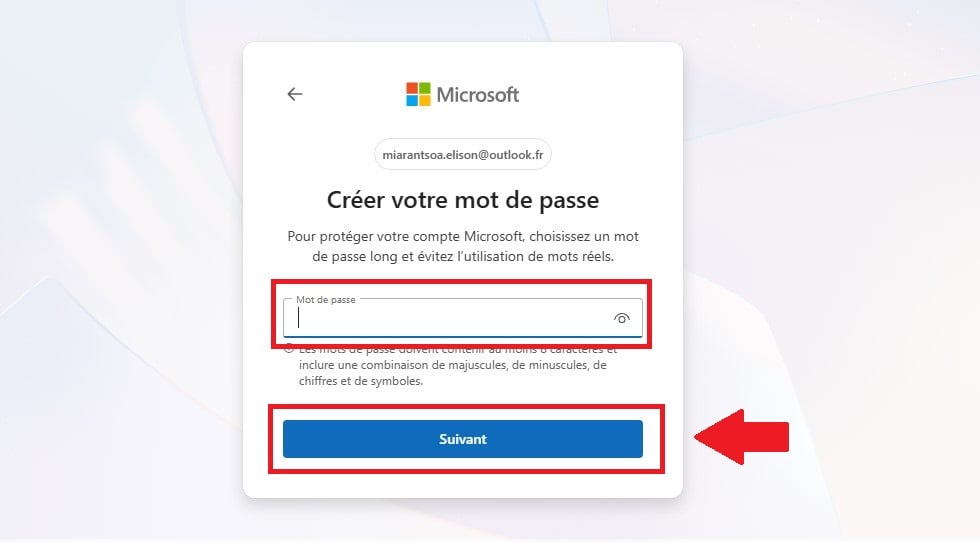
- Enter a password of at least 8 characters, using a combination of letters, numbers, and symbols. The «I would like to receive information...» checkbox is optional; you can uncheck it. Click on Next.
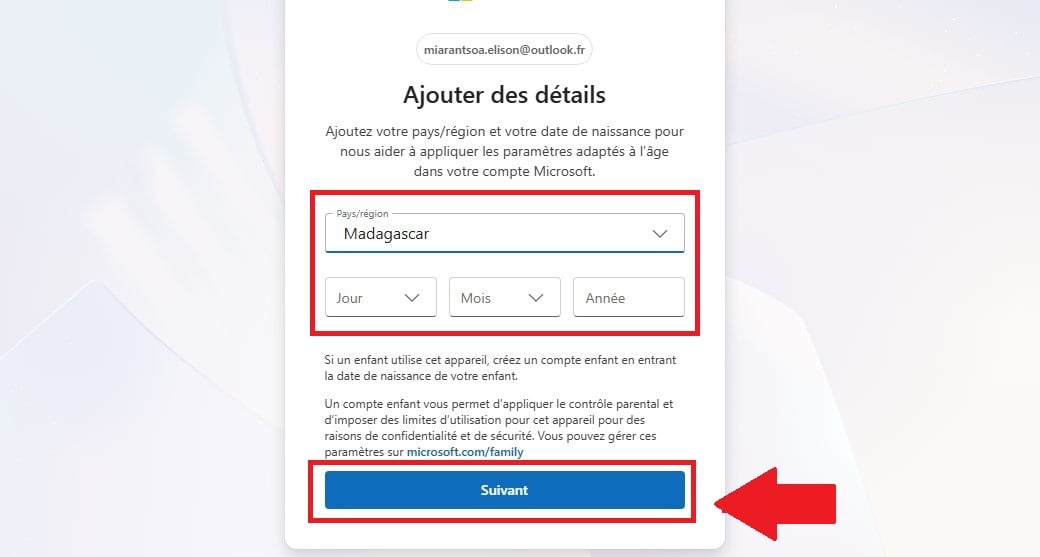
- Select your country and your date of birth, then click on Next.
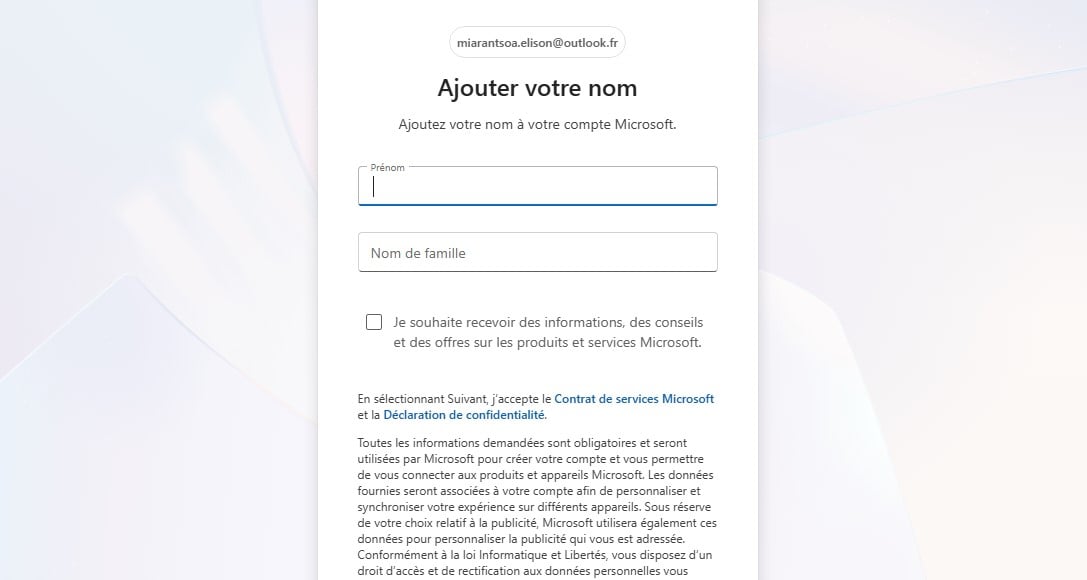
- Fill in your name and your first name, then click on Next.
- Validate the test anti-bot (captcha). Your email account has been created, and you'll be taken directly to your inbox, organized into two tabs: Priority and Others.
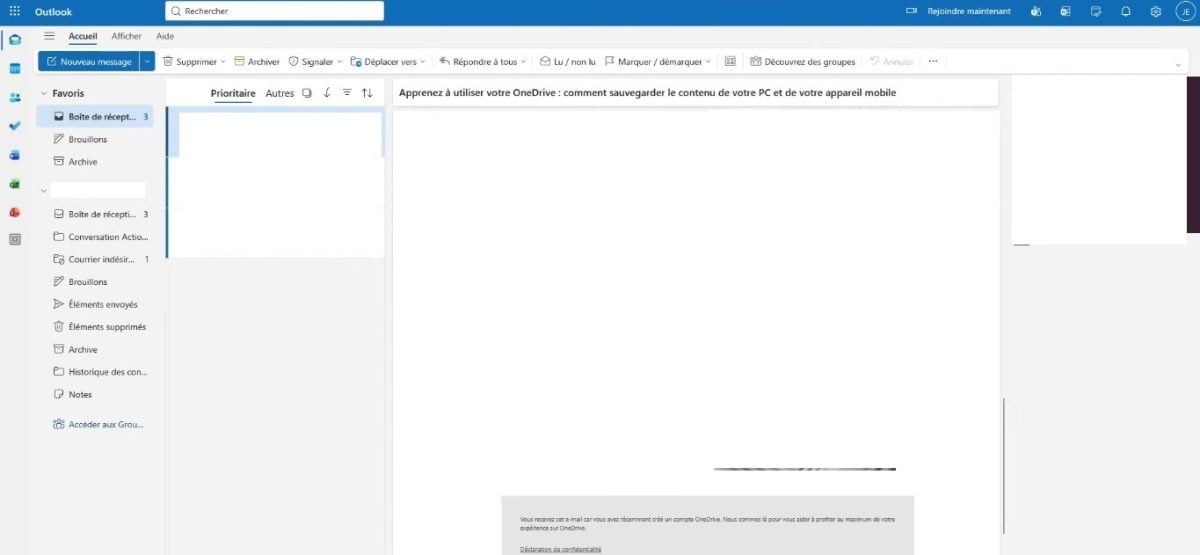
That same username gives you access to OneDrive and Xbox : a single account for all services Microsoft.
Create Your Own Address Outlook on a phone
Don't have a computer handy? The app Outlook, available at iOS and Android, lets you create your account directly from your phone. The process is the same as the online version.
Open the app, tap Create a Free Account, choose your email address and password, then enter your name and some basic information. It's the same account Microsoft, which automatically syncs so you can send and receive your email from any device.
What is your account used for? Microsoft ?
Create an address Outlook, it also means opening a account Microsoft. With the same username, you can use multiple services without having to re-enter anything:
- OneDrive to store and share your files online; ;
- The apps Office on the web (Word, Excel, PowerPoint) ;
- Your PC running Windows and the Microsoft Blind; ;
- Xbox Where Teams for games and teamwork.
You can manage everything from the page «My Account" Microsoft », where you can view your connected devices, edit your personal information, and access your subscriptions.
How to Log In to Your Email Outlook ?
Once you've created your account, you can access your email in several ways:
- From the website outlook.com : Click «Sign In,» then enter your email address and password; ;
- Since the application Outlook on mobile, available on Android and iOS; ;
- Since the new app Outlook to Windows, built into the PC.
The same account syncs across all your devices. Your posts, your contacts and your calendar remain the same across all screens. A single connection is all it takes to access OneDrive Where Teams at the same time.
Organize Your Inbox
Outlook Sort your emails into two tabs: Priority and Others. The first one highlights important emails, while the second one groups the rest together. You can take your organization even further:
- Create Folders : Right-click on «Folders» in the left-hand menu, then select «Create a Folder» to organize your emails by topic or sender.
- Establish rules : go to Settings, then «Rules» and «Add a rule.» Choose a condition (the sender, for example) and an action, such as moving the email to a specific folder.
- Use Categories : Add a color to an email so you can find it more quickly.
- Customize the display : In Settings, you can change the view pane, the sort order, or the conditional formatting.
To reply to an email, open it and click on Answer. To send a new one, click on New message, enter the recipient's address, and write your message. The paperclip icon lets you add attachments. You can also manage your contacts and your calendar from the same window, using the icons on the left. Also, be sure to master the CC and CCI fields to effectively target your audience.
Secure Your Account Outlook
Your account Microsoft provides access to all related services, so it's best to protect it carefully. Start by choosing a strong password, with at least 8 characters, numbers, and symbols.
Next, activate the two-step verification, which you can set up on your account page, not in your inbox. Here's how:
- Go to account.microsoft.com and log in.
- Open the tab Security.
- Select Additional Security.
- Click on Two-step verificationthen on Enable.
Every time you log in on a new device, Microsoft asks you for a security code in addition to the password. This way, even if a hacker figures out your password, they'll still be locked out. From the same Security page, you can also view the connected devices and disconnect the ones you don't recognize.
FAQs
What is the difference between Outlook and Hotmail ?
It's the same service. Hotmail is simply the old name: Microsoft renamed it Outlook. Addresses in @hotmail.com Those that have already been created remain valid and work normally; you can access them with your account Microsoft usual.
Create an address Outlook Is it free?
Yes, that's completely free of charge. You'll enjoy 15 GB of storage for your inbox, with no credit card required upon sign-up. The paid version (Microsoft 365) is mainly used to free up more space and run desktop apps, but it's not required to create an account.
Can we create an address? Outlook on a phone?
Yes, through the app Outlook (iOS and Android) or directly from your mobile web browser. The process is the same as on a computer: you choose your username, create a password, and provide some personal information.
How long does it take to create an address? Outlook ?
Less than 3 minutes. All you have to do is choose an email address and a password, and enter your name and some basic information.
How to Recover an Account Outlook ?
If you've forgotten your password, go to the page «Recover My Account» of Microsoft. Follow the instructions to verify your identity, then change your password. If you run into any problems, the online help section at Microsoft takes over.
How to Add an Address Outlook in the software Outlook ?
Open the software Outlook, go to File, then click on Add an account. Enter your email address and password, and let the setup process run automatically. This way, you can manage multiple accounts from the same window.
- Want to compare with other providers? Find out how to create an email address.
- Many people create an address Outlook As a secondary box: here is How to Create a Second Email Address.








 English