The Netflix streaming platform first requires the creation of an account, then you must also choose your subscription plan to access it. netflix includes content for children, adults, teens and more.
Signing up and unsubscribing from Netflix is easy. It often happens that you want to leave the platform, and come back to it, because you miss the content. But when you decide to leave the platform for good, this guide will help. In this article, we'll show you how to completely delete your Netflix account ?
Explanatory video in French by Alucare, ideal complement to the page. View video (you can use YouTube's automatic translation)
How to delete your Netflix account for good?
Here are the steps to follow to delete your Netflix account for good:
- Start by going to the Netflix app;
- To go to your account, click on your Profile icon
- Scroll to the bottom and click on Account ;
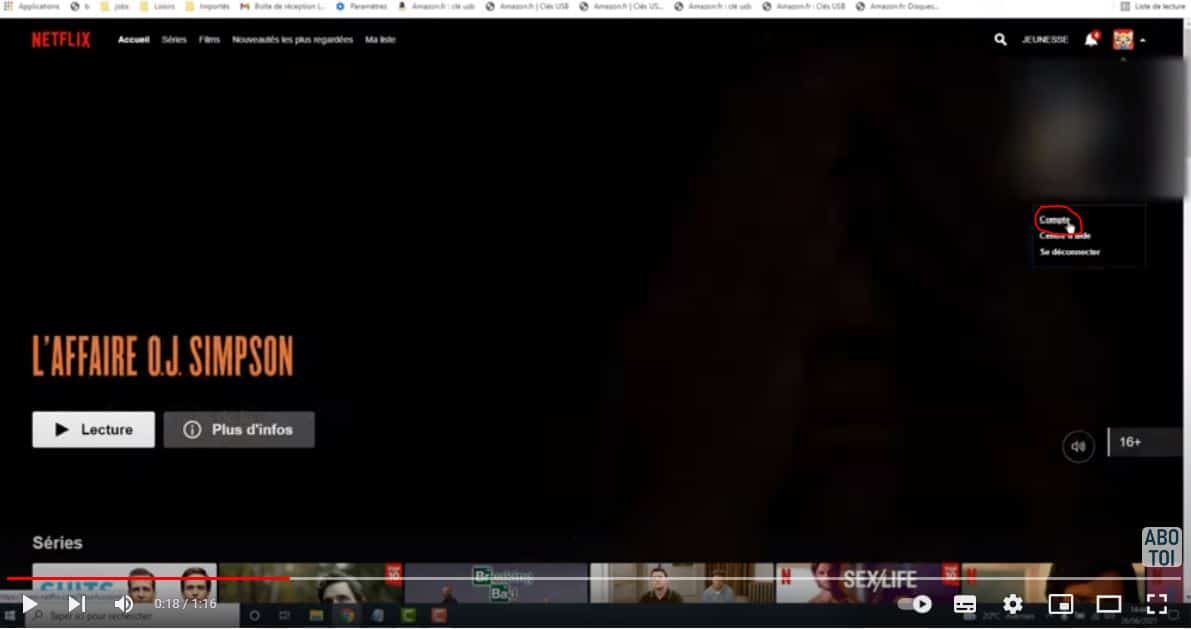
- Then go to the Subscription and billing ;
- Then click on Cancel subscription ;
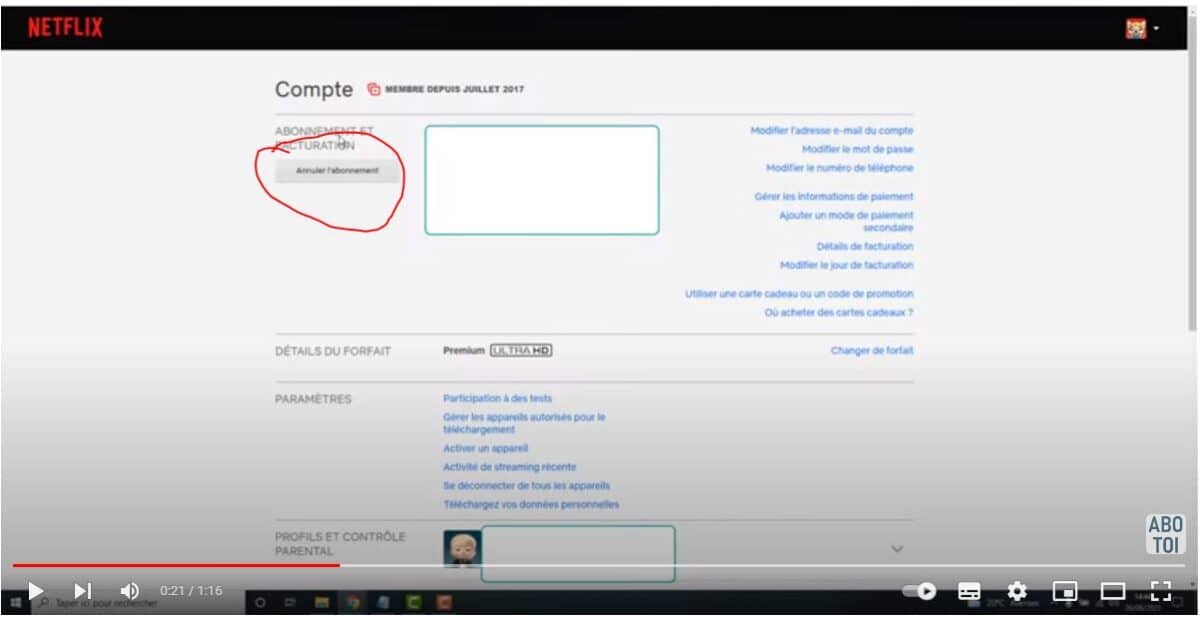
- Then click on Complete cancellationThis will allow you to cancel your subscription first.
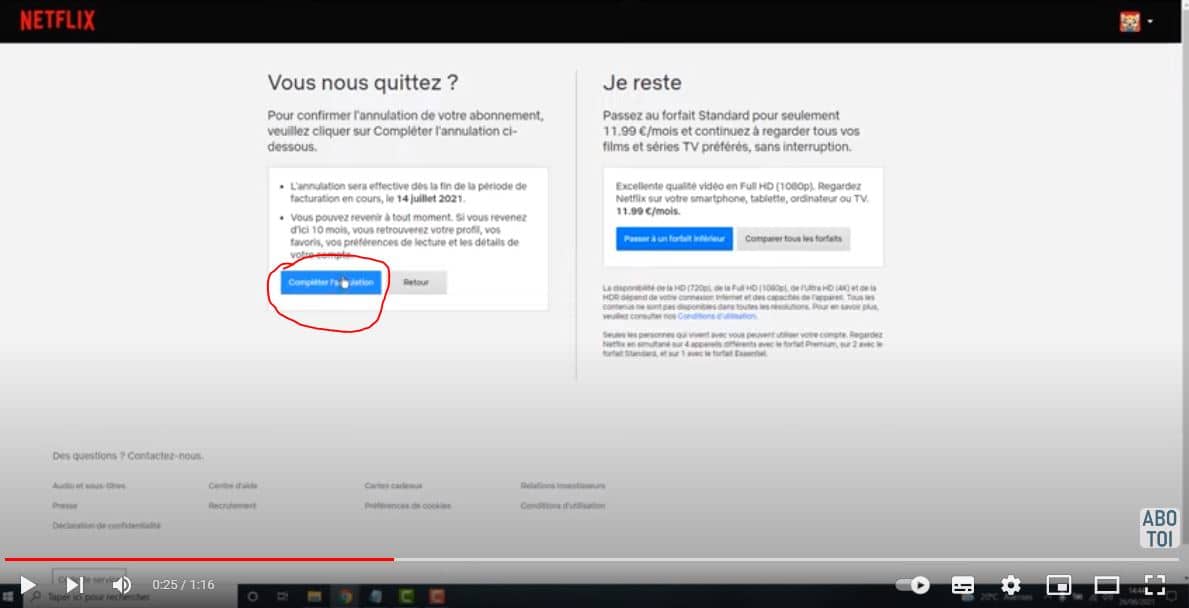
This action is not enough to permanently delete your Netflix account; there are still a few processes to follow. For your information, if you cancel your Netflix subscription, the account will be deleted within 10 months if you take no action.
But if you want a immediate removalhere's how:
- You need to send an e-mail from your Netflix account to the following address privacy@netflix.comto request the deletion of your account;
- By sending the email, you can also ask them to delete your personal data.
This process seems a little difficult, but it will take immediate effect if you don't want to wait for the default 10 month time frame.
How do I delete a Netflix profile?
While deleting the main profile from your Netflix account can be quite arduous, the procedure is very simple for other profiles. You can do it on most devices: computer, TV, Smartphone...
In this article, we invite you to discover how to delete a Netflix profile from a web browser or the Netflix mobile app. Don't worry, the steps are more or less the same!
Netflix web
- Go to the Netflix page
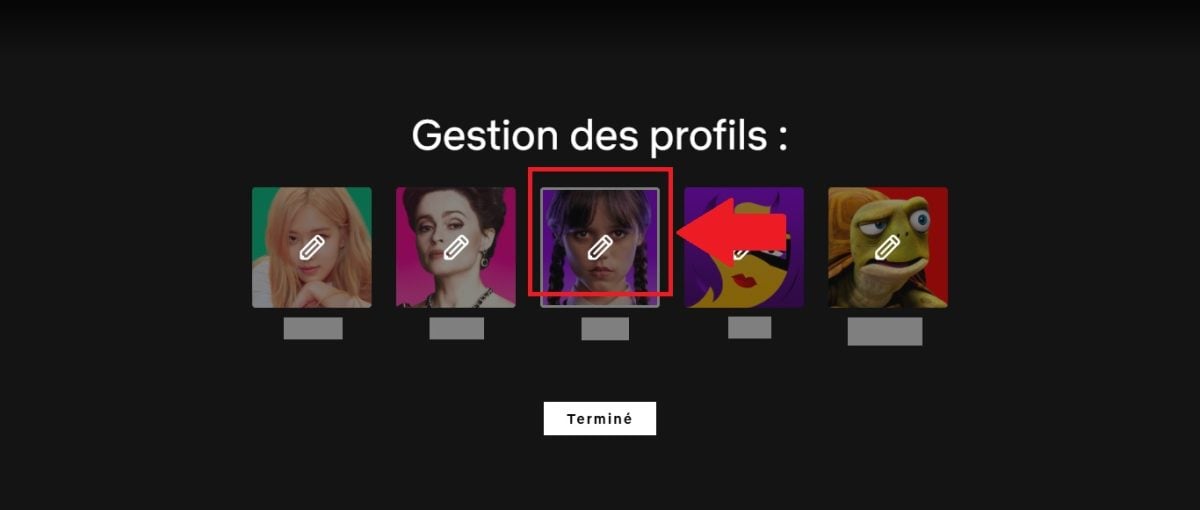
- Click on MANAGE PROFILES
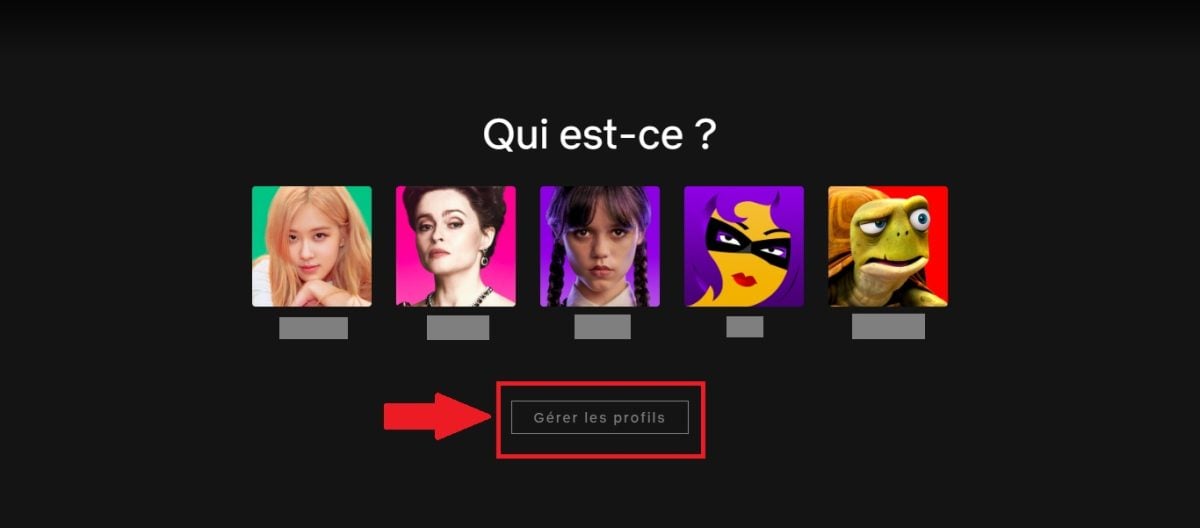
- Select the profile you wish to delete
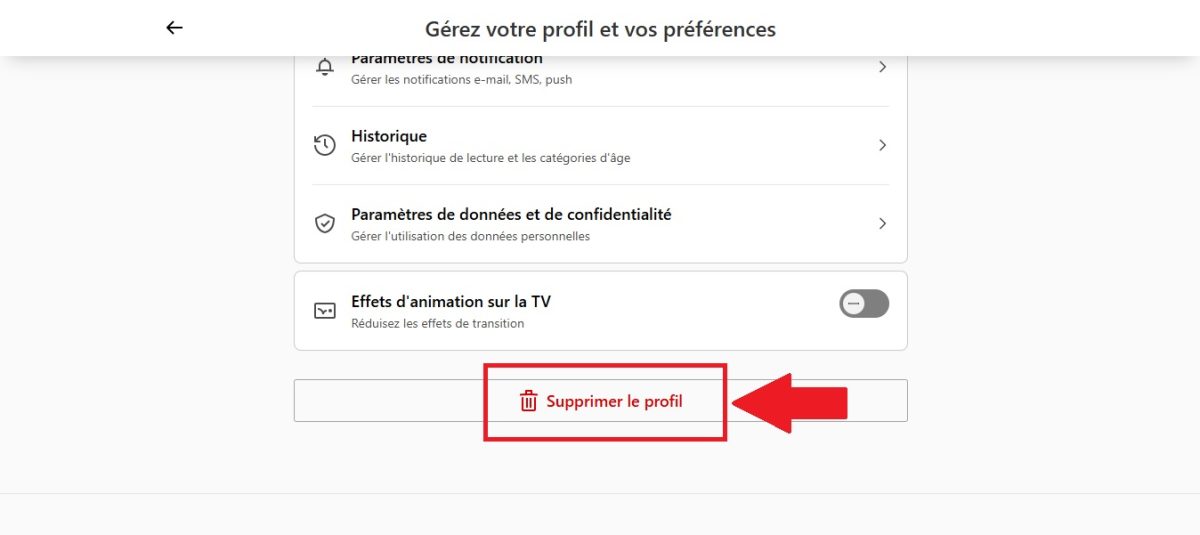
- Then go to the bottom of the page
- Click on DELETE PROFILE And it's done!
Netflix application
- Open the Netflix app
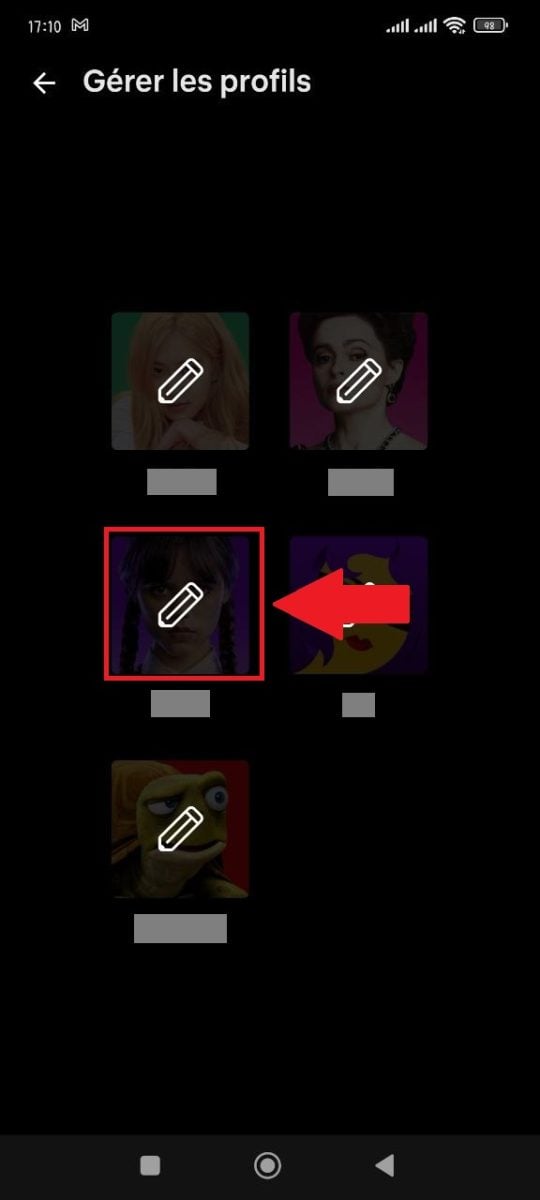
- In the upper right corner, click on thepencil icon

- Select the profile to be deleted
- Then scroll to the bottom of the page
- Click on DELETE PROFILE And that's it!

IMPORTANT! Once the profile has been deleted, its viewing history will no longer be available.










 English