How do I change the language of my keyboard on PC and mobile?

Author :

React :

Comment

Complete tutorial on how to change your keyboard language easily. We'll take the example of switching from a French keyboard (AZERTY) to an English keyboard (QWERTY) and vice-versa. On computer, but we'll also do the tutorial for cell phones.

We've made a video tutorial and underneath there's a written tutorial.

First:

  • Video tutorial for Windows keyboard
  • Then written tutorial with image
  • Then tutorial for phone

Explanatory video in French by Alucare, ideal complement to the page. View video (you can use youtube's automatic translation)

Changing the keyboard language on Windows :

You'll find the images below to follow the complete Windows microsoft tutorial.

  1. Click on the "Windows"then search for "settings” (Settings in English).
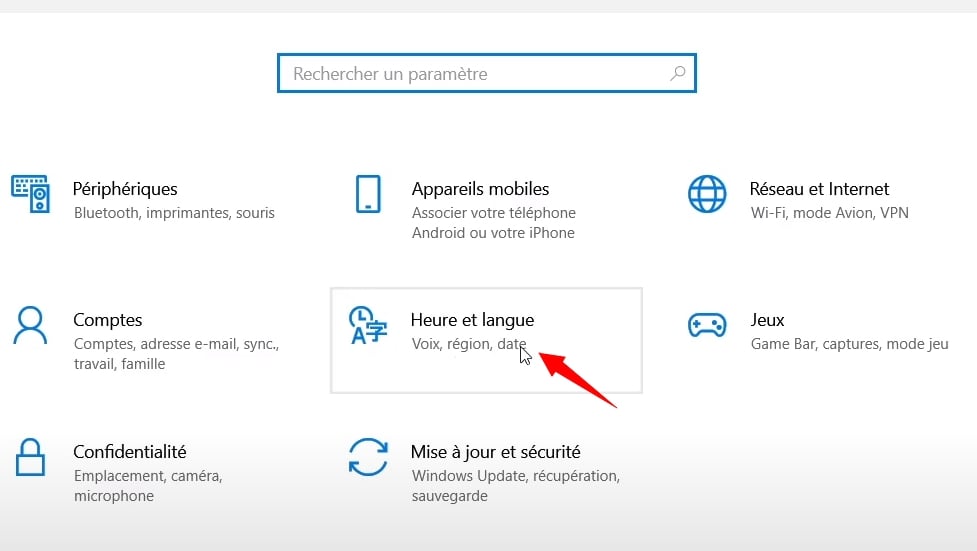
  2. Click on "Time and language
  3. Click on Language in the left-hand panel
  4. Click on your keyboard language, then on Options
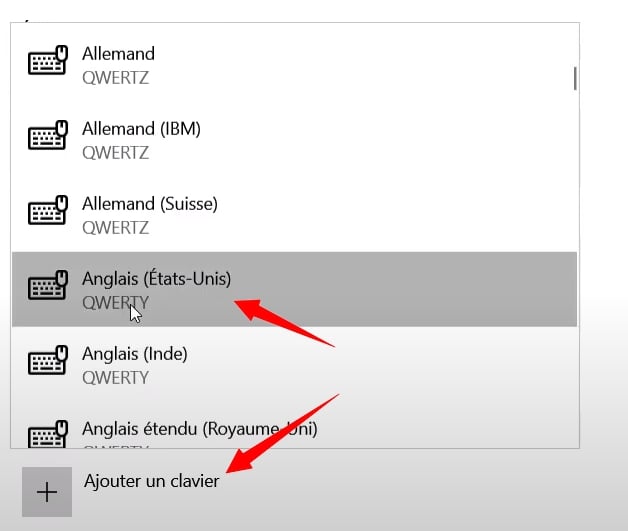
  5. Click on add keyboard
  6. Select the keyboard you want (for a Qwerty keyboard take: English (United States) in QWERTY
  7. Press "ALT+MAJ" or "Windows + space" to change the keyboard language.
  8. Alternatively, click in the bottom right-hand corner of the Windows screen to change language with the mouse (see tutorial image below).

Changing the keyboard language on Windows (image tutorial) :
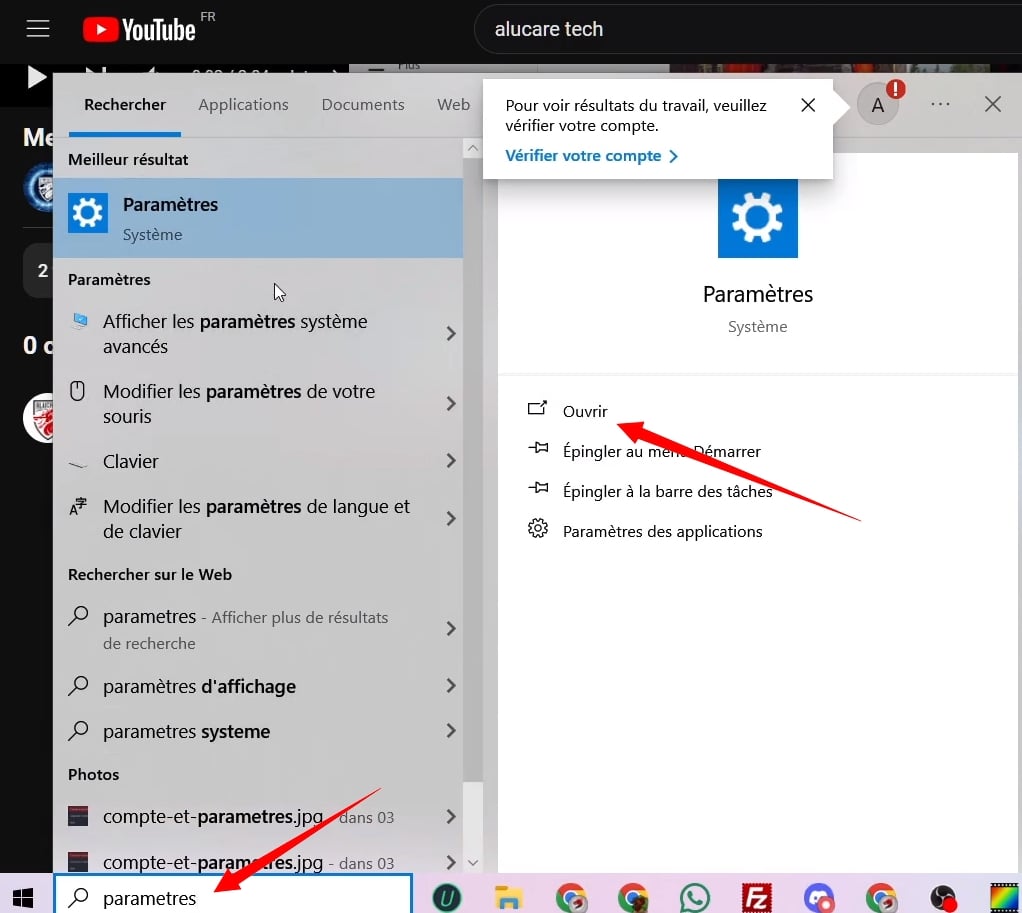
Search for settings in the Windows search bar ©️ Alucare for Alucare.fr
Click on Time and language ©️ Alucare for Alucare.fr
Click on language in the left-hand panel ©️ Alucare for Alucare.fr
Choose your preferred language then click on options ©️ Alucare for Alucare.fr
Take the English QWERTY keyboard (or keyboard of your choice) ©️ Alucare for Alucare.fr
Take QWERTY keyboard (or keyboard of your choice) ©️ Alucare for Alucare.fr
Switch from one keyboard to another by clicking on the keyboards to the left of the time Windows ©️ Alucare for Alucare.fr


How to change the language of the Android keyboard (Samsung)

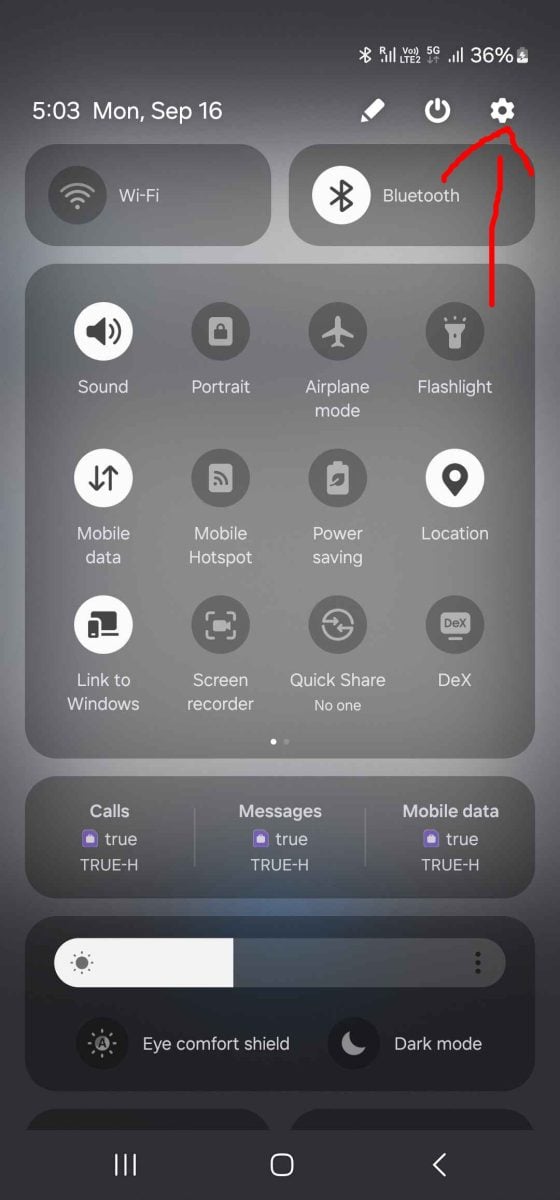
  • Go to Settings (settings)


Go to Settings (<span class="notranslate" data-no-translation="">settings</span>) ©️ Alucare for Alucare.fr
Go to Settings (settings) ©️ Alucare for Alucare.fr
  • Go to global management
Go to global management ©️ Alucare for Alucare.fr
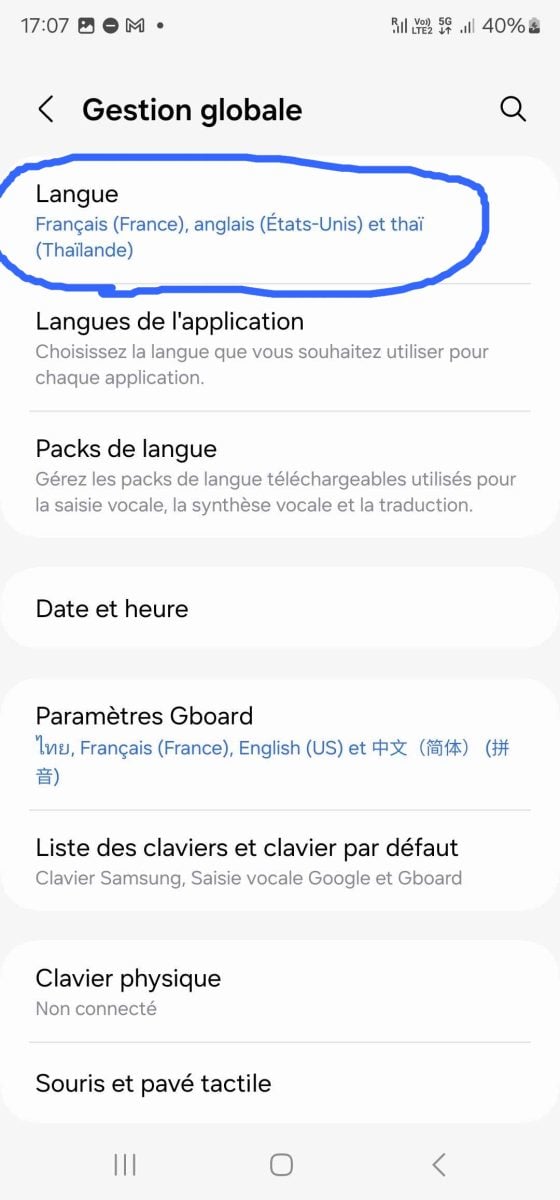
  • Click on Language
Click on Language ©️ Alucare for Alucare.fr
  • Click on "Add a language

  • Go and use your keyboard to write a message, click on the planet and see your keyboard change language (you must have chosen at least two languages above).
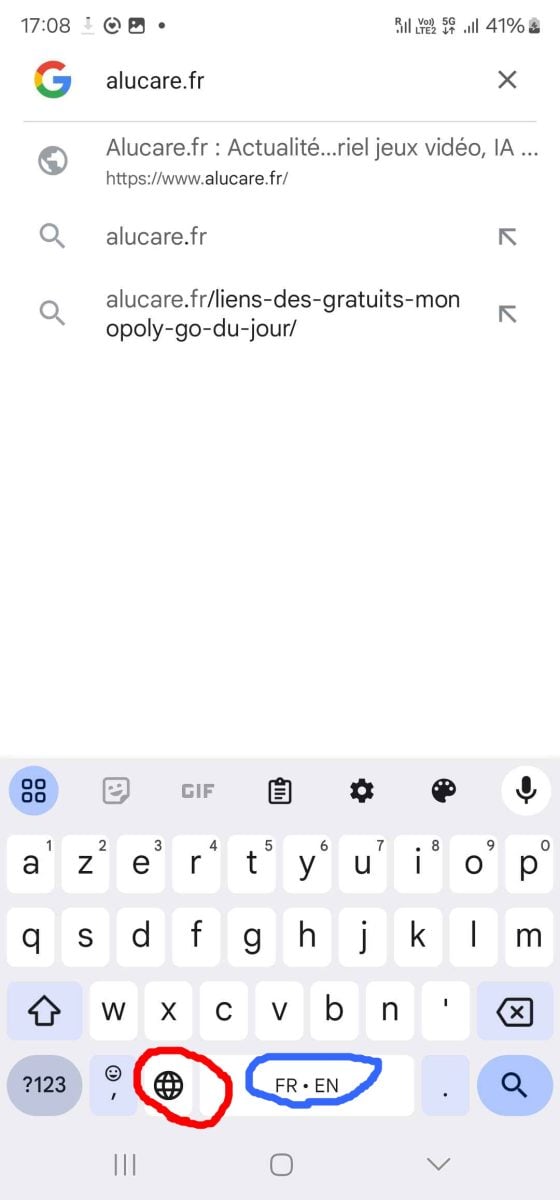
Go use your keyboard to write a message, click on the planet and see your keyboard change language ©️ Alucare for Alucare.fr


How to change the language of the IOS keyboard (Apple IPhone) :

  • Go to Settings on your Apple IPhone
  • Then click on "General".
  • Go to the "Keyboard" menu
  • Click on "Keyboards
  • Add the keyboard of your choice (language)
  • As with Android, select the language by clicking on the planet.

Found this helpful? Share it with a friend!

This content is originally in French (See the editor just below.). It has been translated and proofread in various languages using Deepl and/or the Google Translate API to offer help in as many countries as possible. This translation costs us several thousand euros a month. If it's not 100% perfect, please leave a comment for us to fix. If you're interested in proofreading and improving the quality of translated articles, don't hesitate to send us an e-mail via the contact form!
We appreciate your feedback to improve our content. If you would like to suggest improvements, please use our contact form or leave a comment below. Your feedback always help us to improve the quality of our website Alucare.fr


Alucare is an free independent media. Support us by adding us to your Google News favorites:

Post a comment on the discussion forum