You closed it Google Chrome Did you accidentally close all your tabs? Tap Ctrl + Shift + T : It's the quickest way to find everything.
If that's not enough, the History Menu Chrome lets you restore your entire session with just a few clicks.
Explanatory video in French by Alucare, ideal complement to the page. View video (you can use YouTube's automatic translation)

How do I recover lost tabs in Google Chrome?
May your browser Whether it crashed, restarted on its own, or was shut down accidentally, your tabs aren't permanently lost.
Here are all the practical ways to find them, including the keyboard shortcut, the’history or the startup settings.
Method 1: The keyboard shortcut Ctrl + Shift + T
the keyboard shortcut is still the fastest way to reopen a tab that was closed by mistake.
- On Windows, press at the same time Ctrl + Shift + T.
- On Mac, use this instead Cmd + Shift + T.
The last tab you closed will reappear immediately. Repeat the shortcut several times to restore the tabs. one by one, in the reverse order in which they were closed. This also works for finding a full-screen closed.
Method 2: Use Chrome's history
If the shortcut isn't enough, the History menu keeps track of all recently closed pages.
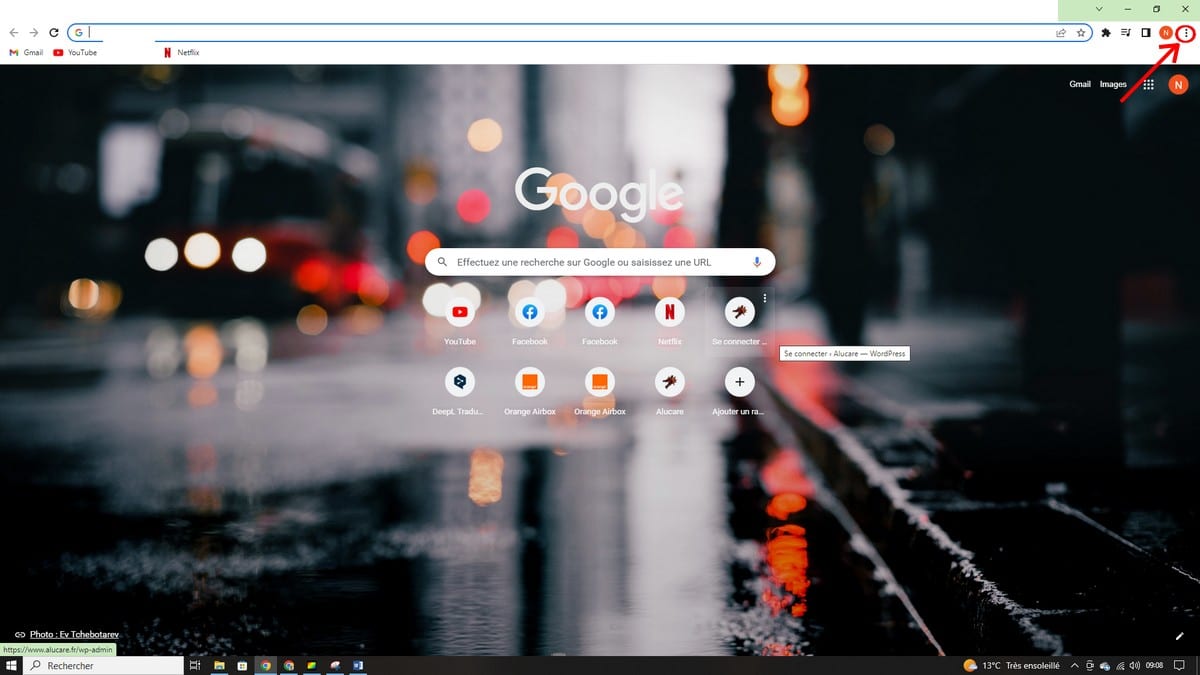
- Click on the three points in the top right corner of your screen, next to your account name.
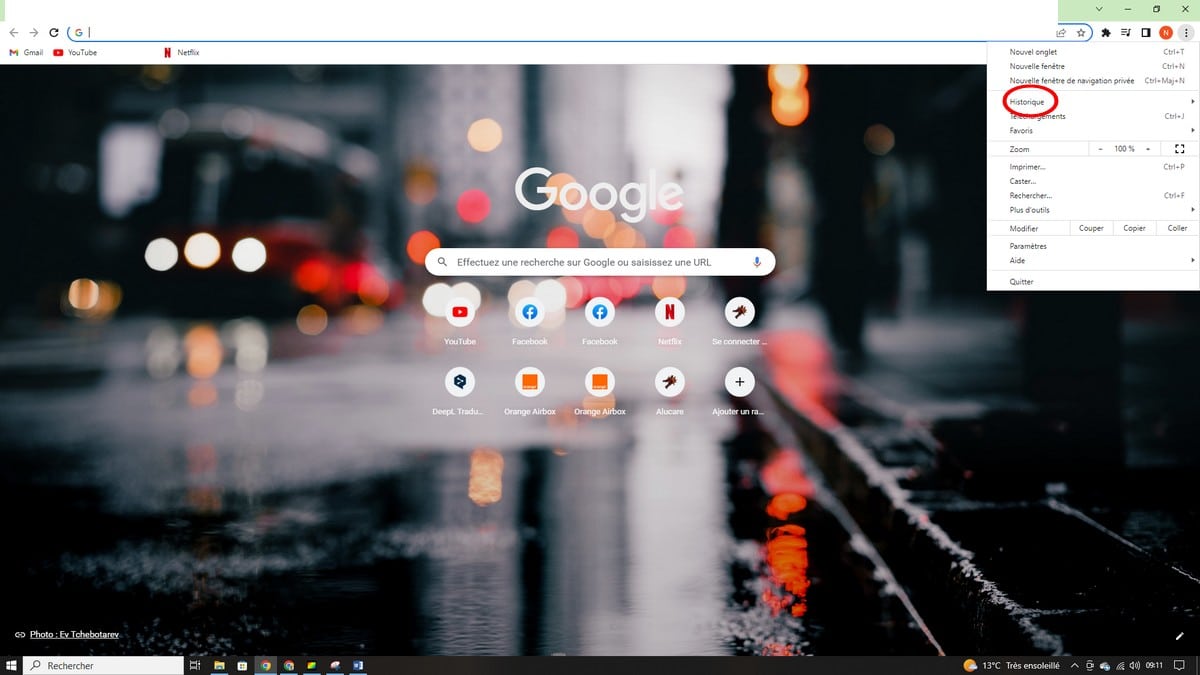
- Overview Historical to view recently visited pages.
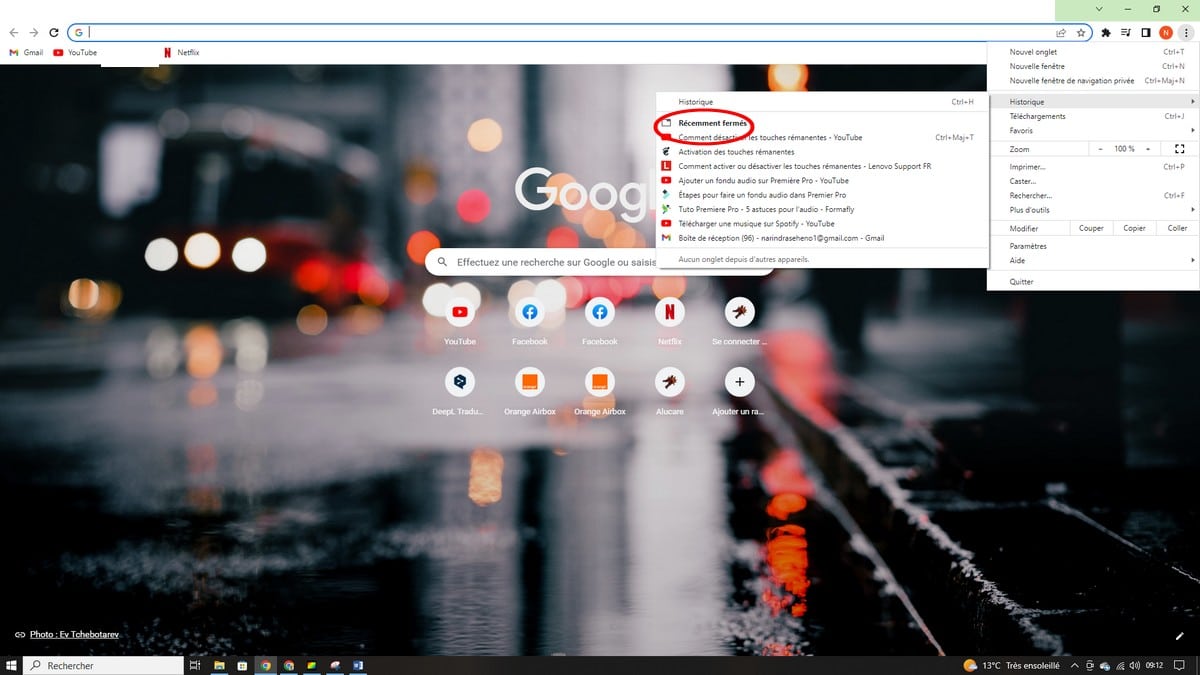
- Dans la section Recently Closed, click on Restore the window to get everything back all at once.
Restoring a session after a crash or restart
Go to Settings, then under the section At startup, and check Pick up where you left off. See you next time, your last session and all of its tabs reload automatically.
When these methods don't work
If you were in private browsing (incognito mode) or if your browsing history has been cleared, Chrome does not save any data. It is therefore impossible to restore the affected tabs.
You can also check how Chrome handles the advertising and other content that may slow down your browsing experience.
And if you have any questions, feel free to ask them in the comments section!









 English