You're trying to show a book, document or written diagram to the camera during a video call on Google Meet, but the text is displayed upside down on your side ? No need to panic, it's perfectly normal and it doesn't no worries for your contacts.
Google Meet applies a mirror effect only on your own video feedback. This feature allows your movements to stay natural for you, as when you look in the mirror. Others, on the other hand, see your text right side up and read it perfectly.
If you still want to flip what you see, you can use a browser add-on. We'll show you how.
💡 Do this rapid test in 10 seconds before installing anything!
To reassure yourself and check what your colleagues are really seeing, take this simple test:
- Start a Google Meet meeting, alone.
- Grab your smartphone and join the same meeting (via link or code).
- Show a sheet of text to your computer's camera and look at your phone's screen.
👉 The findings : While the text is upside down on your PC screen, it appears perfectly in place and readable sur votre telephone (which simulates what your viewers see).
If you don't have a phone handy, you can also start a short video recording of your meeting: on the replay, your text will be right side up.
In fact, if you're looking for an effective solution for save your videoconferences, You can record all your meetings on Google Meet here :
📹 Record a meeting on Google Meet
In this article, discover :
- The quick test to check what your participants see,
- How to invert the camera on a PC if you have a specific need (via a Chrome extension),
- Why isn't this a problem on cell phones (Android and iPhone)?.
1. Inverting the camera on Google Meet on PC in 2026
a) Download the Mirror Mode for Google Meet extension
Google Meet does not currently allow you to flip the camera directly. Therefore, to work around this, the only solution is to use software third or some extensions.
- Go to Chrome Web Store,
- In the Extension section, search for Mirror Mode for Google Meet,
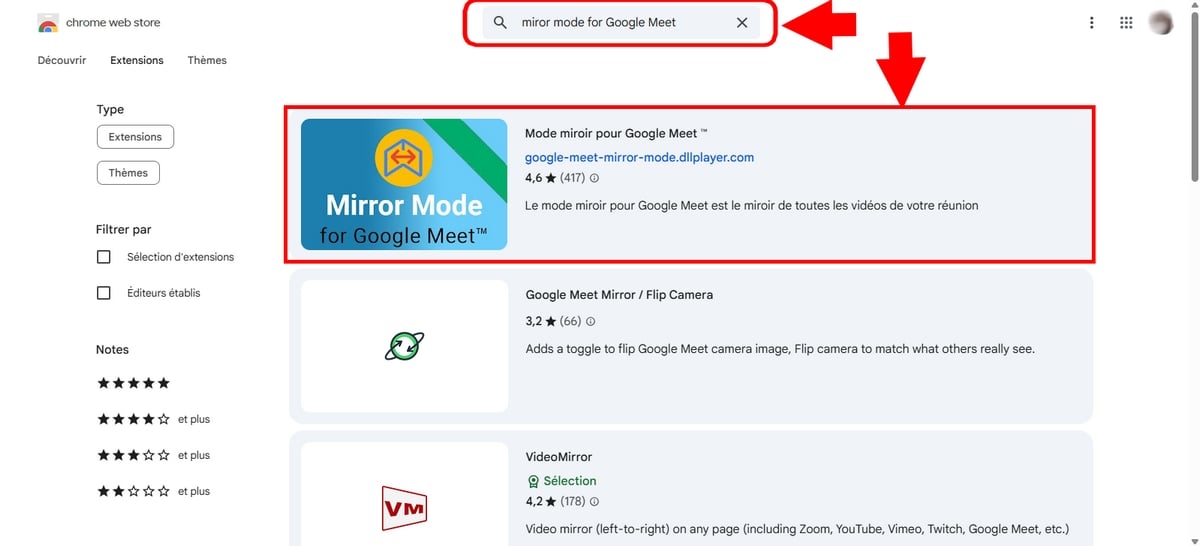
- Then click on Add to Google Chrome,
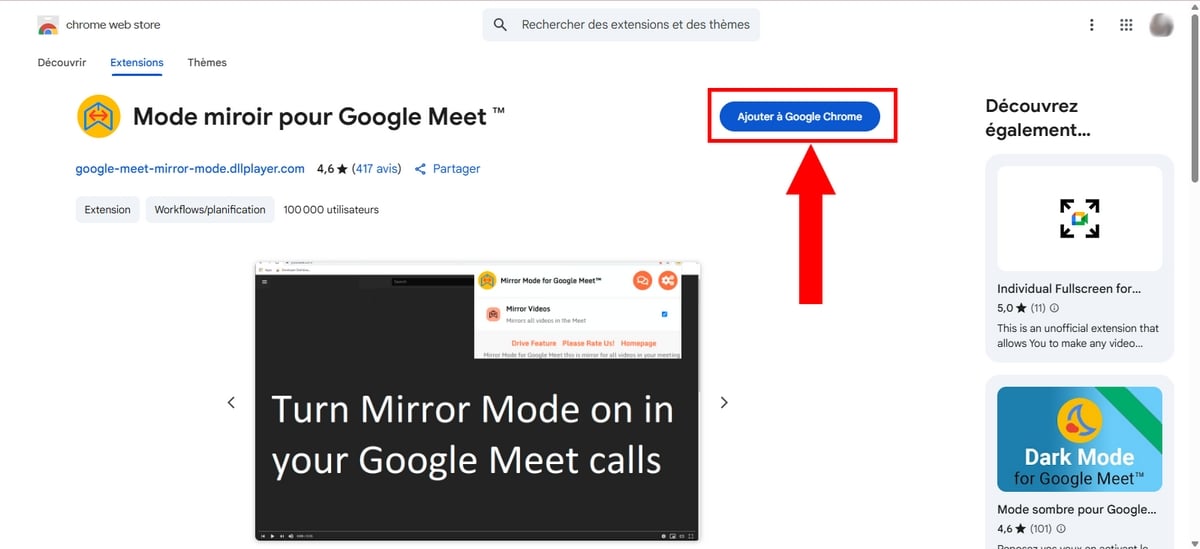
- Then confirm the addition by clicking on Add the extension.
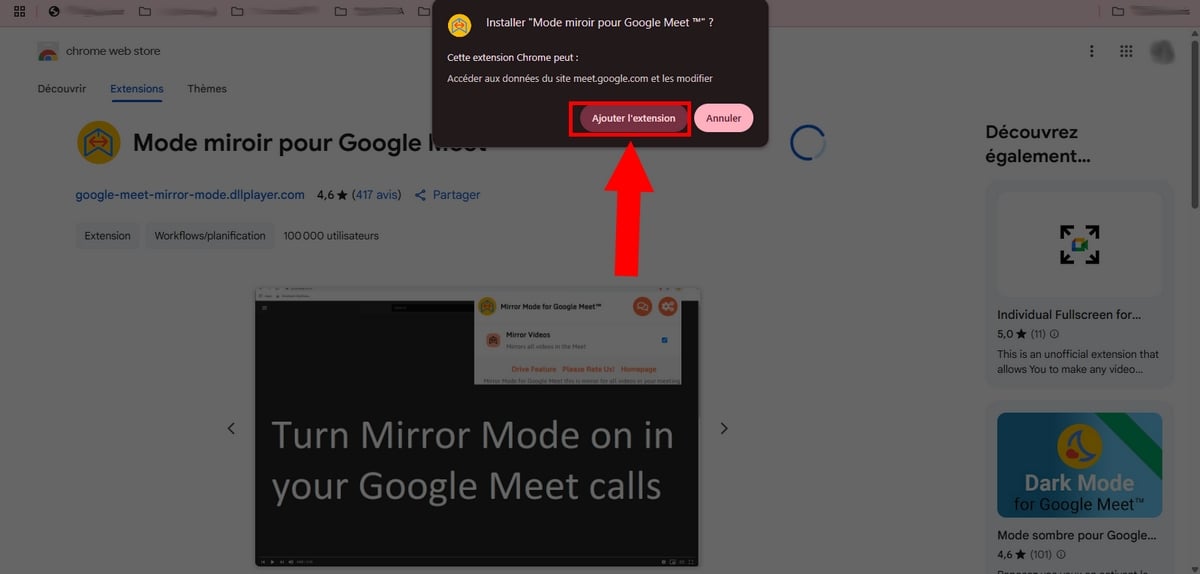
You can verify that the’extension is downloaded by clicking on the tool Extension at the top right of your browser.
b) Join or create a meeting on Google Meet
Now let's move on to the most interesting part of this article: How to invert the camera on Google Meet ?
- Meeting on Google Meet from your browser,
- Join an existing meeting or create a new one. To do this, simply choose between the option New meeting Where Enter a code or link,
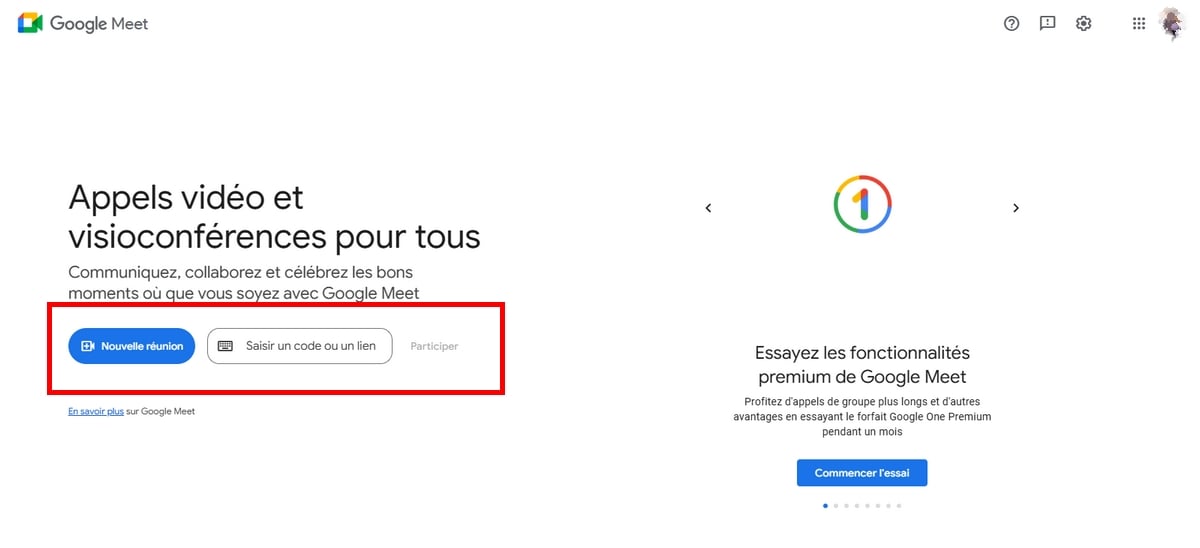
Start or join a meeting on the site. Princia for Alucare.fr - Then click on the three small points next to the hang-up icon,
- Then choose Settings,

- In the Video section, select your camera.
- Then click on the Mirror Mode extension icon (top right of your Chrome browser) to activate image flipping.
You'll instantly see your own video feedback reversed. If you're holding a book, the text finally becomes legible for you.
⚠️ Attention participants: This extension only changes your screen. Your viewers continue to see the text right side up, exactly as before. The extension is only for your own visual comfort, to make sure you're showing what you're showing.
2. How do I reverse the camera on Google Meet on mobile?
On the mobile application (Android and iPhone), Google Meet only offers no option to flip image and not does not support Chrome extensions.
Fortunately, the rule remains the same: your participants already see your text right side up, even if your phone screen shows you the opposite.
If you absolutely need to control your own visual rendering to feel comfortable during your presentation, the only solution is to switch to a computer.
FAQs
Why use an extension to invert the camera on Google Meet?
Only for your own visual comfort.
The Mirror Mode or Mirror Effect extension flips the image on your screen, which can help if you're holding a book or document and it bothers you to see it upside down.
To remember : this changes nothing for your participants, who already see your text right side up without any manipulation.
How do I switch between front and rear cameras on Google Meet mobile?
If by “reverse camera” you simply mean switch from your selfie camera to the rear camera from your smartphone during the meeting :
- press your screen,
- then touch the camera rotation icon (the two arrows in a circle) at top right.
So you can easily film what's in front of you.
Why is my Google Meet video inverted on my screen?
It's a choose Google Meet and most tools such as Zoom or Teams.
This feature, called “mirror effect” is designed to keep your on-screen movements as natural as when you look in the mirror.
Do other participants see my text upside down on Google Meet?
No, don't worry!
Even if on your own screen the text of your book or sheet appears upside down (due to the’mirror effect local), your participants see it perfectly upright and legible. So you don't have to do a thing to get them to read it correctly.









 English