You can't anymore Sign in to your Amazon account ? In most cases, a simple Password Reset That's all it takes—it's free and takes less than a minute.
Here's what to do depending on your situation.
How to find my Amazon account safely: tailor-made solutions!
The right approach depends on your situation: Forgot your password, two-step verification that's stuck, suspended account Where blocked account. Each case has its own procedure, and they are all detailed below.
Forgot your password: How do I access my Amazon account?
This is the most common scenario. Whether you're an Amazon Prime member or a regular customer, here's how to find your account and create a new password:
- Go to the Amazon password recovery page : https://www.amazon.fr/motdepasse
- Enter the email address or phone number associated with your account, and then click Continue.

- You will receive a one-time password by email or text message.
- Enter this code in the field enter the required information and click Continue.
- Enter your new password.
If you no longer have access to your email or phone number, you cannot reset your password immediately. You'll need to go through the customer service to prove your identity.
Here's a video that explains how to quickly recover a password for an account Amazon On Android:
Explanatory video in French by Alucare, ideal complement to the page. View video (you can use YouTube's automatic translation)
Two-Step Verification Failed: What Should I Do?
When the two-step verification If that doesn't work, start by trying to log in from a trusted device or using your saved backup method. If that still doesn't work, you'll have to prove your identity with a form of identification.
Here is the procedure:
- Go to the section Account recovery related to two-step verification: https://www.amazon.fr/a/recover/upload
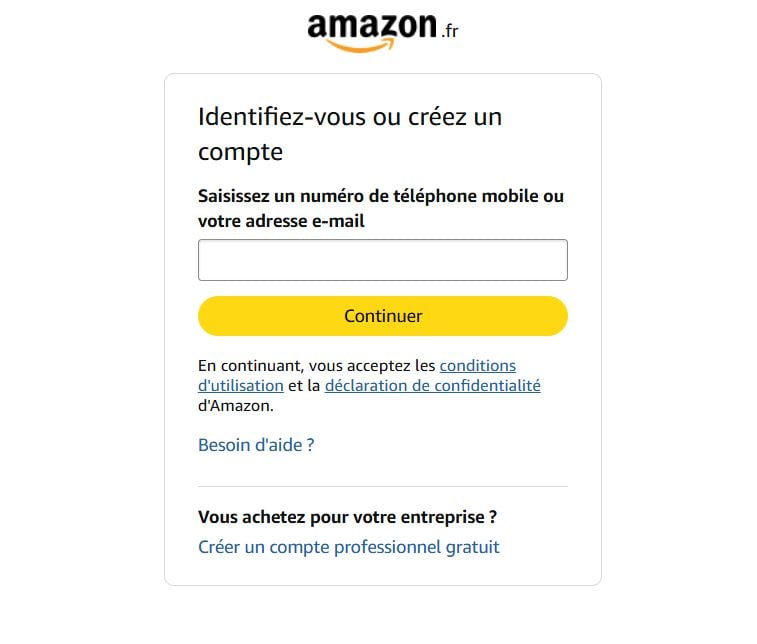
- Enter your phone number or email address.
- Load your identity document Follow the instructions. Your name, address, and the issuing authority must remain visible. Redact sensitive information such as account numbers.
Once the verification is complete, you'll receive a confirmation e-mail and you can log in to your account using just your password. Account 1 to 2 days processing.
Suspended Account: What to Do If Amazon Puts Your Account on Hold?
Whether Amazon detects a unusual payment activity, your account has been suspended. This is a measure to security preventive. To unlock it:
- Check your emails and text messages. Amazon send a notification «Suspense Account».
- Log in to your account Amazon.
- Fill out the form and attach the required documents.
Account Locked: Need Help Recovering Your Account?
To unblock an account Amazon If it's locked, follow these steps:
- Identify the reason the block by checking notifications (emails) and messages from’Amazon, which generally indicate the cause.
- Contact customer service Amazon to get specific information about the problem and what to do.
- Check your identity by providing the requested information: name, phone number, or recently used addresses.
- Creates a strong, unique password to reconnect and improve security.
- Use the’online help, in the «Help» section of the home page, to resolve account issues.
- Keep your identity information Amazon Keep it up to date and use your account with complete security.
Here's a video interview with a woman who successfully unlocked her Amazon seller account:

Recovering My Amazon Account After a Technical Issue
A technical issue might also be preventing you from logging in—such as an unresponsive app or a page that won't load... Here's what to try:
- Check your internet connexion, then re-enter your email address and password.
- Clear the cache and cookies, then refresh the page.
- Update the’application for better performance.
- Try another one browser or another device if Amazon remains inaccessible.
- Update your operating system to resolve incompatibilities.
- Checks the security settings on your device.
These steps allow you to solve problems The most common ways to access your account Amazon. If nothing works, contact the technical support ofAmazon.
How do I recover my Amazon account after deleting it?
Once your account has been closed, you I can no longer access it and it cannot be restored. There is no official cancellation period after confirmation.
All the products and services linked to this account will become inaccessible on all websites Amazon around the world. The only window of opportunity lies Before to confirm the closure during the audit period.
Amazon Email: Error updating email address
An error appears when you edit the’e-mail address your account? Another account is probably already associated with this email address. To use it here, you must first unlink from that first account.
Manage and Secure Your Amazon Account

Once you've regained access, take a few minutes to Secure Your Account. Enables the two-step verification In your security settings, update your password, email address, and phone number.
Business Account or Personal Account
An account Amazon Business is not managed as a personal account. The first is intended for professionals, businesses, and sellers. The second is designed for individual consumers.
Here are the main differences:
| Features | Personal Account | Business Account |
| Target Audience | Individual consumers | Businesses, professionals, vendors |
| Product Prices | Public rates | Business Rates, Volume Discounts |
| Subscription | None | Annual subscription Business Prime |
| Payment options | Standard | Credit card, separate billing |
| Controls | Buying products | Wholesale Orders, Purchasing, and Sales |
| Customer service | Standard | Support for Businesses |
Understanding the Amazon Prime Membership

Amazon is the platform that lets you buy a wide range of products. Amazon Prime is an additional subscription—monthly or annual—that adds the express shipping, exclusive offers, and access to streaming movies, TV shows, and music.
Prime Video is included in Amazon Prime, but you can also sign up for it on your own.
To learn more, check out our article on the price of an Amazon Prime subscription and the one on the price of Prime Video.
Manage Your Amazon Account More Effectively
Once you're logged in, your customer portal centralizes 9 sections To manage your account on a day-to-day basis:
- Your Orders : Track, edit, or report an issue with your latest posts.
- Login and security settings : change your password, email address, or phone number, and enable the two-step verification.
- Addresses : Add or update your shipping address.
- Payment options : Add or remove a credit card or another payment method.
- Gift Cards and Top-Ups : Manage your gift certificates and gift cards.
- Message center : View the conversations between Amazon, a salesperson, and you.
- Assistance : Visit the Help Center to resolve your issues or contact customer service.
- Amazon Prime : Manage your subscription.
- Mobile application : Download the app Amazon on your phone.
These sections let you use your account Amazon fully and solve problems everyday life. Do you have any questions? Feel free to check out the’online help ofAmazon for any additional questions.








 English