Undertale does not offer official French translation : the game of Toby Fox is available on Steam Available only in English and Japanese.
Fortunately, a team of fans has created a community patch which does the job very well. The process is reversible.
1. Download the FR patch to put Undertale in French
Can't get through Undertale in French from the game settings: that language simply isn't available there. The only solution is to use the UndertaleFR site : https://undertale-fr.com/
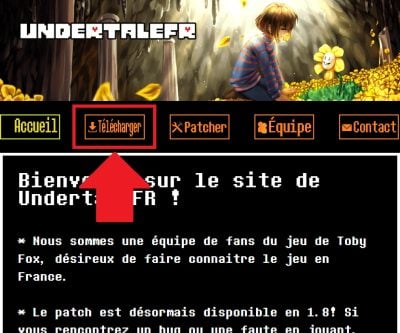
- Once on the home page, Go to “Download”.
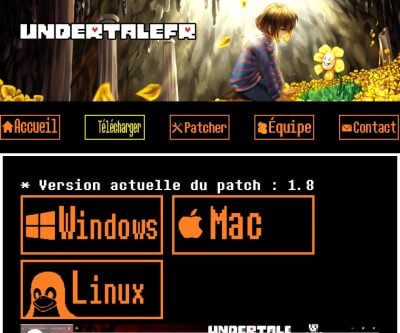
- Download the version that matches your PC's operating system. The patch is available for Windows, Mac and linux.
- Open the location from the downloaded file. On Windows, it's in your “Downloads” folder by default.

- Make a right click to extract file, either on-site or in a dedicated folder, depending on your preference.

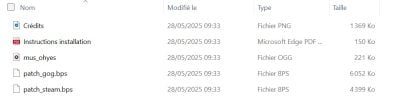
- Once the extraction is complete, You'll get the patch files. The one we're interested in for the rest of this discussion is the patch_steam.bps.
Remark : turn off your antivirus While you're patching Undertale, keep in mind that a patch that modifies game files sometimes triggers a false positive, even though the file itself isn't harmful. Be sure to re-enable it afterward.
2. Patch Undertale to put it in French
The patch has been downloaded; all that's left to do is merge with your game file. Here are the steps to follow:
- Go back to the website https://undertale-fr.com and Go to “Patcher”.

- Do drag the “ file“patch_steam.bps“ in the “.bps file” field.

- Check to make sure the file has been processed on the site.
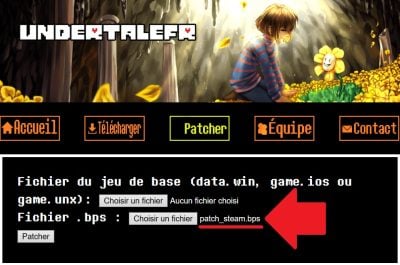
- Locate the file “data.win“ your game via Steam. The quickest way:
- Open your Steam Library.
- Click on Undertale.
- Tap the gear icon, then Select “Properties”.
- Go to “Installed Files”.
- Click on “Browse…” to go directly to the game folder.

- Locate the file “data.win“ in the list: this is the game's main data file (sprites, text, scripts), not your save file.
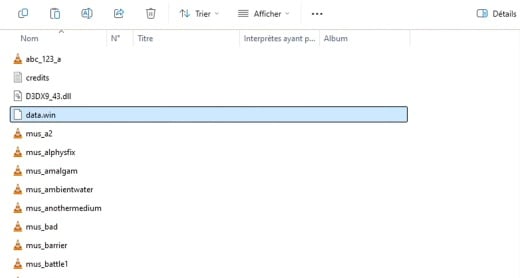
Important : Before continuing, do a copy of the file “data.win“ somewhere on your PC. It will let you go back to the English version at any time, simply by moving it back to the game folder.
Your save file, however, remains intact: in Windows, it's located in a separate folder (%localappdata%\UNDERTALE).
- Do drag the “ file“data.win“ in the “Base Game File” section.

- Check to make sure the file has been processed on the site.

- Once everything is in place, Click “Patcher”. A download will start and give you a new “data.win“ patched.

- Do drag this new “data.win“ in the original Undertale folder, then agree to Replace the existing file.

3. Test the patched Undertale on your PC
To make sure everything went smoothly, Launch Undertale from Steam. If the menus and dialog boxes are displayed in French, the patch is installed correctly.
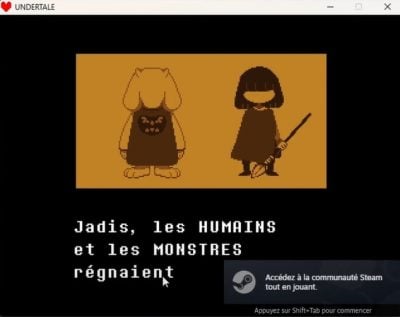
Good to know: This patch works only on PC (Windows, Linux, and Mac) and not on consoles.









 English