It is possible to recover your lost partitions with specific tools.
In this article, we will see what partition recovery software use.
| 🎯 Software | ✅ Benefits | ⭐ Note |
|---|---|---|
| 1. Stellar Data Recovery Pro |
|
4,2/5
⭐ ⭐ ⭐ ⭐ ☆ |
| 2. Minitool Partition Recovery |
|
4,1/5
⭐ ⭐ ⭐ ⭐ ☆ |
| 3. Wise Data Recovery |
|
4/5
⭐ ⭐ ⭐ ⭐ ☆ |
| 4. Disk Drill |
|
4/5
⭐ ⭐ ⭐ ⭐ ☆ |
| 5. Do Your Data |
|
3,9/5
⭐ ⭐ ⭐ ⭐ ☆ |
| 6. Find & Mount Partition |
|
3,8/5
⭐ ⭐ ⭐ ☆ ☆ |
| 7. Active Partition Recovery |
|
3,7/5
⭐ ⭐ ⭐ ☆ ☆ |
Visit all the details on this software.
1. Stellar Data Recovery pro
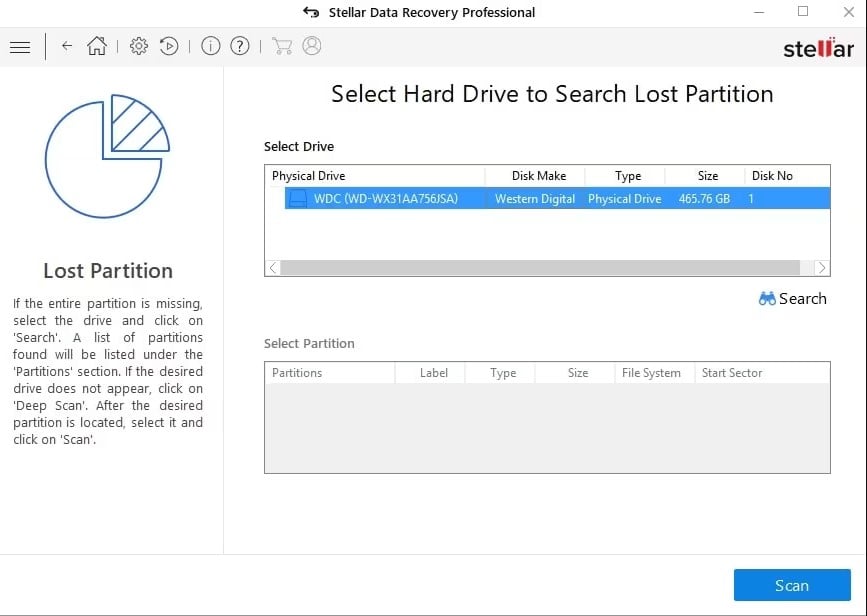
For those who don't know, this lSoftware for recovering lost or deleted files is very effective.
- It is important to note that this software is designed to recover lost or deleted files from any computer or storage device running Windows. Regardless of how it was lost.
- This software offers advanced features such as previewing recoverable files before restoring them. It also allows you to filter by type or extension during the recovery process.
- But wait, there's more. On Windows, the software allows you to RAID device management and virtual servers for professionals.
Although he has a few limitations in its free version and a potentially high cost for the premium version, it allows you to easily recover your data. In addition to this, the software has an intuitive and easy-to-use user interface.
Here are his benefits and disadvantages :
| ✅ Benefits | ❌ Disadvantages |
|---|---|
|
|
2. Minitool Partition Recovery
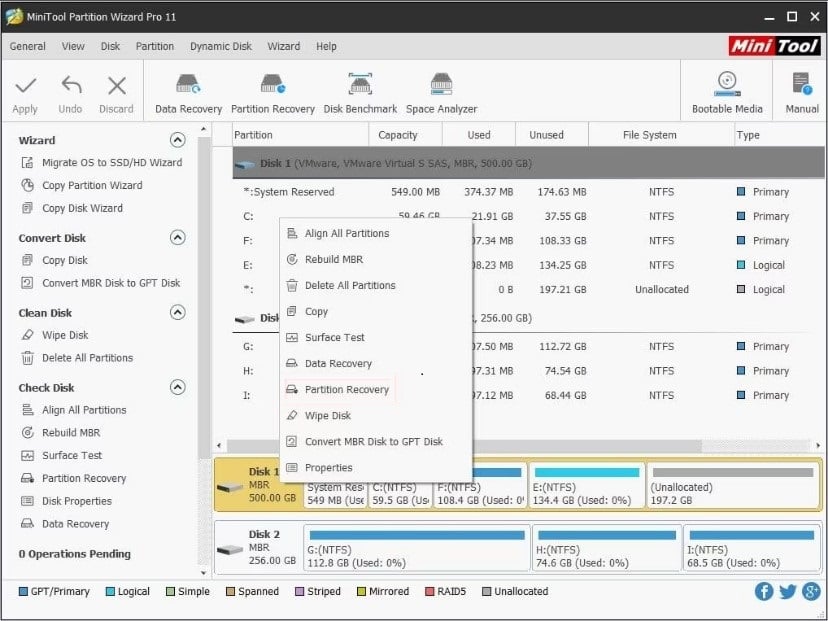
MiniTool Partition Recovery is software designed to recover damaged, lost, or deleted partitions. MiniTool Partition Recovery comes in the form of a step-by-step wizard (wizard), which makes it very easy at use.
Here is the page for application startup with the different menus:
- Undelete Recovery : to recover deleted files.
- Recovery of lost partitions : to search for and recover files on disk partitions that have been deleted
- Digital Media Recovery : retrieves documents from removable media
- CD/DVD Recovery : the same thing, but for CDs/DVDs
- Damage Partition Recovery : recovers files from damaged, corrupted, or formatted partitions (RAW, etc.).
All menus are based on the same principle: you select an action Then select a partition to analyze. The recoverable data will then be displayed. And that's it!
Here are his benefits and disadvantages :
| ✅ Benefits | ❌ Disadvantages |
|---|---|
|
|
3. Wise Data Recovery

You can use Wise Data Recovery to recover a partition on your hard drive.
- The tool offers an analysis feature. fast and an analysis function in-depth.
- You can recover your data such as videos, emails, and documents with this solution.
Here are his benefits and disadvantages :
| ✅ Benefits | ❌ Disadvantages |
|---|---|
|
|
Find out how to increase Xbox storage thanks to another article on our website.
4. Disk Drill

What is Disk Drill? Well, it's data recovery software for hard drives. This software allows you to perform a recovery. whatever the situation the cause of the data loss.
So, if you have deleted a very important file or document, Disk Drill can help you get it back. recover easily.
Here are his benefits and disadvantages :
| ✅ Benefits | ❌ Disadvantages |
|---|---|
|
|
5. Do Your Data

Do Your Data is a tool that allows you to scan formatted, deleted, and inaccessible partitions using its advanced search function. It also allows you to recover lost data, corrupted or damaged and restore them.
Here are his benefits and disadvantages :
| ✅ Benefits | ❌ Disadvantages |
|---|---|
|
|
6. Find & Mount Partition
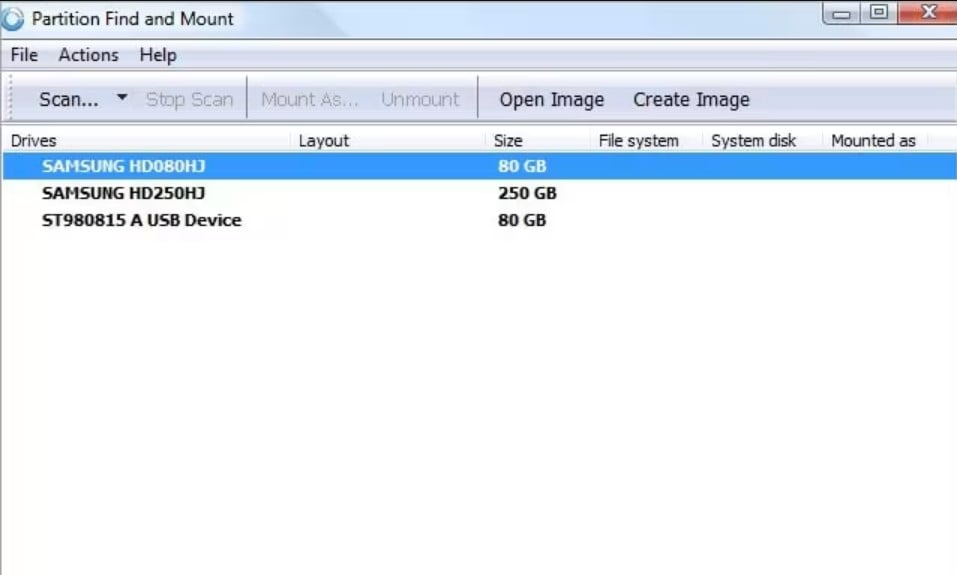
This software is easy to use and reliable. It can be used in cases of partition loss as well as data loss or more serious problems.
Here are his benefits and disadvantages :
| ✅ Benefits | ❌ Disadvantages |
|---|---|
|
|
7. Active Partition Recovery

This software is ideal for lost partitions, corrupted data, bad sectors, etc. It has features such as manual recovery and automatic.
Here are his benefits and disadvantages :
| ✅ Benefits | ❌ Disadvantages |
|---|---|
|
|
FAQs
How to choose the most suitable partition recovery software?
The ideal approach is to consider your needs in your choice of software. You can also choose a tool based on your budget.
What are the common causes of partition loss?
There are a few factors that can cause loss or partition deletion. But which ones exactly?
- Accidental deletion Indeed, it is not uncommon to accidentally delete a partition that you need.
- Data corruption Sometimes, the partition table can be damaged by a virus or disk malfunction.
- Power outages A power surge or sudden power outage can affect the operation of the disk. Unfortunately, this can break your partition.
- Bad sectors : Bad sectors on the disk may prevent your partition from being recognized by the operating system.
What are the consequences of losing data from a partition?
When a partition is lost, the data it contained also disappears. And imagine that the deleted partition contains your work files, your graduation thesis, or all your family photos.
That would be a huge loss, wouldn't it? Fortunately, there are solutions for retrieve your scores deleted.
But be careful, the timing is important:
- EIn general, when a partition is deleted, the system deletes its assignment at this location on the hard drive, allowing this part of the memory to be overwritten as needed.
- If the part of the disk remains intact, you always have the option to restore the partition using a recovery utility.
But if that is no longer the case, it is more complicated :
- Indeed, pThe more you use your computer, the more likely it is that this part of the hard drive will be crushed by new data.
- So, as soon as you see a problem, you need to act immediately, sunder penalty of having your data permanently deleted.
There you have it, now you know everything there is to know about sheet music and solutions :
- Numerous software can help you.
- Some are entirely free of charge while others offer paid features.
- Most are available even for beginners in computing.
If you need other content similar to this one, check out our page Guides & How-To'sYou can ask your questions in the comments section.








 English